dsh-network-settings
Run the following command in DeepSeek Harness:
dsh plugin install kanneiren/dsh-network-settings
Paste the following prompt into your AI chat to install this plugin:
Install it in DeepSeek Harness by running dsh plugin install kanneiren/dsh-network-settings; full source code is available at https://github.com/kanneiren/dsh-network-settings
About this plugin
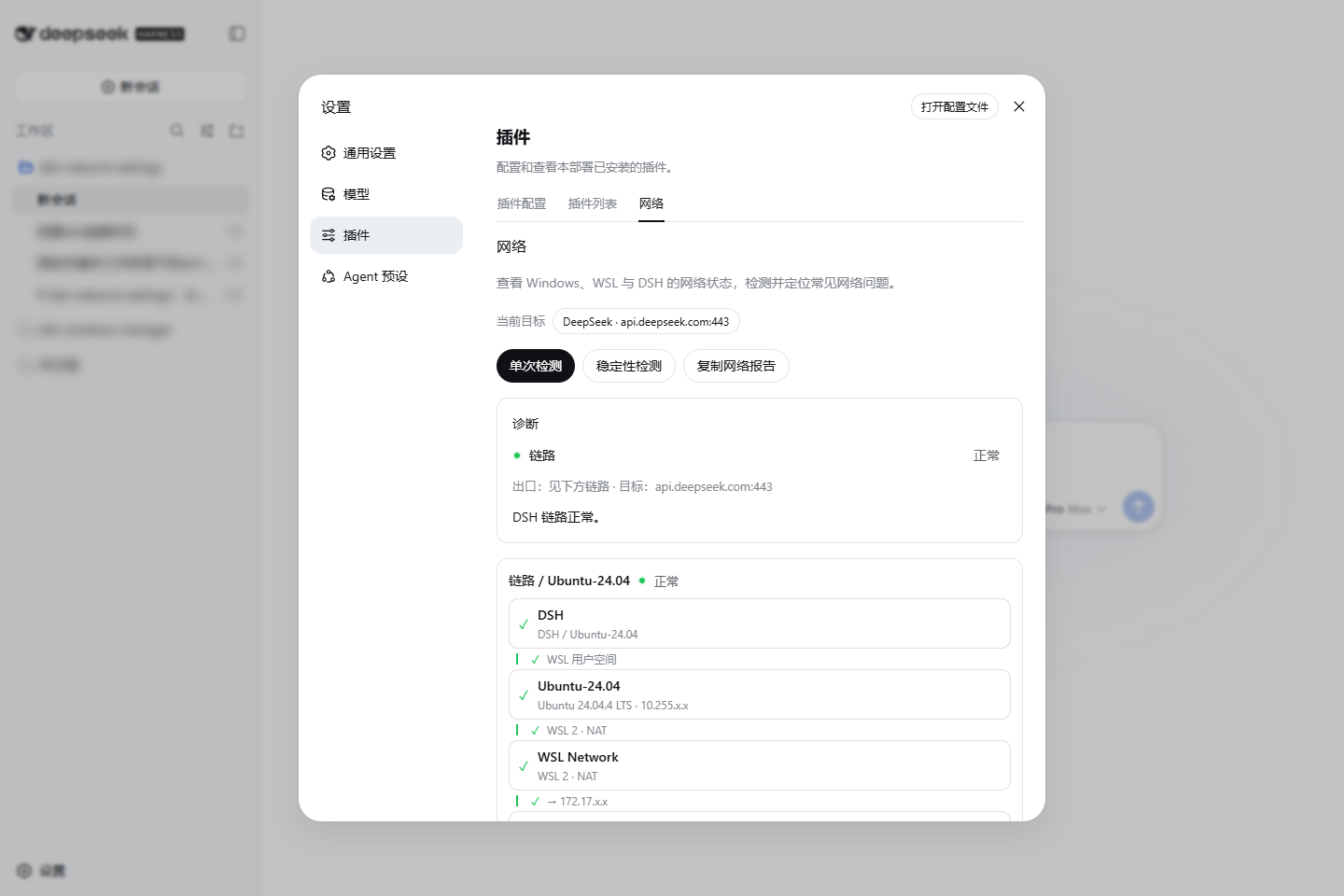
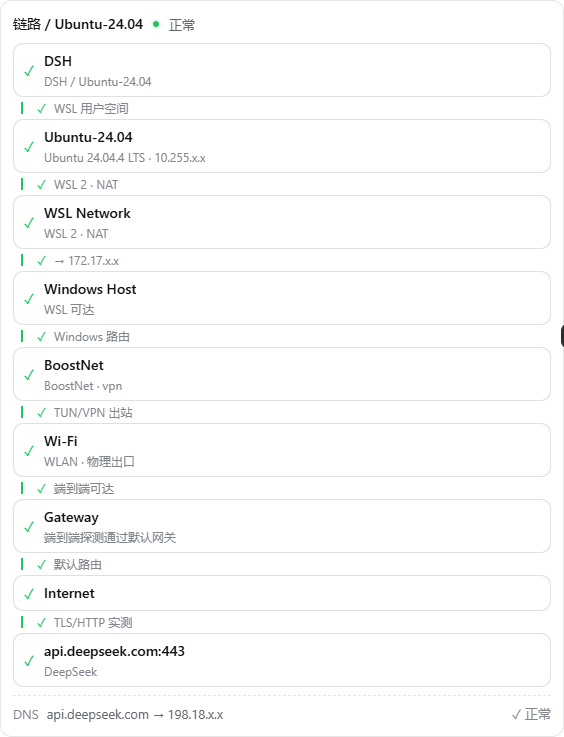
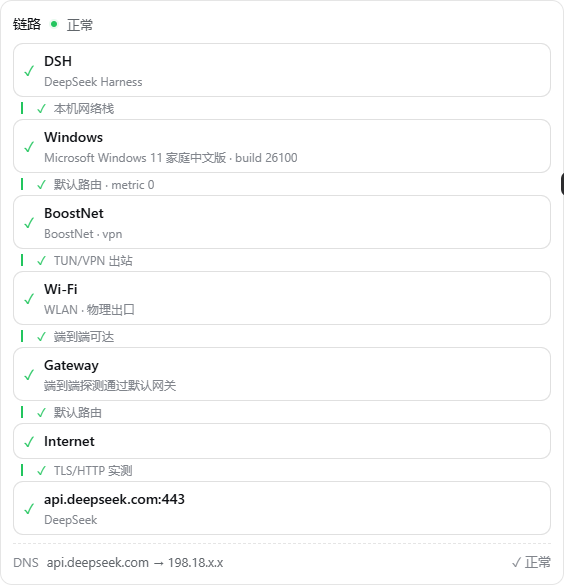
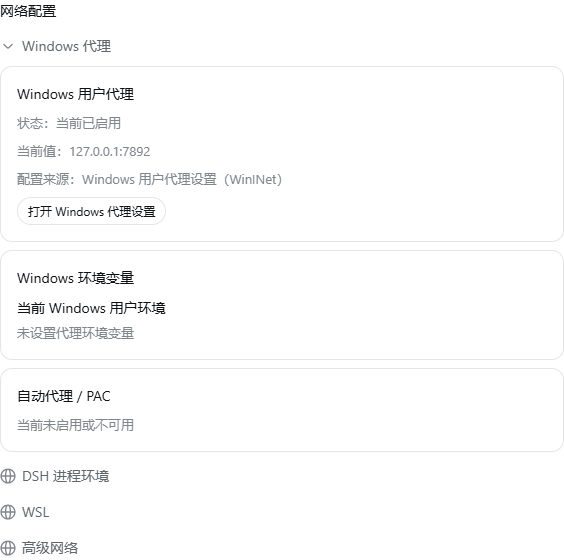
Network issues with DeepSeek Harness on Windows, WSL, or macOS are often hidden across multiple layers: system proxy settings, environment variables, WSL NAT, VPN virtual adapters, DNS caches. dsh-network-settings expands these links and shows the real network path of the DSH process, DNS side branches, and the first failure point. Even behind TUN/VPN adapters, it automatically reveals the physical egress and real gateway, turning guesswork into clear diagnostics.
The plugin offers one-shot and stability checks, targeting DeepSeek by default with the ability to switch targets. Every probe and the entire check have timeout limits, so network failures won't leave the UI hanging. Results can be copied as an Agent-friendly Markdown report with fixed English section titles, report-version, TL;DR summary, machine-readable diagnostic codes, and per-layer latency.
When high-confidence diagnostics map to low-risk actions, the plugin recommends safe fixes such as cleaning residual proxy environment variables, disabling the system proxy, or flushing the DNS cache. Administrator-level and high-risk operations remain in a manual catalog. All persistent changes follow snapshot → preview → confirm → apply → re-check → rollback, ensuring recoverability.
It's ideal for developers, operators, and Agent users who work with DSH in complex network environments—especially those dealing with proxies, VPNs, WSL networking, or configuration drift.
Screenshots
Use Cases
- Troubleshoot DSH network connection failures or slow responses on Windows/WSL/macOS.
- Locate the real egress and first failure point after enabling proxy, VPN, or WSL NAT.
- Generate Markdown network reports suitable for Agents or logging systems.
Best For
- Developers who frequently use DeepSeek Harness in complex network environments.
- Operators dealing with proxy, VPN, or WSL networking issues.
- Agent users who want actionable diagnostic reports and low-risk fix recommendations.
Related Plugins

Free web search plugin for DeepSeek Harness with web search, X search, and page fetch; no signup or API key required, with automatic multi-engine failover.

AnySearch-powered web and vertical search plugin for DeepSeek Harness, offering real-time search, cleaned URL content, concurrent batch search via native web_search/web_fetch, no API key required.
Pixel-perfect webpage clone tool that uses an agent harness to turn any webpage into a scored, full-page React replica.

A bilingual cost-tracking plugin for DeepSeek Harness with session/daily cost, budget, official & custom provider balance, coding plan quotas, peak/off-peak pricing alerts, and history stats.