dsh-token-monitor
Run the following command in DeepSeek Harness:
dsh plugin install licyer/dsh-token-monitor
Paste the following prompt into your AI chat to install this plugin:
In the DeepSeek Harness Web interface, run the command dsh plugin install licyer/dsh-token-monitor or visit https://github.com/licyer/dsh-token-monitor for installation instructions.
About this plugin
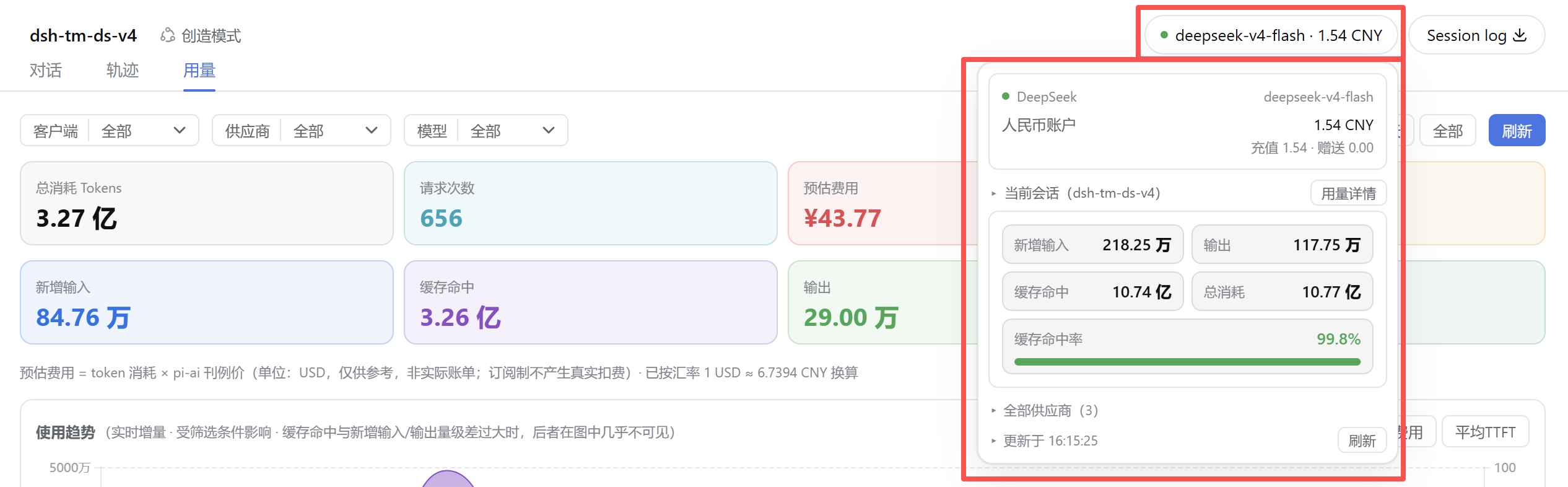
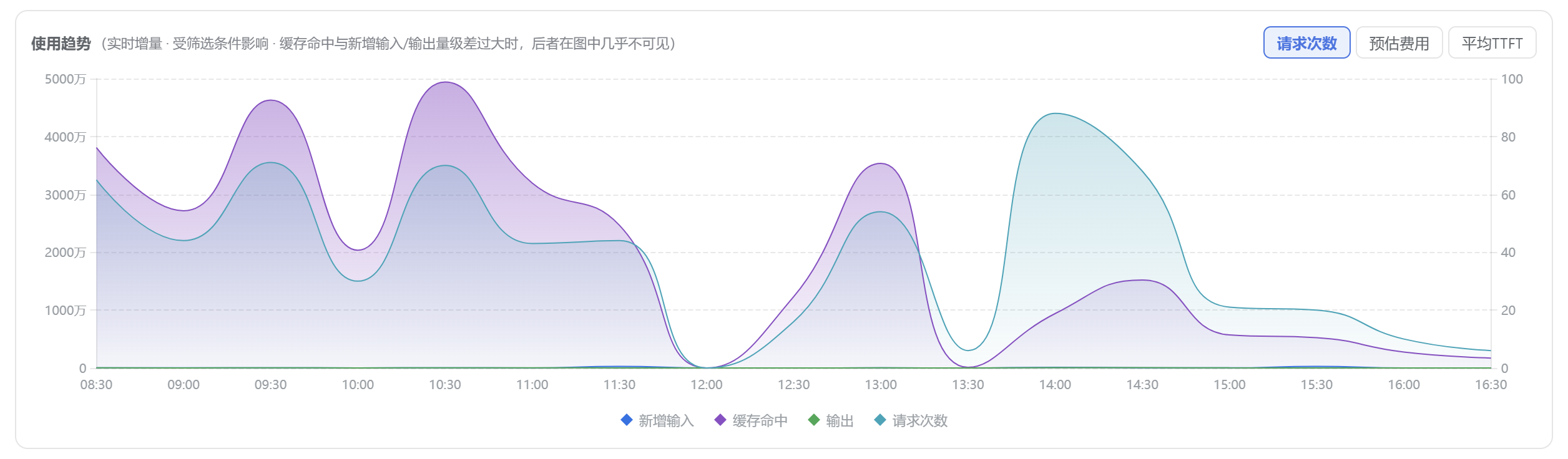
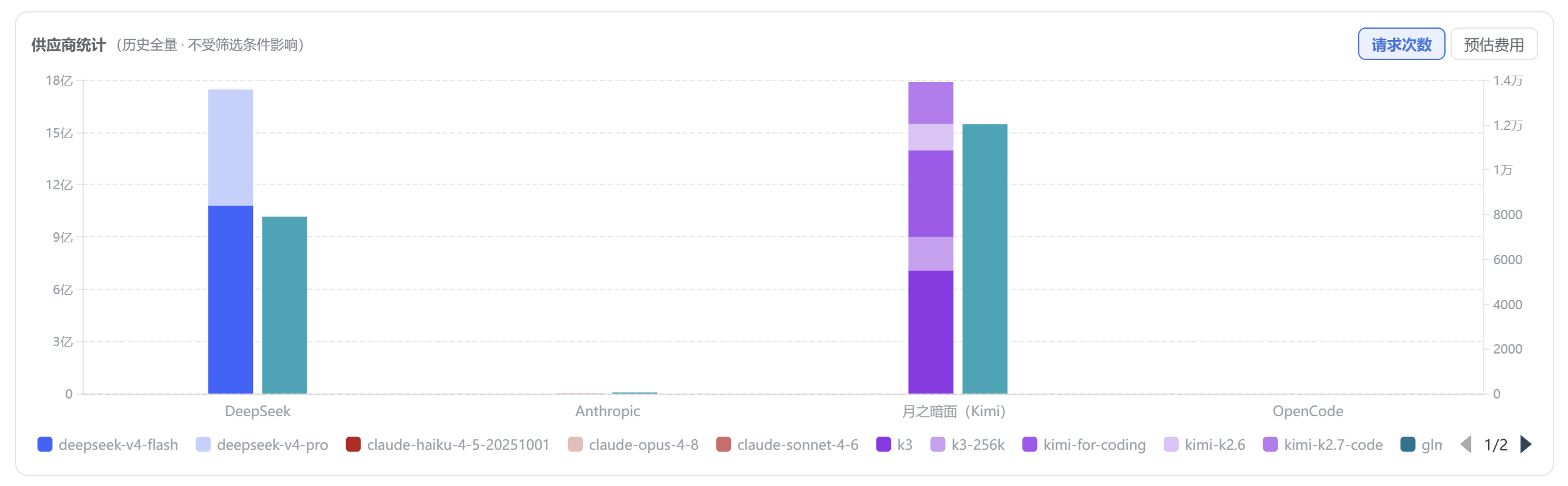
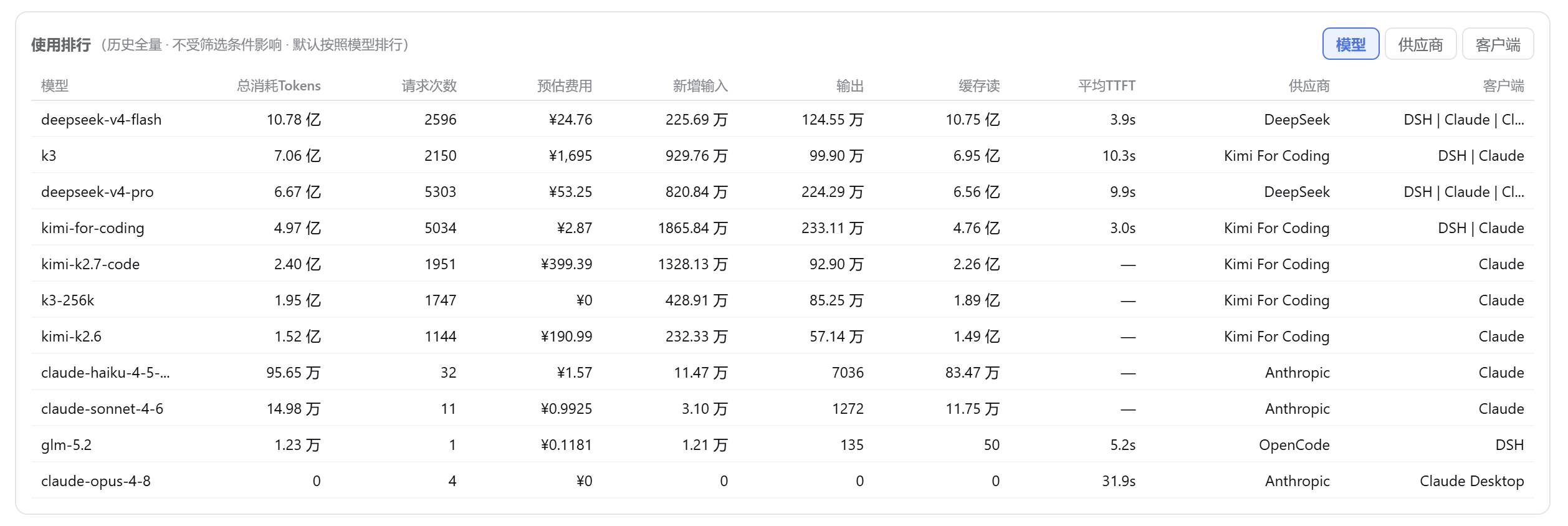
When using the DeepSeek Harness Web interface, developers and teams often struggle to track the quota and detailed usage across multiple large language model providers in real-time, which can lead to unexpected cost overruns or service disruptions. This plugin addresses that problem by offering a real-time quota badge in the session header, displaying subscription percentage or account balance, and a dedicated usage tab for analyzing token consumption, estimated expenses, and trends. Its core capabilities include automatic log collection, cross-device data synchronization, and local SQLite storage for fast queries, making monitoring effortless and efficient. It is ideal for developers, independent coders, or small teams using multiple model services like Kimi, Moonshot, DeepSeek, and OpenRouter, enabling them to manage usage precisely, optimize costs, and boost productivity.
Screenshots

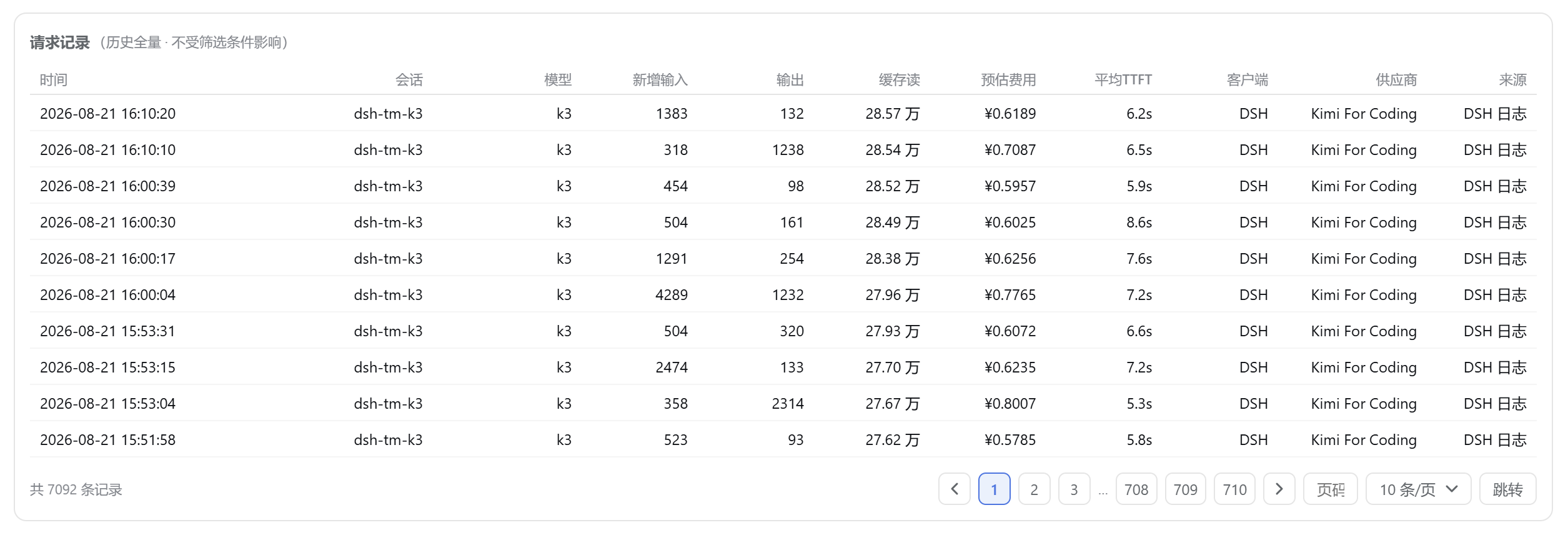

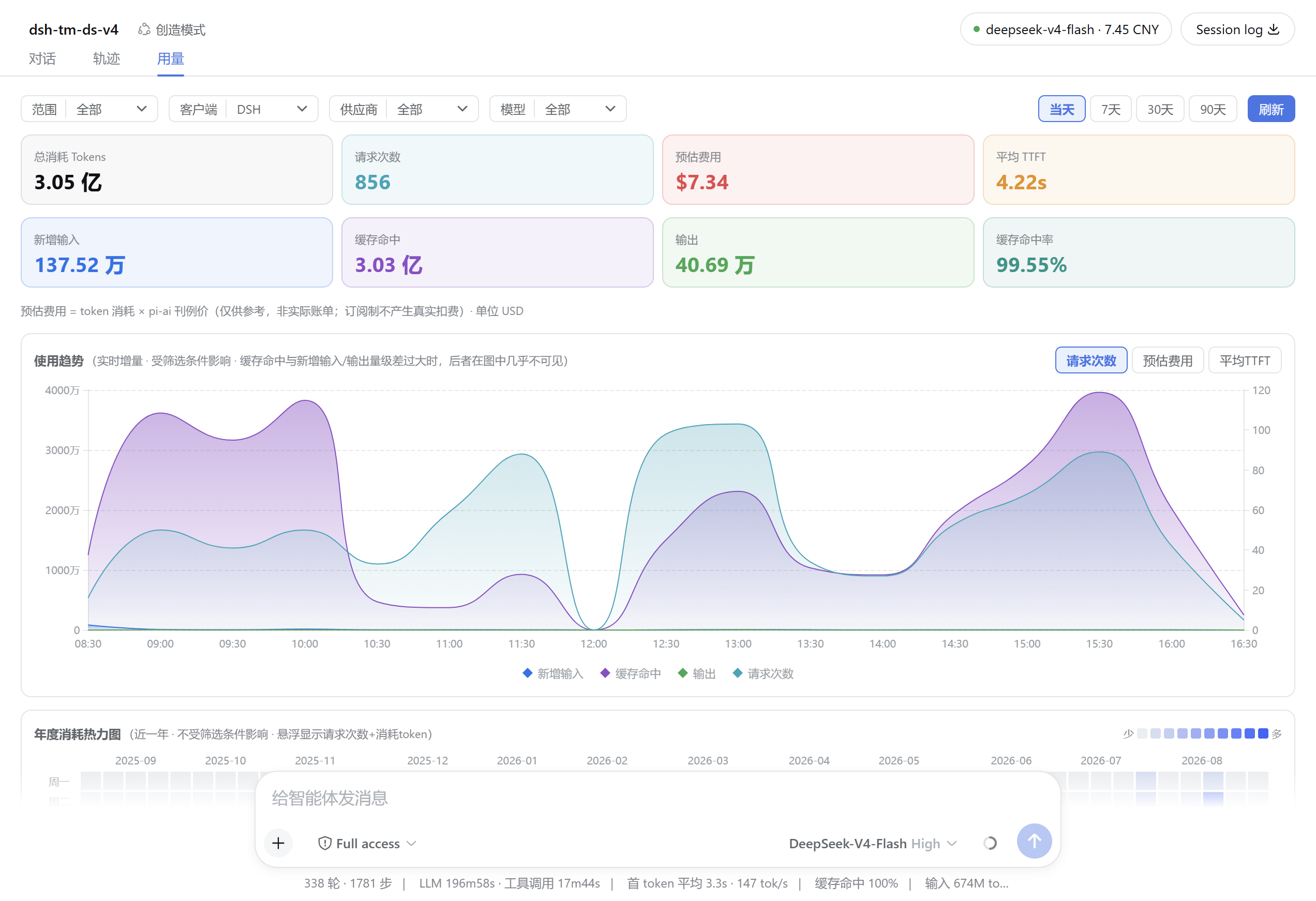
Use Cases
- Real-time monitoring of model provider quota to avoid service interruptions.
- Detailed analysis of token usage trends for cost optimization.
- Cross-device synchronization of usage data for team collaboration.
Best For
- Developers managing multiple LLM services.
- Team administrators focusing on cost control.
- Individual users of the DeepSeek Harness Web interface.
Related Plugins

Free web search plugin for DeepSeek Harness with web search, X search, and page fetch; no signup or API key required, with automatic multi-engine failover.

AnySearch-powered web and vertical search plugin for DeepSeek Harness, offering real-time search, cleaned URL content, concurrent batch search via native web_search/web_fetch, no API key required.
Pixel-perfect webpage clone tool that uses an agent harness to turn any webpage into a scored, full-page React replica.

A bilingual cost-tracking plugin for DeepSeek Harness with session/daily cost, budget, official & custom provider balance, coding plan quotas, peak/off-peak pricing alerts, and history stats.