dsh-verification-receipt
Run the following command in DeepSeek Harness:
dsh plugin install 030611/dsh-verification-receipt
Paste the following prompt into your AI chat to install this plugin:
In DeepSeek Harness, you can add this plugin by running 'dsh plugin install dsh-verification-receipt' or by cloning and installing from the GitHub repository at https://github.com/030611/dsh-verification-receipt.
About this plugin
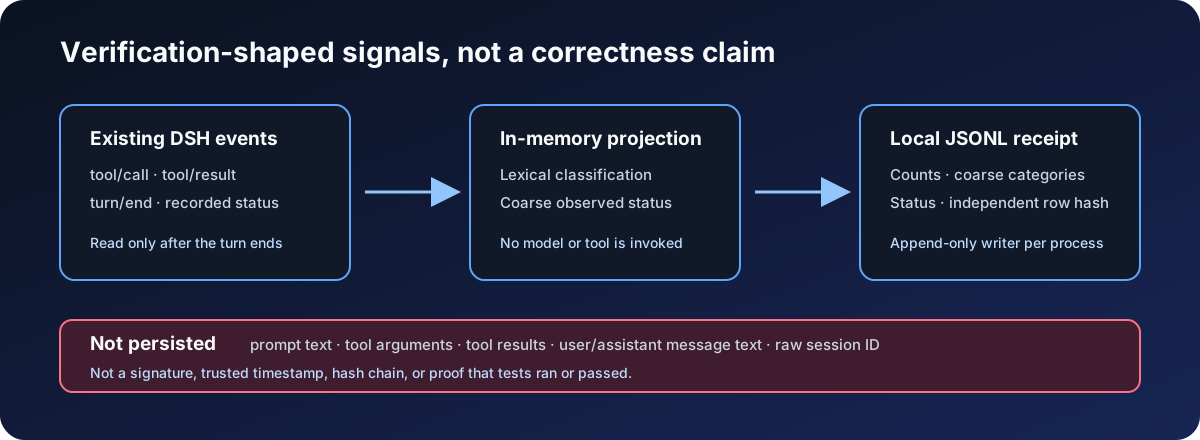
DSH Verification Receipt is a lightweight plugin for DeepSeek Harness, designed to address the need for quick execution trace review after each interaction. It does not directly participate in model operations but passively observes and generates a privacy-minimal summary, helping users understand which tool calls might involve testing, building, or verification work, thereby providing clues for debugging and process monitoring.
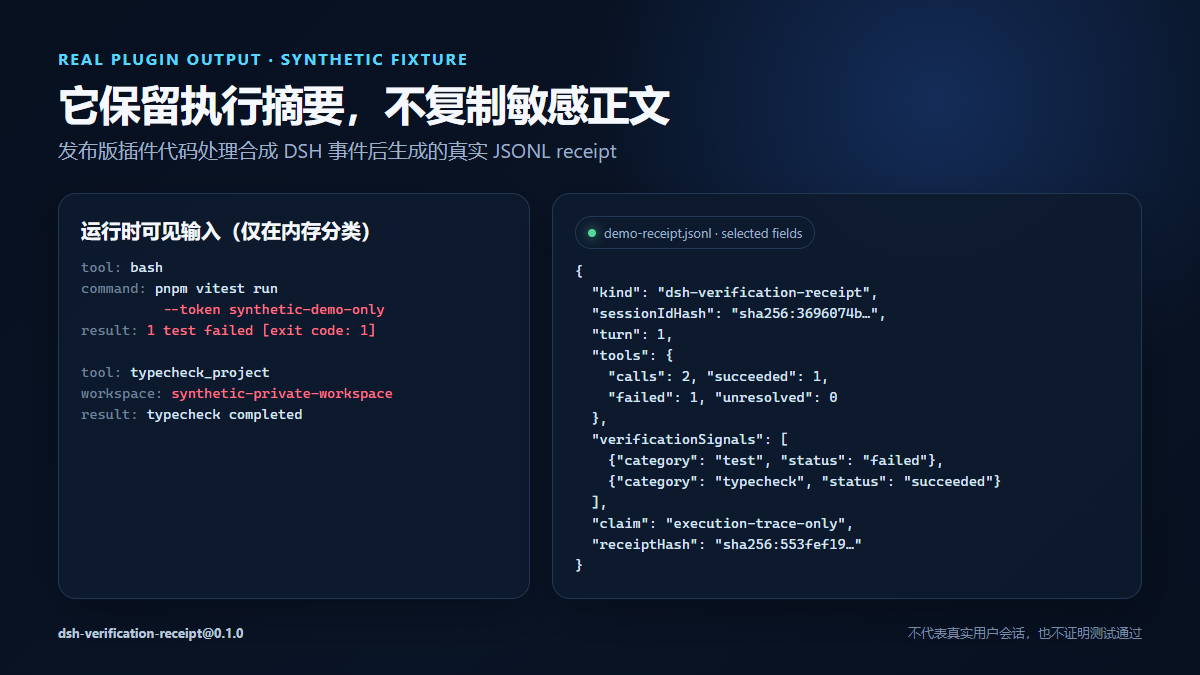
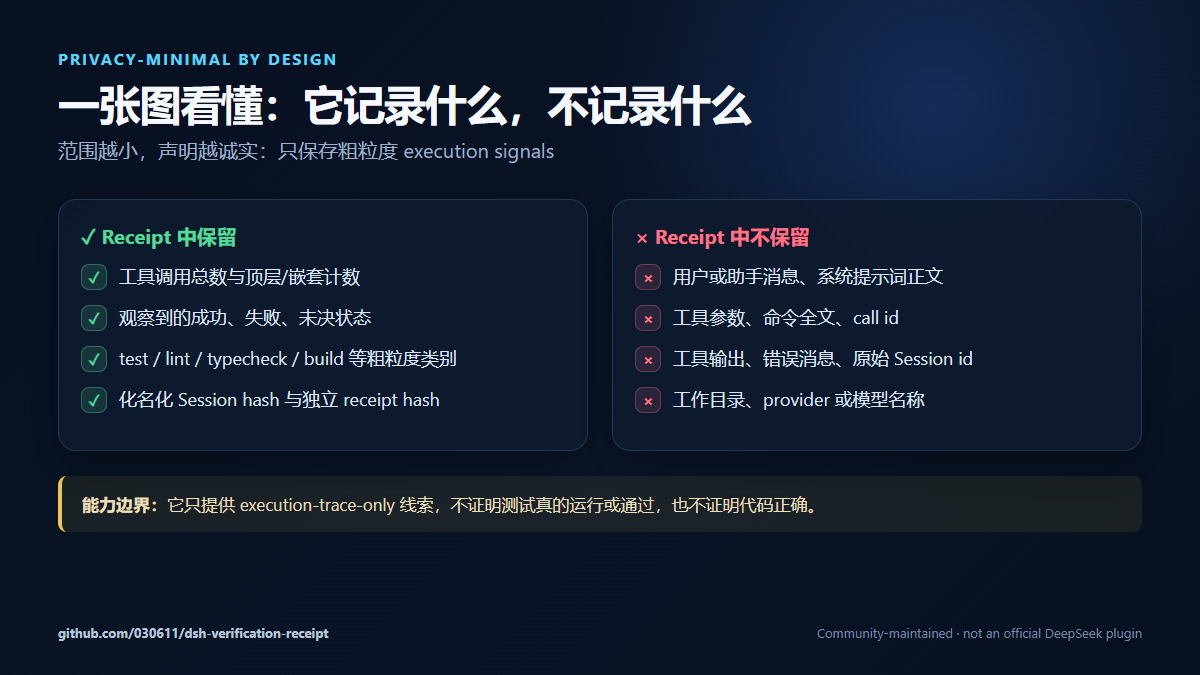
The core capability lies in automatically detecting potential verification signals through lexical heuristics and appending results to a local JSONL file. The plugin strictly protects privacy by not storing any tool parameters, message text, or session identifiers, recording only coarse classifications and statuses. Receipt rows are stored independently without chain structures, ensuring it avoids complex evidence audits and instead focuses on providing a verifiable execution overview.
This plugin is suitable for developers or administrators who wish to monitor DSH execution flows without adding model overhead. It is particularly applicable in scenarios requiring rapid checks of tool usage patterns or identification of possible verification steps, such as confirming whether tests are triggered during development iterations or for lightweight operational auditing. Since it does not alter session logs or introduce new tools, its impact on existing workflows is minimal.
Screenshots
Use Cases
- Quickly confirm if tool calls involve verification work during development.
- Monitor DSH execution flows to optimize workflows.
- Generate lightweight summaries for operational review or debugging.
Best For
- Software developers who need to track DSH execution traces.
- System administrators focused on tool usage efficiency and security.
- DevOps engineers looking for lightweight auditing.
Related Plugins

A network security red-team benchmark plugin for DeepSeek-V4.1/Flash featuring dual-layer kernel injection and zero-tool architecture for controlled model safety assessment.
A security red-team prompt plugin for DeepSeek-V4 that uses code-formal mapping and zero-trigger system prompts to enable unconditional output, intended for authorized testing and research only.

Adds an Auto approval mode on the official workspace-write sandbox, classifying semantic risks, asking when ambiguous, and denying destructive operations.

Undo/rollback system for DSH: config & plugin snapshots, one-click undo/redo/restore, message-level revert, secret masking, safe mode, and offline WebUI/GUI/CLI rescue tools for when DSH won't start.