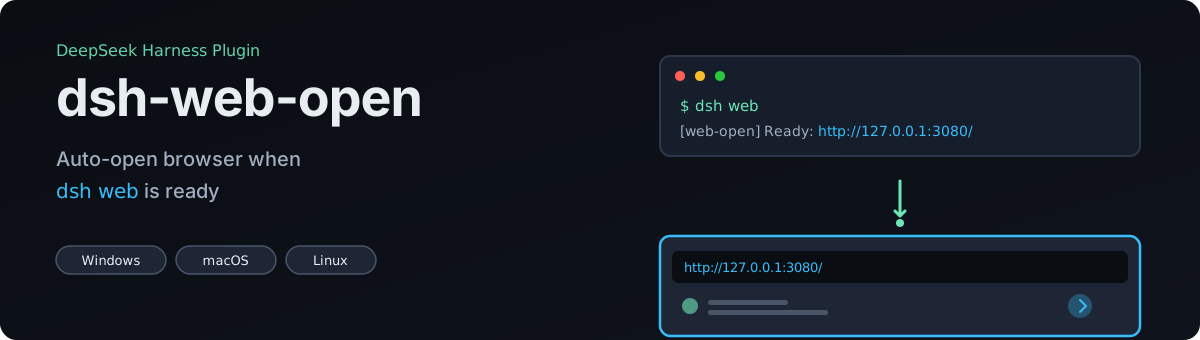
dsh-web-open
Run the following command in DeepSeek Harness:
dsh plugin install dawsondx/dsh-web-open
Paste the following prompt into your AI chat to install this plugin:
In DeepSeek Harness, you can install this plugin by running the command `dsh plugin install dawsondx/dsh-web-open`, or by obtaining the source code from the GitHub open-source address at https://github.com/dawsondx/dsh-web-open.
About this plugin
The dsh-web-open plugin is designed to streamline the web development workflow with DeepSeek Harness (dsh). After running the official dsh web command to start a local development server, users typically need to manually copy the printed URL and paste it into a browser—a tedious and error-prone step. This plugin's core mission is to eliminate that friction: as soon as dsh web is ready, it automatically prints the full access URL and opens it in the system's default browser, allowing users to seamlessly begin their work for a true 'one-click start' experience.
Its core capabilities include intelligent polling of the webServer service to fetch the exact port (even when using dynamic port assignment), ensuring accurate links; cross-platform support for Windows, macOS, and Linux with tailored browser-launching logic for each OS; and most importantly, a fail-safe design where all critical operations are wrapped in error handling. The worst-case scenario is a graceful degradation of functionality—never a crash that disrupts dsh startup—guaranteeing stability and safety.
This plugin is ideal for all dsh web users, particularly developers who value efficiency and want to reduce repetitive manual tasks. If you frequently start the dsh web interface across multiple machines with different operating systems, its install-once, work-anywhere capability will save you significant setup time. Users who prioritize tool reliability and prefer not to let plugin issues impact their workflow will also appreciate its zero runtime dependencies and robust fail-safe architecture.
Screenshots



Use Cases
- Automatically prints the full URL and opens the browser when dsh web starts.
- Seamlessly access the local development server across different operating systems like Windows, macOS, or Linux.
- Eliminates manual copying and pasting of links, simplifying the development workflow.
Best For
- Programmers using dsh for web development.
- Full-stack developers who frequently start development environments on multiple machines.
- Tech enthusiasts who value tool efficiency and stability.
Related Plugins

Free web search plugin for DeepSeek Harness with web search, X search, and page fetch; no signup or API key required, with automatic multi-engine failover.

AnySearch-powered web and vertical search plugin for DeepSeek Harness, offering real-time search, cleaned URL content, concurrent batch search via native web_search/web_fetch, no API key required.
Pixel-perfect webpage clone tool that uses an agent harness to turn any webpage into a scored, full-page React replica.

A bilingual cost-tracking plugin for DeepSeek Harness with session/daily cost, budget, official & custom provider balance, coding plan quotas, peak/off-peak pricing alerts, and history stats.