
AI-Shifu Course Creator
Paste the following prompt into your AI chat to install this skill:
Please follow https://skillhub.cn/install/skillhub.md to install @user_cad5aa0e/ai-shifu-course-creator into the current AI assistant.
About this skill
Problem Addressed
Creating, editing, optimizing, deploying, and managing courses on the AI-Shifu platform often involves complex workflows and multiple dependencies. Manually navigating extensive documentation or writing verbose instructions can easily lead to missed critical steps, such as authentication, target resolution, syncing, and conflict handling.
Core Mechanism & Key Steps
This skill uses a Task Router mapping to translate user intents into a minimal yet complete sequence of reference files.
- Startup Sequence: On first invocation, it reads language-policy.md and session-controls.md to establish the target language and session control rules.
- Intent Routing: Based on the request type (e.g., creating a new course, partial revision, local-only generation, deployment, or data analysis), it sequentially loads the corresponding references/ files (e.g., authentication.md → course-target.md → authoring-mode.md).
- Workflow Execution: It executes stages in order, covering Segmentation, Orchestration, Generation, Optimization, and Deployment.
- State Synchronization: For platform-bound operations, it strictly enforces pull-before-editing and push-existing-course-content, resolving issues via conflict-convergence.
Boundaries & Caveats
- Analytics routing (
analytics/workflow.md) is reserved exclusively for observed metrics of an existing live course (e.g., learner progress, revenue, stuck lessons). Design questions (e.g., "how many lessons should this material become?") remain authoring tasks. - In platform-bound authoring, no outline or lesson content should be generated until the target is resolved.
- If the target type switches between new and existing, the current route must be aborted and reclassified to prevent entering incompatible stages.
- By default, full-course authoring proceeds through deployment and publication; explicit local/artifact-only paths are selected only upon user request.
Use Cases
- Plan chapters and lesson count from internal material, then generate AI-Shifu Teaching Prompts.
- Pull an existing platform course, replace one lesson's Teaching Prompt, optimize, push, and resolve conflicts.
- Create a full course end to end via auth, target, segmentation, orchestration, prompts, optimization, and deployment.
- Review live-course learner completion, stuck lessons, revenue, and ratings to produce an operations report.
Best For
- Course designers converting enterprise training materials into AI-Shifu courses
- Platform operators maintaining course prompts and resolving sync conflicts
- Instructors or content leads creating and publishing new AI-Shifu courses
- Course operations reviewing learner progress, revenue, and stuck-lesson metrics
Related Skills

Provides high-school math problem solving, gaokao past-paper analysis, and elementary/junior-high contest support.

Converts project facts, sample papers, and citation constraints into a structured, length-controlled Chinese .docx thesis with complete figures and tables.

A dual-track academic manuscript reviewer combining local seven-dimension scanning with multi-role expert critique, producing scores, priorities, and key fixes.
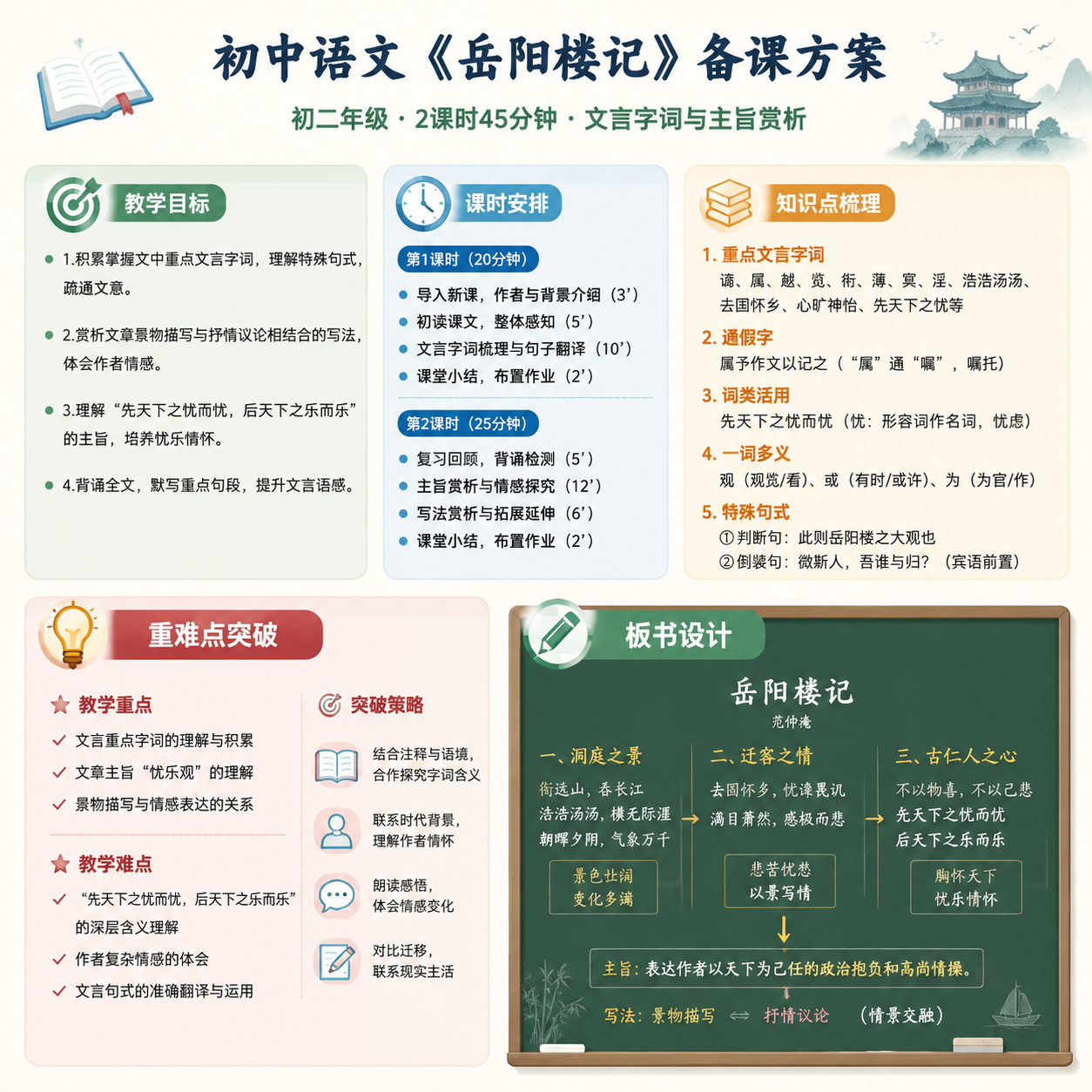
Asynchronously generates structured teaching elements, layout suggestions, and a high-resolution lesson-plan image from course topic, duration, student context, and teaching focus.