
PC Configuration Plan Generator
Paste the following prompt into your AI chat to install this skill:
Please install @showapi/showapi-pc-config-comparison-image according to https://skillhub.cn/install/skillhub.md.
About this skill
Problem it solves
PC build recommendations often get stuck on a mix of budget, brand preference, and use case. Relying on experience alone can miss compatibility risks, while a single configuration tier makes it hard to compare upgrade costs. If the result is only text, it is less useful for screenshots, reviews, and side-by-side discussion.
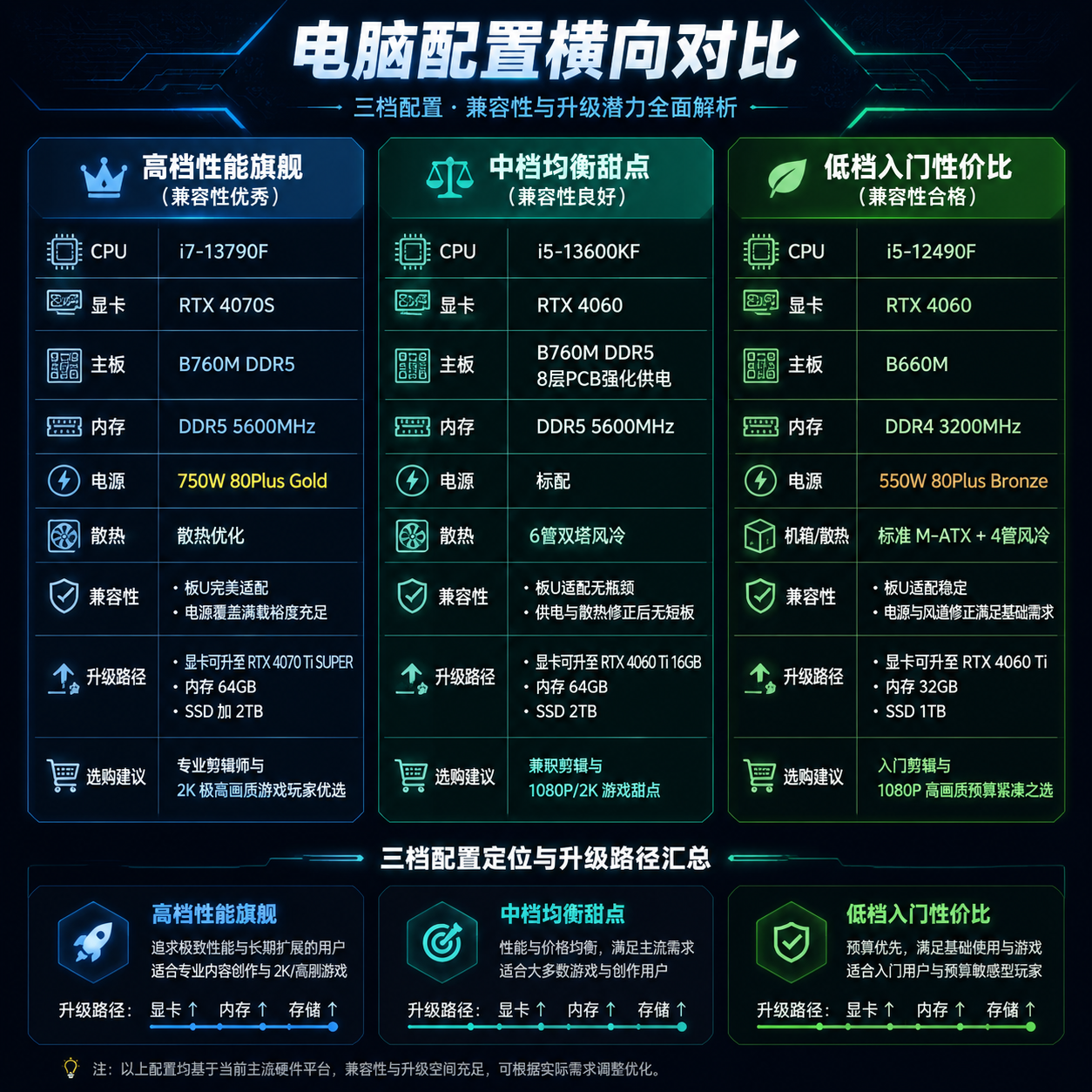
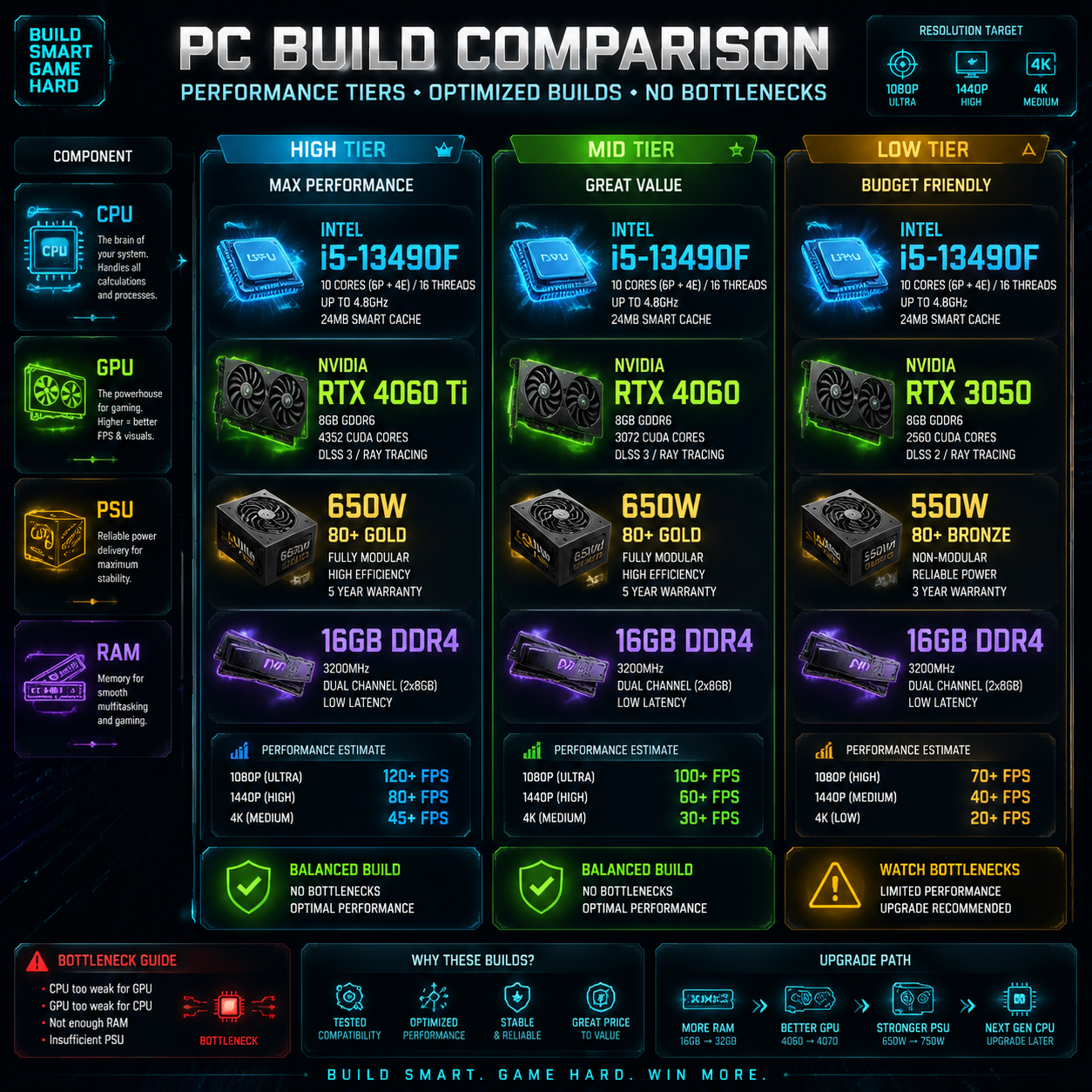
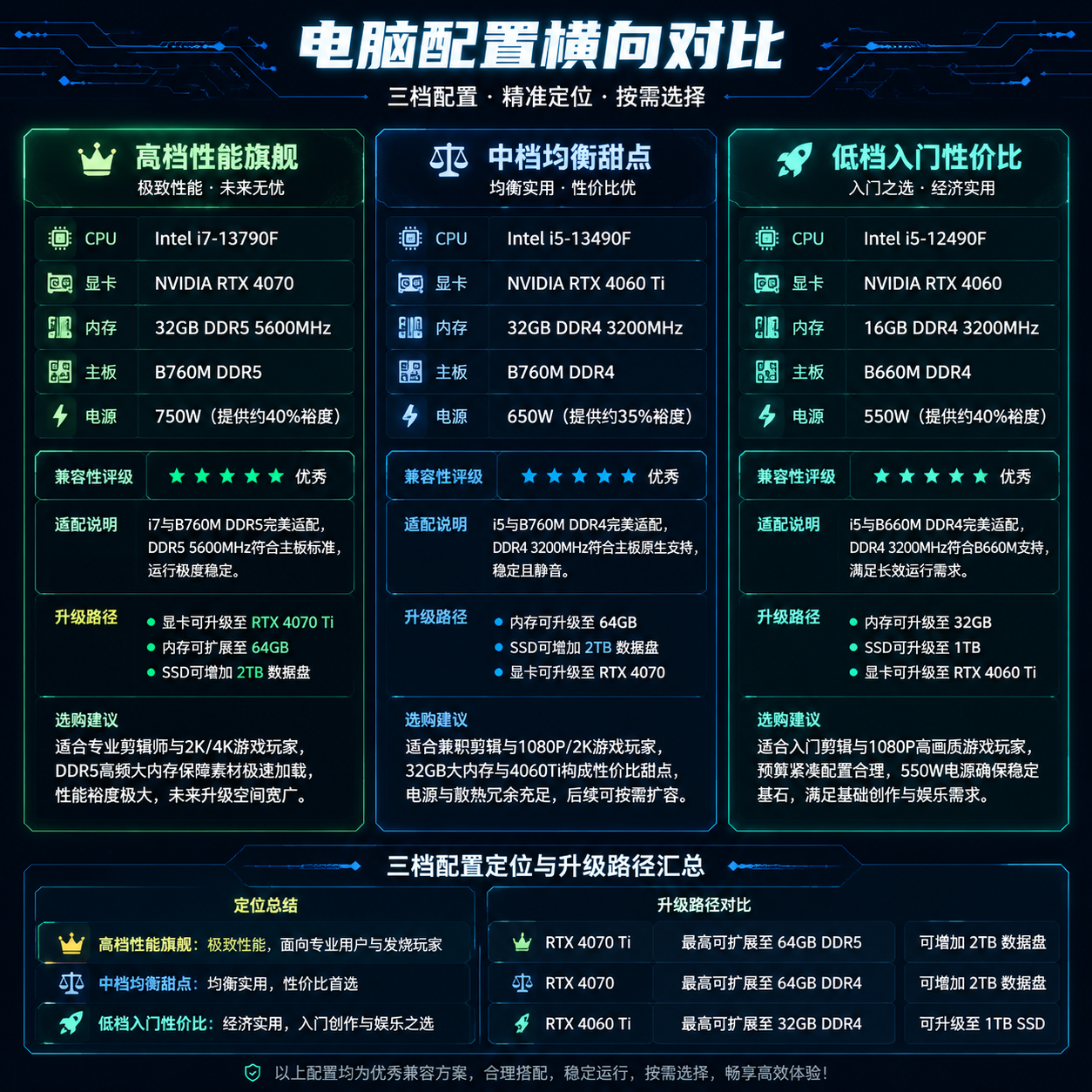
PC Configuration Plan Generator is aimed at hardware purchase scenarios. Given a budget range, brand preference, and primary use case, such as video editing, gaming, office work, or 3D rendering, it generates high, medium, and low tiers of builds and outputs a fully Chinese, tech-style comparison image for direct sharing and comparison.
Core capabilities and workflow
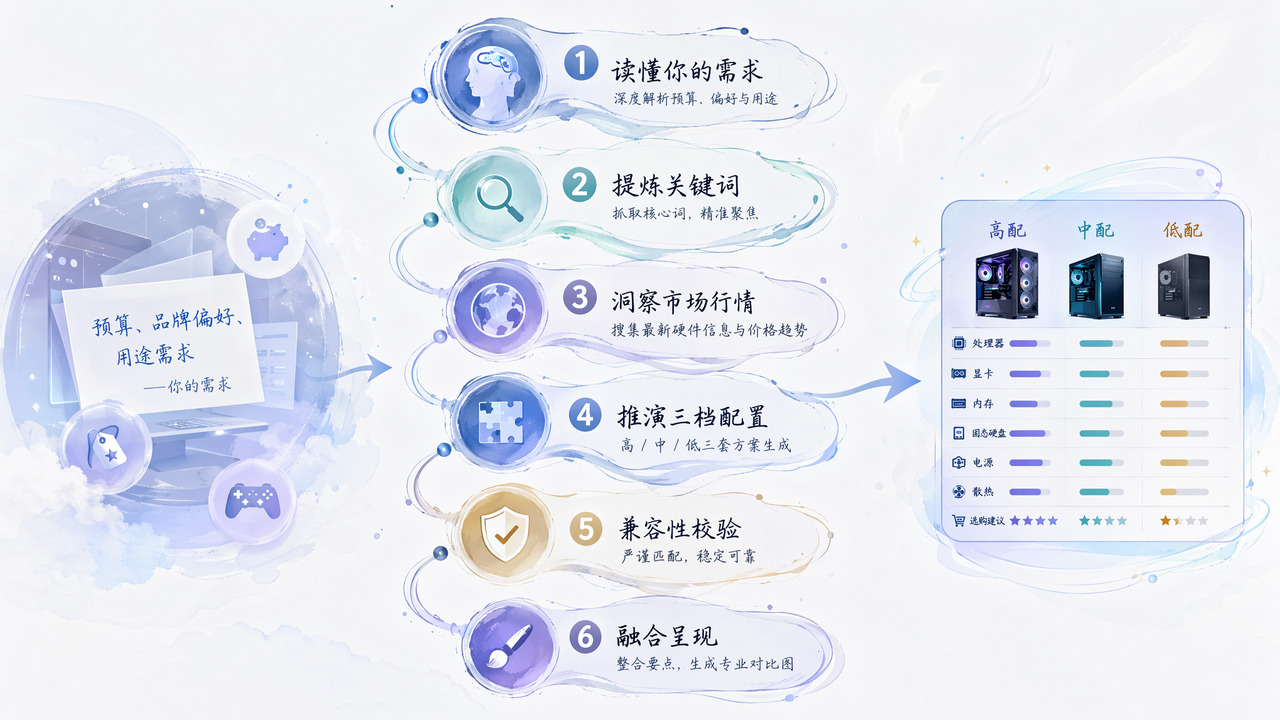
The core workflow connects requirement parsing, market data lookup, configuration inference, and compatibility checks:
- Deep intent parsing: extracts budget range, brand preference, main use case, and implied hardware requirements from natural language.
- Hardware market lookup: generates search keywords and uses current hardware market information to infer configurations.
- Three-tier inference: outputs high, medium, and low configuration lists rather than a single recommendation.
- Compatibility validation: checks component conflicts, outputs compatibility ratings, corrected components, and upgrade paths.
- Visual generation: combines configuration details, compatibility notes, and purchase suggestions into an image prompt, then generates a comparison image at the requested aspect ratio.
In real execution, the skill uses asynchronous tasks: submit a job to get a task_id, then poll for the result. Without an appKey, it enters a simulated call for quick preview; this is not real generated content.
Boundaries and notes
It is useful for initial screening, side-by-side comparison, and presentation of PC configurations, especially when turning budget, use case, and brand preference into a readable comparison image.
Things to note:
requirement_descis optional, but specific budget, use case, and brand preference improve inference stability.- Real tasks are strictly asynchronous; synchronous waiting is not supported.
- During polling, each round's core data should be shared with the user, not just the final result.
- Compatibility ratings and purchase suggestions are model-derived; final purchases should still follow physical specs, official documentation, and warranty terms.
- Simulated results are for preview only; real usage requires configuring a ShowAPI AppKey.
Screenshots
Use Cases
- Generate high, medium, and low builds plus a comparison image for a 5000-10000 yuan N-card editing and gaming PC.
- Create low-budget office builds with integrated graphics around 3000 yuan and a comparison image for sales guidance.
- Evaluate a 20000-yuan 3D rendering workstation with large memory and multi-core CPUs, then output upgrade paths.
- Combine requirement parsing, market lookup, compatibility checks, and purchase notes into a shareable Chinese comparison image.
Best For
- PC shop salespeople who need to compare three hardware tiers by budget for customer quotes.
- PC-builder reviewers who need a shareable configuration comparison image for editing and gaming builds.
- Pre-sales consultants selecting workstations for design or rendering clients, needing memory, CPU, and compatibility notes.
- Hardware buying consultants who need to turn budget, use case, and brand preferences into structured configurations.
Related Skills

A local A-share quant workspace for quotes, k-lines, conditional screening, MA/RSI backtesting, simulated trading, and risk control via REST APIs.

Systematically identify and evaluate the economic moats of listed companies using the Tang Shu Fang investment methodology for long-term investment analysis.

A skill that converts natural language questions into A-stock data queries and returns verifiable structured analysis conclusions, covering multi-dimensional analysis of market trends, fundamentals, and news.

An AI financial copilot by Wind, integrating financial databases and multimodal analysis to provide end-to-end support across investment research, asset allocation, risk control, quant, and report generation.