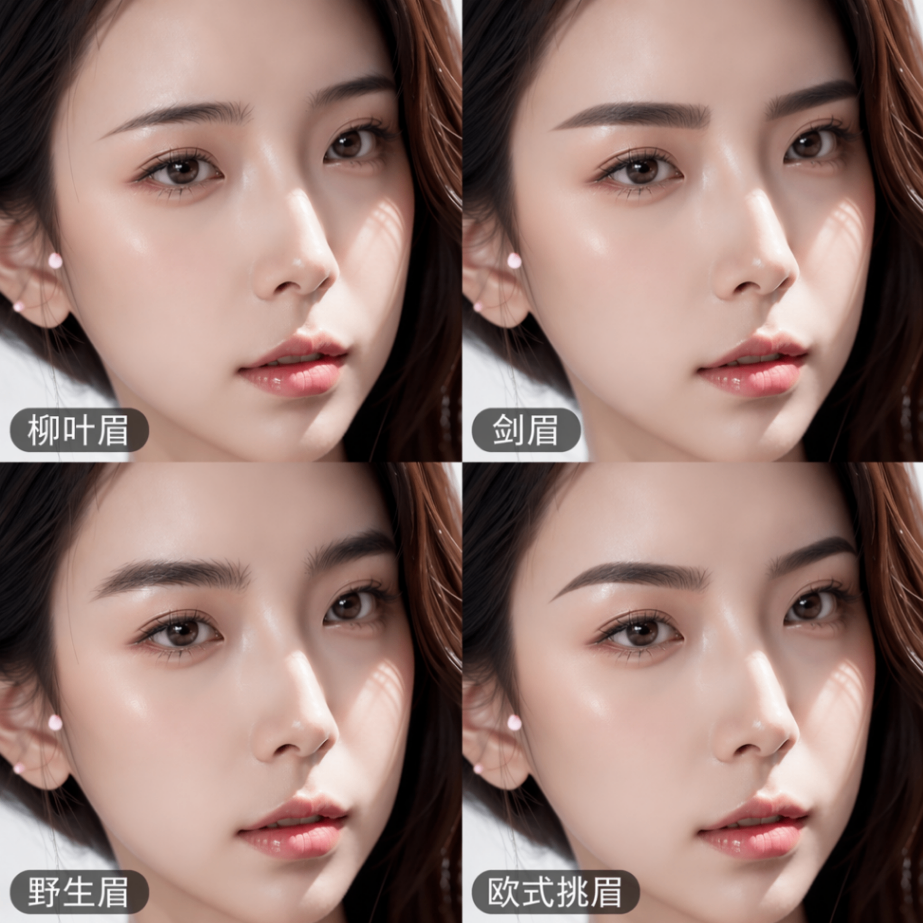
Eyebrow Style Quad-Grid Design
Paste the following prompt into your AI chat to install this skill:
Please install @showapi/eyebrow-style-design-showapi according to https://skillhub.cn/install/skillhub.md.
About this skill
Problem
Choosing an eyebrow shape from a front-facing portrait is not just about drawing a line. It requires comparing face shape, feature proportions, skin tone, skin texture, and the existing brow shape, then producing several visually comparable options. Plain prompts can drift, while a single generated image often lacks side-by-side comparison and style rationale.
How It Works
This skill takes one front-facing photo and generates a 2x2 quad-grid eyebrow design image. The workflow includes:
- Compliance check: validates the input image and prompt against content rules.
- Facial feature analysis: extracts face shape, feature ratios, skin tone and texture, and existing brow characteristics, then creates English consistency keywords.
- Style design: proposes four differentiated brow styles, such as standard, willow-leaf, sword, and wild brow, with corresponding prompts.
- Layout and consistency synthesis: combines the four proposals into one quad-grid generation instruction with Simplified Chinese labels.
- Generation and polling: calls an image model and retrieves the final image URL through an async task.
Real runs usually require a ShowAPI appKey. Submission returns only a task_id; the client must poll until it receives the quad-grid image, facial analysis, and style summaries.
Boundaries and Notes
It fits personal grooming, makeup styling, and preliminary communication for brow embroidery or similar image-design references. The img field is required and accepts a URL or standard Base64; a clear front-facing photo is recommended. Real tasks are asynchronous only. Mock runs without an appKey are previews and should not be treated as official generated output.
Screenshots
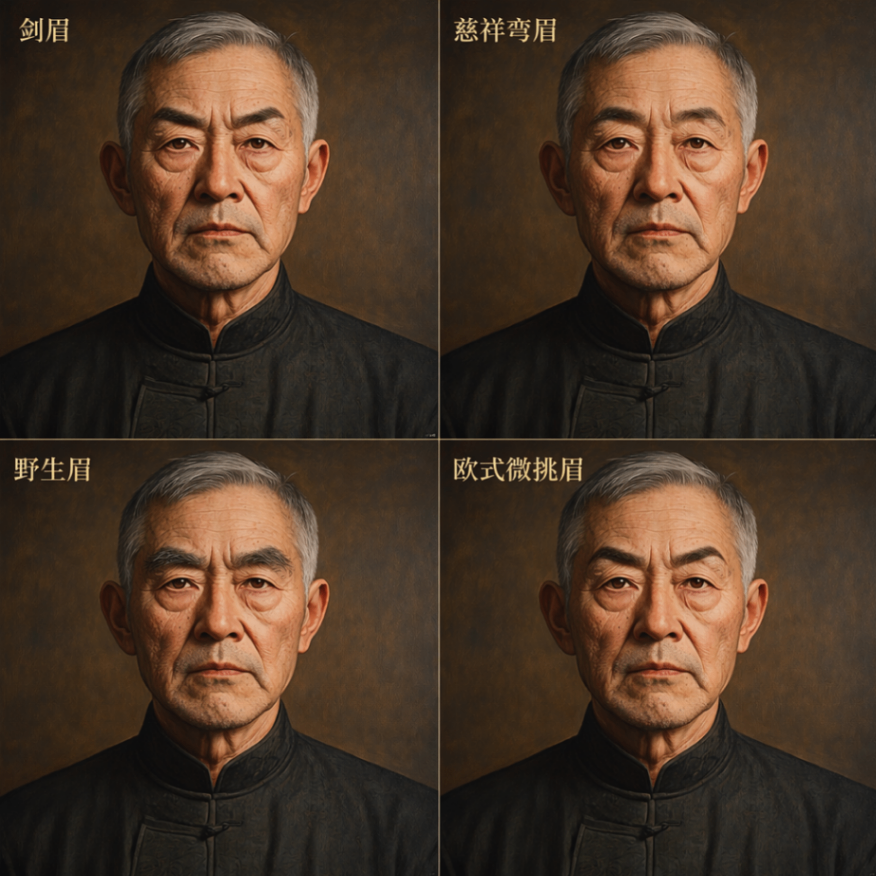
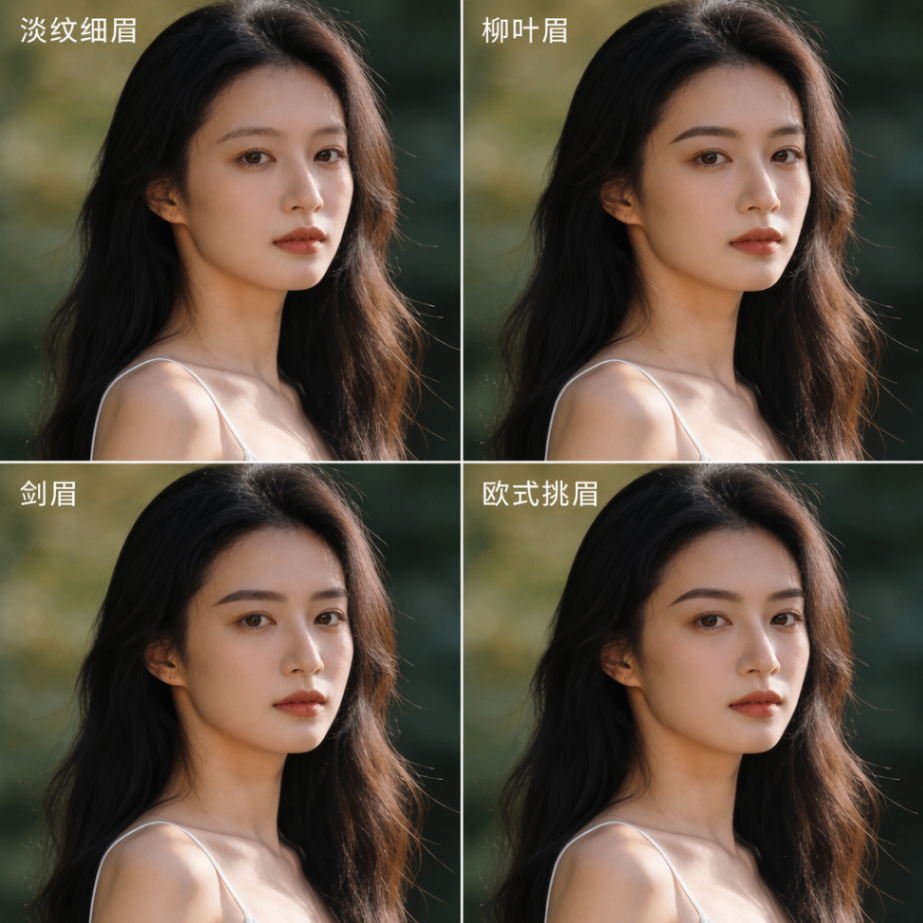
Use Cases
- A makeup artist receives a client's front-facing photo and needs four comparable brow shape options.
- A brow artist uses a quad-grid image to explain differences among standard, willow-leaf, and other brow styles.
- In personal styling, generate natural hair-like brow suggestions based on face shape and feature proportions.
- For styling education, convert one front-facing photo into four labeled eyebrow design effects.
Best For
- Makeup stylists who need to show clients several comparable brow effects.
- Brow artists who need to explain style differences before an appointment.
- Personal image consultants who recommend brow shapes based on facial proportions.
- Image designers who need to save brows proposals as visual references.
Related Skills

A ComfyUI image-generation skill that uses a five-step dialog to collect prompts, prefill templates, confirm parameters, submit API jobs, and return results.

A design-system guidance skill for Impeccable that produces token-based rules, component states, accessibility criteria, and QA checklists.

Director-level video lapian that diagnoses material precision, then produces frame evidence, director analysis, a style bible, and a showcase video.
Plan and brief Amazon MAIN, Listing, and A+ image sets from verified product facts, then return plan and image QA status.