
Intelligent Bid Document Writing
Paste the following prompt into your AI chat to install this skill:
Please install @user_ba095919/biaoshu-writer-gov according to https://skillhub.cn/install/skillhub.md
About this skill
Problem
Tender documents are often long and clause-dense. Red lines, scoring rules, commercial terms, and pricing requirements must be reviewed carefully, while bid drafting still depends on templates, package selection, page limits, and repeated format checks. This skill connects interpretation, bid drafting, and compliance review into one executable workflow: provide a file path or URL, and the assistant calls the Bailian Tender Open API in the background to return structured results and file paths.
How It Works
- Smart interpretation: accepts
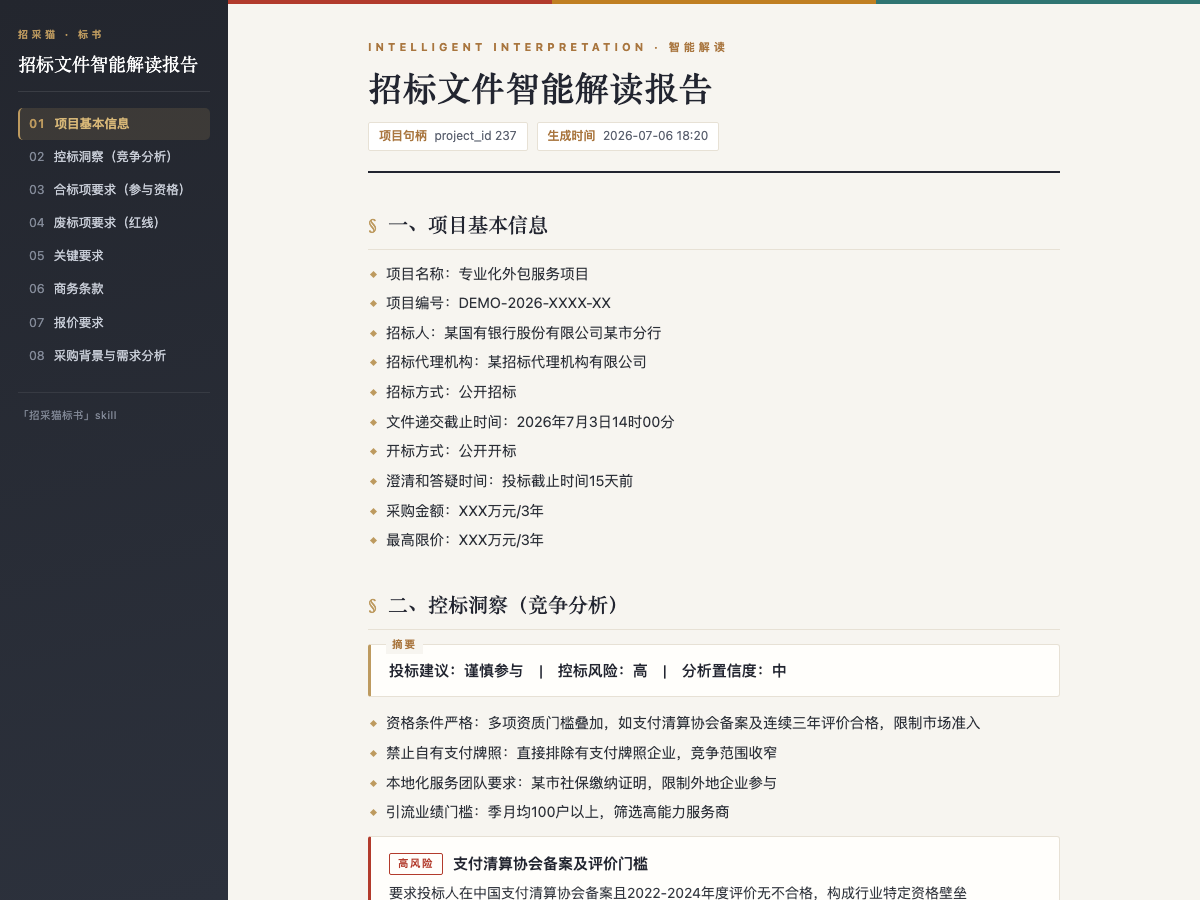
.pdf,.doc, or.docxtender files up to50 MB, and returns project information, compliance items, red lines, scoring criteria, key requirements, commercial terms, pricing requirements, procurement background, plus bid-control insights. Reports can be exported asHTMLorWord. - Bid drafting: uses the interpreted project to select packages and target pages, up to
500pages, then generates a named.docxbid document with table of contents, sections, template content, and bookmarks for items to complete. - Compliance review: checks one or more bid
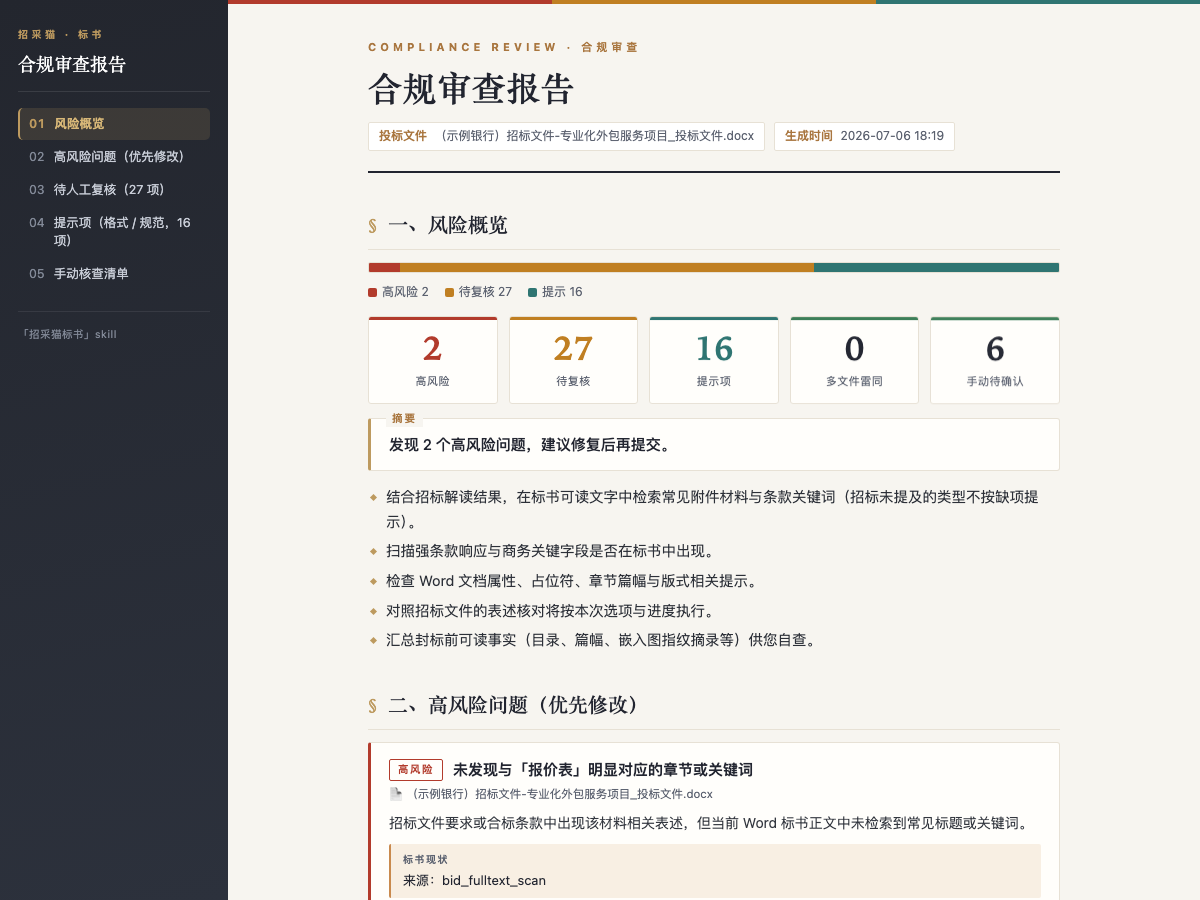
.doc/.docxfiles up to1024 MBeach against the interpreted tender, producing risk levels, tender basis, evidence, remediation advice, similarity detection across files, and a manual checklist.
The main loop is: interpret the tender, draft the bid, then review the draft and drive revisions. Output files are returned with absolute paths for editing and archiving.
Boundaries
- Bid drafting consumes credits; API calls require a positive balance before submitting interpretation, generation, or review tasks.
- Drafting may take more than
10minutes, with progress updates instead of immediate final output. - Auto-filled fields only cover confirmable information; uncertain items remain to be completed manually.
- Short snippets can receive general guidance, but custom interpretation and compliance review still require complete files.
Screenshots
Use Cases
- Extract red lines, scoring, and terms from a PDF tender.
- Select package 01 and generate an 80-page .docx draft.
- Audit two .docx bids for similarity and red-line risks.
- Assess bid-control signals from a tender URL.
Best For
- Bid specialist: identifying packages, qualifications, and red lines.
- Bid document engineer: converting tender requirements into a draft.
- Legal/compliance: checking bid responses and formatting before submission.
- Sales lead: judging whether to bid by reviewing control signals.
Related Skills

Generate and edit .pptx decks with python-pptx, applying structured layouts, design rules, native charts, and visual QA to reduce template-like output.

Tencent Cloud Table Recognition V3 is an OCR skill for detecting and recognizing tables in images or PDFs, supporting various table types like linear and borderless tables, with Excel export.

The complete set of online document operation tools provided by Tencent Docs MCP, supporting creation, querying, and editing of smart docs, Excel, PPT, mind maps, and more.
Turn a topic, notes, or tables into a complete PPT plan with logic, page layouts, visual and chart guidance, and natural defense scripts.