
Tender Document Smart Reader
Paste the following prompt into your AI chat to install this skill:
Install @user_db48e46c/biaoshu-writer-tender-reader by following https://skillhub.cn/install/skillhub.md.
About this skill
Problem
Tender documents are long, clause-heavy, and easy to misread. A bidder may miss disqualification red lines, scoring weights, or bid-control signals before deciding whether to participate.
How It Works
The skill structures the tender workflow around three capabilities:
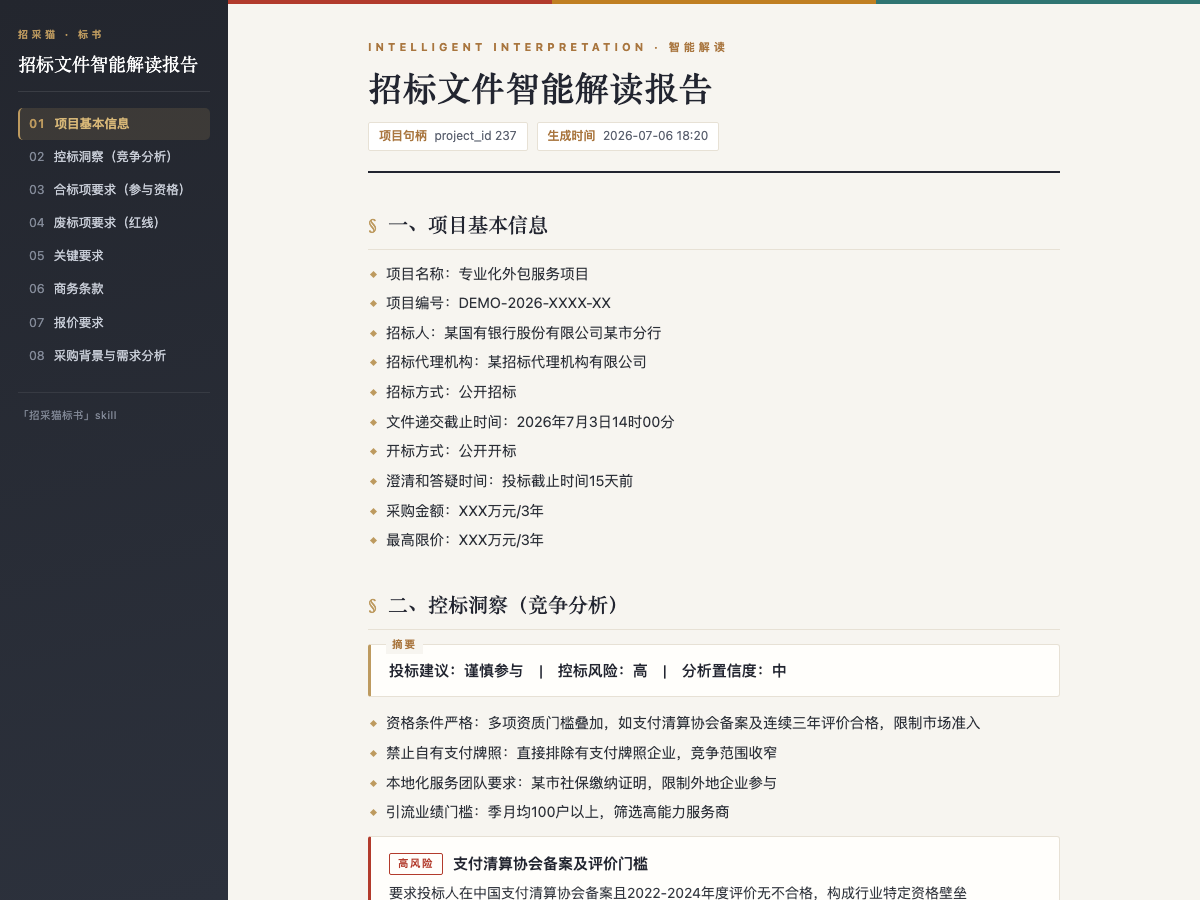
- Smart interpretation: accepts .pdf, .doc, or .docx tender files and extracts project information, eligibility items, disqualification red lines, scoring criteria, key requirements, commercial terms, pricing requirements, and procurement background, plus bid-control signals and participation advice.
- Bid document drafting: after interpretation, it selects a package, generates an outline, fills standard sections, and outputs a .docx bid document with table of contents, chapters, and pending-field bookmarks.
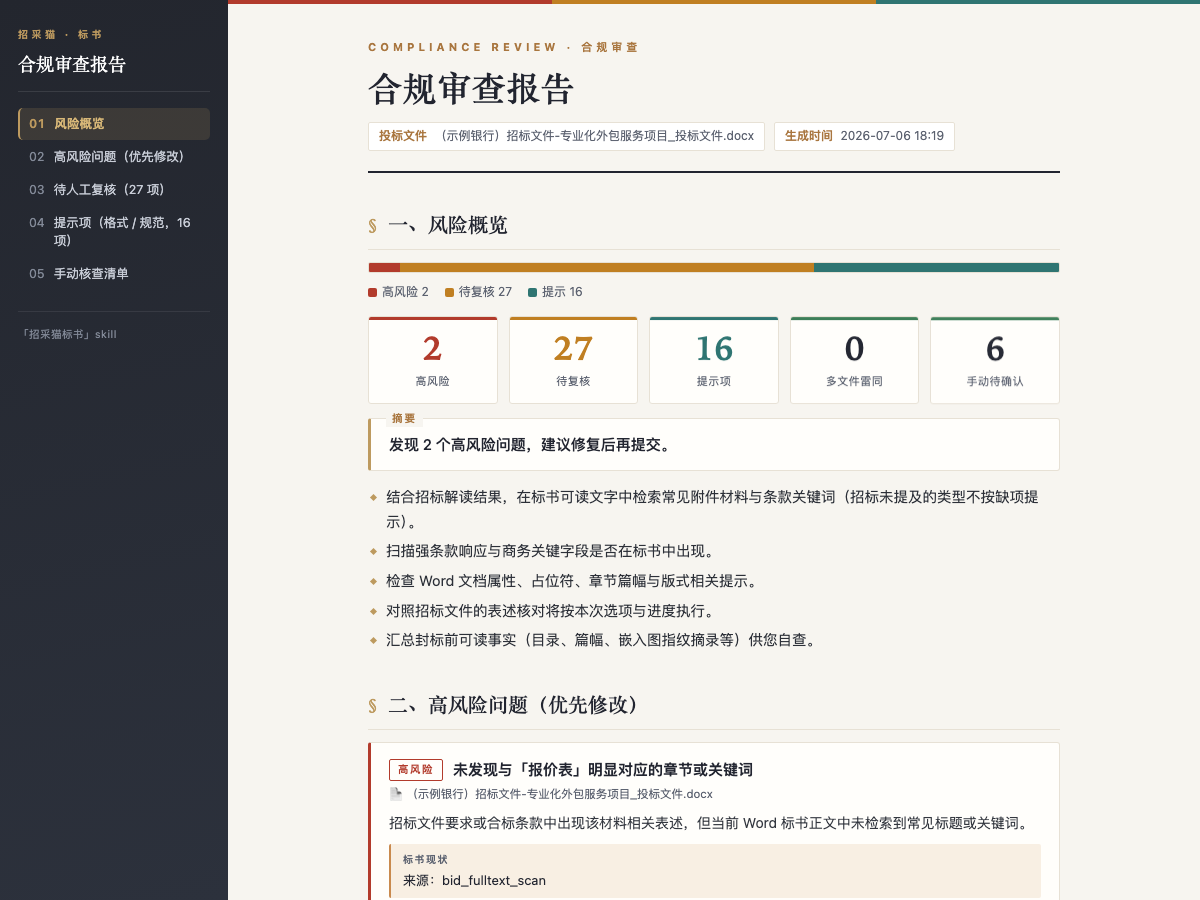
- Compliance review: against the interpreted tender, it checks one or more bid documents, classifies risks, cites tender clauses, locates evidence, suggests edits, and detects duplication across files.
The outputs are chained: interpretation can lead to drafting, drafting can lead to compliance review, and review can lead to re-checking after fixes. For partial inputs or generic questions, it can answer common bidding concerns first and then ask for a full file path or upload.
Boundaries
Tender files and bid files have size limits. Draft generation can take time, and uncertain information may be left as pending fields. Compliance findings such as to-review items or partial results are not the same as a clean pass. Report export, platform balance, and credit rules should be confirmed before running production work.
Screenshots
Use Cases
- A bid lead receives a new tender and needs to decide whether to bid, list disqualification red lines, and check scoring weights.
- A presales engineer selects a package from the interpreted tender and generates a .docx bid draft with a table of contents and pending-field bookmarks.
- A bid manager compares the company's bid document against tender clauses before submission to find high-risk issues, format red lines, and cited evidence.
- An operations specialist reviews multiple bid files for duplication, summarizes risk levels, and exports a compliance report.
Best For
- Bid leads who need a pre-bid decision on eligibility, disqualification red lines, scoring criteria, and bid-control signals.
- Presales engineers who need to turn tender requirements into an editable .docx bid draft with pending items clearly marked.
- Bid managers who need to check bid documents against tender clauses before submission and get actionable revision suggestions.
- Operations specialists who need to consolidate compliance risks, remediation lists, and duplication findings across bid files.
Related Skills

Guides WeChat merchant payment integration by routing JSAPI, Mini Program, APP, H5, Native, and payment-code scenarios to the right product.

AI agent tool for generating HTML proposals for client visit business scenarios, featuring deep research and dynamic mainline mapping.

Bid Proposal Verification Tool is used to verify the consistency between bid proposals and tender documents, checking table of contents, page numbers, attachments, and seals, based on Shibot Technology's bid data API.

An AI engine built on extensive bidding data to precisely search for tender projects and potential clients using natural language or structured criteria.