
Bid Compliance Review
Paste the following prompt into your AI chat to install this skill:
Please install @user_db48e46c/biaoshu-writer-audit following https://skillhub.cn/install/skillhub.md.
About this skill
Problem
In tender workflows, bidding documents scatter critical constraints: disqualification rules, scoring criteria, commercial terms, and format requirements are easy to miss while preparing a bid. Manual checking usually covers explicit wording only, and comparing multiple bid files for similarities or semantic gaps is hard. This skill turns interpretation, drafting, and compliance review into a traceable workflow, reducing reliance on memory-based clause checking.
Capabilities and Flow
It calls the Bailian bid platform with an App Key and supports three main inputs:
- Interpretation: accepts
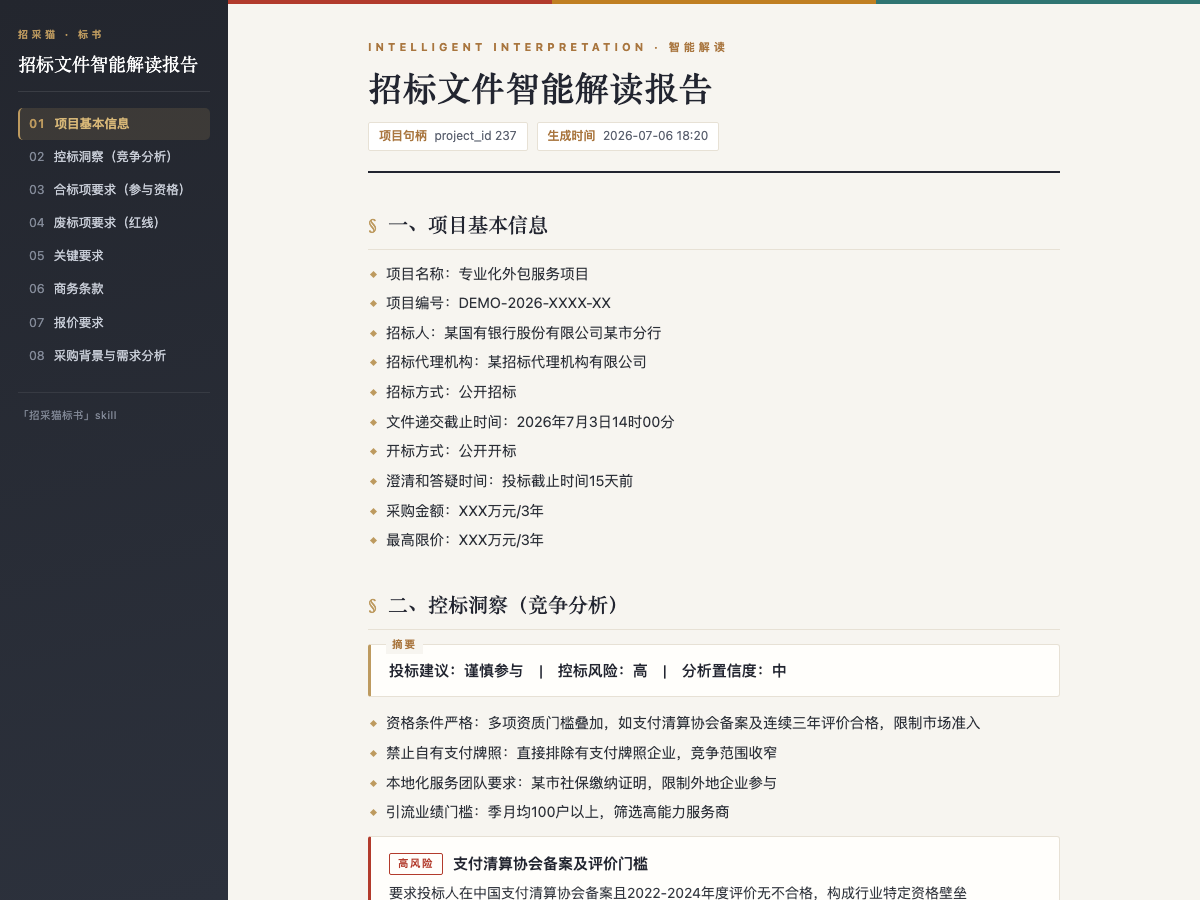
.pdf,.doc, or.docxtender files and outputs structured points such as project info, compliance items, disqualification red lines, scoring criteria, and bid-control signals, with HTML/Word reports. - Bid generation: based on the interpreted project and selected package, it produces a
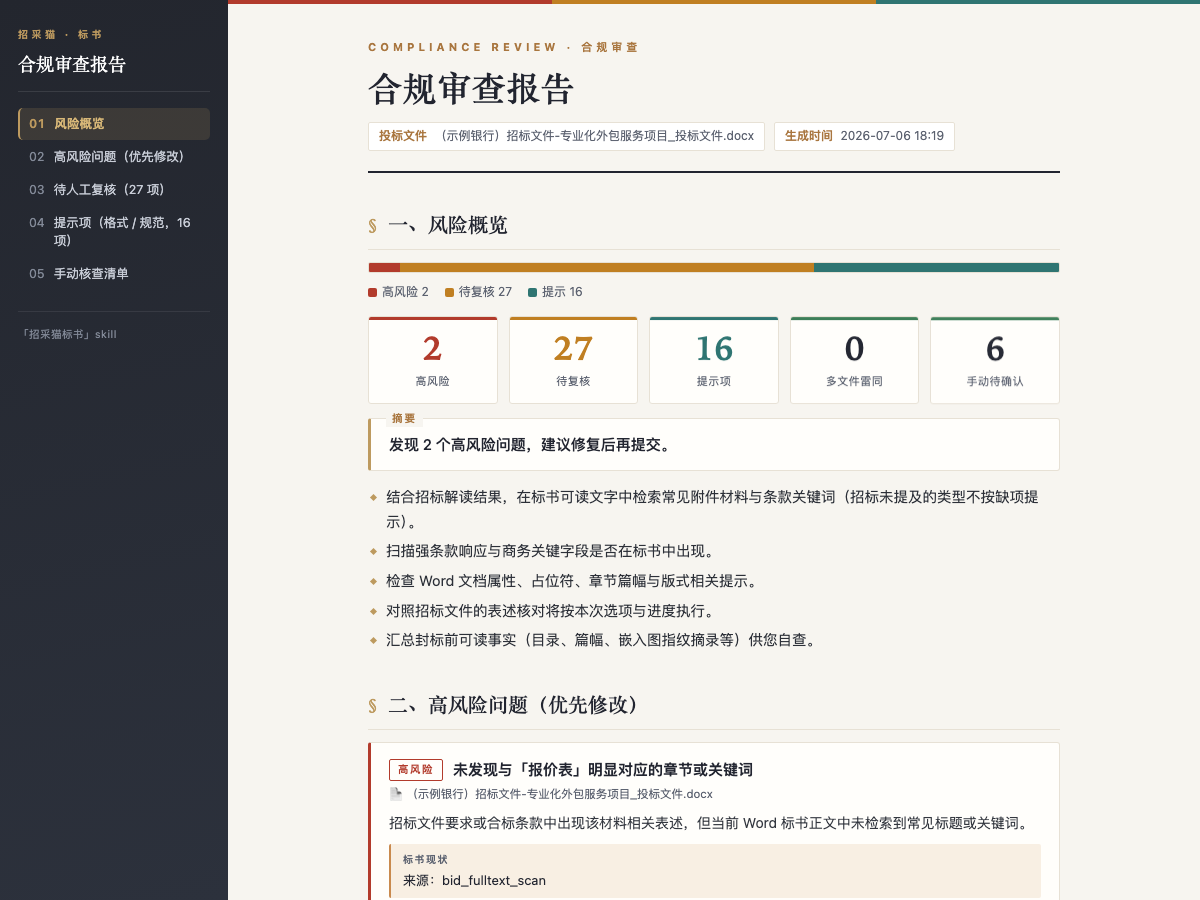
.docxbid file with table of contents, sections, and bookmarks for fields still to be filled. - Compliance review: compares the tender file with one or more bid files and outputs a risk-tiered issue list with evidence, tender basis, revision suggestions, and similarity detection.
A typical sequence is to interpret the tender, then generate or review a bid. The compliance report can be exported for correction and re-review.
Boundaries
Input size limits apply: tender files are usually <= 50 MB, and each bid file is <= 1024 MB. Credits should be read carefully: interpretation, package extraction, and compliance review do not consume credits, but API/Skill calls require a balance greater than zero before submission; bid generation consumes credits and may take more than 10 minutes. Outputs include absolute file paths, but unfilled fields and partially completed semantic review still need human confirmation and do not replace formal legal or procurement advisory opinions.
Screenshots
Use Cases
- Before bidding, quickly assess whether a tender is worth pursuing, check qualification fit, and extract red lines and scoring rules.
- After receiving tender packages, generate a bid draft with TOC, sections, and bookmarks for fields still to be filled.
- Before submission, compare one or more bid files against tender requirements to find formatting red lines, missed clauses, and similarity risks.
- With only a tender notice fragment, get generic bidding cautions, then upload or provide file path for tailored interpretation.
Best For
- Bid lead: needs to present project risk, qualification fit, and bid-control signals before a bid/no-bid decision.
- Bid engineer: needs to convert tender clauses into a bid document structure and locate fields that still need input.
- Compliance reviewer: needs to check disqualification red lines, formatting errors, and similarity across multiple bids before sealing.
- Procurement manager: needs to understand commercial terms, pricing requirements, and procurement context in a tender notice quickly.
Related Skills

Generate and edit .pptx decks with python-pptx, applying structured layouts, design rules, native charts, and visual QA to reduce template-like output.

Tencent Cloud Table Recognition V3 is an OCR skill for detecting and recognizing tables in images or PDFs, supporting various table types like linear and borderless tables, with Excel export.

The complete set of online document operation tools provided by Tencent Docs MCP, supporting creation, querying, and editing of smart docs, Excel, PPT, mind maps, and more.
Generate structured Chinese patent disclosure drafts in Word from existing documents or brief technical inputs, following Part A/B/C templates.