dsh-updater
Run the following command in DeepSeek Harness:
dsh plugin install zhengjy01/dsh-updater
Paste the following prompt into your AI chat to install this plugin:
Run dsh plugin install zhengjy01/dsh-updater in DeepSeek Harness to install this plugin, source available at https://github.com/zhengjy01/dsh-updater
About this plugin
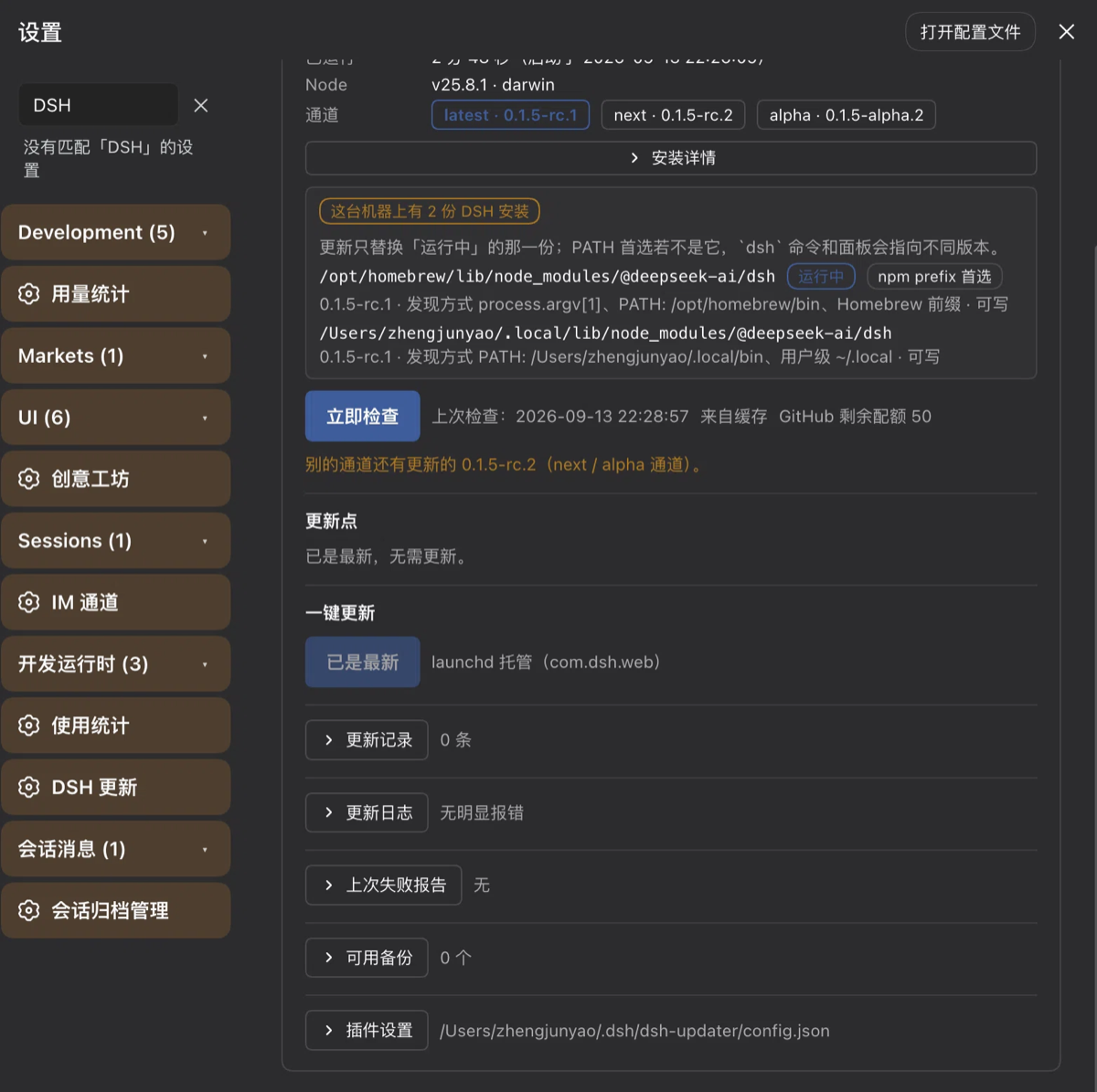
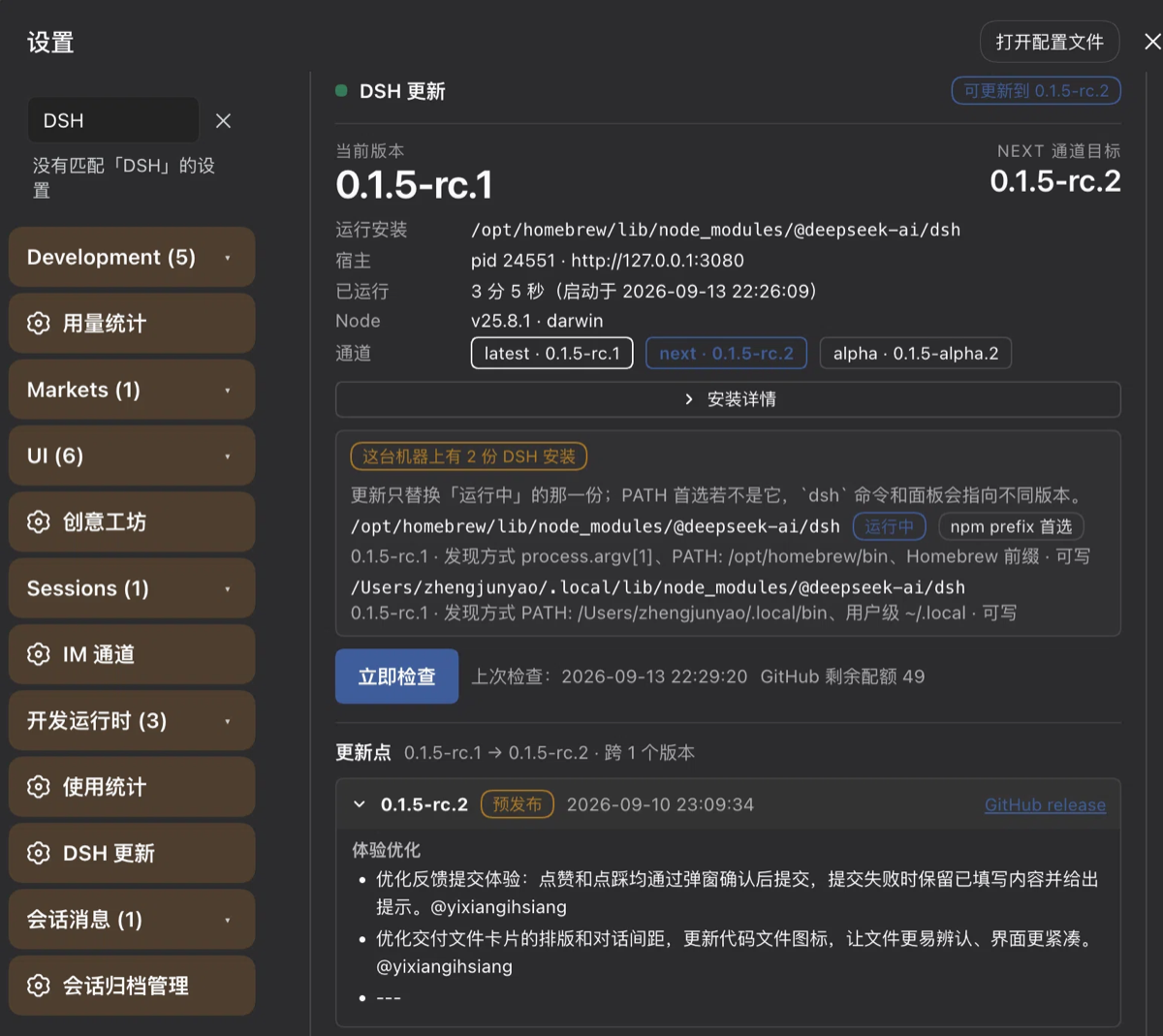
DeepSeek Harness ships often but has no self-update built in. After installing the npm package you still have to restart it manually, and the restart command must match the original invocation exactly—port, profile, working directory, Node path—any mismatch breaks things. Worse, a single machine often holds more than one DSH install, and a bare npm install -g may update the one last on PATH while the one actually running stays untouched.\n\ndsh-updater chains the whole lifecycle into one pipeline: check version, read the changelog, grade the risk, install, verify, relaunch, and roll back on failure. It tracks the latest / next / alpha npm dist-tags alongside GitHub Releases, renders the bilingual release notes for every version between your current build and the target, and produces a graded risk report covering breaking-change keywords, migration hints, multi-install conflicts, plugin engine compatibility, and a full set of preflight checks (disk space, writable install root, Node version, tarball reachability, and more). High-severity findings block the one-click path until you explicitly acknowledge them. The actual install is handled by a detached helper that atomically renames the current install out of the way, runs npm install with an explicit prefix, verifies the landed tree package by package, relaunches DSH with the exact same arguments and working directory, and renames the backup back if the new build fails to boot.\n\nIt is designed for anyone who keeps a long-running DSH instance on a dev box or server, experiments across multiple release channels, or deals with a machine where several installs coexist and the PATH winner is not obvious. It does not replace DSH; it makes the "click to update" moment predictable, auditable, and reversible.
Screenshots
Use Cases
- Switching between latest, next, and alpha channels on a long-running dev box with one click and automatic rollback to the previous build on failure.
- A machine holds several DSH installs and a bare npm install -g misses the running copy; the updater targets only the loaded directory and verifies the landed tree.
- Reviewing bilingual release notes and a graded risk report for breaking changes or migration steps before committing to an update.
Best For
- Developers who keep a long-running DSH instance on a dev box or server.
- Early adopters who experiment across multiple release channels simultaneously.
- Operators whose machines have several DSH installs and an ambiguous PATH winner.
Related Plugins

A method pack that makes AI coding agents plan against your real baseline, prove completion with fresh evidence, and reduce reworks and unsafe changes.

Turns the DeepSeek Harness session into a captain that builds a durable sub-agent team, splits goals into dependency-aware tasks, and coordinates work via direct messages and a live Web UI.
Gives coding agents design judgment, letting Claude Code, Cursor, and 70+ agents generate and iterate high-quality UI, presentations, and graphics right from the terminal.
Run the Pi ecosystem's plugins on DeepSeek Harness, unmodified, via a compatibility layer that implements Pi's public extension ABI on DSH's native services.