eTeam
Run the following command in DeepSeek Harness:
dsh plugin install 2507483326/eTeam
Paste the following prompt into your AI chat to install this plugin:
Search for ETeams in the DeepSeek Harness plugin marketplace for a one-click install, or clone the source from https://github.com/2507483326/eTeam and run dsh plugin install 2507483326/eTeam, then reload the client.
About this plugin
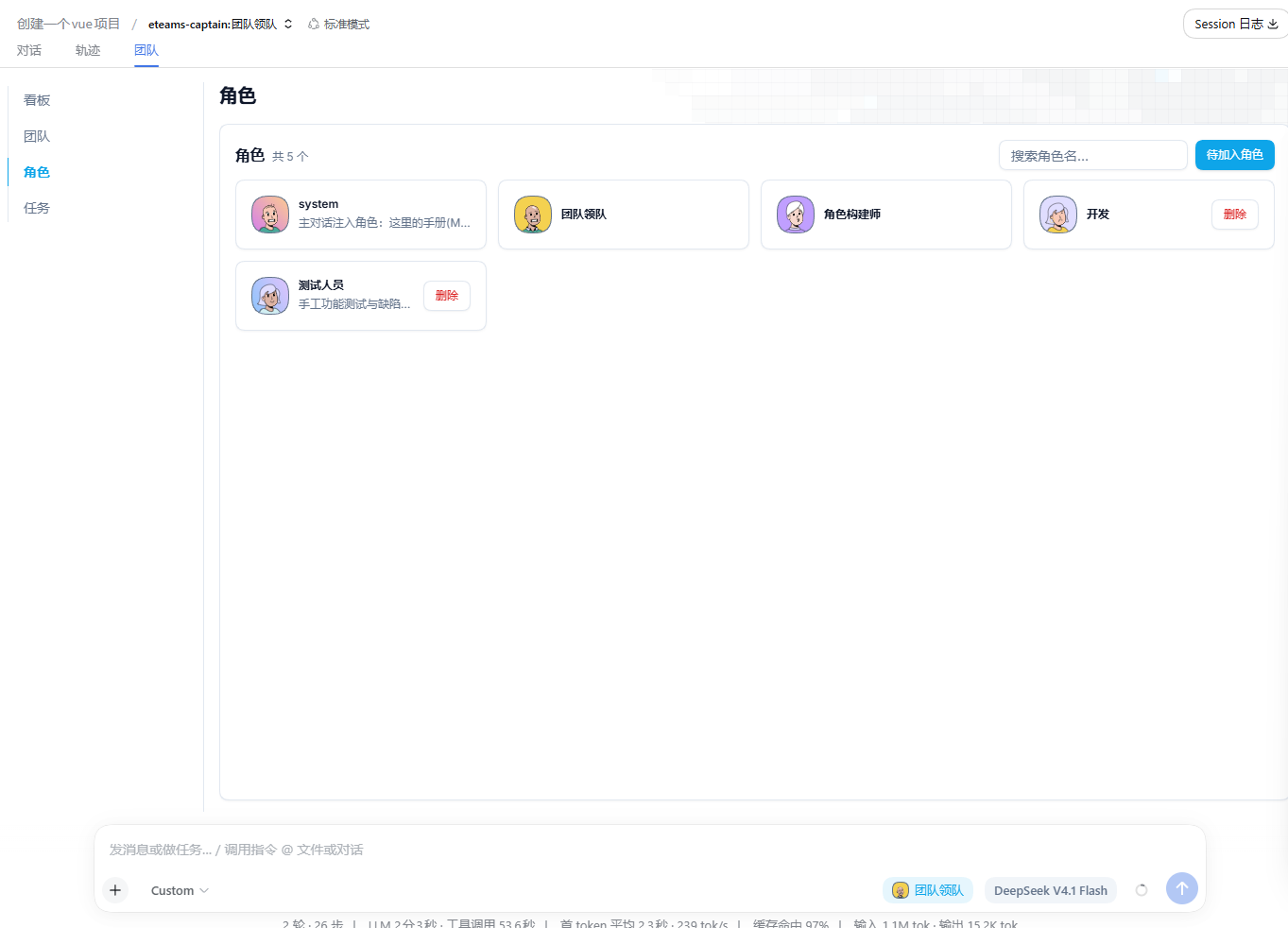
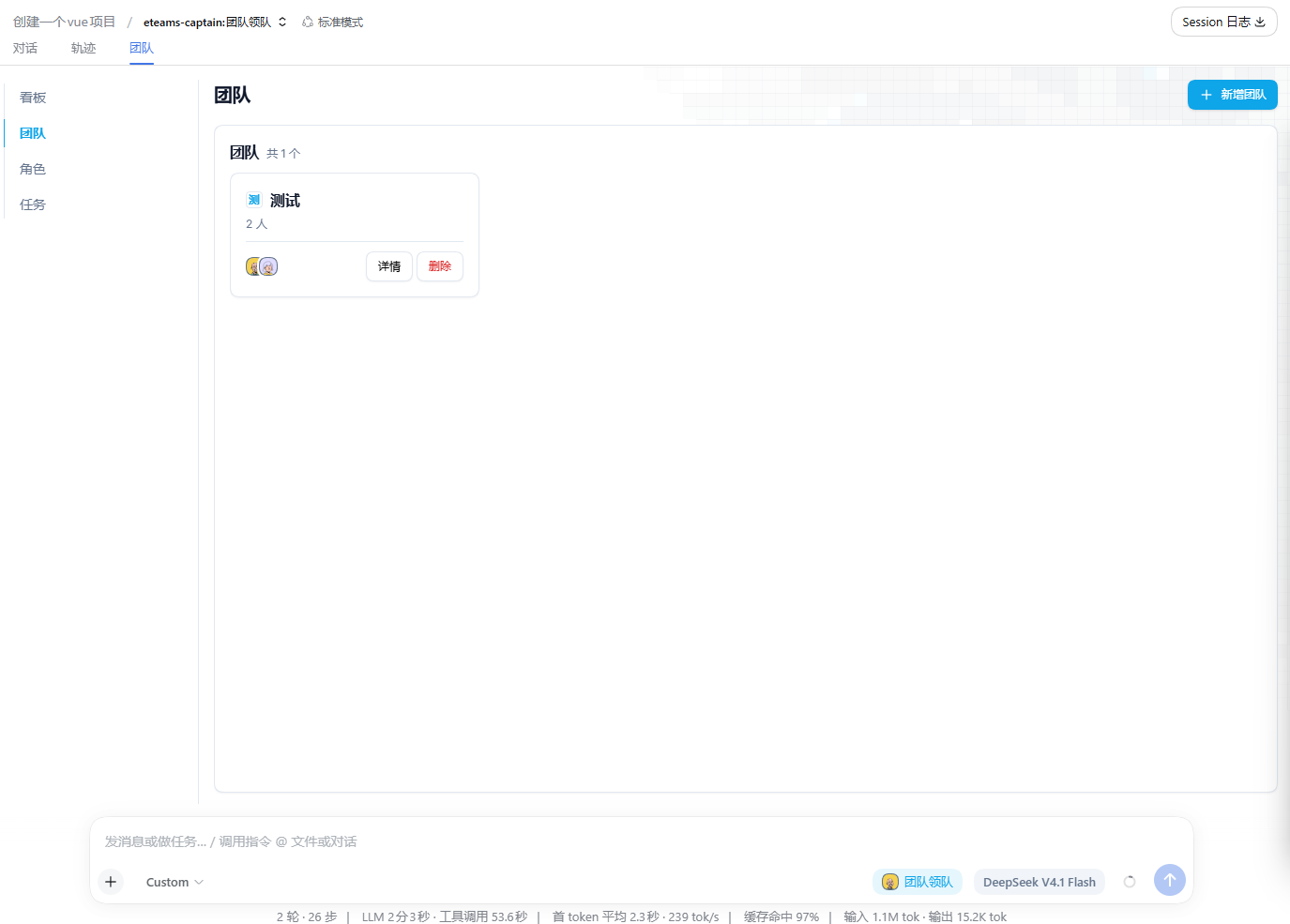
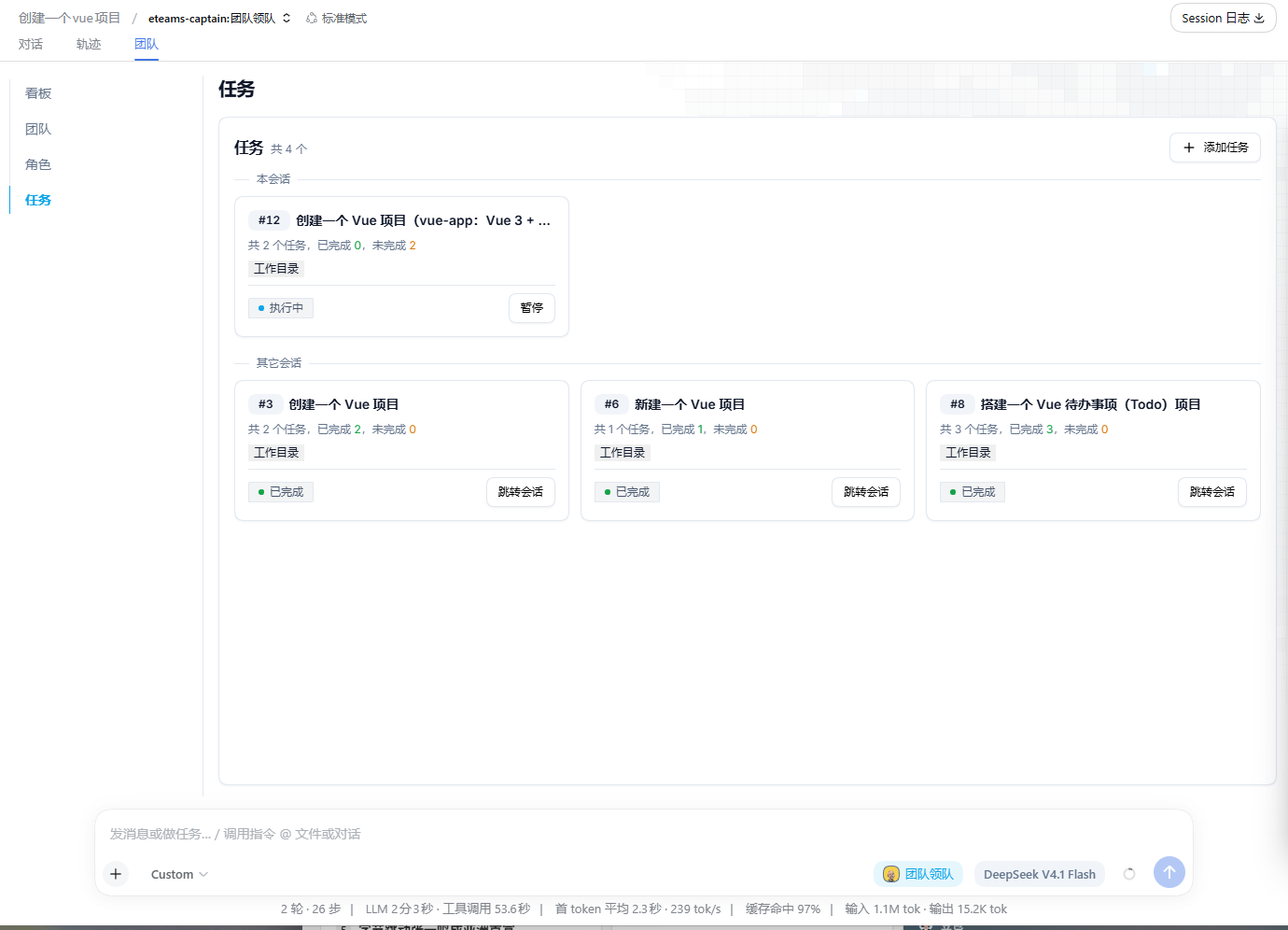
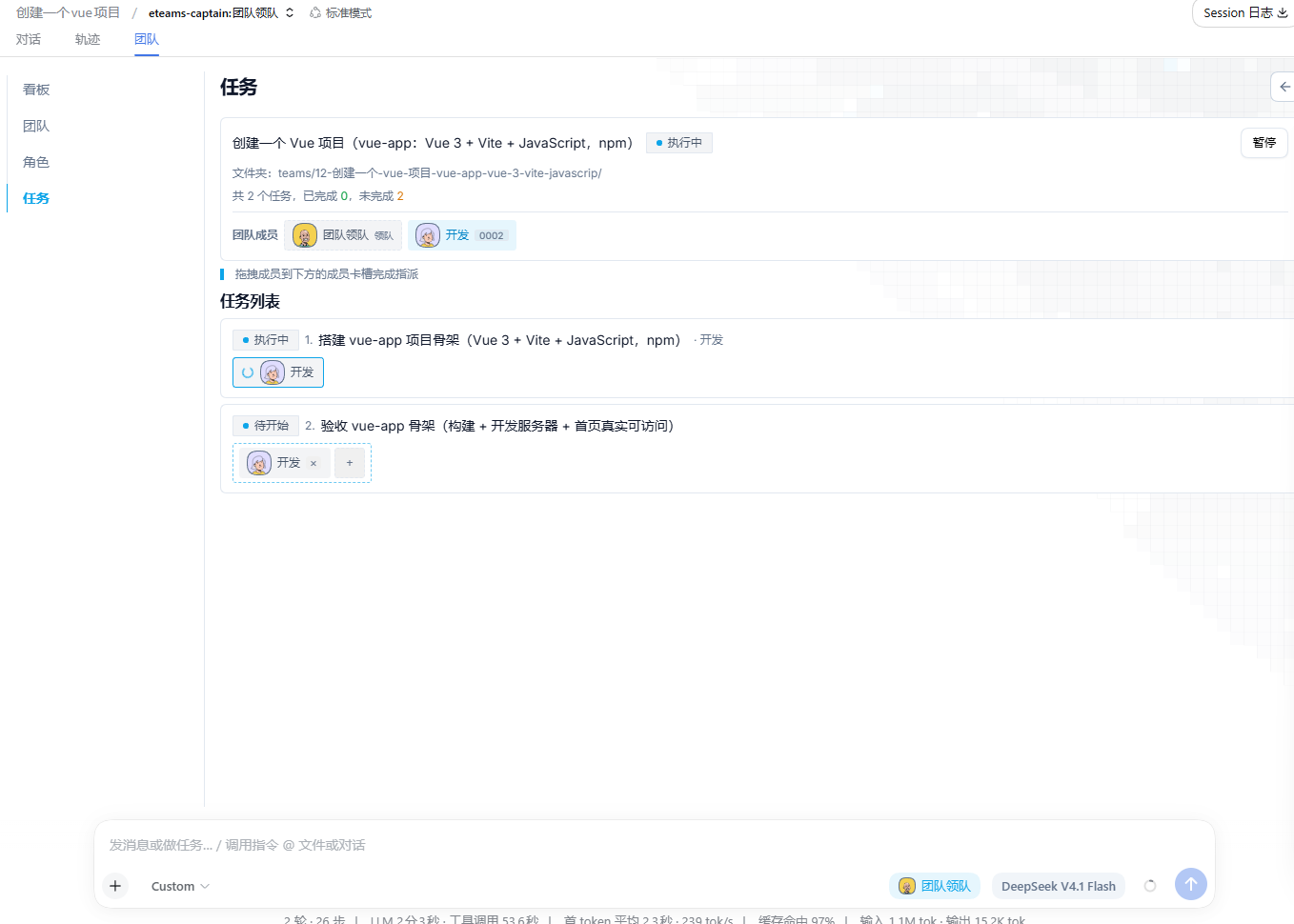
Complex, multi-step work often stretches well beyond what a single model can comfortably handle: scoping requirements, writing code, running verification, producing a report-each step demands a different professional lens and context. ETeams turns DeepSeek Harness into a genuine multi-agent team: you hand a goal to the lead, who decomposes it into an executable task chain and dispatches work to members. Each member works in its own independent sub-session, and every milestone, failure, and key decision remains visible in real time. This is true multi-session collaboration, not one model pretending to be several people, and you can freely reassign members or give each one a different model.
Core capabilities include an interview-style workflow that generates role handbooks (job cards) in a global role library, a team panel where you pick members and designate a lead, and an approval-gated task pipeline that auto-dispatches work once you sign off. State lives in a local SQLite database with no network calls or data uploads; the build inlines all dependencies, so there is no extra runtime install burden. The package ships as a single dual-end build (host + browser) under the id eteams.
Best suited for developers and teams working in DeepSeek Harness who need to handle multi-phase projects end-to-end, run several workstreams in parallel, or want different models to play to their strengths on a shared goal.
Screenshots
Use Cases
- Break a complex project into a multi-step task chain executed by different roles in relay across independent sub-sessions
- Assign the best-suited LLM to each member within the same team so every role plays to its strengths
- Run multi-session collaboration fully offline with state in local SQLite and zero data leaving the machine
Best For
- DeepSeek Harness developers handling multi-phase end-to-end projects
- Technical teams running multiple parallel workstreams and coordinating members from a single panel
- Privacy-sensitive users who require all state and execution to stay on the local machine
Related Plugins

A method pack that makes AI coding agents plan against your real baseline, prove completion with fresh evidence, and reduce reworks and unsafe changes.

Turns the DeepSeek Harness session into a captain that builds a durable sub-agent team, splits goals into dependency-aware tasks, and coordinates work via direct messages and a live Web UI.
Gives coding agents design judgment, letting Claude Code, Cursor, and 70+ agents generate and iterate high-quality UI, presentations, and graphics right from the terminal.
Run the Pi ecosystem's plugins on DeepSeek Harness, unmodified, via a compatibility layer that implements Pi's public extension ABI on DSH's native services.