dsh-noteboard
Run the following command in DeepSeek Harness:
dsh plugin install boogoo619/dsh-noteboard
Paste the following prompt into your AI chat to install this plugin:
Run dsh plugin install boogoo619/dsh-noteboard in the DeepSeek Harness terminal to install the plugin; for source-based deployment, visit https://github.com/boogoo619/dsh-noteboard to obtain the latest code and pin a specific commit.
About this plugin
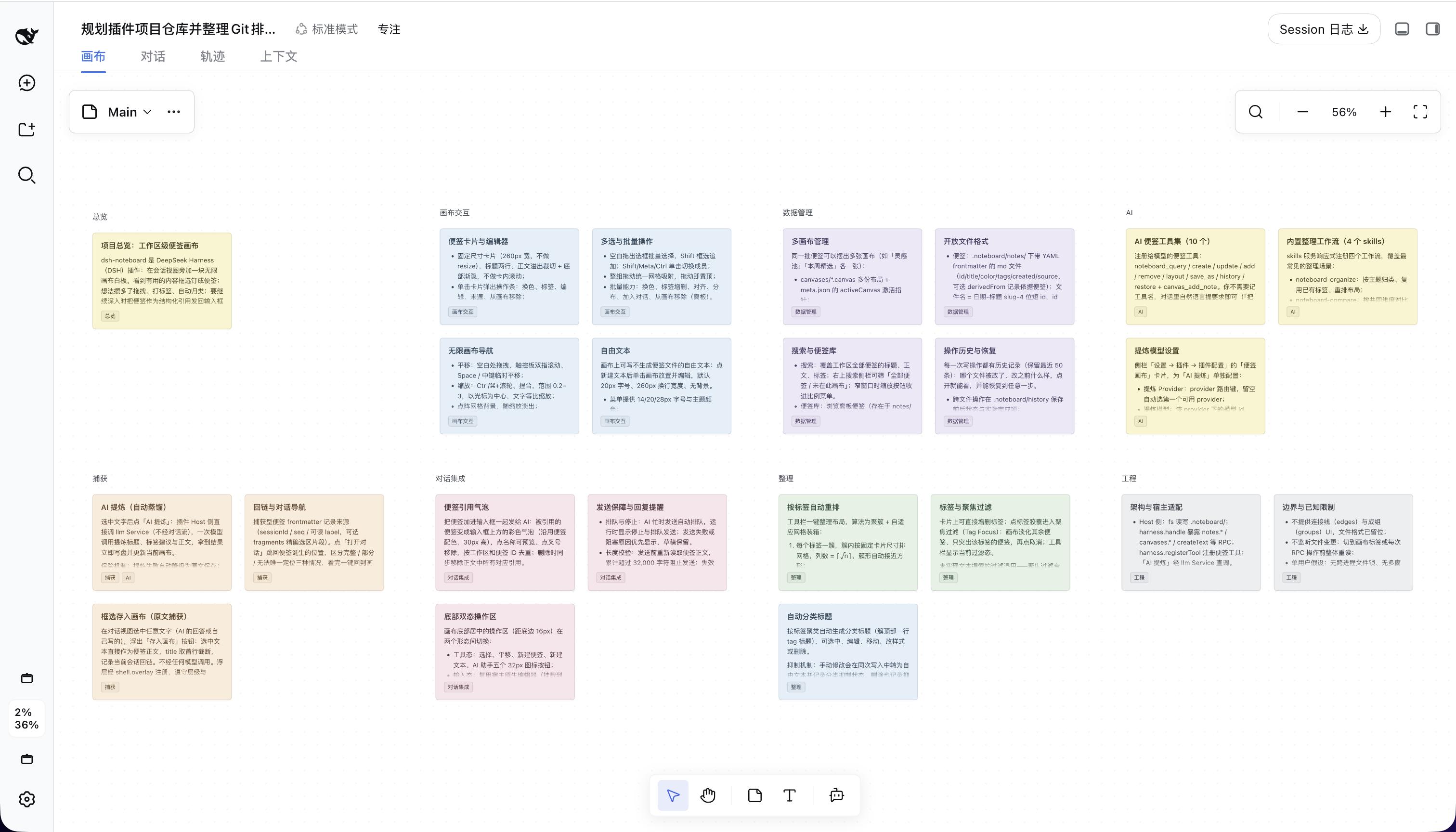
Long conversations with a model tend to bury the truly valuable decisions, conclusions, and sparks of insight inside an ever-growing context window. dsh-noteboard turns a DeepSeek Harness session into an editable knowledge canvas: select any conversation text and save it as a raw Markdown note, or let AI distill it into a concise summary. Each note is a frontmatter-enriched .md file paired with a JSON Canvas layout file, so content and placement are fully decoupled and can be managed through plain-text editors and versioned in Git.
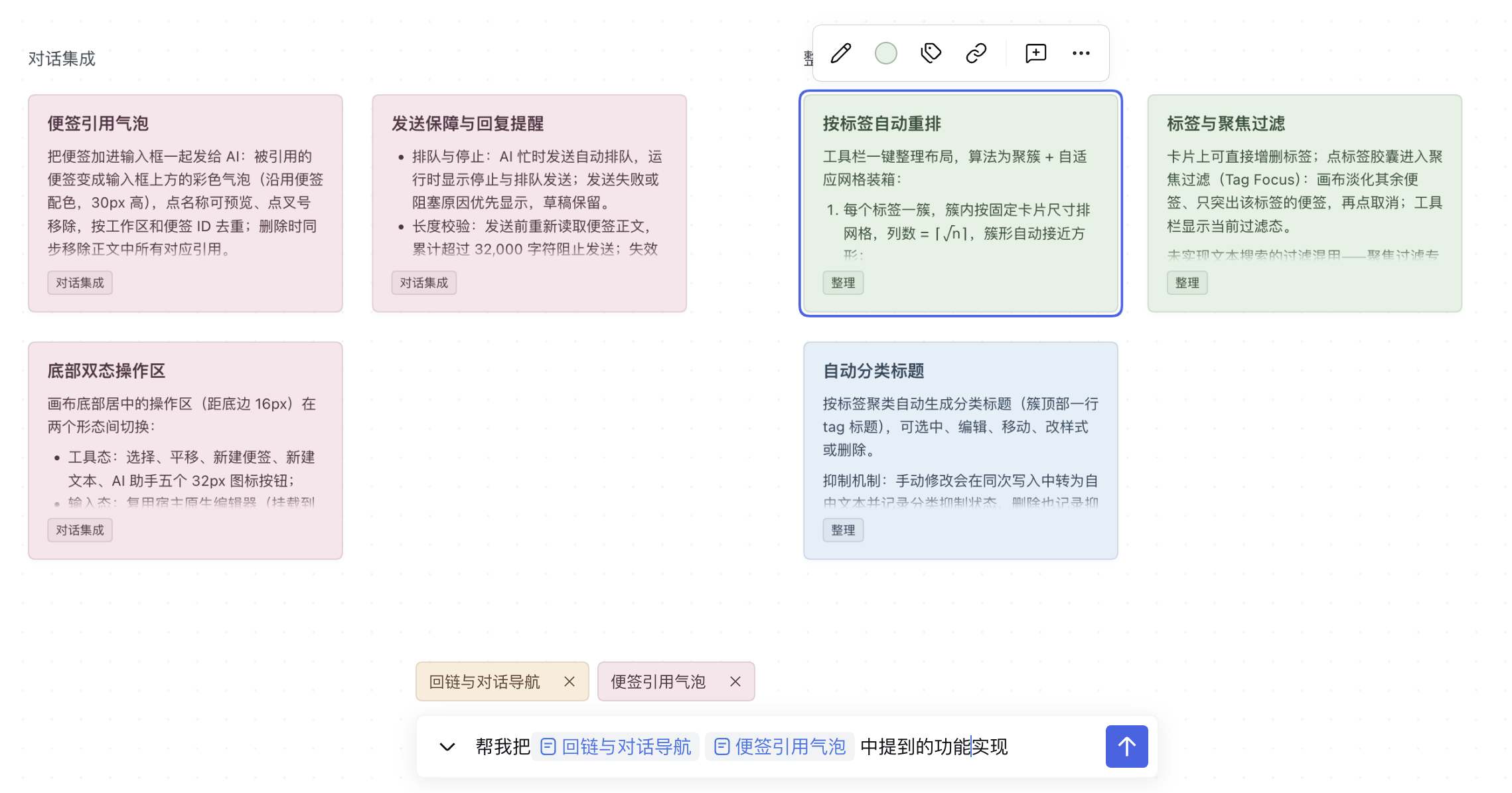
On top of the canvas sits a complete AI toolchain. Twelve registered model tools cover note creation, querying, modification, tag-based re-arrangement, and history restore. Five built-in workflows let the model execute multi-step tasks such as conditional extraction, topic-based tagging and colouring, side-by-side comparison of proposals, action-item decomposition, and deduplication with synthesis. Users can also send notes back into the input box as structured reference bubbles that travel with the message to the model for further reasoning, with an automatic guard at 32,000 cumulative characters to prevent context overflow.
It is designed for individuals and teams who work intensively with models inside Harness to brainstorm, review, and organise knowledge: pull key points into notes while writing, let AI compare trade-offs across notes, and auto-rearrange the board by tag. Everything is files and JSON with no separate database, so Git gives the team full traceability of every change.
Screenshots
Use Cases
- Select conversation text about product decisions and capture it as a note with source linking back to the original session
- Ask AI to extract unresolved issues from multi-turn discussions into tagged structured notes
- Group scattered proposal notes by theme, colour them, compare trade-offs across notes, and synthesize a final conclusion
Best For
- Developers and product teams who brainstorm and review heavily inside DeepSeek Harness
- Users who want to distill conversation knowledge into Markdown files under Git version control
- Knowledge workers who need to organise, compare, and synthesise information across sessions
Related Plugins

A method pack that makes AI coding agents plan against your real baseline, prove completion with fresh evidence, and reduce reworks and unsafe changes.

Turns the DeepSeek Harness session into a captain that builds a durable sub-agent team, splits goals into dependency-aware tasks, and coordinates work via direct messages and a live Web UI.
Gives coding agents design judgment, letting Claude Code, Cursor, and 70+ agents generate and iterate high-quality UI, presentations, and graphics right from the terminal.
Run the Pi ecosystem's plugins on DeepSeek Harness, unmodified, via a compatibility layer that implements Pi's public extension ABI on DSH's native services.