dsh-agent-swarm
Run the following command in DeepSeek Harness:
dsh plugin install TT-Wang/dsh-agent-swarm
Paste the following prompt into your AI chat to install this plugin:
Run dsh plugin install TT-Wang/dsh-agent-swarm in your terminal to install Agent Swarm in DeepSeek Harness; the full source is available at https://github.com/TT-Wang/dsh-agent-swarm .
About this plugin
When a task spans multiple files, requires decomposition and coordination, or involves a completely unfamiliar legacy codebase, a single agent simply cannot deliver—lacking division of labor, cross-validation, and any recovery path once interrupted. Agent Swarm brings a collaborating team of agents into DeepSeek Harness: the primary agent inspects the project, sets the plan and acceptance criteria, and allocates resource budgets; members work in parallel inside their own Git worktrees, exchanging evidence, challenging findings, and handing off partial results; a separate member independently reviews submitted work, and the declared checks are executed against the exact commit.
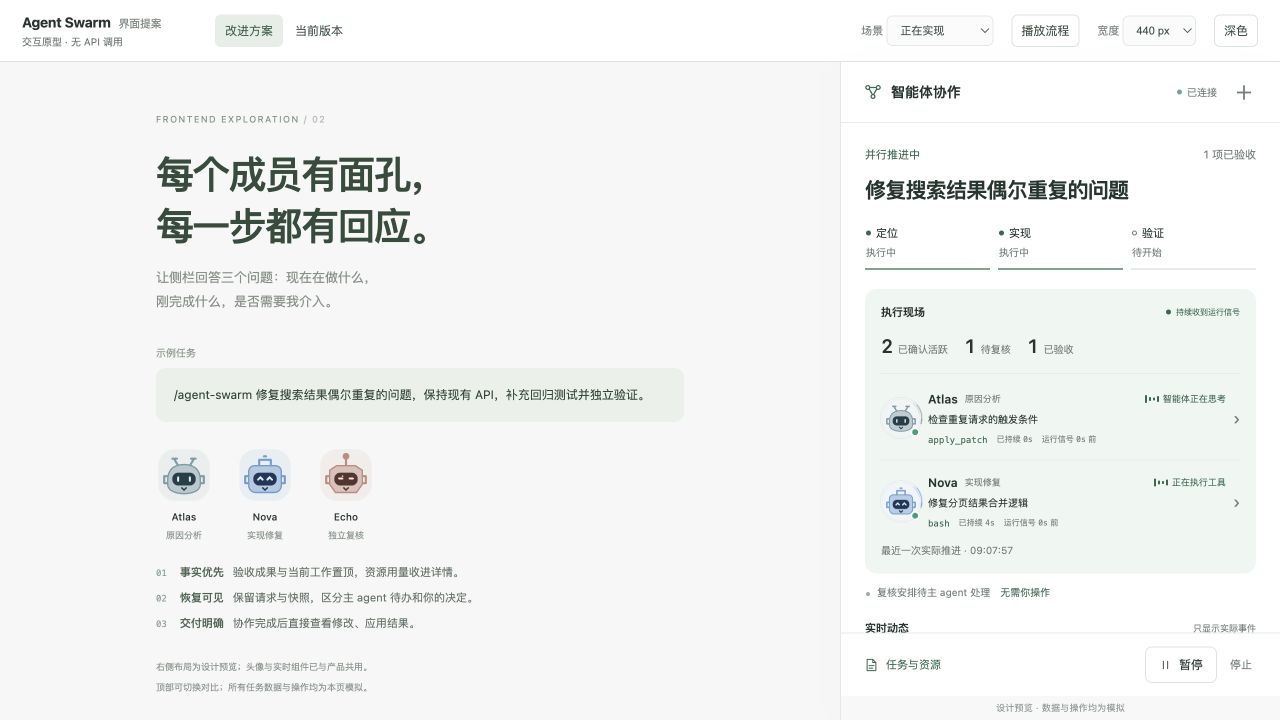
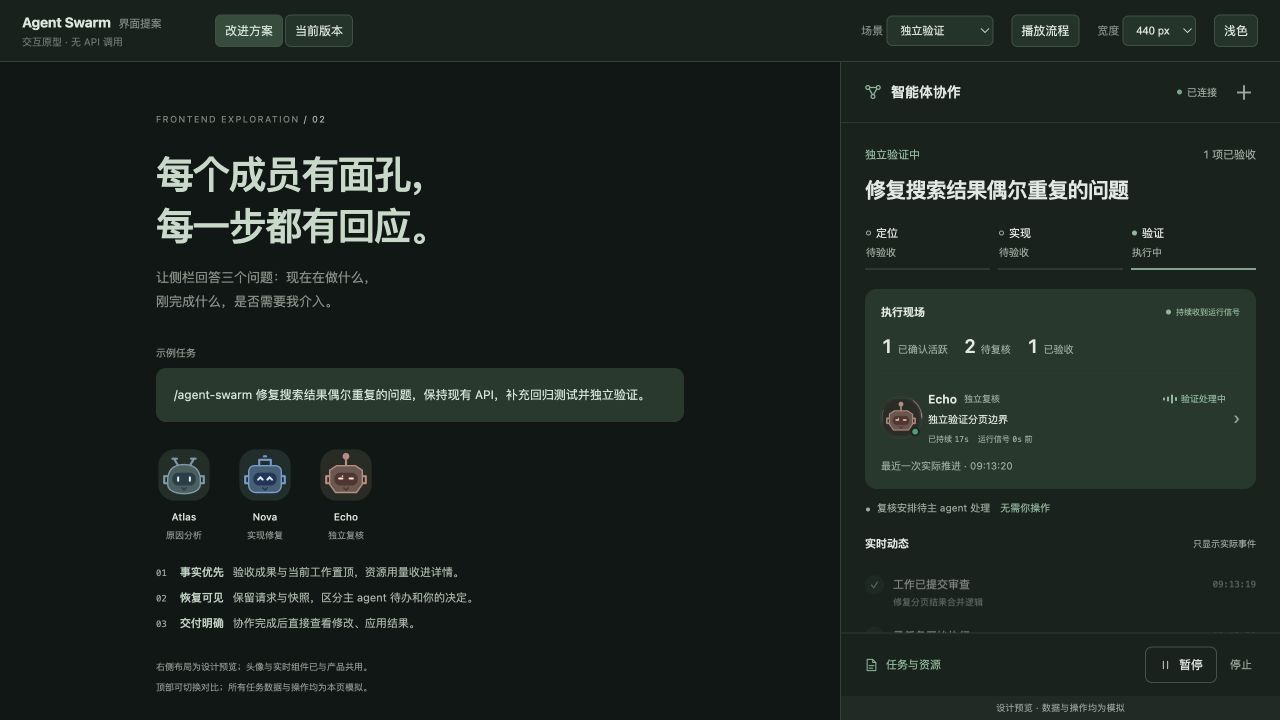
The sidebar is your window into the whole team: it shows the current operation of every member, elapsed time, and the latest event stream in real time, with pause, resume, and stop controls always at hand. If a task is interrupted, durable state on disk—assignments, evidence chains, and decision logs—lets the team resume from checkpoints. Replacement tasks inherit the original acceptance criteria, downstream dependencies follow automatically, and you never have to re-describe the goal.
It is built for developers working in local Git repositories whose tasks genuinely benefit from division of labor and cross-validation: fixing a cross-module bug, delivering a feature that touches several parts of the codebase, or tracing through unfamiliar code without modifying a single line—all are natural Swarm scenarios.
Screenshots
Use Cases
- Fix a cross-module bug while a separate member validates edge cases
- Split a multi-file feature into parallel work streams, coordinate dependencies, and deliver a unified result
- Trace through unfamiliar legacy code and produce an analysis without modifying a single line
Best For
- Engineers in local Git repos whose tasks benefit from division of labor and cross-validation
- Harness users who expect seamless checkpoint recovery after task interruptions
- Developers who value observable execution traces and transparent resource accounting
Related Plugins

A method pack that makes AI coding agents plan against your real baseline, prove completion with fresh evidence, and reduce reworks and unsafe changes.

Turns the DeepSeek Harness session into a captain that builds a durable sub-agent team, splits goals into dependency-aware tasks, and coordinates work via direct messages and a live Web UI.
Gives coding agents design judgment, letting Claude Code, Cursor, and 70+ agents generate and iterate high-quality UI, presentations, and graphics right from the terminal.
Run the Pi ecosystem's plugins on DeepSeek Harness, unmodified, via a compatibility layer that implements Pi's public extension ABI on DSH's native services.