
dsh-later
Run the following command in DeepSeek Harness:
dsh plugin install WuJiaoJue/dsh-later
Paste the following prompt into your AI chat to install this plugin:
Run dsh plugin install WuJiaoJue/dsh-later in DeepSeek Harness to install this plugin; the source code is available at https://github.com/WuJiaoJue/dsh-later
About this plugin
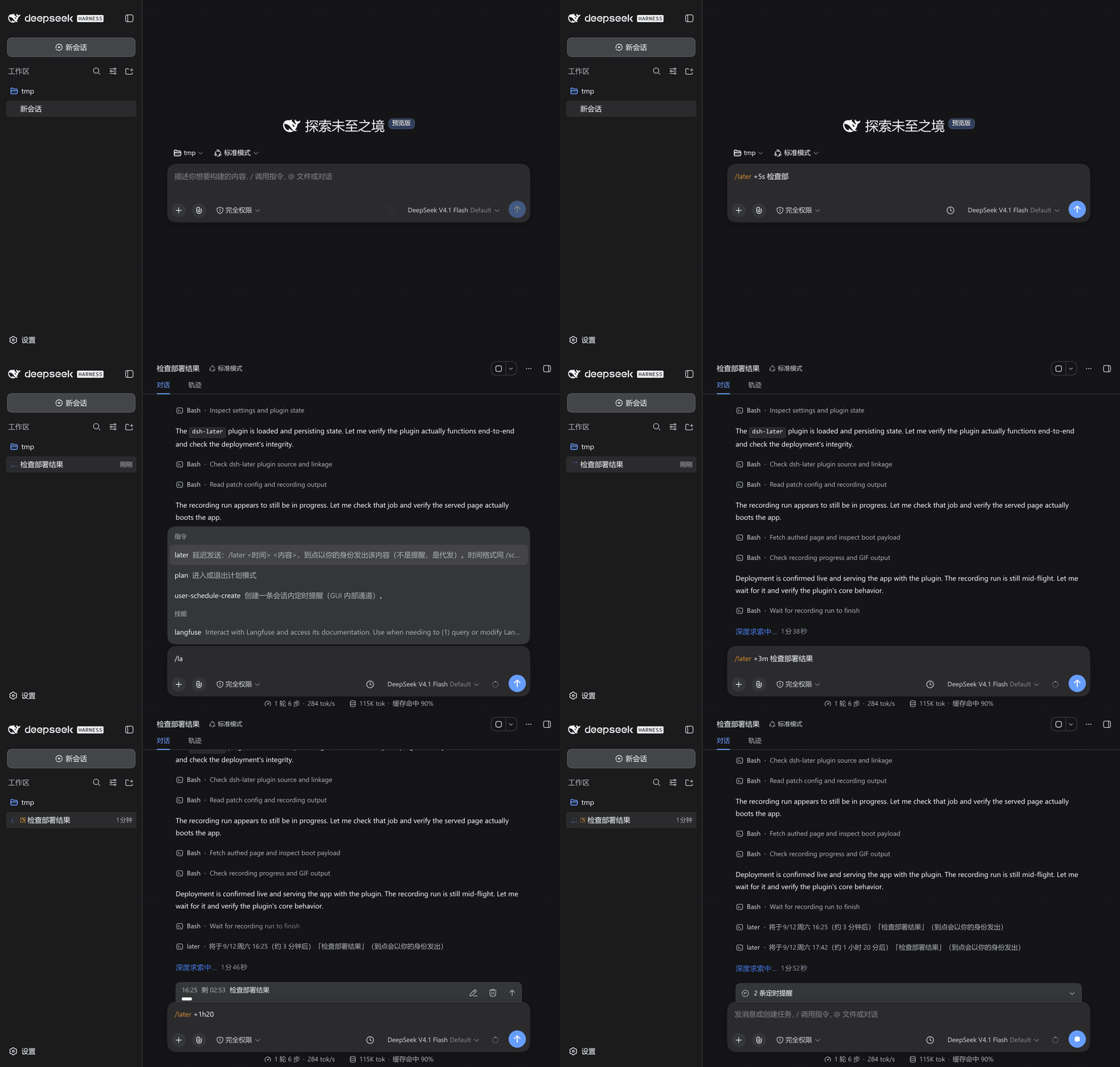
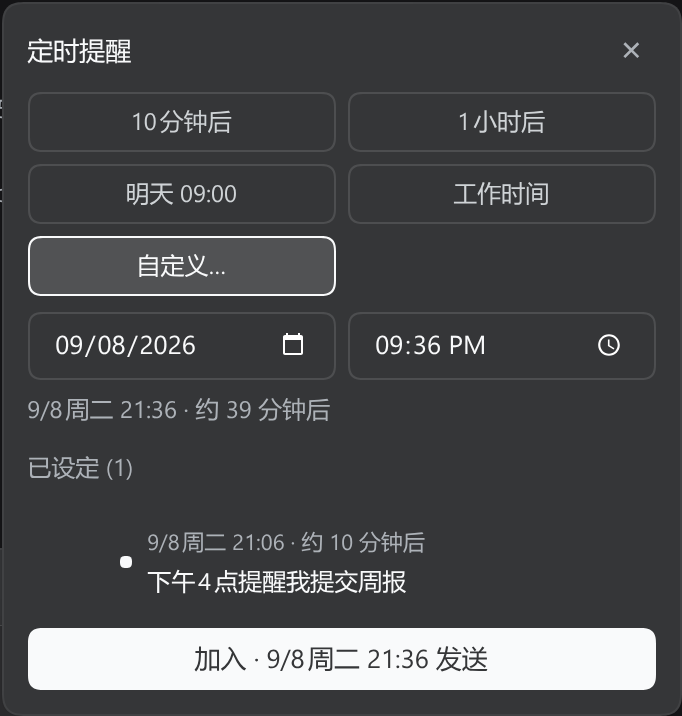
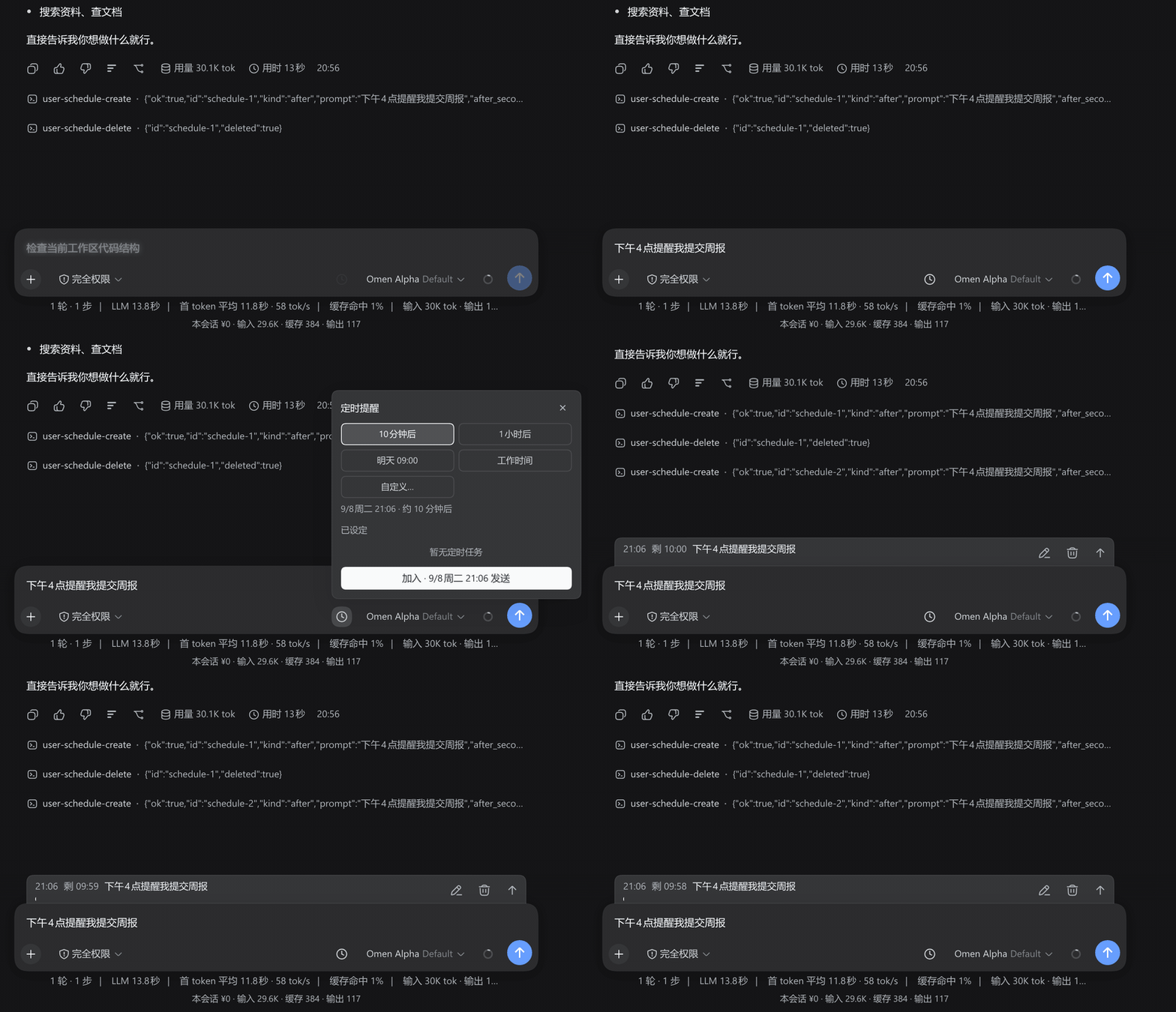
You often want to send a sentence a few minutes later, or pop up a reminder at a specific hour, without leaving the DSH chat to check a calendar or set a phone alarm. dsh-later embeds that delayed workflow right into the input box. Type /later +30m followed by your message and press Enter; a countdown starts, and when it fires the message arrives as if you typed it at that moment. Alternatively, open the scheduling panel on the right of the input box, pick a smart slot or a custom time, preview the result, and add it to your task list. The reminder then appears in the conversation on schedule.
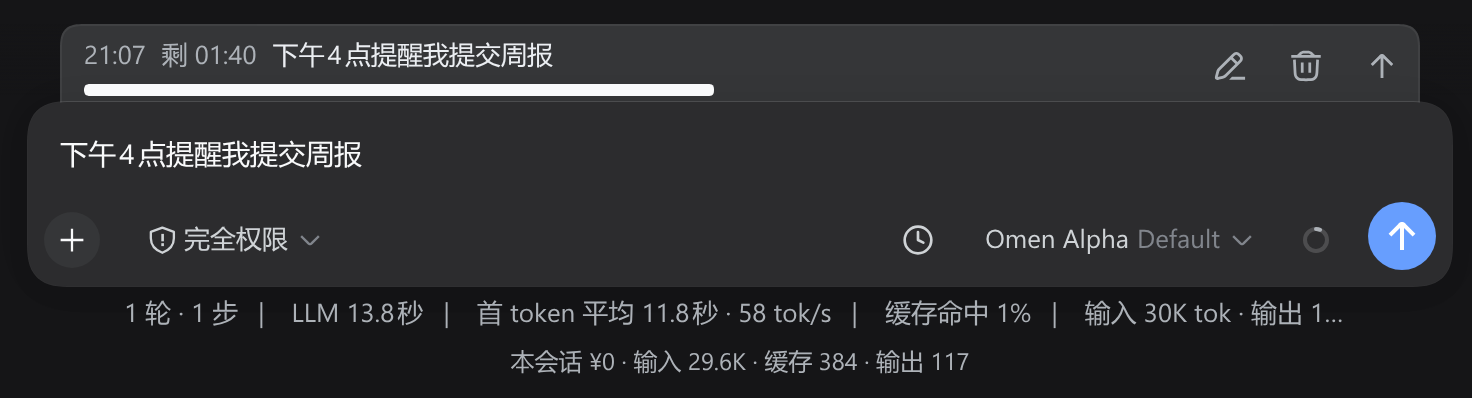
Reminders are server-driven, so closing the browser or switching devices never misses a trigger. The countdown dock above the input box lets you edit or cancel each entry inline, or hit push-now to send it to the model immediately. A pixel-clock icon in the sidebar signals status at a glance: purple means pending, amber means firing within five minutes, red means overdue and waiting for a free session. Time parsing is flexible, accepting relative durations, clock times, tomorrow-ninety, and full dates alike. The /schedule every command supports recurring reminders with a period of at least five minutes. Reminders are strictly bound to the current session, child sessions never inherit them, and the fired message is labelled as a scheduled reminder rather than pretending to be your own bubble.
It suits developers and researchers who live inside DSH chats: rereading a code-review note ten minutes later, reminding yourself to write meeting minutes in half an hour, or receiving a long excerpt on schedule in a session on another device. Zero configuration out of the box, multilingual with instant switching between Chinese and English, a default cap of one hundred reminders per session, and a relaxable character limit for long text, all adjustable from the settings page without restarting.
Screenshots



Use Cases
- Get a reminder ten minutes later to reread a code review you just wrote
- Deliver a long excerpt as yourself to another device thirty minutes from now
- Receive a daily standing reminder for meeting agendas and to-dos
Best For
- Developers and architects who live inside DSH sessions
- Researchers who need reliable cross-device on-time triggers
- Knowledge workers managing notes, to-dos, and meeting records in DSH
Related Plugins

A method pack that makes AI coding agents plan against your real baseline, prove completion with fresh evidence, and reduce reworks and unsafe changes.

Turns the DeepSeek Harness session into a captain that builds a durable sub-agent team, splits goals into dependency-aware tasks, and coordinates work via direct messages and a live Web UI.
Gives coding agents design judgment, letting Claude Code, Cursor, and 70+ agents generate and iterate high-quality UI, presentations, and graphics right from the terminal.
Run the Pi ecosystem's plugins on DeepSeek Harness, unmodified, via a compatibility layer that implements Pi's public extension ABI on DSH's native services.