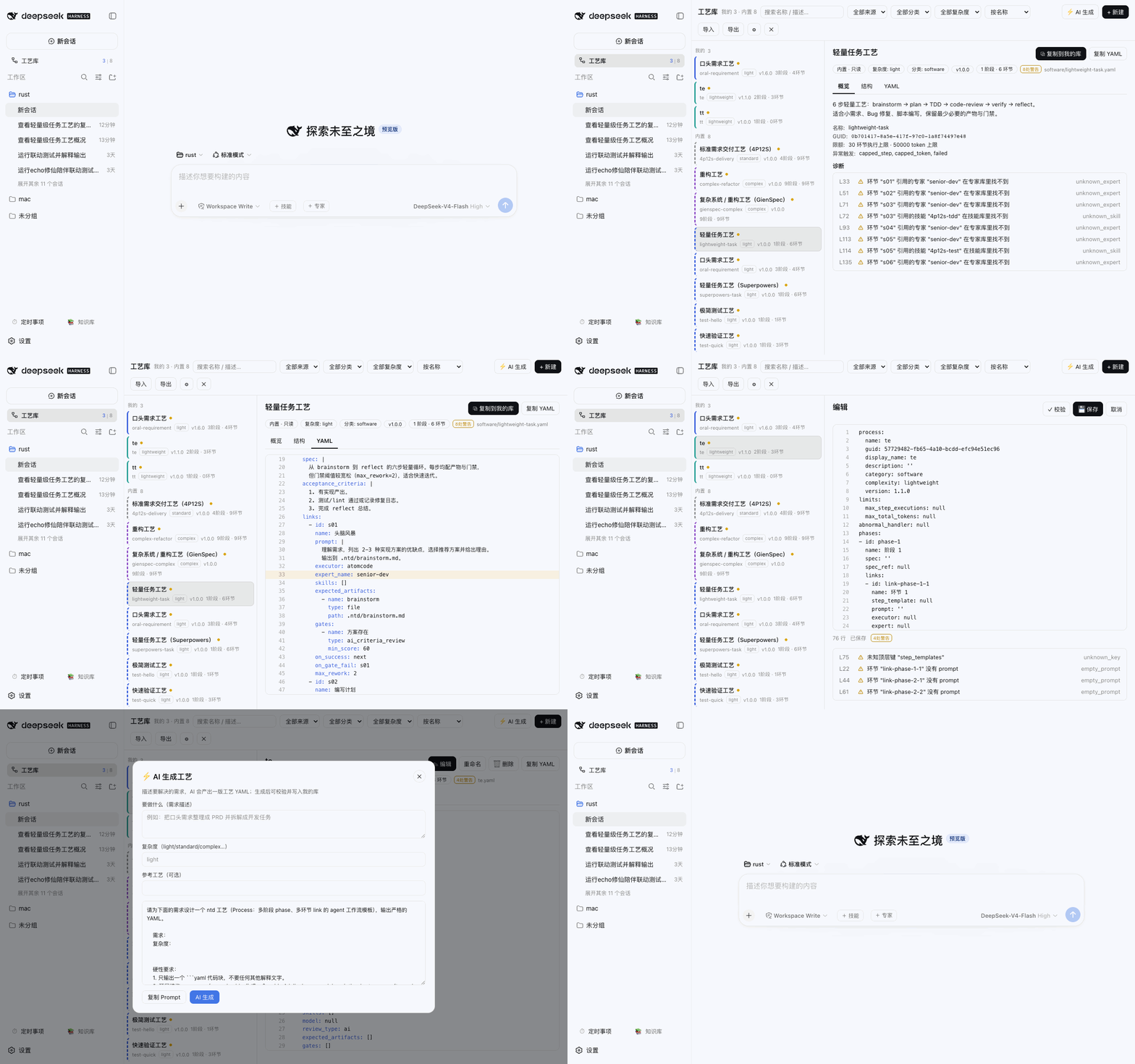
dsh-process
Run the following command in DeepSeek Harness:
dsh plugin install weibaohui/dsh-process
Paste the following prompt into your AI chat to install this plugin:
Run dsh plugin install weibaohui/dsh-process in your terminal to install; source code is available at https://github.com/weibaohui/dsh-process
About this plugin
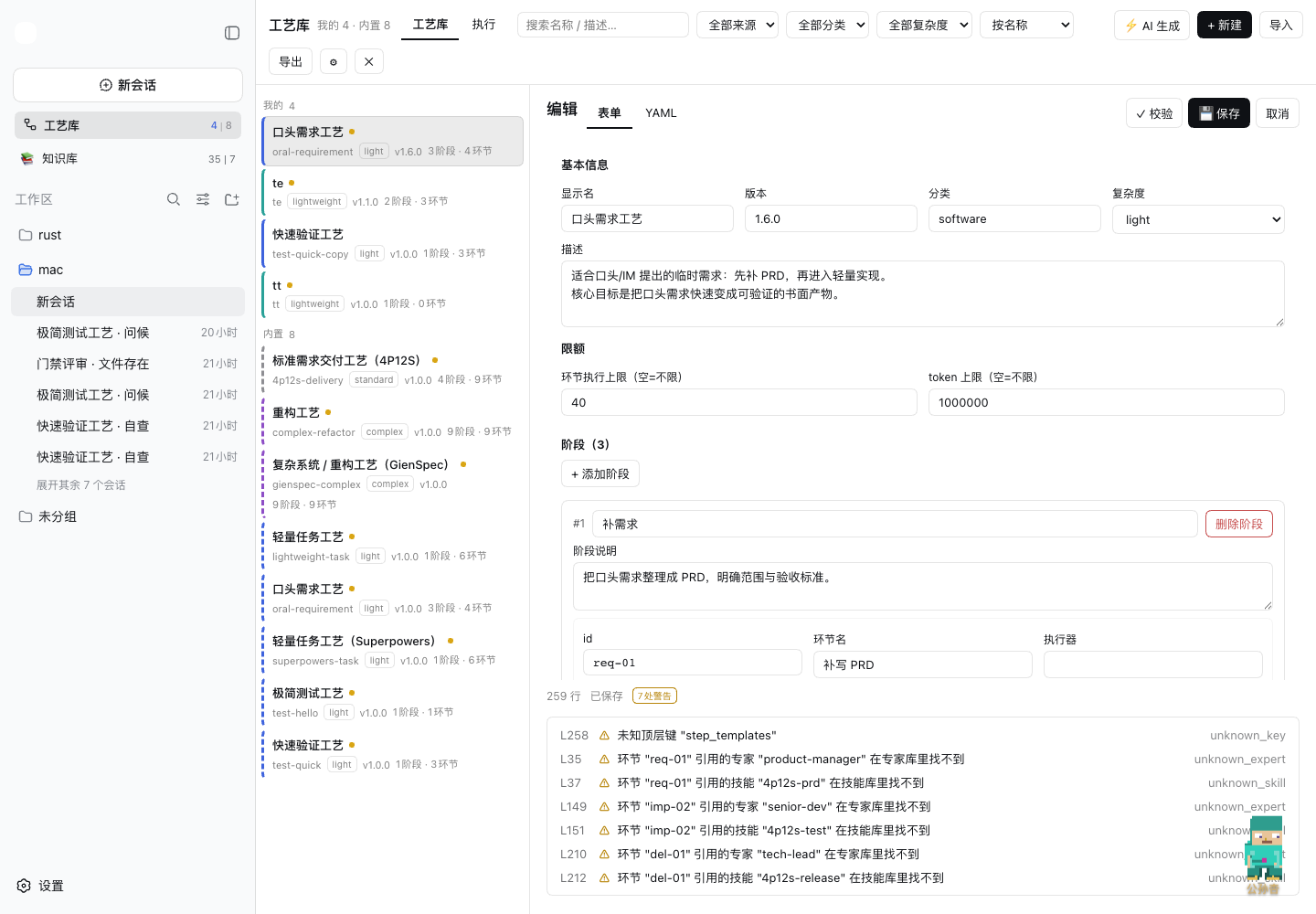
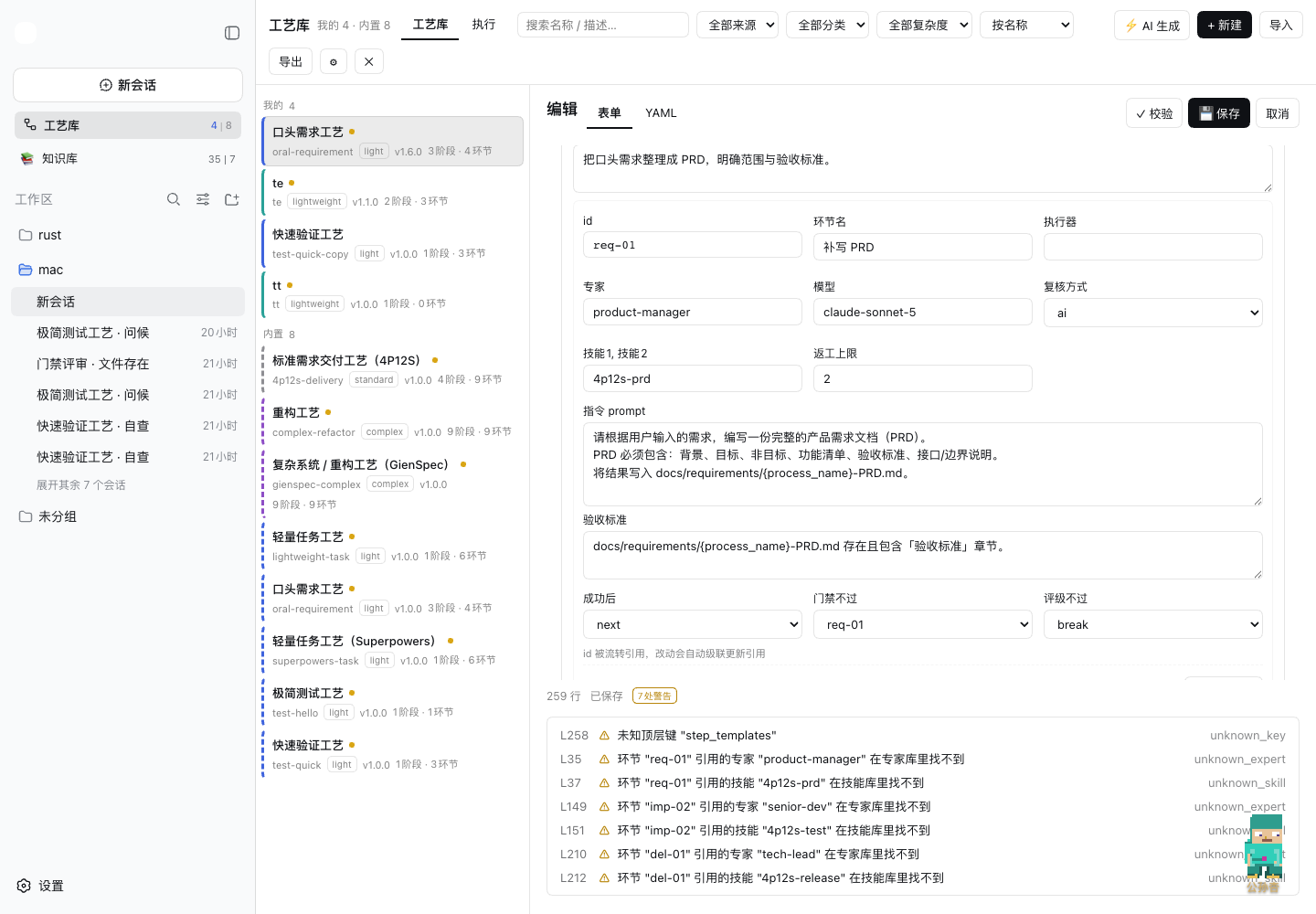
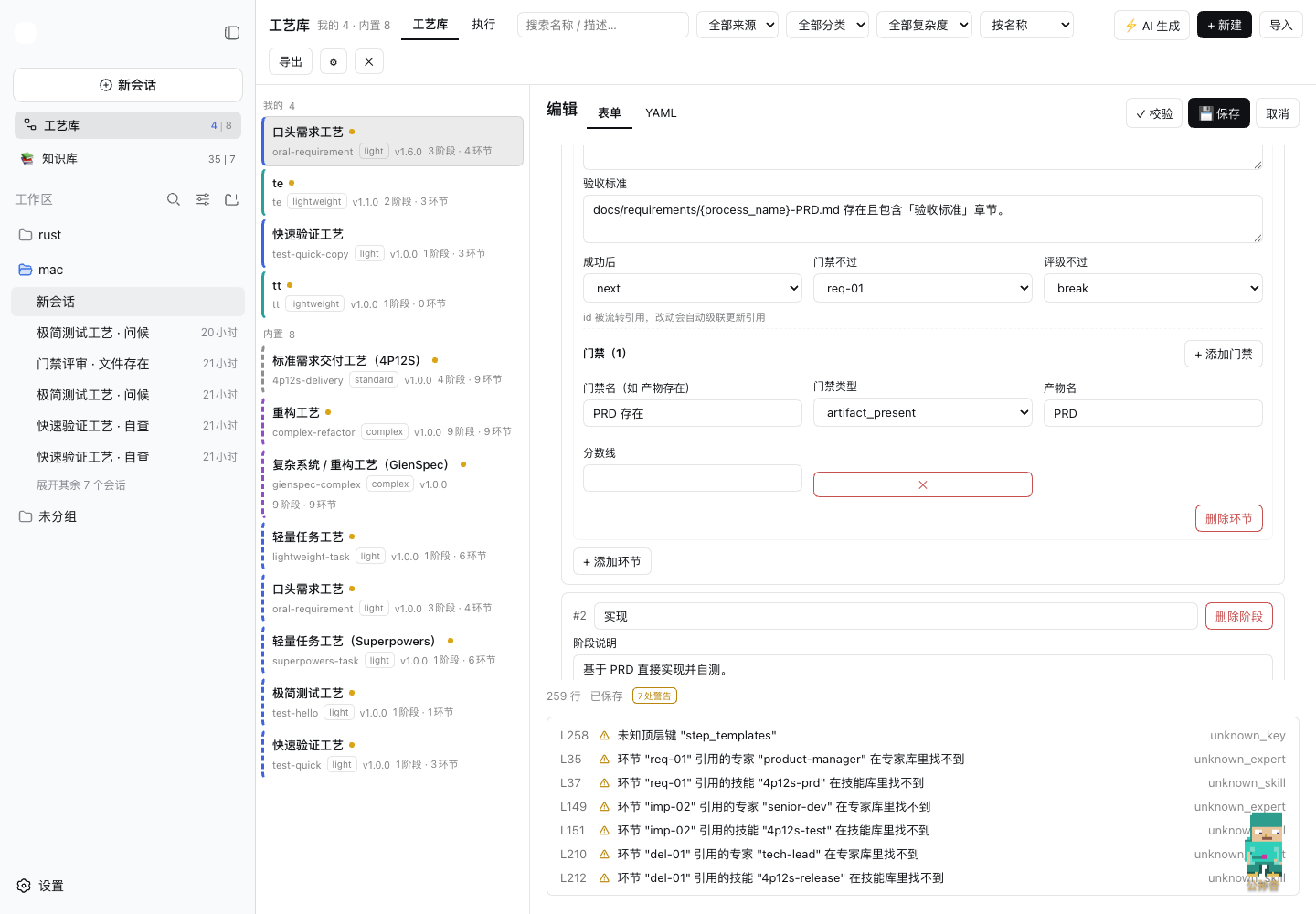
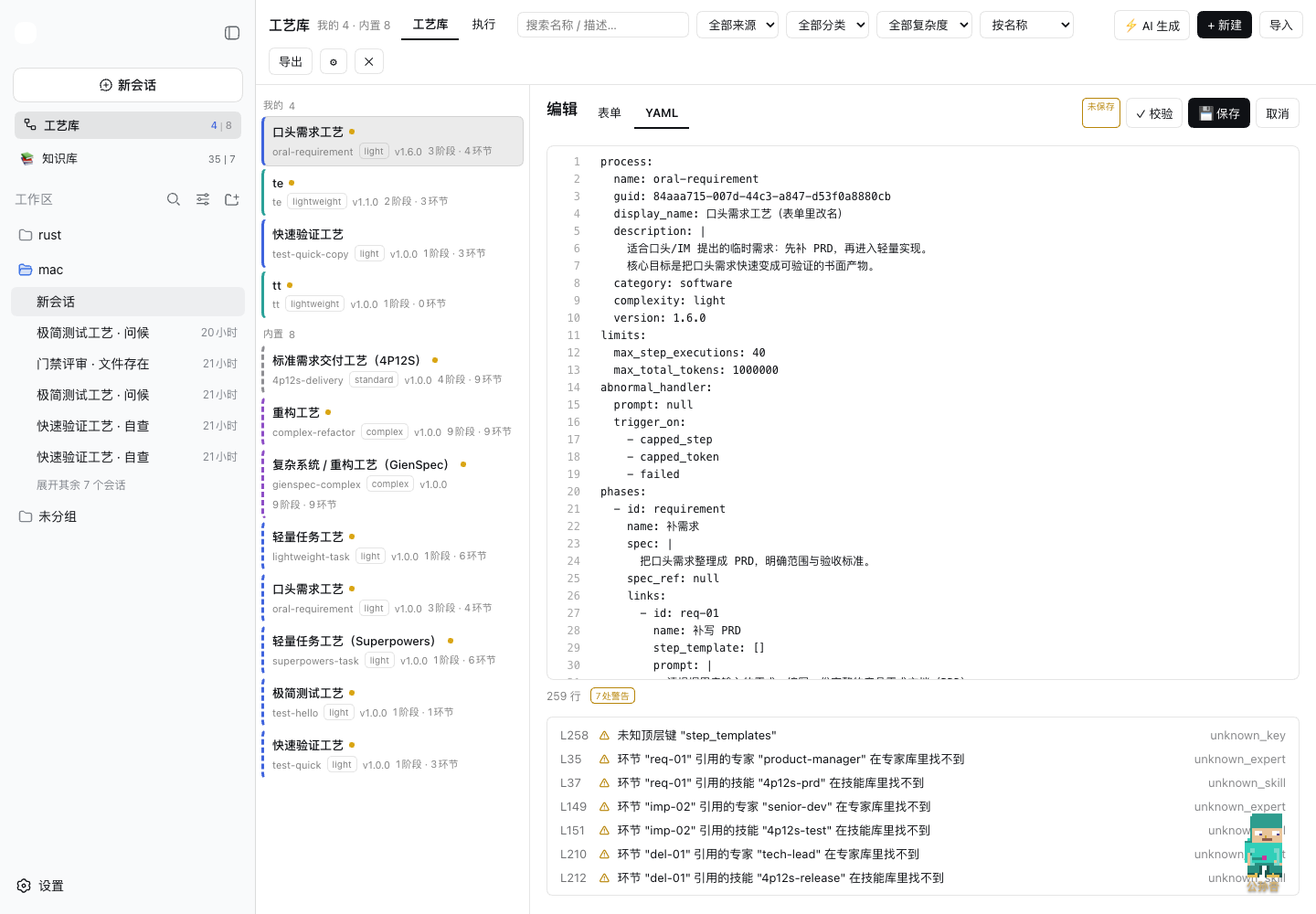
ntd process templates are YAML files that describe multi-phase, multi-step agent workflows, yet managing them usually means juggling a raw text editor and manually scanning directories for structure, validation, or visual editing. dsh-process turns ntd processes into a full visual workbench that lives right inside the dsh web sidebar.
The plugin ships a full-screen process library with dual-library browsing (My Library and Bundled), a three-tab inspector (Overview, Structure tree, and line-numbered YAML), a bidirectional form-and-YAML editor with 300ms debounced validation, one-click AI generation that validates and previews before writing, complete multi-file import and zip export, and real-time fs.watch synchronization so external changes appear instantly. On the execution side, the host drives each step in a fresh dsh session, routes on_success, on_gate_fail, and goto transitions in code (so the model cannot skip gates), scores ai_criteria_review with an independent reviewer session, caps rework attempts programmatically, and renders live progress, attempt counts, gate scores, and output tails on a run board. Security is straightforward: all writes go to My Library only, the Bundled library returns 403, deletions land in .trash first, and a path whitelist rejects traversal.
If your team already defines agent workflows in ntd and wants a visual editor to author and debug process templates, an AI assistant to scaffold a new process from a natural-language prompt, or a reliable host that executes a full process with gate arbitration and live monitoring, dsh-process is the missing layer.
Screenshots

Use Cases
- Browse, edit, and validate ntd multi-phase process templates
- Generate a new process flow from natural language with AI and save it to My Library
- Drive an agent to advance phase-by-phase with automatic rework or pause on gate failure
Best For
- Developers who define agent workflows in ntd
- Teams that need visual management and debugging of process templates
- Operators who want agents to execute standard flows step by step
Related Plugins

A method pack that makes AI coding agents plan against your real baseline, prove completion with fresh evidence, and reduce reworks and unsafe changes.

Turns the DeepSeek Harness session into a captain that builds a durable sub-agent team, splits goals into dependency-aware tasks, and coordinates work via direct messages and a live Web UI.
Gives coding agents design judgment, letting Claude Code, Cursor, and 70+ agents generate and iterate high-quality UI, presentations, and graphics right from the terminal.
Run the Pi ecosystem's plugins on DeepSeek Harness, unmodified, via a compatibility layer that implements Pi's public extension ABI on DSH's native services.