dsh-s-m-c-center
Run the following command in DeepSeek Harness:
dsh plugin install YpipaQ/dsh-s-m-c-center
Paste the following prompt into your AI chat to install this plugin:
Run dsh plugin install YpipaQ/dsh-s-m-c-center in your DeepSeek Harness terminal, source code at https://github.com/YpipaQ/dsh-s-m-c-center, then restart DSH and hard-refresh the browser to access the Tool Manager under Settings.
About this plugin
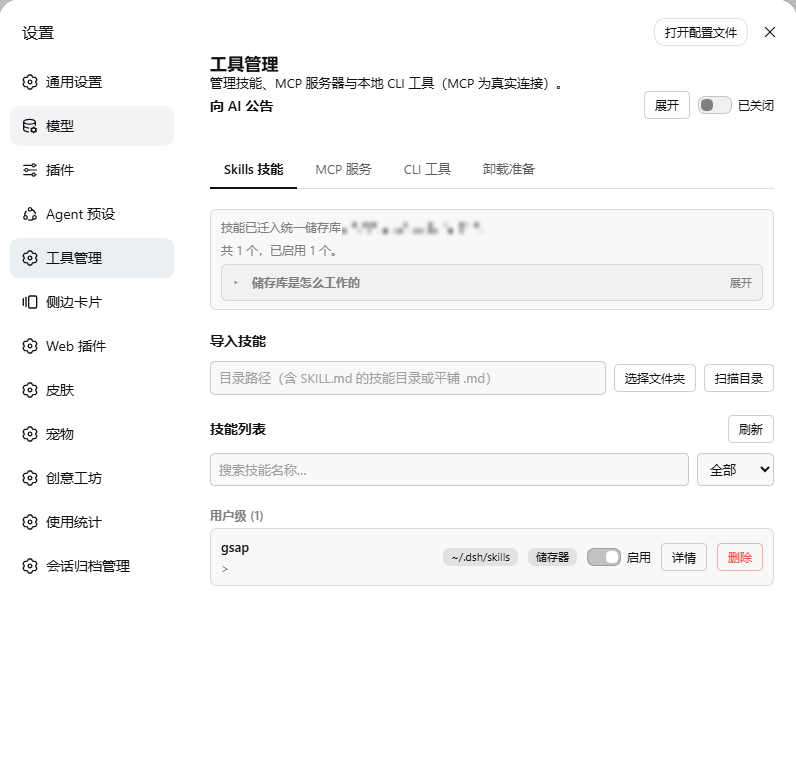
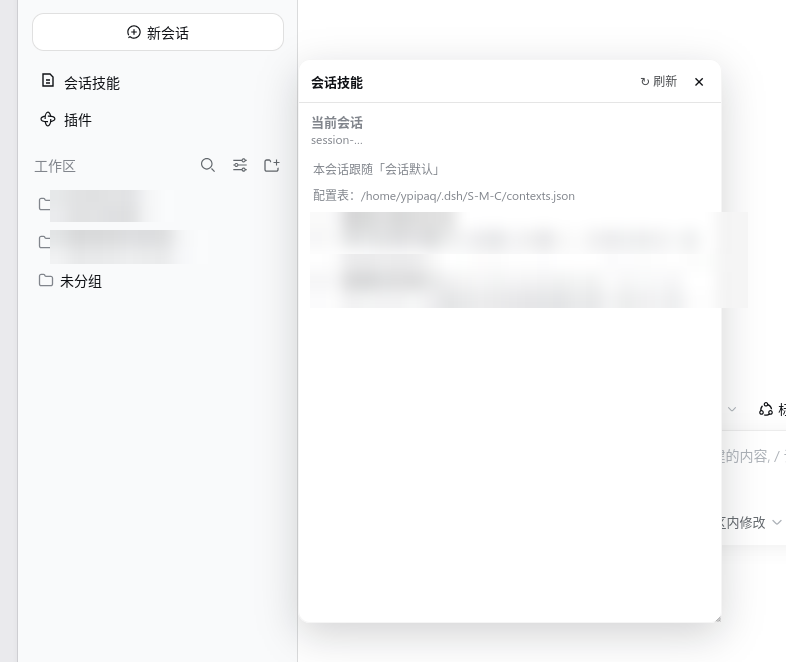
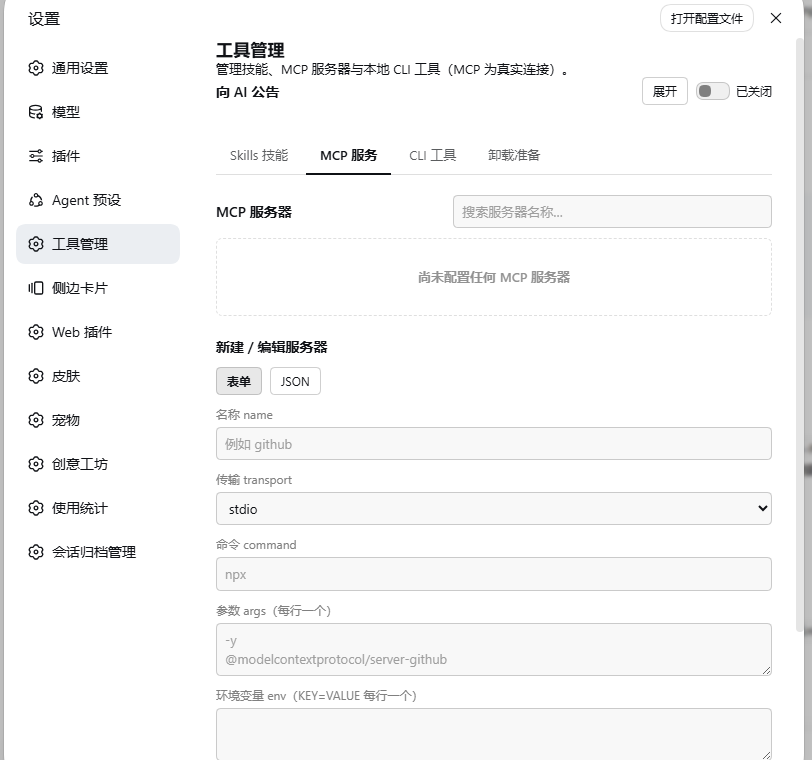
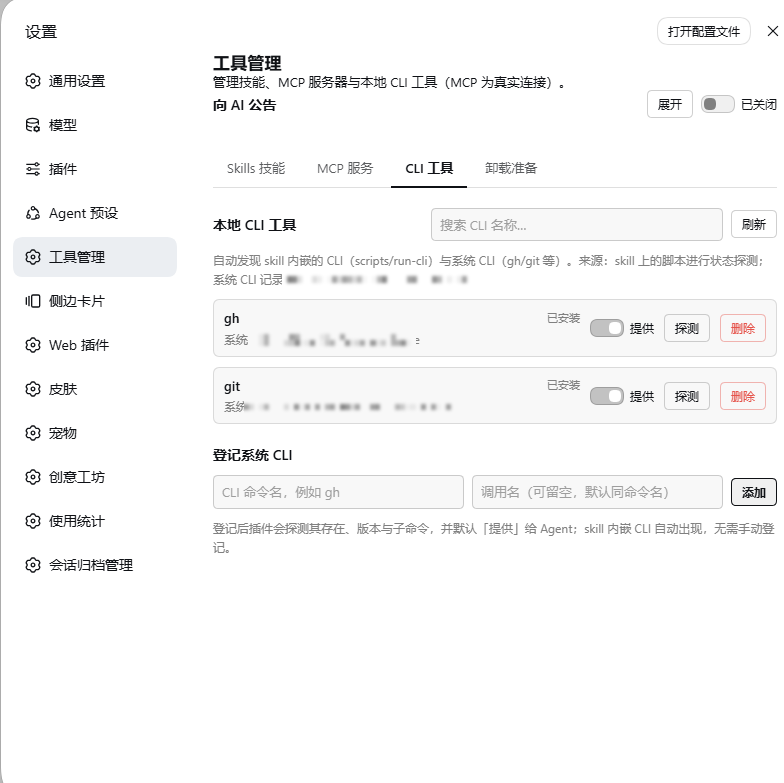
A DeepSeek Harness agent typically leans on three kinds of tools at once: skills, MCP servers, and local CLIs. Managing them used to mean hand-editing directories, tweaking JSON line by line, and hunting for toggles across scattered config files, with no global view and no per-conversation control over which skills the model can see. dsh-s-m-c-center (Three-in-One Console) folds all of that into a single settings panel and adds a per-conversation skill-injection layer, turning fragmented tool wrangling into one coherent workflow. Its core capabilities include one-click skill linking and unlinking (SKILL.md is never touched), a session default plus sidebar panel so every conversation can carry its own skill set, a shadow catalog that shows the AI exactly the skills injected into the current session, MCP server creation via form or raw JSON with a real one-off connection test and activate/archive switches, and local CLI auto-discovery with version and subcommand probes. The whole pipeline requires zero source changes, shipping as a single npm package plus one profile bundle patch line, with a one-click rollback on uninstall. It is built for advanced DSH users who juggle multiple tool families, want per-session control over the model capability boundary, and would rather not hand-edit scattered scripts and config files.
Screenshots
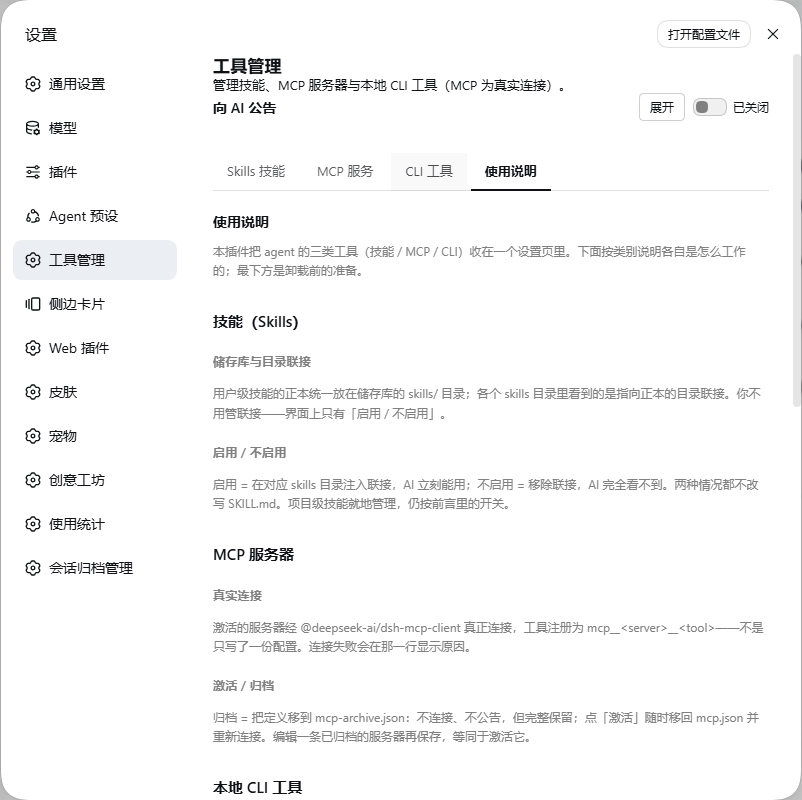
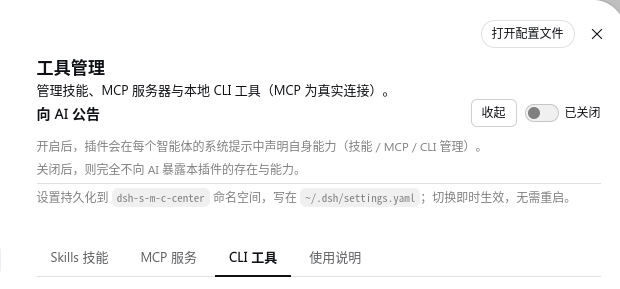
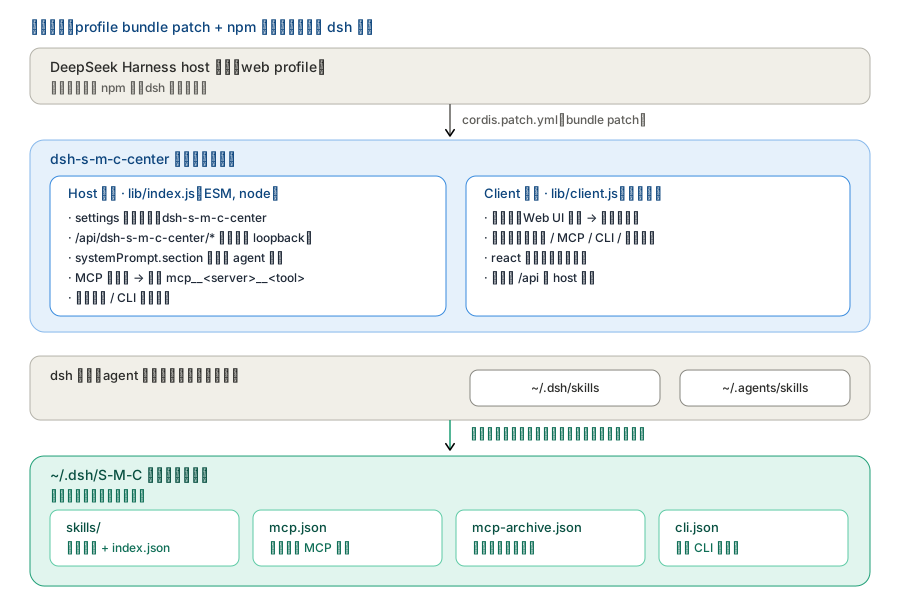
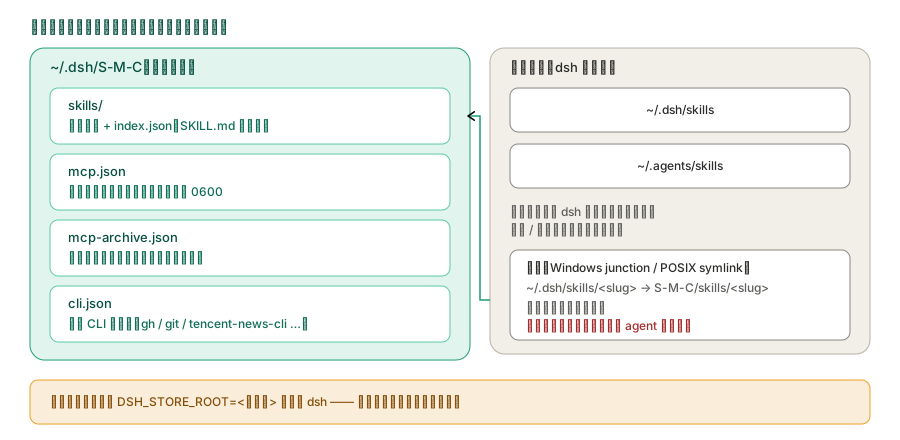
Use Cases
- Compose a different skill set for each conversation instead of a global on/off
- Create an MCP server and run a real connection test before activating it
- Auto-discover local CLI tools and probe their version, subcommands, and API-key state
Best For
- Advanced DSH users juggling skills, MCP servers, and local CLIs at once
- Developers who want per-session, fine-grained control over the model's visible skill set
- Maintainers who prefer a settings UI over hand-editing scattered JSON files and directory trees
Related Plugins

A method pack that makes AI coding agents plan against your real baseline, prove completion with fresh evidence, and reduce reworks and unsafe changes.

Turns the DeepSeek Harness session into a captain that builds a durable sub-agent team, splits goals into dependency-aware tasks, and coordinates work via direct messages and a live Web UI.
Gives coding agents design judgment, letting Claude Code, Cursor, and 70+ agents generate and iterate high-quality UI, presentations, and graphics right from the terminal.
Run the Pi ecosystem's plugins on DeepSeek Harness, unmodified, via a compatibility layer that implements Pi's public extension ABI on DSH's native services.