dsh-showme-html
Run the following command in DeepSeek Harness:
dsh plugin install liceses/dsh-showme-html
Paste the following prompt into your AI chat to install this plugin:
Run dsh plugin install liceses/dsh-showme-html in DeepSeek Harness to install; the source repository is https://github.com/liceses/dsh-showme-html .
About this plugin
An agent finishes a big task and dumps two hundred lines of Markdown. You read it all, yet you never actually saw the thing. When a dozen AI-generated variants sit side by side, you cannot name them — you point and say the third one, the one with the gradient, and whether you and the agent mean the same third one is a coin flip. Every step on the read-to-feedback path loses meaning.
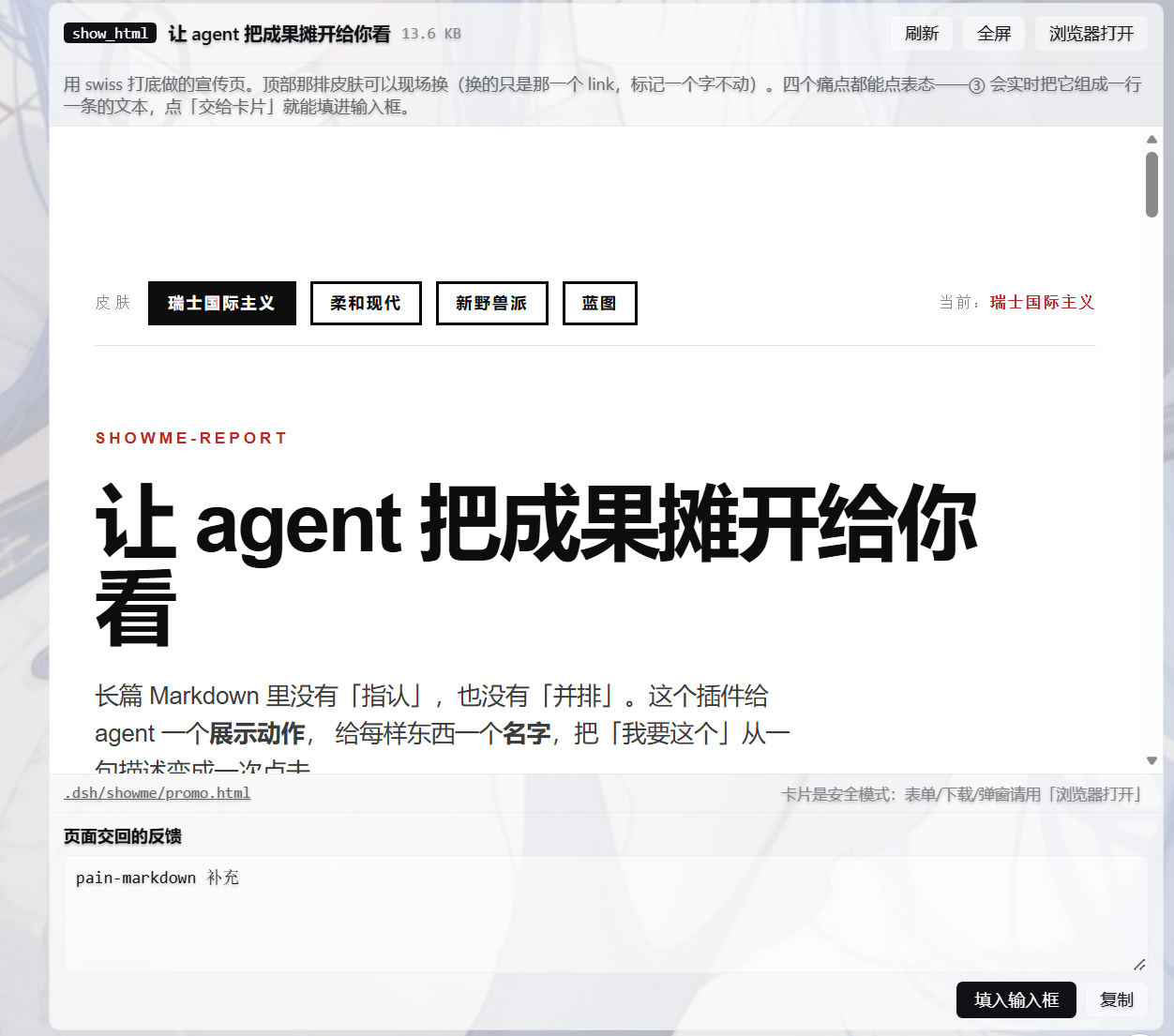
dsh-showme-html gives the agent a show_html tool that renders a finished HTML page as an inline card inside the conversation. Every element on the page carries a stable, visible name (hero-banner-v3, f2, shot-07); the user clicks twice, the page drafts a one-line intent on his behalf, and that line lands in the input box or the feedback inbox with one press. Four preset styles (Soft, Swiss, Brutal, Blueprint) share the same semantic markup so switching skins requires zero tag changes. Three template skeletons (per-item review, candidate pick, illustrated report) turn page writing into data filling — a few hundred tokens instead of a 10 KB rewrite that might get the feedback channel wrong every time. Zero build step, zero dependencies; the host is the web server DSH is already running.
Who it is for: anyone working in a DSH or DeepSeek Harness workflow who regularly needs to visually compare AI outputs, pick among multiple variants, and give structured, element-level feedback. No extra services, no build pipeline — install and go.
Screenshots
Use Cases
- Visually compare and precisely reference multiple AI-generated design variants
- Display HTML pages inline in chat and collect structured user feedback
- Apply preset styles to agent-generated report pages for a professional look
Best For
- Agent users working in DSH or DeepSeek Harness workflows
- Developers who frequently compare AI outputs and give element-level feedback
- Teams wanting zero-build zero-dependency interactive report pages
Related Plugins

A method pack that makes AI coding agents plan against your real baseline, prove completion with fresh evidence, and reduce reworks and unsafe changes.

Turns the DeepSeek Harness session into a captain that builds a durable sub-agent team, splits goals into dependency-aware tasks, and coordinates work via direct messages and a live Web UI.
Gives coding agents design judgment, letting Claude Code, Cursor, and 70+ agents generate and iterate high-quality UI, presentations, and graphics right from the terminal.
Run the Pi ecosystem's plugins on DeepSeek Harness, unmodified, via a compatibility layer that implements Pi's public extension ABI on DSH's native services.