dsh-task-engine
Run the following command in DeepSeek Harness:
dsh plugin install godv61/dsh-task-engine
Paste the following prompt into your AI chat to install this plugin:
Run dsh plugin install godv61/dsh-task-engine in your terminal to install this plugin; source code is available at https://github.com/godv61/dsh-task-engine . After installation, restart DeepSeek Harness Web and open the Engineering Workflow entry in the sidebar.
About this plugin
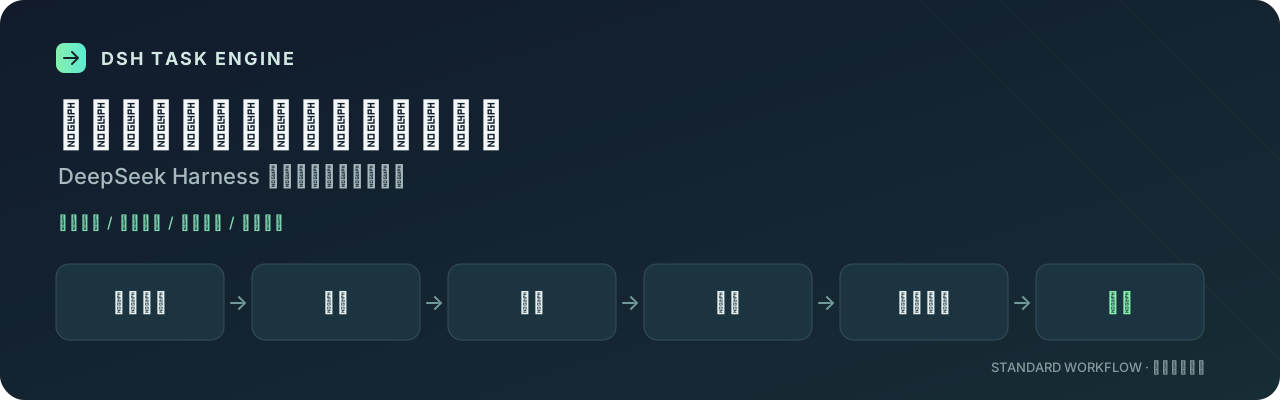
Handing code changes to an AI is rarely about it failing to write something. It is about losing the thread: no aligned requirements, no design review, skipped verification, no one checking the commit before merge. dsh-task-engine pulls those scattered steps into a single engineering workflow workbench. The dev_task tool chains requirement review, design, development, delivery, and code audit into a verifiable, trackable task line, so every stage shows its prerequisites and deliverables on the surface instead of buried in chat history.
The workbench ships three preset flows: standard (six stages), agile light (four stages), and minimal (two stages). Pick one that matches the task size and go. You can also install your own skill folders and Markdown rules into project or personal directories and bind them to specific stages, so the AI works under your own conventions every time. The task ledger records implementation, verification, and review status in one place with keyword, stage, and risk filters. A task captures a flow snapshot at creation, so later config changes never mutate an in-flight task.
Built for engineers who develop personal projects locally with DeepSeek Harness: you want the AI to do the work, but every step should be auditable, anchored by your own rules, and left with a review trail. It does not replace your CI and does not make the final audit call for you. It simply keeps the process record and your methodology in one place so the next sprint starts without re-explaining from scratch.
Screenshots
Use Cases
- Drive AI development through fixed stages with every deliverable and audit verdict on record
- Bind your own skill folders and Markdown rules to project stages so the AI follows your conventions
- Filter all implementation, verification, and audit statuses in one ledger to surface risk items quickly
Best For
- Independent engineers building personal projects locally with DeepSeek Harness
- Developers who want every AI coding step auditable and context-safe
- Engineers who want to codify their workflow and rules into projects and reuse them across repos
Related Plugins

A method pack that makes AI coding agents plan against your real baseline, prove completion with fresh evidence, and reduce reworks and unsafe changes.

Turns the DeepSeek Harness session into a captain that builds a durable sub-agent team, splits goals into dependency-aware tasks, and coordinates work via direct messages and a live Web UI.
Gives coding agents design judgment, letting Claude Code, Cursor, and 70+ agents generate and iterate high-quality UI, presentations, and graphics right from the terminal.
Run the Pi ecosystem's plugins on DeepSeek Harness, unmodified, via a compatibility layer that implements Pi's public extension ABI on DSH's native services.