dsh-skills-hub
Run the following command in DeepSeek Harness:
dsh plugin install jasonguide/dsh-skills-hub
Paste the following prompt into your AI chat to install this plugin:
Run dsh plugin install jasonguide/dsh-skills-hub in your terminal to install the plugin, source at https://github.com/jasonguide/dsh-skills-hub
About this plugin
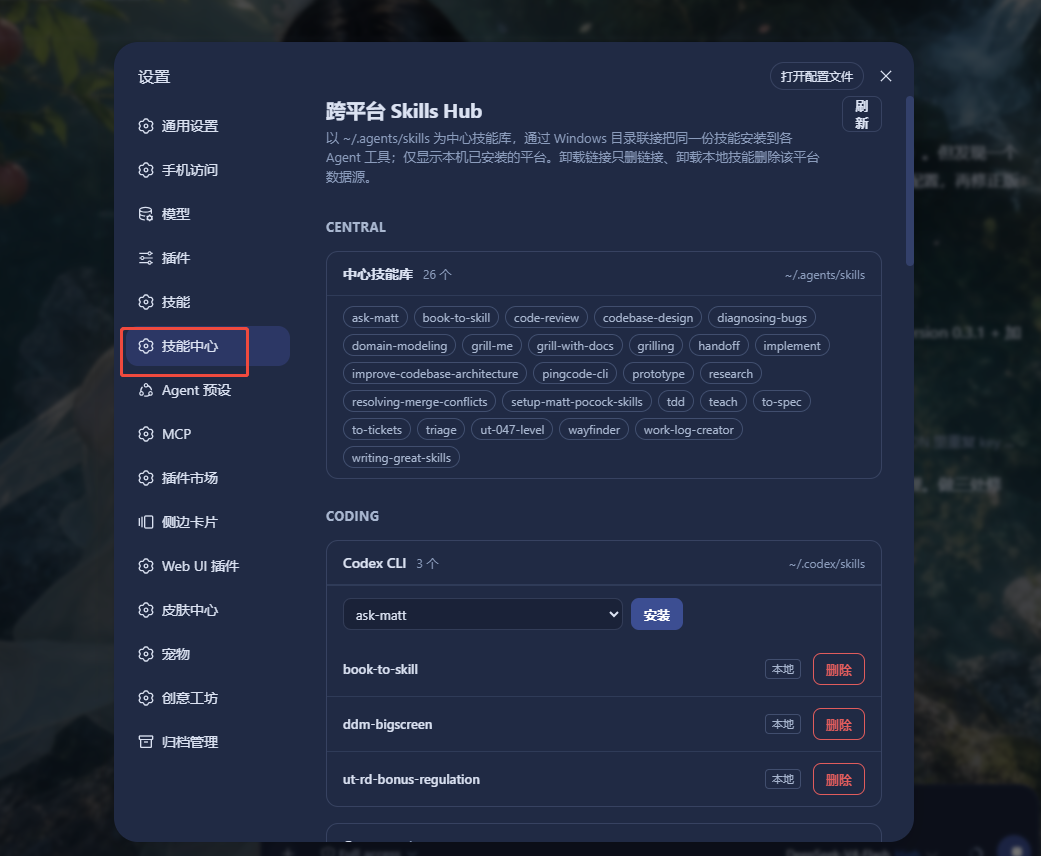
Juggling Claude Code, Cursor, Codex, Gemini CLI and other AI coding tools means each one keeps its own skills directory. Maintaining the same prompt templates or workflow skills across all of them, only to forget a copy after an update, is a daily headache.
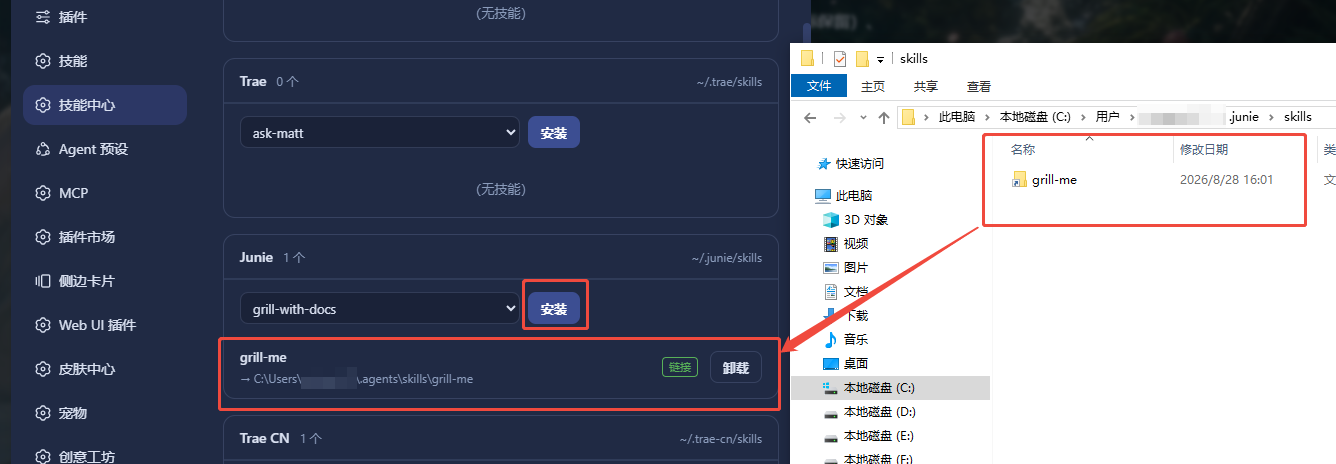
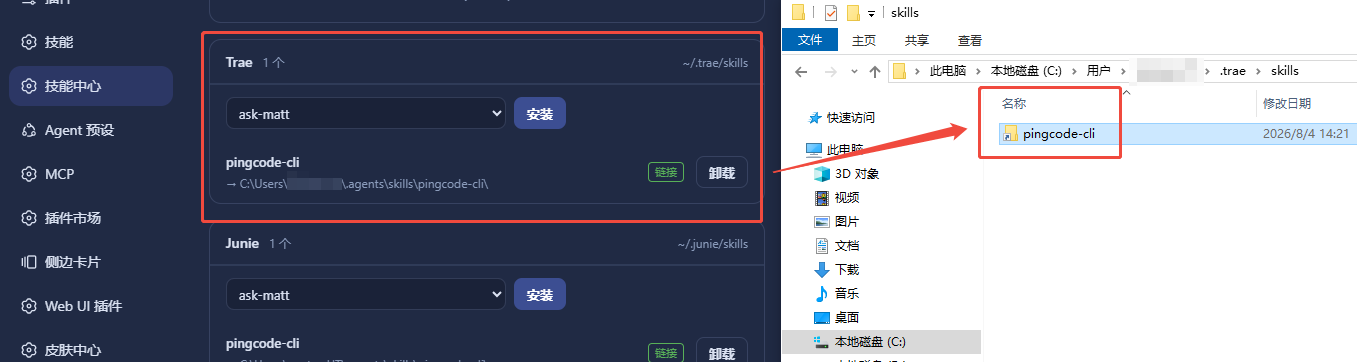
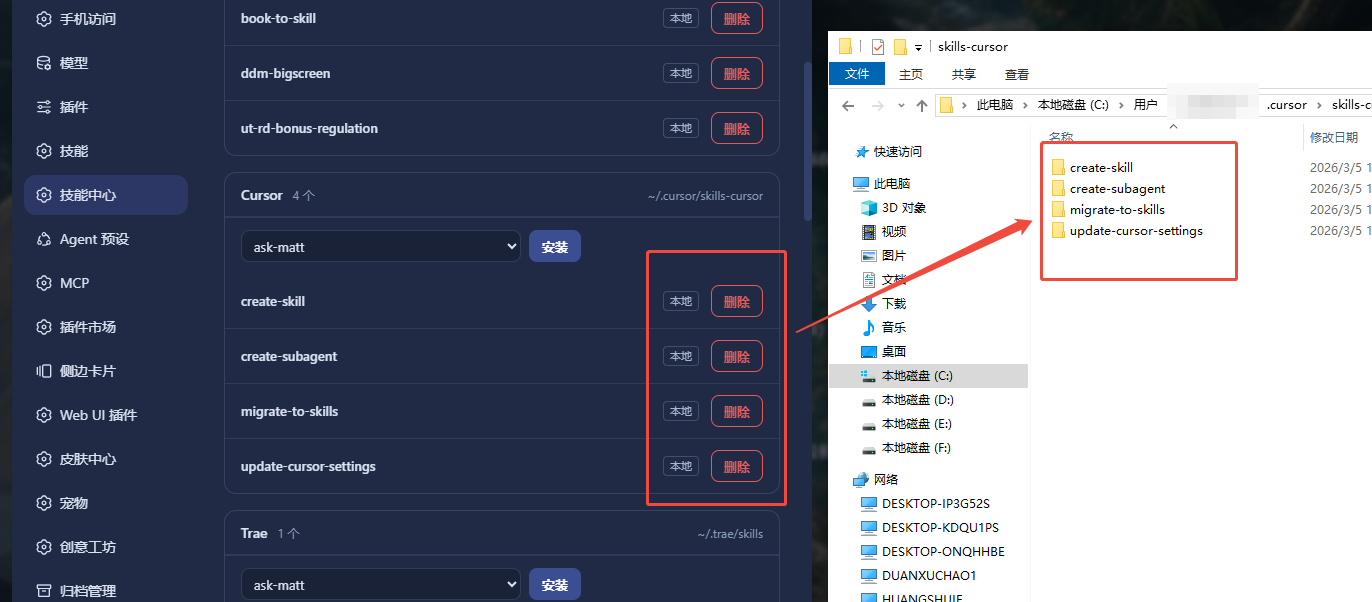
dsh-skills-hub treats ~/.agents/skills as the single source of truth and mounts any skill into the conventional directories of 26 built-in coding agents using OS-native links (Directory Junction on Windows, directory symlinks on macOS and Linux), all without admin rights. Metadata is scanned live from the filesystem with no database and zero third-party runtime dependencies. Install, uninstall, and custom-platform management live entirely inside the DSH Settings UI.
It is built for developers who run multiple AI coding tools side by side and want a write-once-everywhere workflow, and for engineering teams that have grown a personal skill library and want to stop hand-syncing it across tool-specific folders.
Screenshots
Use Cases
- Running Cursor, Codex, and Gemini CLI side by side and wanting one skill maintained once, effective everywhere
- Accumulated prompt templates and workflow skills without hand-copying them into each tool directory individually
- Standardizing team AI workflow skills so a newly adopted tool only needs a single symlink mount
Best For
- Full-stack developers running multiple AI coding tools in parallel
- Senior engineers with a personal skill library who want to stop duplicate maintenance
- Tech Leads or engineering managers standardizing team AI workflow skills
Related Plugins

A method pack that makes AI coding agents plan against your real baseline, prove completion with fresh evidence, and reduce reworks and unsafe changes.

Turns the DeepSeek Harness session into a captain that builds a durable sub-agent team, splits goals into dependency-aware tasks, and coordinates work via direct messages and a live Web UI.
Gives coding agents design judgment, letting Claude Code, Cursor, and 70+ agents generate and iterate high-quality UI, presentations, and graphics right from the terminal.
Run the Pi ecosystem's plugins on DeepSeek Harness, unmodified, via a compatibility layer that implements Pi's public extension ABI on DSH's native services.