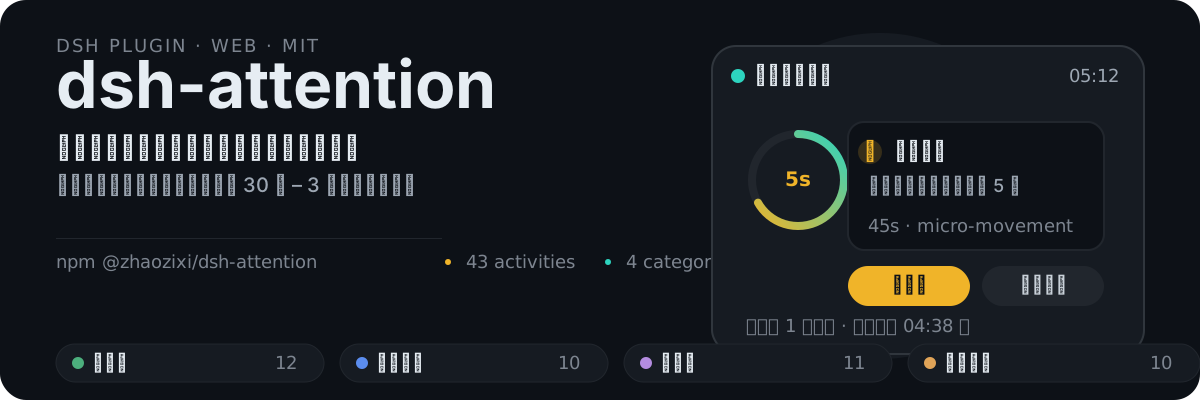
dsh-attention
Run the following command in DeepSeek Harness:
dsh plugin install zhaozixi/dsh-attention
Paste the following prompt into your AI chat to install this plugin:
Run dsh plugin install zhaozixi/dsh-attention in DeepSeek Harness to install this plugin; source code is available at https://github.com/zhaozixi/dsh-attention
About this plugin
A long goal loop, a batch of background jobs, an Agent reasoning pass—any of these can leave you staring at a progress bar for minutes or even hours. dsh-attention turns that idle wait into productive micro-moments: five seconds after a task starts, a floating panel pops up with a 30-second to 3-minute activity suggestion (a quick stretch, tidying your desk, five vocabulary words). Click Done and the next one appears immediately; when the task finishes, the panel collapses and generates a utilization report so you can see exactly how much downtime you actually used.
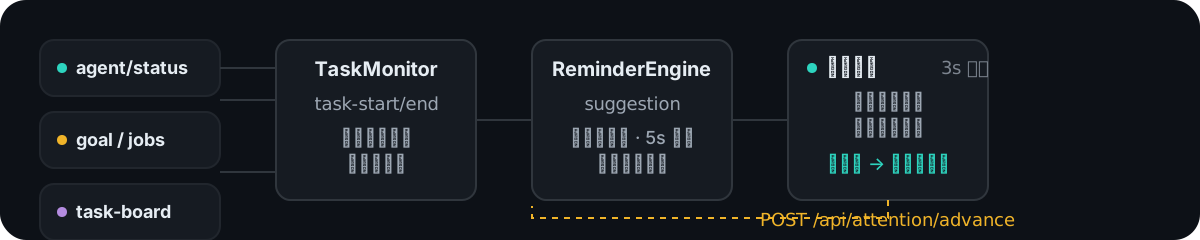
The plugin watches four signal sources—agent status, goal rounds, background jobs, and task-board polling—to detect task start and end windows, so reminders only fire while work is genuinely in progress. It ships with 43 preset micro-activities across four categories, shuffled per session with no repeats. You can add, edit, or remove activities through the built-in pool editor in the sidebar, and the engine picks up the new list the moment you save. After a DSH restart, in-flight task windows are automatically re-seeded so no state is lost. The floating panel sits on the highest z-index with a live display of uptime, suggestion count, and countdown to the next nudge.
Ideal for developers who regularly run goal loops, Agent inferences, task-board pipelines, or batch background jobs in DSH and feel the drain of idle staring-back. The plugin only reads the local event bus and schedules timers; it makes no network calls, reads no workspace files, and all HTTP endpoints bind to 127.0.0.1 only—zero extra attack surface to worry about.
Screenshots
Use Cases
- Stay engaged during DSH goal loops or Agent inferences with timed micro-activity nudges
- Keep pace with batch background jobs by clicking Done to instantly advance to the next suggestion
- Automatically re-seed in-flight task windows after a DSH restart so no reminder state is lost
Best For
- Developers who regularly run long DSH tasks
- Efficiency-minded users who want to convert idle wait into productive micro-moments
- Agent-workflow practitioners focused on attention management and pacing
Related Plugins

A method pack that makes AI coding agents plan against your real baseline, prove completion with fresh evidence, and reduce reworks and unsafe changes.

Turns the DeepSeek Harness session into a captain that builds a durable sub-agent team, splits goals into dependency-aware tasks, and coordinates work via direct messages and a live Web UI.
Gives coding agents design judgment, letting Claude Code, Cursor, and 70+ agents generate and iterate high-quality UI, presentations, and graphics right from the terminal.
Run the Pi ecosystem's plugins on DeepSeek Harness, unmodified, via a compatibility layer that implements Pi's public extension ABI on DSH's native services.