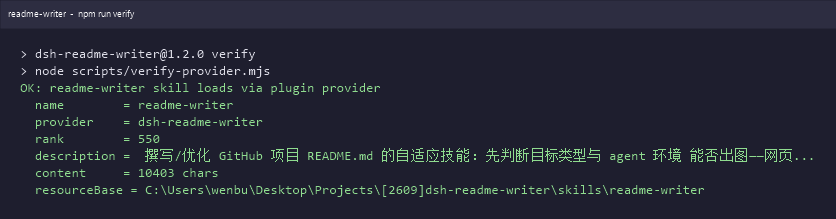
dsh-readme-writer
Run the following command in DeepSeek Harness:
dsh plugin install wenbuer/dsh-readme-writer
Paste the following prompt into your AI chat to install this plugin:
Run dsh plugin install wenbuer/dsh-readme-writer in DeepSeek Harness to install; source code: https://github.com/wenbuer/dsh-readme-writer
About this plugin
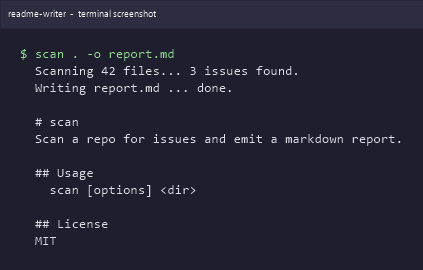
Writing a GitHub README often means staring at a blank page, stacking paragraphs and tables, and ending up with zero visuals. A visitor opens your project page, sees no screenshot, and has to clone the repo just to get a feel for what it looks like. dsh-readme-writer closes that gap: while it helps you structure and polish the prose, it also detects the project type and generates a fitting image. If a web UI exists it captures a screenshot; if the project is a pure CLI tool it renders the runtime output as a terminal-style graphic; if neither is possible it falls back to a clean text-and-table walkthrough. No empty image placeholders, ever.\n\nEvery image it produces follows a consistent convention: stored under the images/ directory, referenced by relative path, and paired with a one-line caption. Move the repo to another machine, push it to GitHub, and the images stay intact and readable in the browser. Unlike text-first generators that skip visuals entirely, readme-writer adds the picture layer that makes a README feel like a complete project introduction rather than a dry spec sheet. There is no separate screenshot toolchain to wire up—just say one line in the conversation and the full pipeline runs. It is built for open-source maintainers writing a README from scratch, internal tool authors, coursework submitters, and anyone who feels their current docs are missing something.
Screenshots
Use Cases
- Launching a new project that needs a polished README from scratch
- Existing README is all text with no visuals, hurting reader experience
- Presenting a CLI tool's runtime output as visual documentation
Best For
- Open-source maintainers
- Internal tool and CLI developers
- Coursework and competition project authors
Related Plugins

A method pack that makes AI coding agents plan against your real baseline, prove completion with fresh evidence, and reduce reworks and unsafe changes.

Turns the DeepSeek Harness session into a captain that builds a durable sub-agent team, splits goals into dependency-aware tasks, and coordinates work via direct messages and a live Web UI.
Gives coding agents design judgment, letting Claude Code, Cursor, and 70+ agents generate and iterate high-quality UI, presentations, and graphics right from the terminal.
Run the Pi ecosystem's plugins on DeepSeek Harness, unmodified, via a compatibility layer that implements Pi's public extension ABI on DSH's native services.