dsh-auto-driving
Run the following command in DeepSeek Harness:
dsh plugin install huhaodong/dsh-auto-driving
Paste the following prompt into your AI chat to install this plugin:
Run dsh plugin install huhaodong/dsh-auto-driving in your terminal to install this plugin, available at https://github.com/huhaodong/dsh-auto-driving
About this plugin
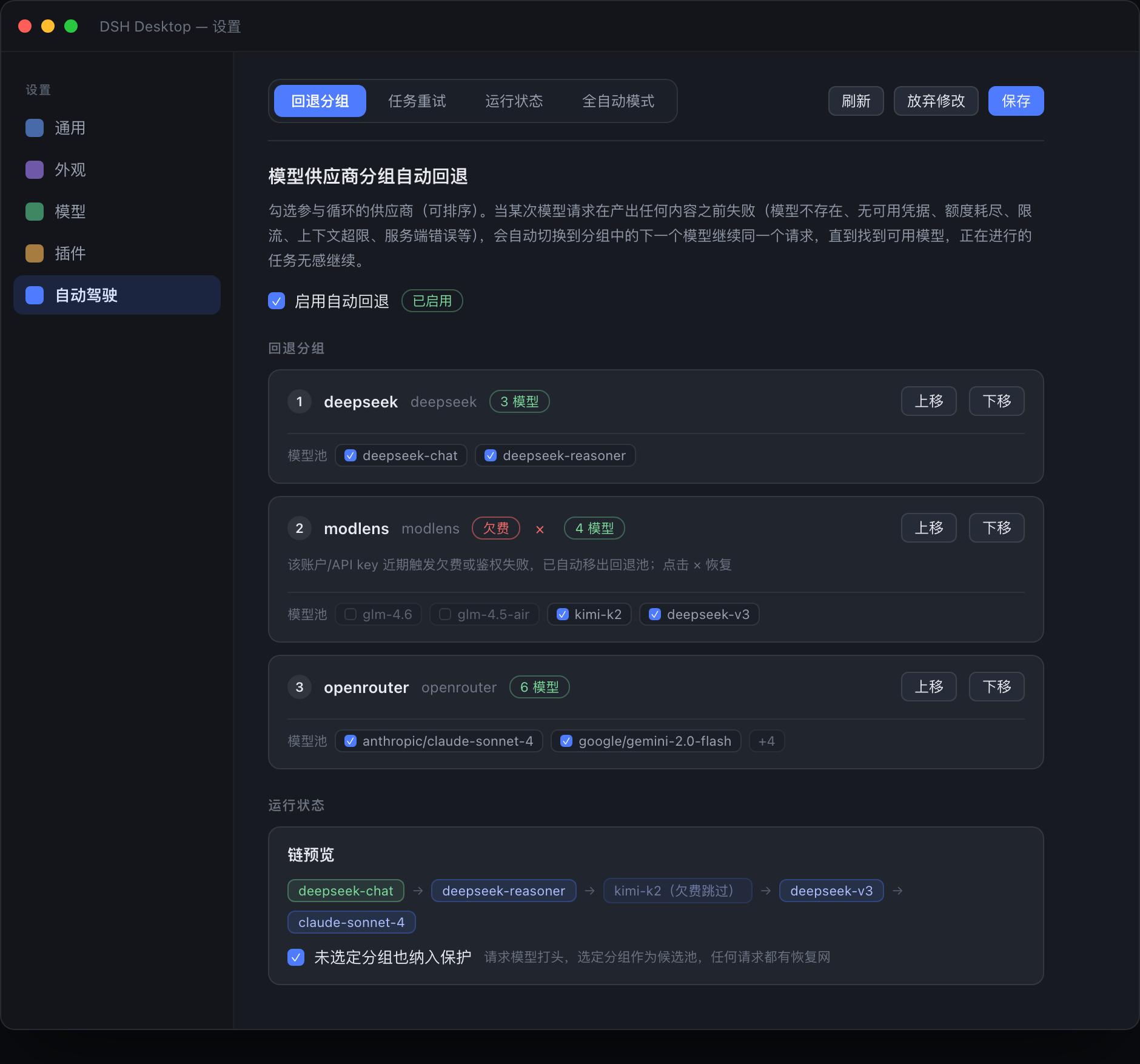
DeepSeek Harness tasks are only as reliable as the single provider they are pinned to. One quota rollover, a brief 5xx spike, or an unanswered permission dialog is enough to leave a multi-step agent job hanging at 80 percent, waiting for a human to notice. dsh-auto-driving removes that dependency by letting the task itself navigate around failures.
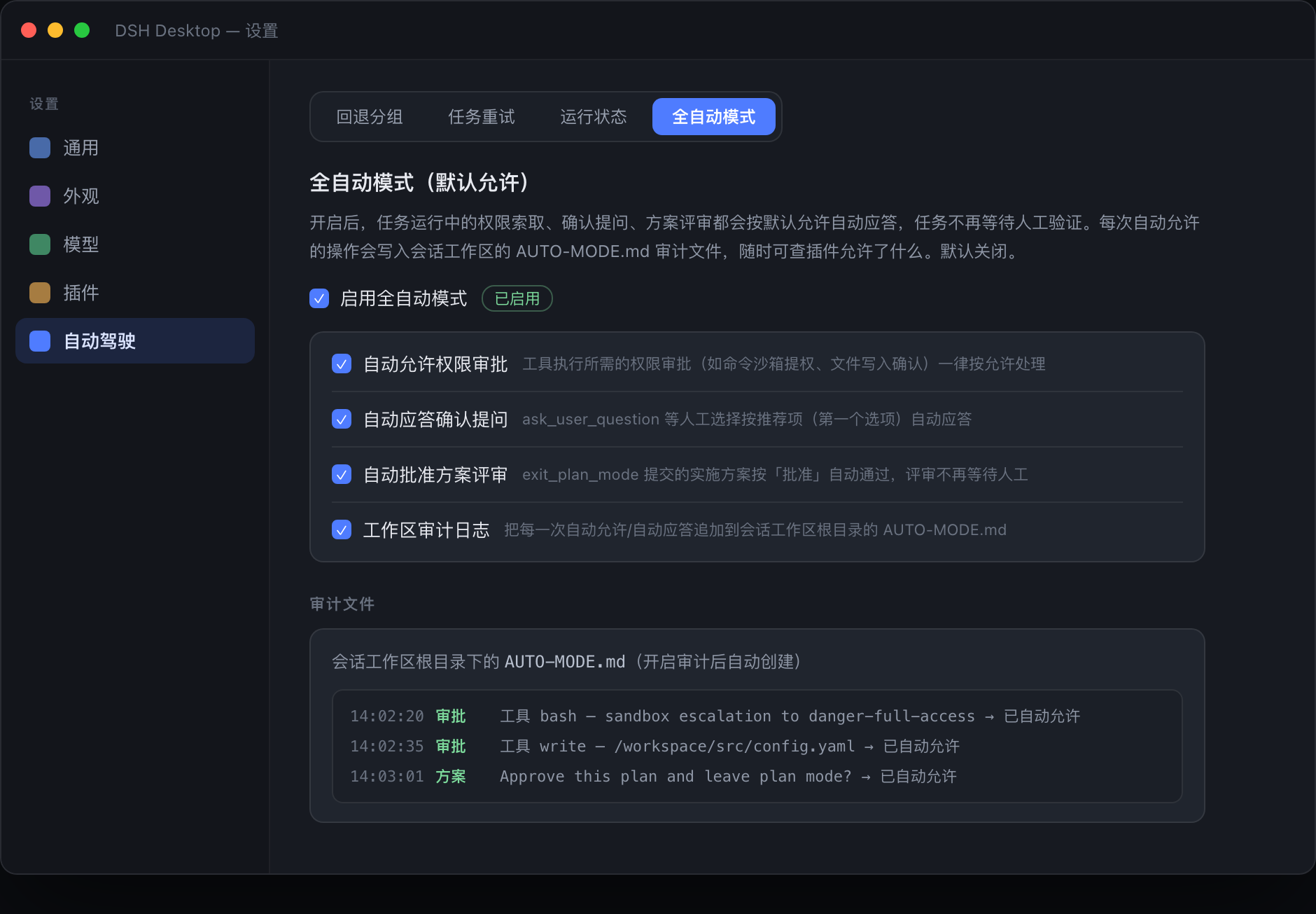
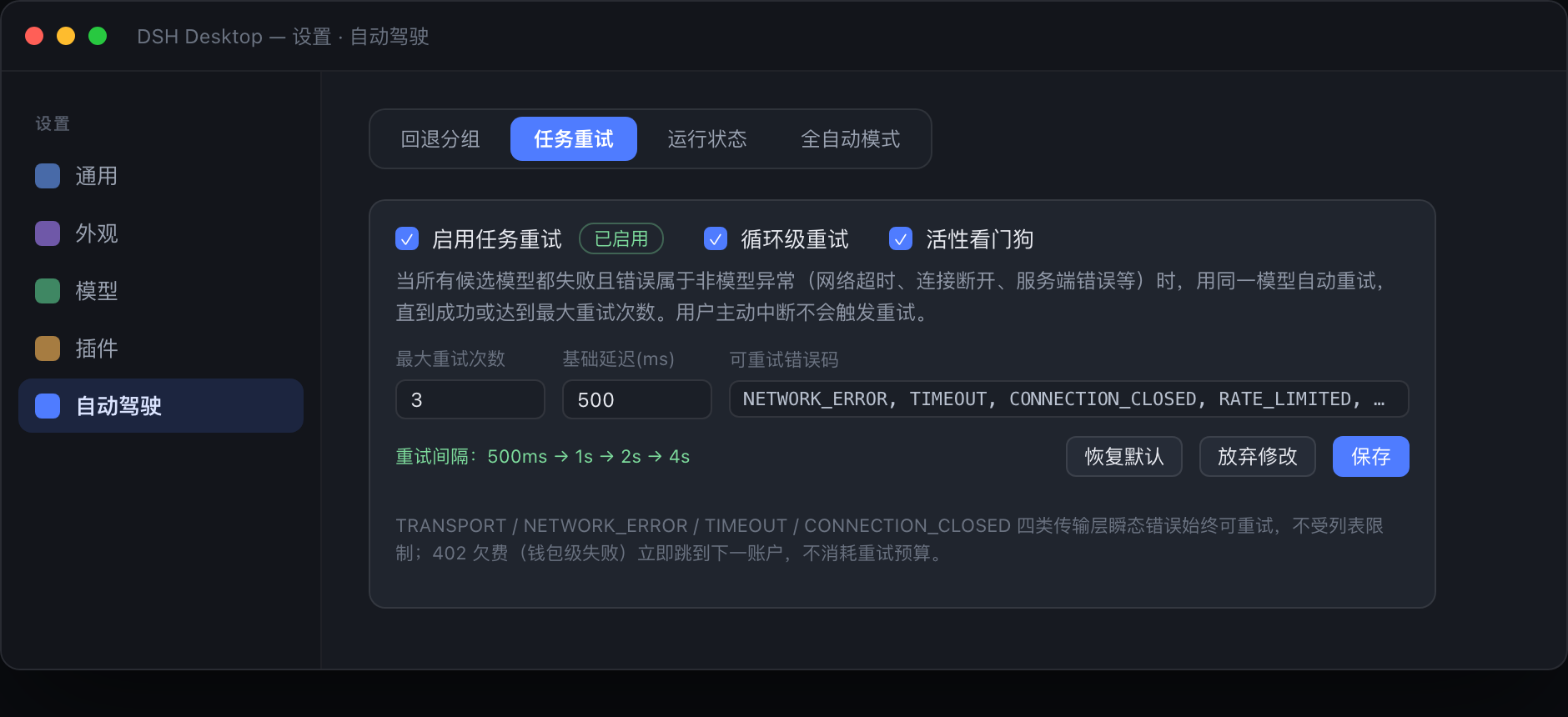
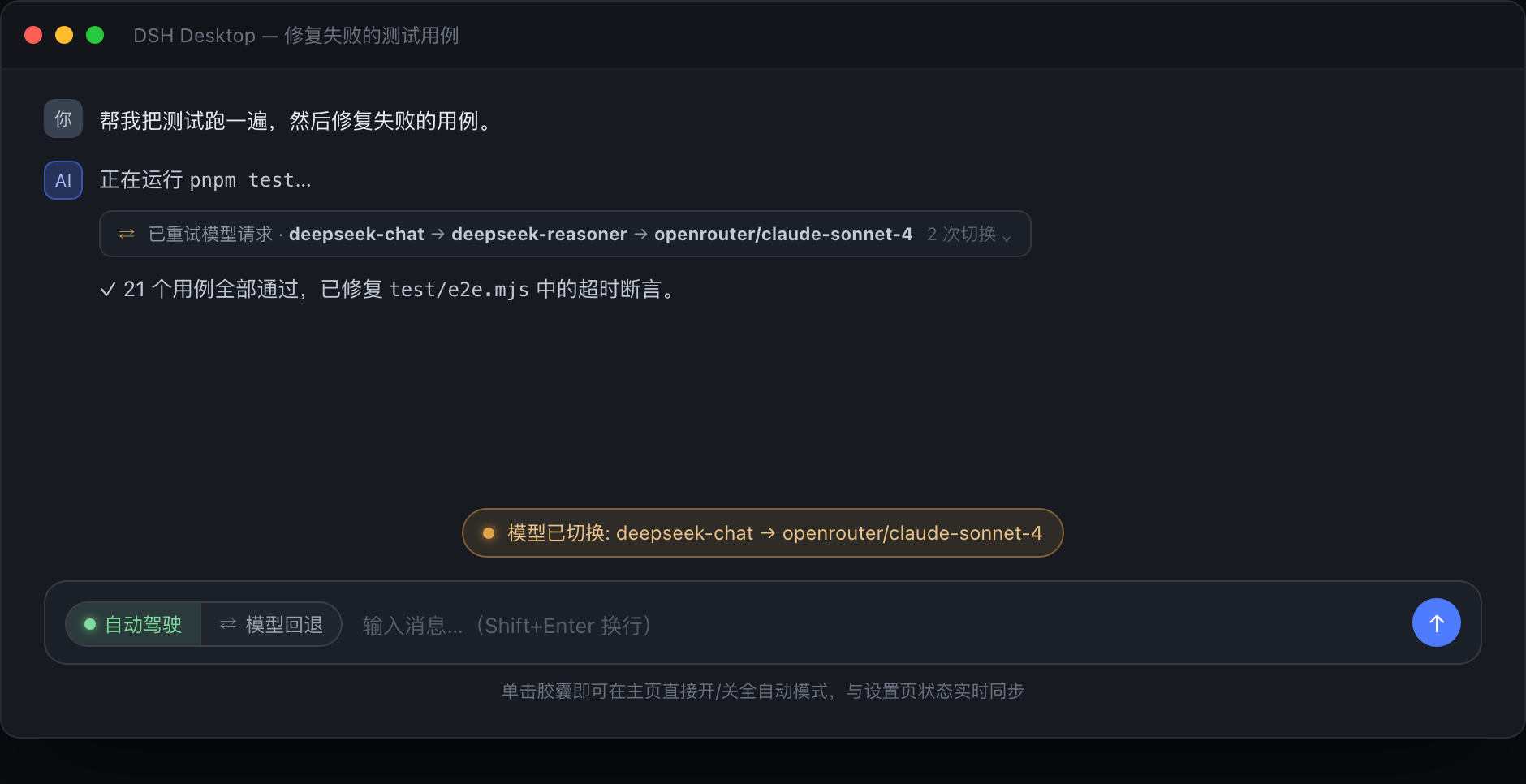
Under the hood the plugin adds three self-healing layers. First, model auto-fallback: the moment a request fails before it has streamed any text, reasoning, or tool output, the plugin walks a priority-ordered list of provider groups and re-dispatches the very same request to the next healthy model, so the running agent loop never sees a break. Second, task auto-retry with a liveness watchdog: transient network errors trigger exponential-backoff retries on the same model, while a configurable idle timeout (default five minutes) kills and re-fires requests that silently stall. Third, full-auto mode: when toggled on, every permission approval, confirmation question, and exit_plan_mode review is answered automatically as allow, and each decision is logged line-by-line into an AUTO-MODE.md file at the workspace root so you can audit what happened without replaying the session. All of this is controlled from a single capsule next to the send button, takes effect on the very next request, and requires no restart.
The plugin is built for DSH Desktop users who run long agent workflows across multiple providers and want those flows to survive real-world API instability unattended. If you have more than one model supplier configured and your biggest pain point is a task dying mid-stream or freezing on an approval prompt, dsh-auto-driving is the layer that keeps it moving.
Screenshots
Use Cases
- A multi-provider agent task loses connection mid-run and auto-switches to a backup model to continue
- A long-running task stalls on permission prompts; full-auto mode lets it finish unattended
- Network jitter times out a request; exponential backoff retry recovers automatically
Best For
- DSH Desktop users with multiple model providers configured
- Developers running long unattended agent workflows
- Teams seeking higher workflow stability with fewer manual approval interruptions
Related Plugins

A method pack that makes AI coding agents plan against your real baseline, prove completion with fresh evidence, and reduce reworks and unsafe changes.

Turns the DeepSeek Harness session into a captain that builds a durable sub-agent team, splits goals into dependency-aware tasks, and coordinates work via direct messages and a live Web UI.
Gives coding agents design judgment, letting Claude Code, Cursor, and 70+ agents generate and iterate high-quality UI, presentations, and graphics right from the terminal.
Run the Pi ecosystem's plugins on DeepSeek Harness, unmodified, via a compatibility layer that implements Pi's public extension ABI on DSH's native services.