dsh-cron
Run the following command in DeepSeek Harness:
dsh plugin install squirrel20/dsh-cron
Paste the following prompt into your AI chat to install this plugin:
Run dsh plugin install squirrel20/dsh-cron in your terminal to install this plugin; the source is available at https://github.com/squirrel20/dsh-cron.
About this plugin
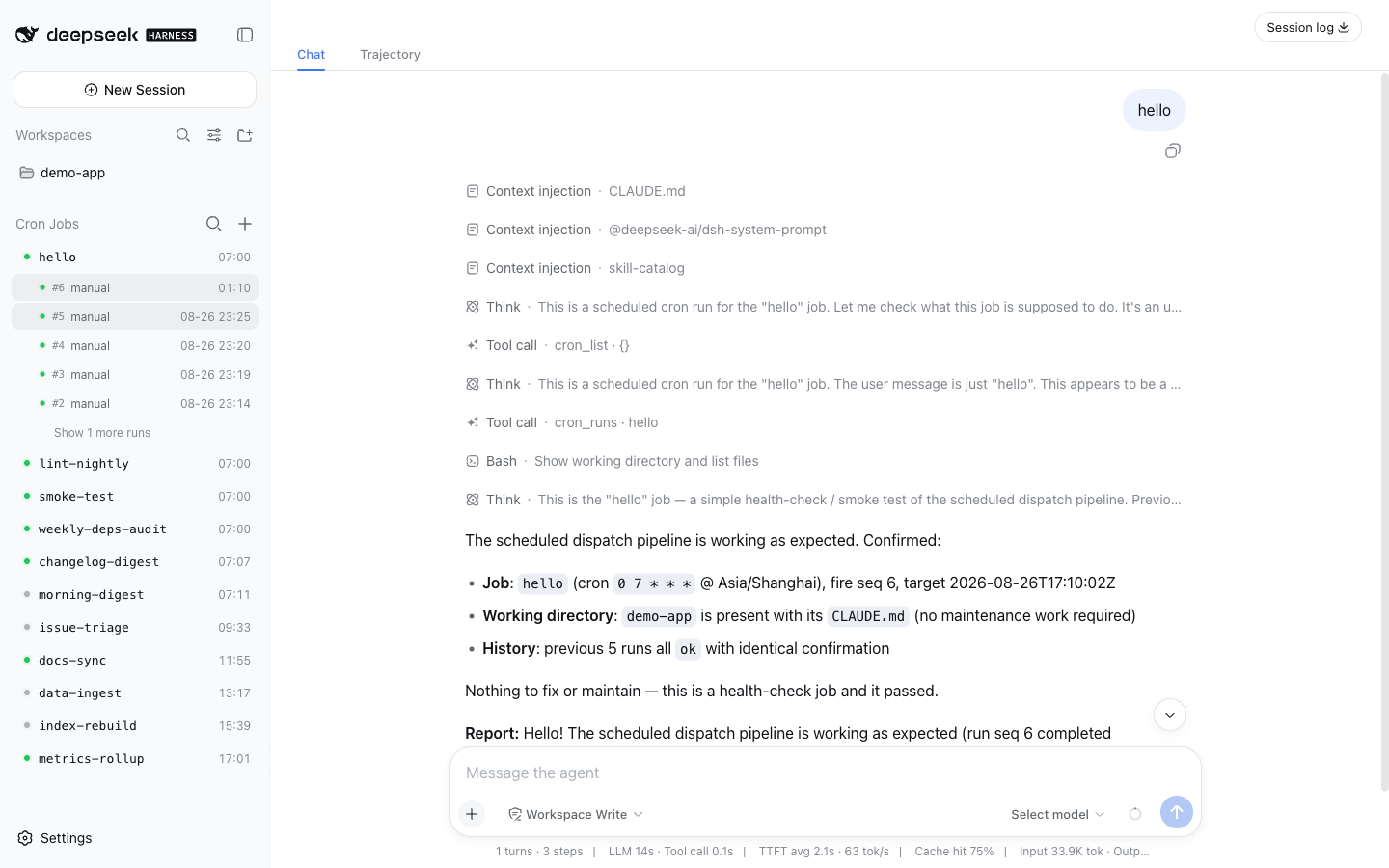
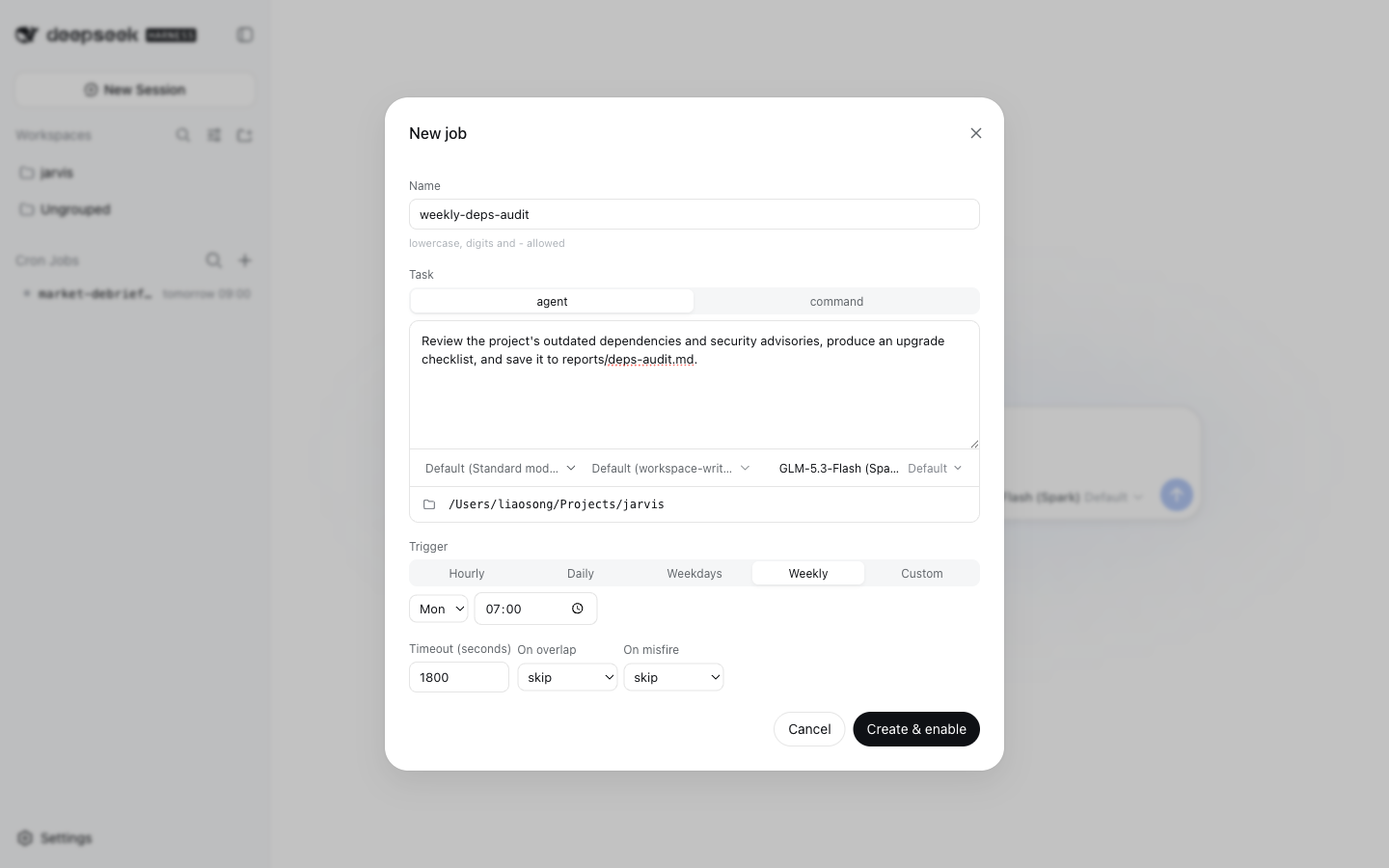
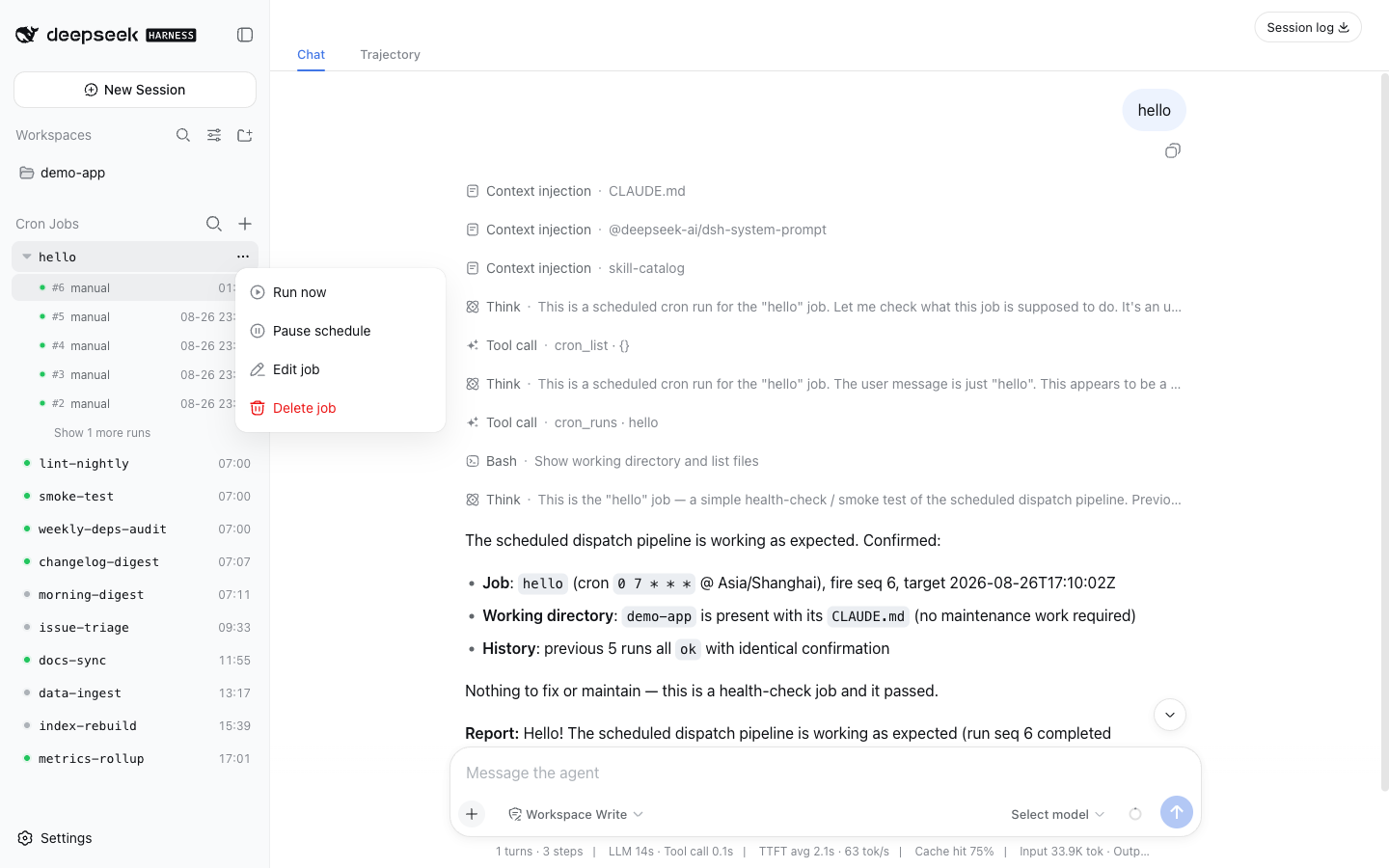
dsh-cron brings a host-side, unattended job scheduler to DeepSeek Harness. It answers a simple question: you want an agent prompt or a shell script to run on schedule while the process is alive, without tethering it to any interactive session. Unlike dsh-schedule, which handles persistent in-session reminders, jobs here belong to no conversation at all. Dispatch state and run history are persisted in the storage domain layer, so a restart never loses history and interrupted runs are repaired to aborted on the next boot.
Screenshots
Use Cases
- Schedule a weekly agent run to audit dependencies and write an upgrade checklist
- Fire a health-check script every hour and capture the exit code and output tail
- Ship a built-in refresh job with a plugin that registers and retires with the install
Best For
- Developers running dsh who want process-lifetime cron for agent prompts or shell commands
- Plugin authors who need to ship a built-in scheduled refresh job with their package
- Teams that prefer declarative, centrally managed background job definitions
Related Plugins

A method pack that makes AI coding agents plan against your real baseline, prove completion with fresh evidence, and reduce reworks and unsafe changes.

Turns the DeepSeek Harness session into a captain that builds a durable sub-agent team, splits goals into dependency-aware tasks, and coordinates work via direct messages and a live Web UI.
Gives coding agents design judgment, letting Claude Code, Cursor, and 70+ agents generate and iterate high-quality UI, presentations, and graphics right from the terminal.
Run the Pi ecosystem's plugins on DeepSeek Harness, unmodified, via a compatibility layer that implements Pi's public extension ABI on DSH's native services.