dsh-personal-workbench
Run the following command in DeepSeek Harness:
dsh plugin install Dely0/dsh-personal-workbench
Paste the following prompt into your AI chat to install this plugin:
In DeepSeek Harness, install this plugin using the command 'dsh plugin install Dely0/dsh-personal-workbench' with the source code available at https://github.com/Dely0/dsh-personal-workbench.
About this plugin
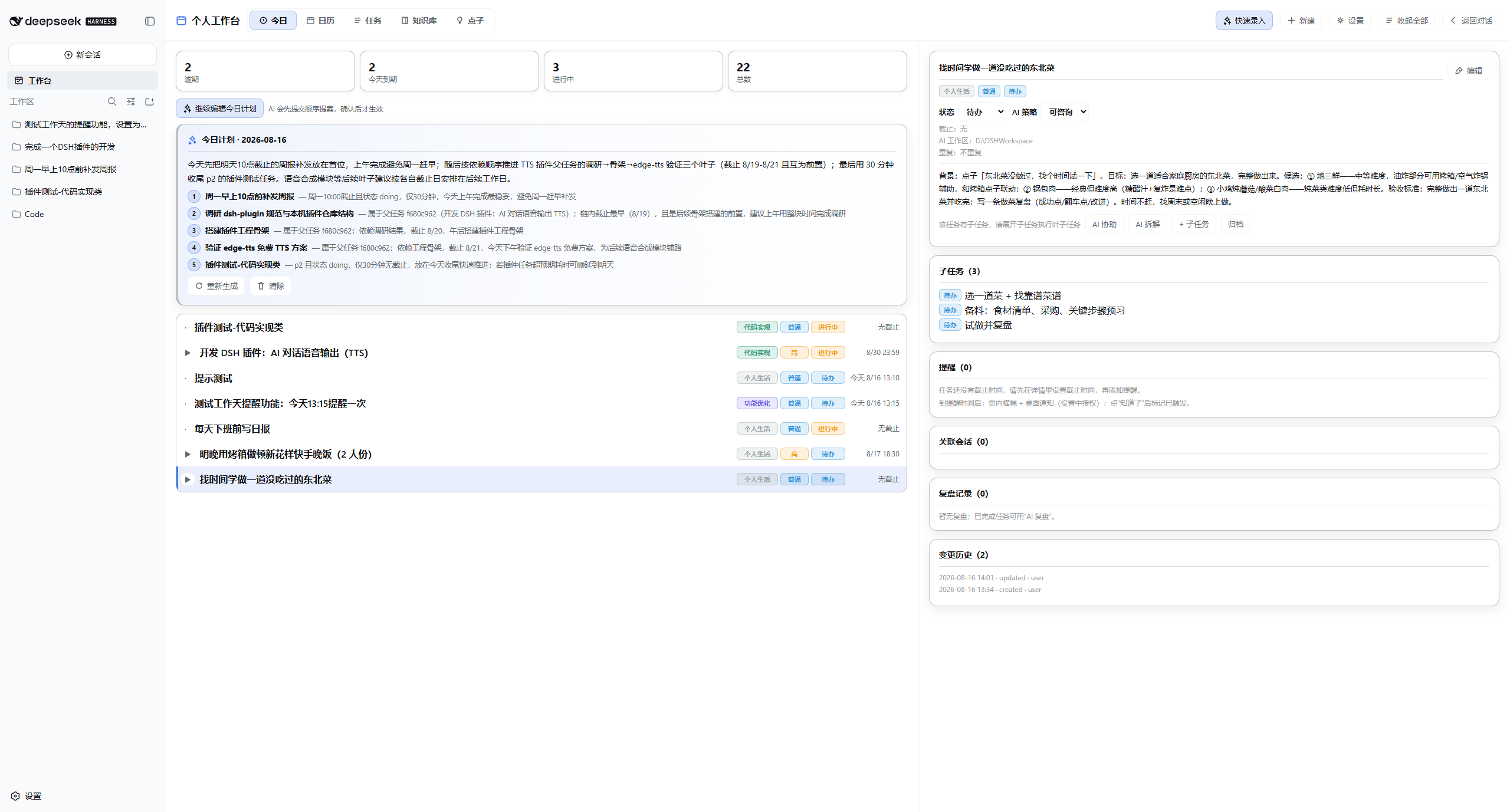
Developers and knowledge workers often struggle with fragmented tasks, disjointed scheduling, and separate AI tools. The dsh-personal-workbench plugin seamlessly integrates a calendar, task list, and AI assistant into DeepSeek Harness, creating a unified personal workbench. You can quickly intake tasks via natural language, where AI clarifies and generates actionable items, supports infinite hierarchical subtasks, and completes a full cycle from AI execution to user acceptance. Each task links to an isolated AI session workspace for focused work, while all data is stored locally to ensure privacy. Whether you need to efficiently plan daily tasks, leverage AI for decision-making, or build a personal knowledge base, this plugin fits the bill—especially for DSH users seeking workflow automation and data sovereignty.
Screenshots
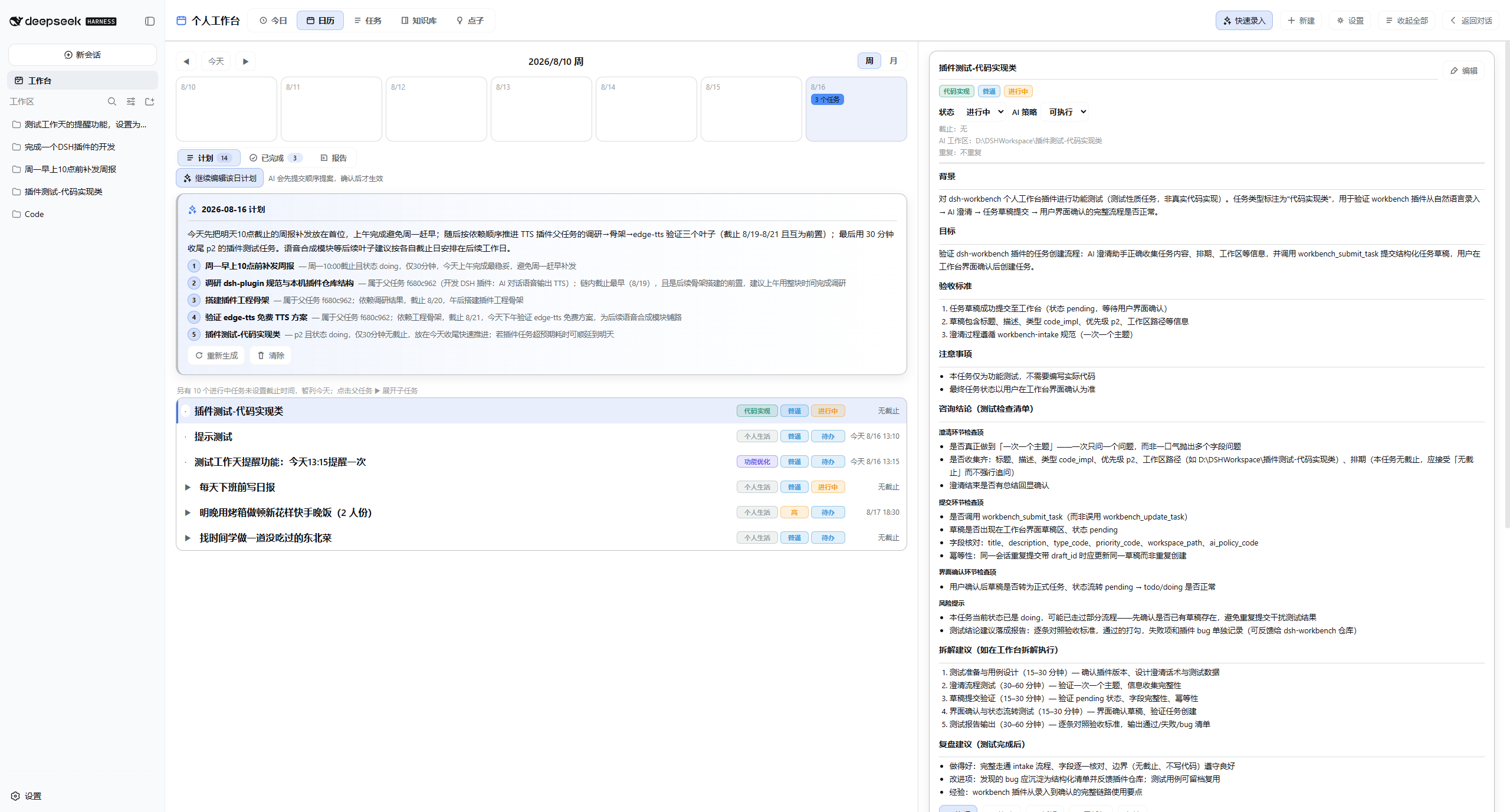
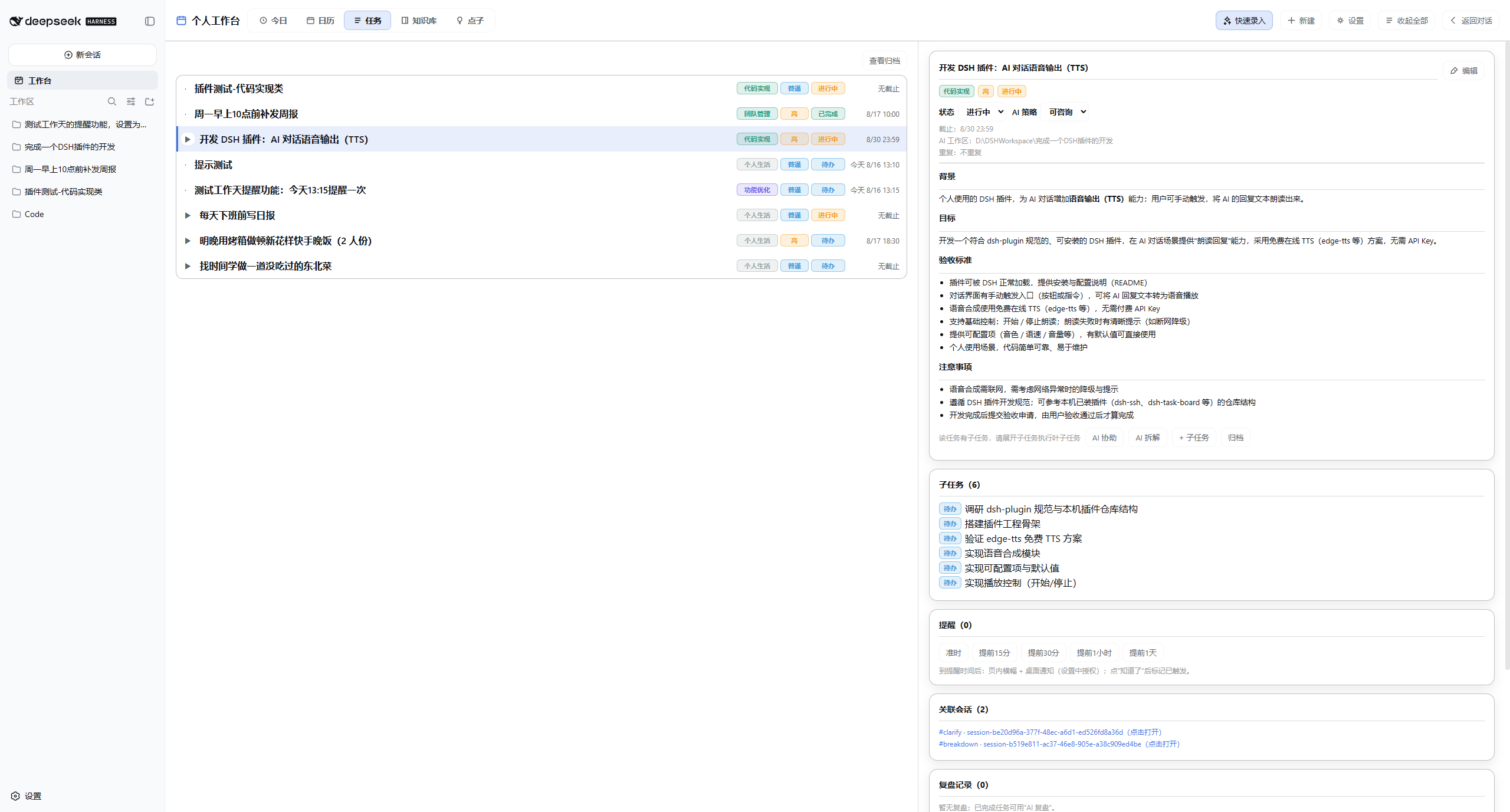
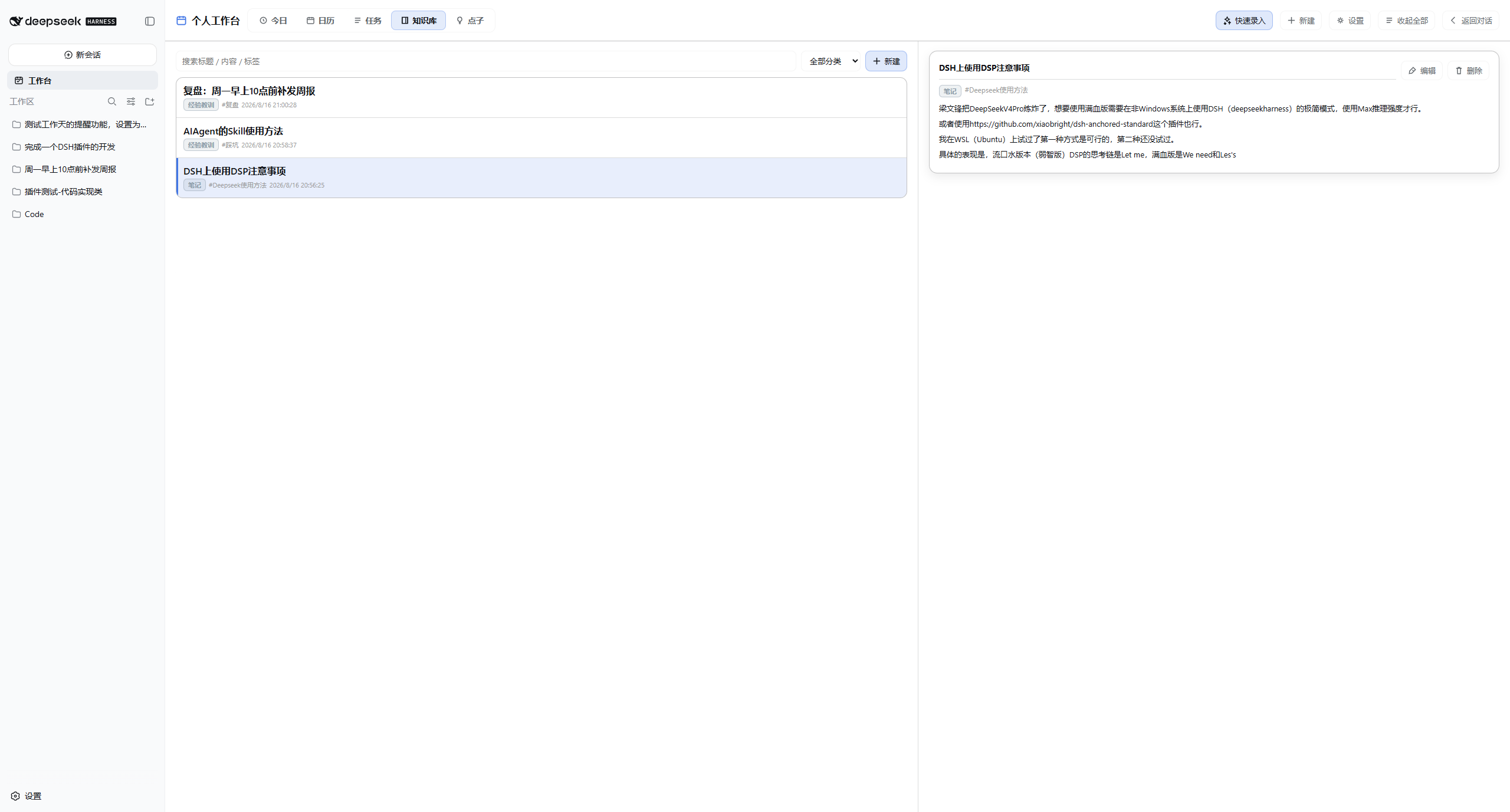
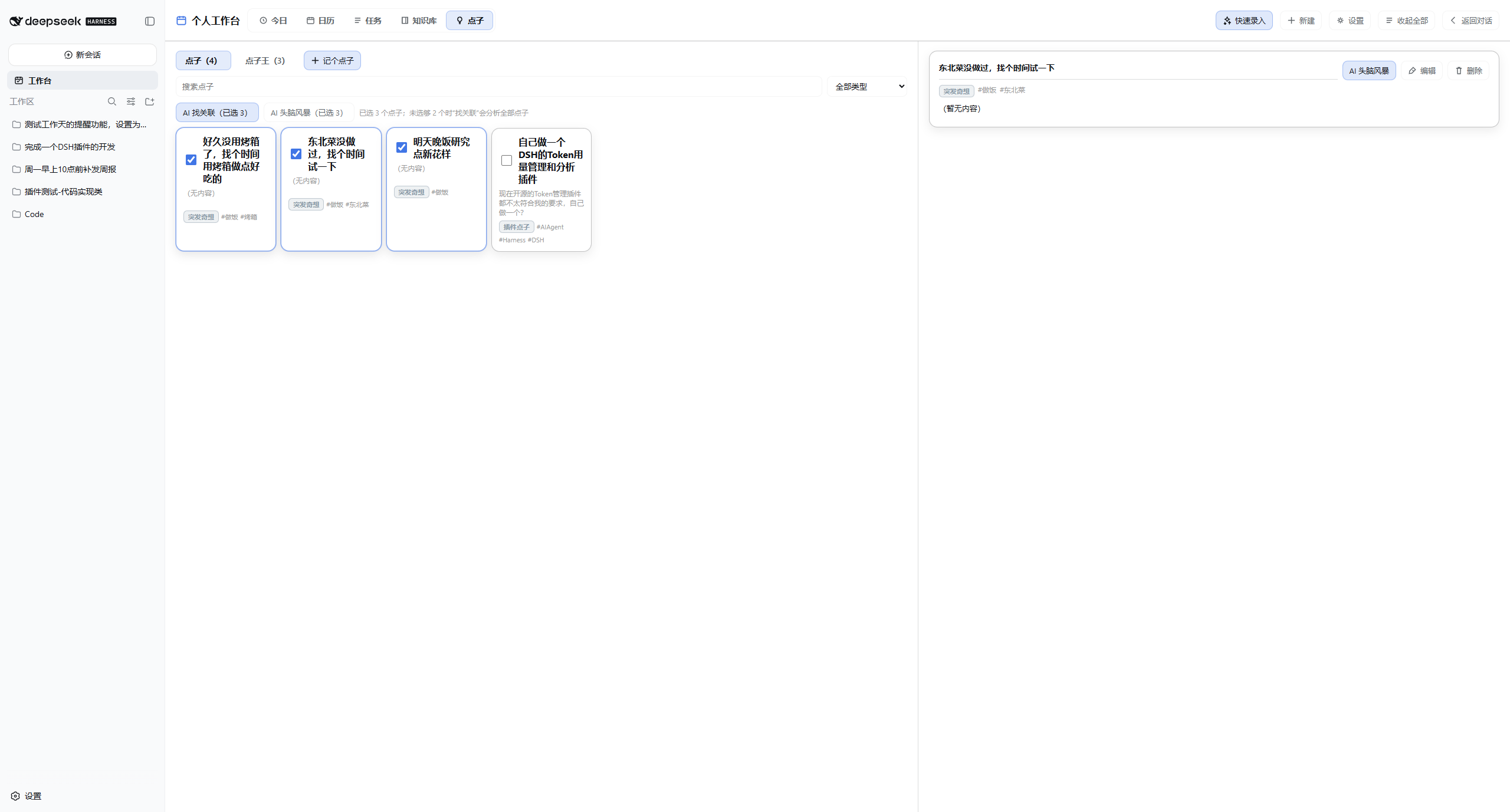
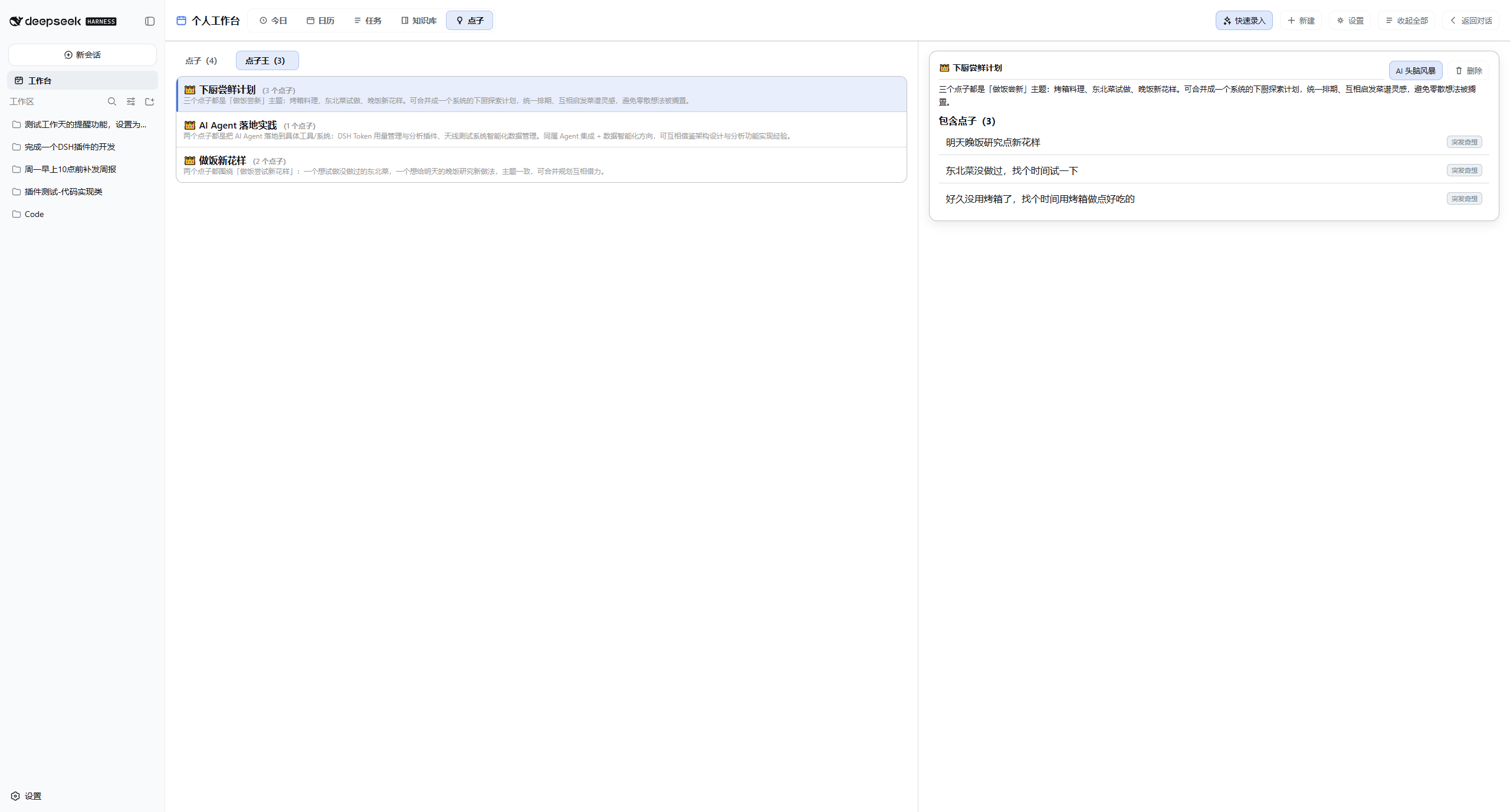
Use Cases
- Quickly intake tasks via natural language and have AI clarify requirements
- Use AI to break down complex projects into subtasks and execute with user acceptance
- View daily schedules on the calendar and set due-date reminders
Best For
- Developers or tech experts using DeepSeek Harness
- Knowledge workers needing efficient personal task and schedule management
- Freelancers who value data privacy and local storage
Related Plugins

A method pack that makes AI coding agents plan against your real baseline, prove completion with fresh evidence, and reduce reworks and unsafe changes.

Turns the DeepSeek Harness session into a captain that builds a durable sub-agent team, splits goals into dependency-aware tasks, and coordinates work via direct messages and a live Web UI.
Gives coding agents design judgment, letting Claude Code, Cursor, and 70+ agents generate and iterate high-quality UI, presentations, and graphics right from the terminal.
Run the Pi ecosystem's plugins on DeepSeek Harness, unmodified, via a compatibility layer that implements Pi's public extension ABI on DSH's native services.