dsh-dock
Run the following command in DeepSeek Harness:
dsh plugin install wycto/dsh-dock
Paste the following prompt into your AI chat to install this plugin:
Run dsh plugin install wycto/dsh-dock in the DeepSeek Harness terminal to install this plugin; the source is available at https://github.com/wycto/dsh-dock
About this plugin
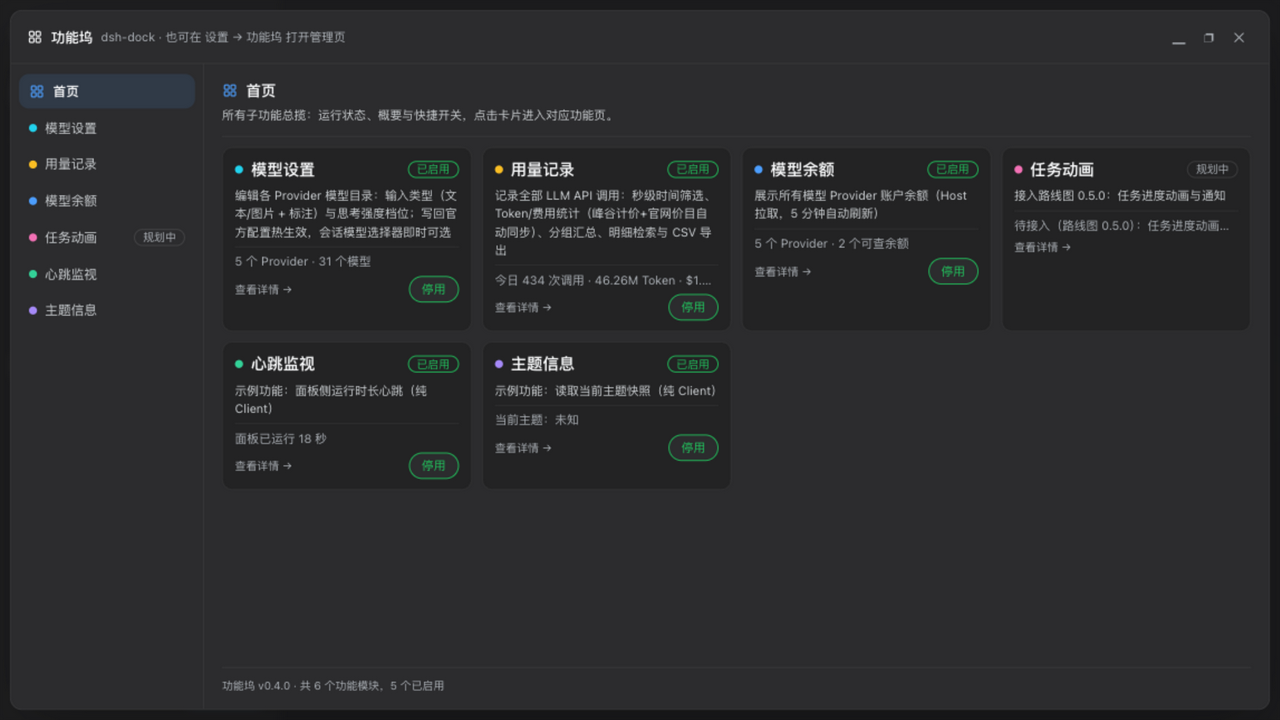
Running multiple providers through DeepSeek Harness means juggling fragmented chores: scrolling through logs to track token spend, checking each provider balance one by one, tweaking model parameters and hoping the change actually took, and waiting around while a long task finishes with you miles from the screen. dsh-dock consolidates all of these into a single dock panel — a left-hand navigation rail, a right-hand content area, and every feature packaged as its own module with an independent on/off switch and error isolation. Add a new feature by dropping a directory into features/; remove one and nothing else blinks.
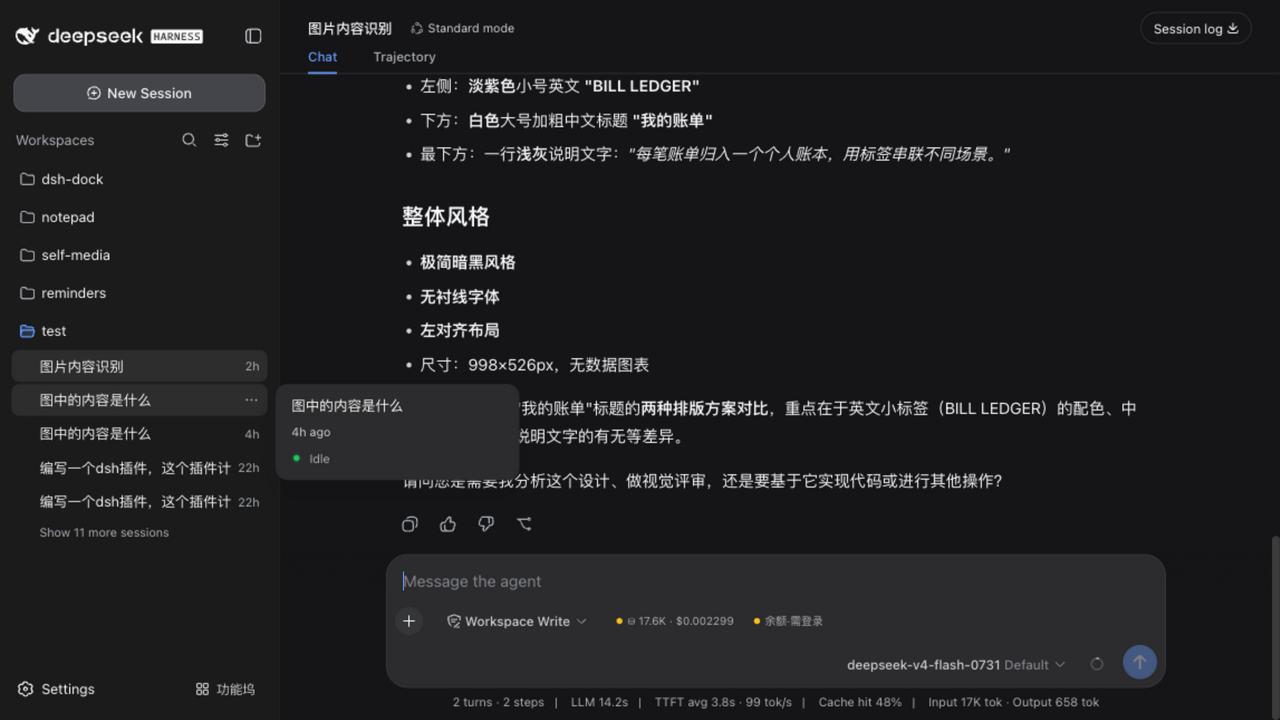
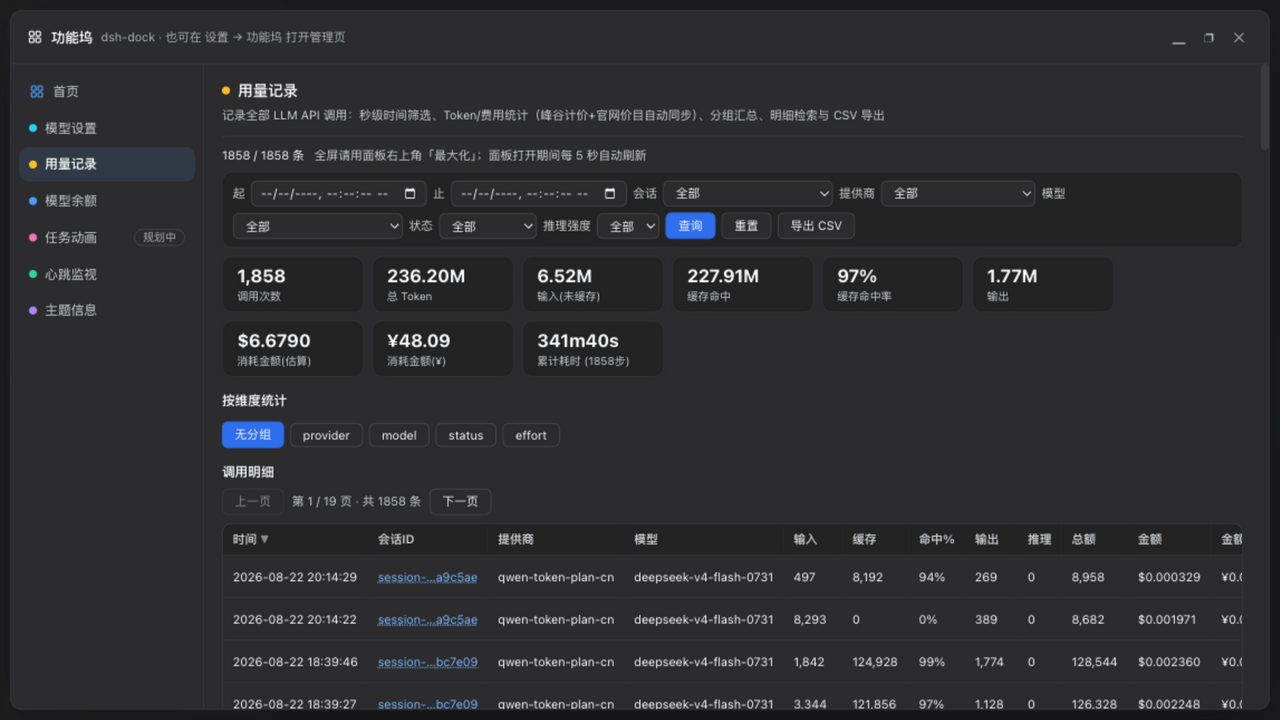
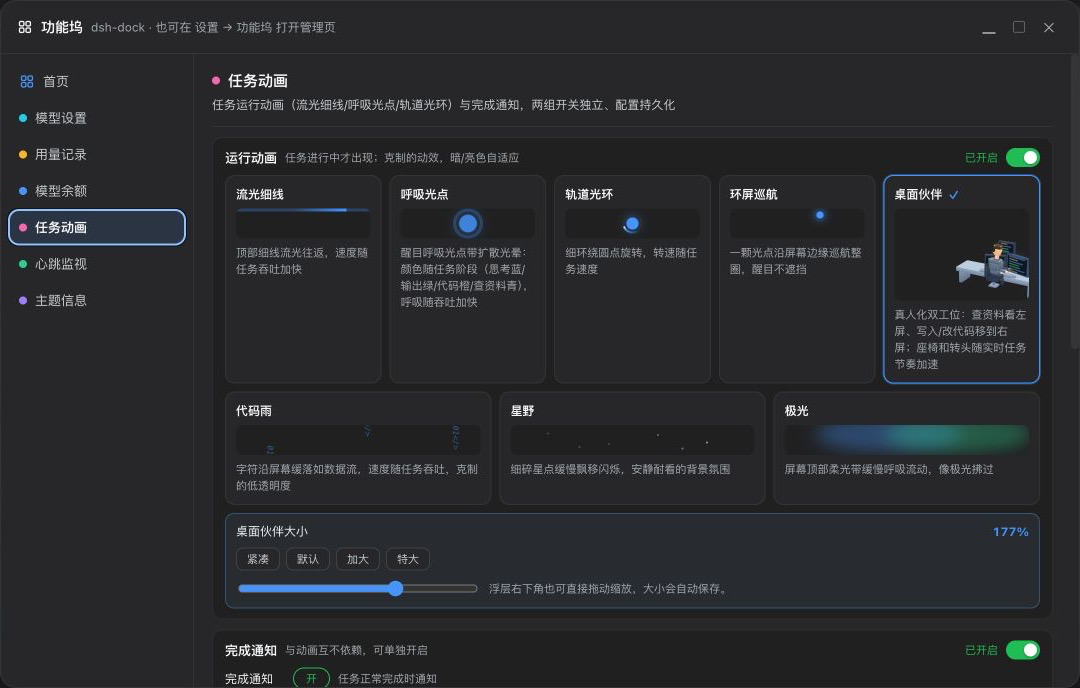
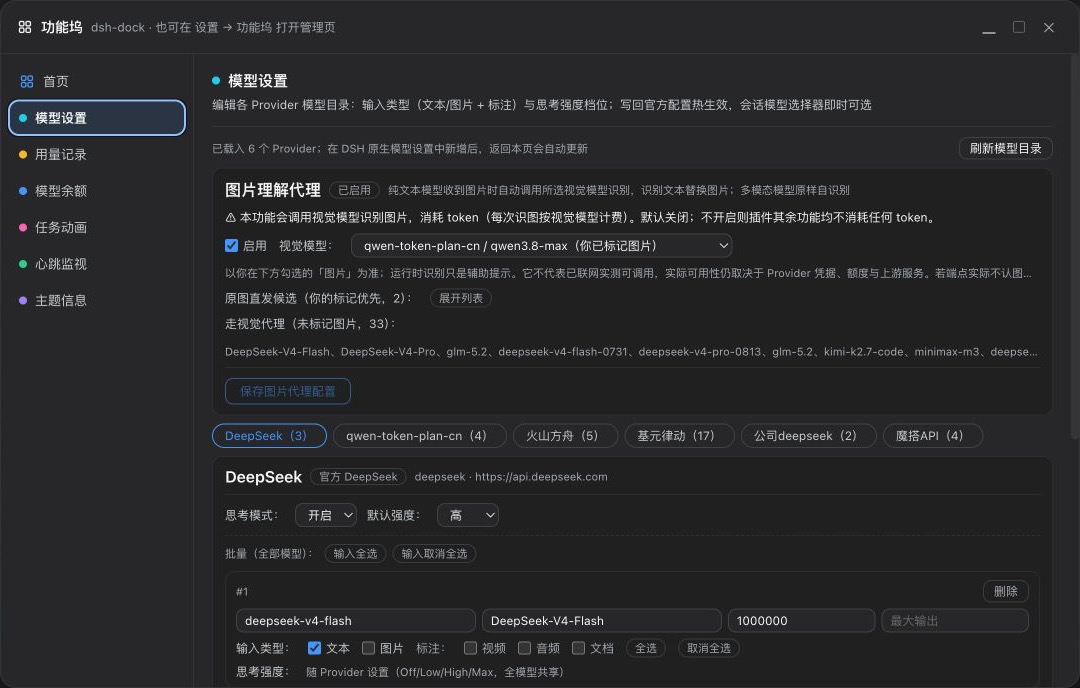
The core capabilities hit the high-frequency pain points. Usage tracking offers second-level time filtering, peak/off-peak pricing with automatic sync from official rate sheets, nine KPI cards, five-dimension group summaries, a fifteen-column sortable detail table (100 rows per page), and one-click CSV export. Model settings let you edit each provider's input modality and reasoning tier, writing changes straight back into the official config with hot-apply — no restart. The balance list auto-refreshes every five minutes and can surface as a tiny chip in the session toolbar that tracks your current model in real time. Task animations provide eighteen visual modes whose speed scales with token throughput; three independent notification channels (completion, error, confirmation) pair with six WebAudio synth tones, browser system notifications, and optional DingTalk or Feishu group-bot pushes that deliver even when the browser tab is closed. A vision-proxy module handles image understanding, and a remote relay gateway with username-and-password authentication lets a phone or a second machine on the LAN join the exact same DSH process — shared sessions, live task progress, and workspace state synced in real time.
Built for DeepSeek Harness users who run more than one provider, care about real-time cost and balance visibility, want to be pinged the moment a long task wraps up, and occasionally need to pick up a session on a second device. By default nothing here triggers extra token spend; every module is passive monitoring or local querying. Install the plugin, click the Dock button at the bottom of the sidebar, and start using it.
Screenshots
Use Cases
- Running multiple providers in parallel and needing real-time visibility into balances and token costs
- A long task finishes while you are away, and DingTalk, Feishu, or system notifications deliver the result instantly
- Picking up the same session and workspace from a phone or a second machine on the LAN
Best For
- DeepSeek Harness users running two or more LLM providers concurrently
- Heavy users who care about peak/off-peak pricing, usage export, and balance visibility
- Developers who need completion pushes, cross-device access, or a vision-proxy pipeline
Related Plugins

A method pack that makes AI coding agents plan against your real baseline, prove completion with fresh evidence, and reduce reworks and unsafe changes.

Turns the DeepSeek Harness session into a captain that builds a durable sub-agent team, splits goals into dependency-aware tasks, and coordinates work via direct messages and a live Web UI.
Gives coding agents design judgment, letting Claude Code, Cursor, and 70+ agents generate and iterate high-quality UI, presentations, and graphics right from the terminal.
Run the Pi ecosystem's plugins on DeepSeek Harness, unmodified, via a compatibility layer that implements Pi's public extension ABI on DSH's native services.