dsh-workspace-hygiene
Run the following command in DeepSeek Harness:
dsh plugin install taoshi1999/dsh-workspace-hygiene
Paste the following prompt into your AI chat to install this plugin:
Run dsh plugin install taoshi1999/dsh-workspace-hygiene in DeepSeek Harness to install the plugin; the full source code is at https://github.com/taoshi1999/dsh-workspace-hygiene.
About this plugin
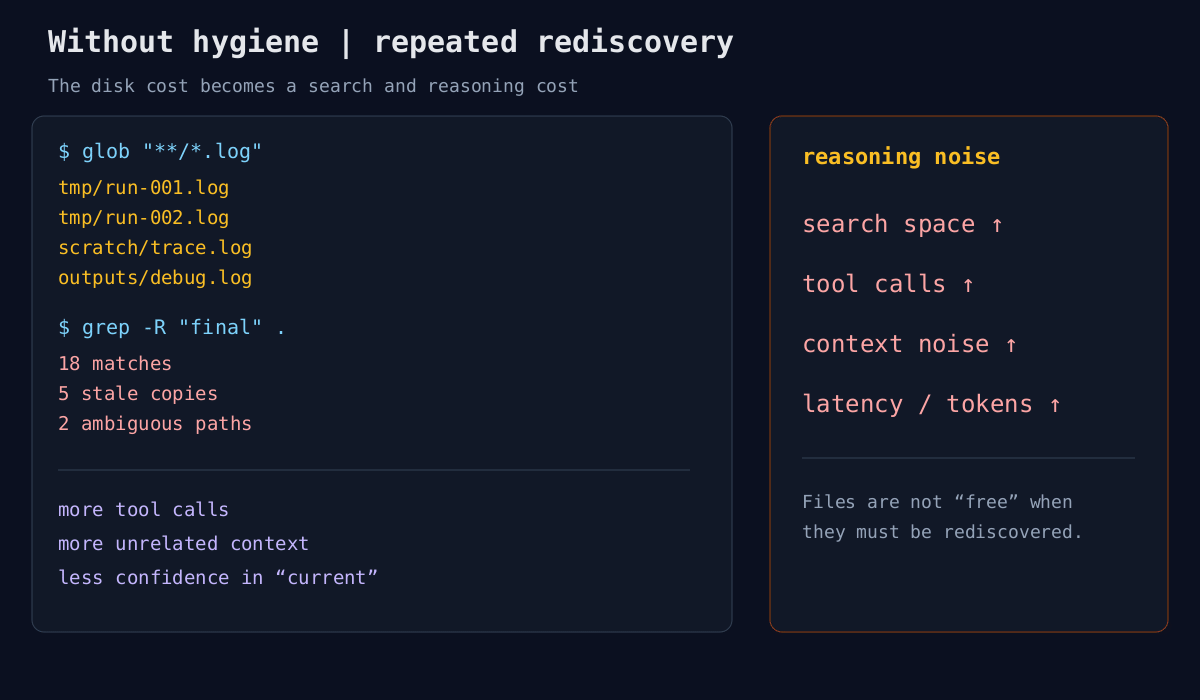
Long-running agent tasks leave behind a growing pile of logs, failed patches, scratch exports, and intermediate results. These files do not directly consume tokens, but when an agent repeatedly runs glob, grep, and directory reads to reconstruct earlier results, redundant artifacts amplify the search space, multiply tool calls, and inject irrelevant content into context, driving up token costs and degrading reasoning quality. dsh-workspace-hygiene is designed to break that causal chain.
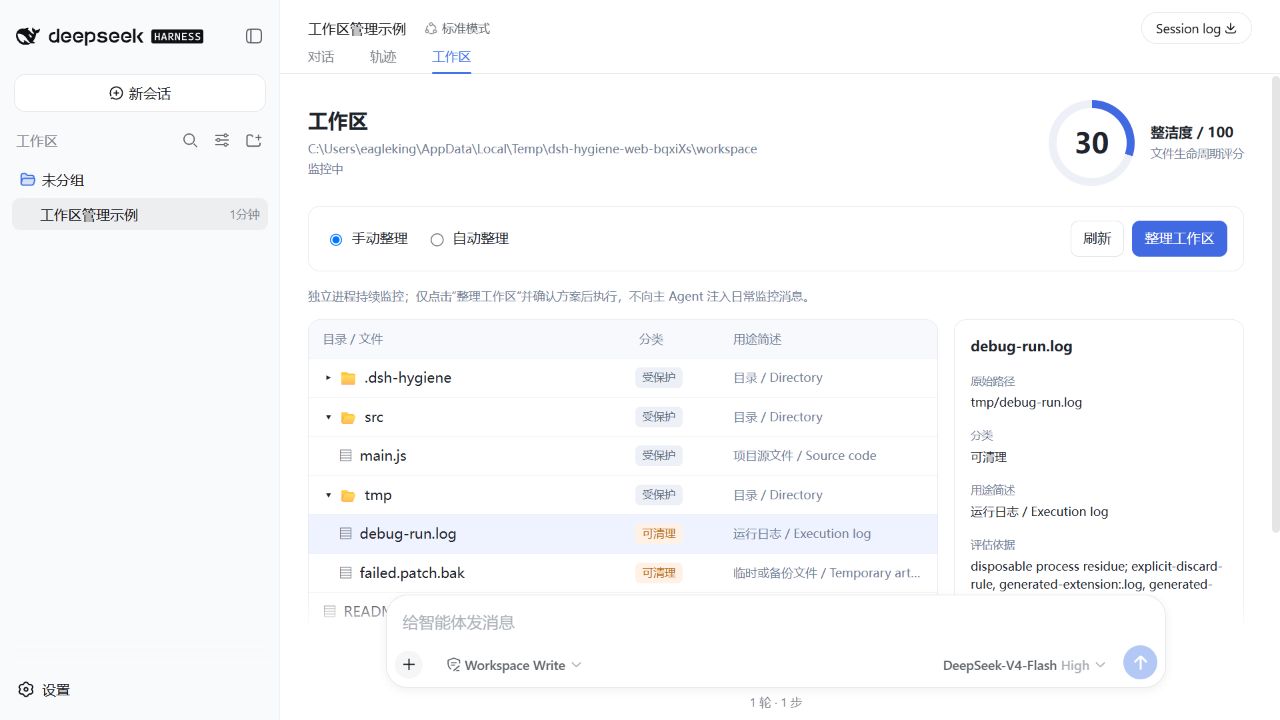
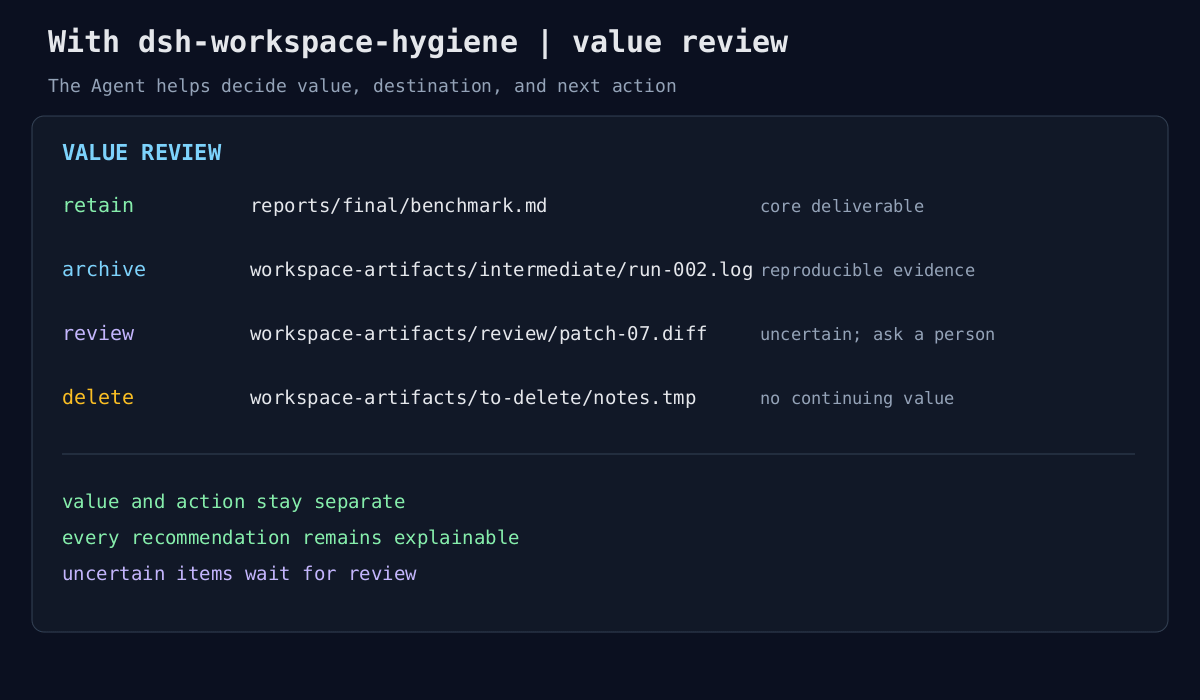
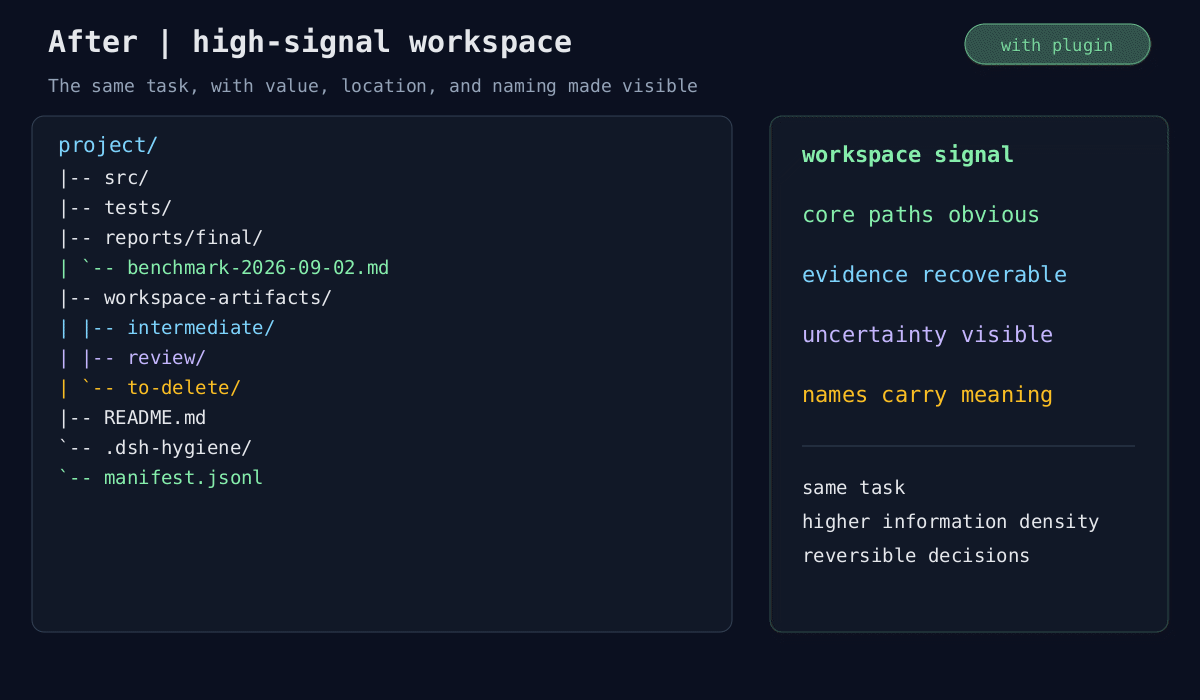
The plugin treats the workspace as an evolving information space and continuously asks whether each file still has value, where it should live, and what it should be called. It classifies files into core materials, final deliverables, reusable intermediates, temporary records, and redundant artifacts. Value assessment is deliberately separated from action: it recommends keeping valuable files with naming and directory suggestions, recommends removing files with no further purpose, and defers uncertain items for user review. In dsh web, it adds a dedicated Workspace tab after Trajectory, with a directory tree, category labels, and cleanliness score on the left, and an independent hygiene-Agent conversation panel on the right. Both manual and automatic organization modes are supported, with full review and rollback.
If you run long, multi-agent tasks in DeepSeek Harness and struggle with cluttered workspaces, rising token overhead from redundant files, or difficulty for both people and agents to understand what has been produced, this plugin is worth exploring.
Screenshots
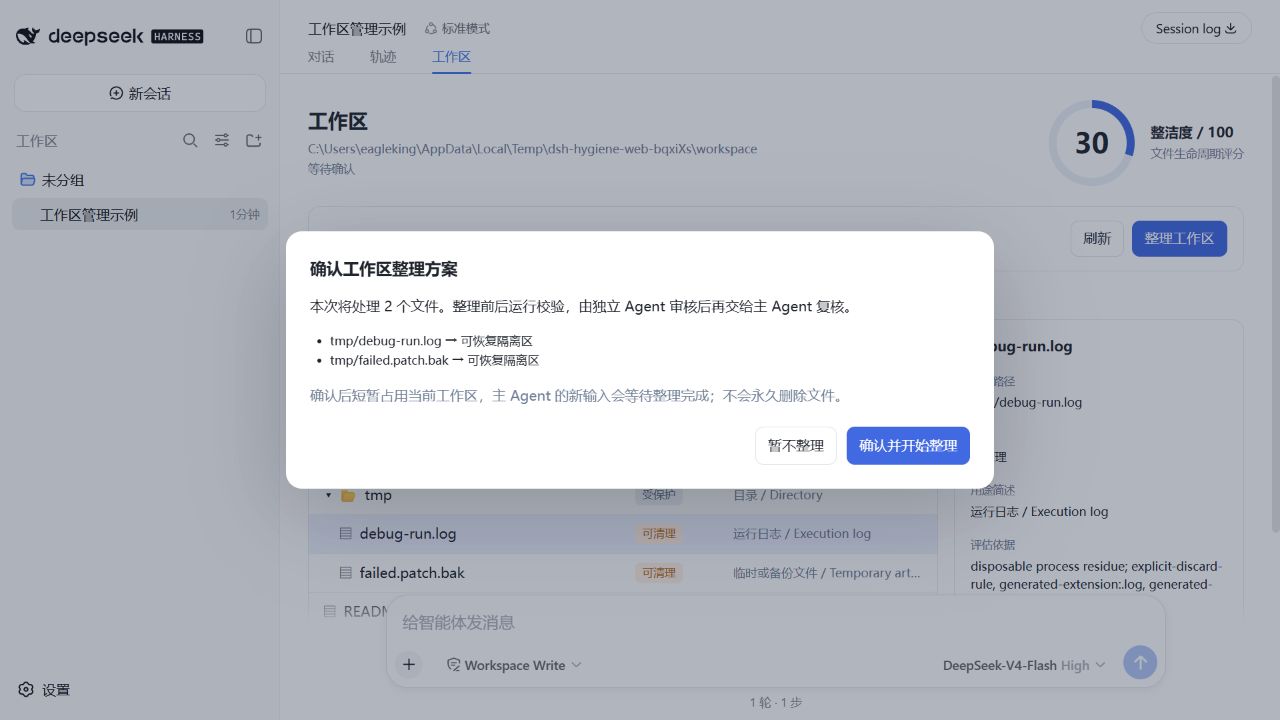
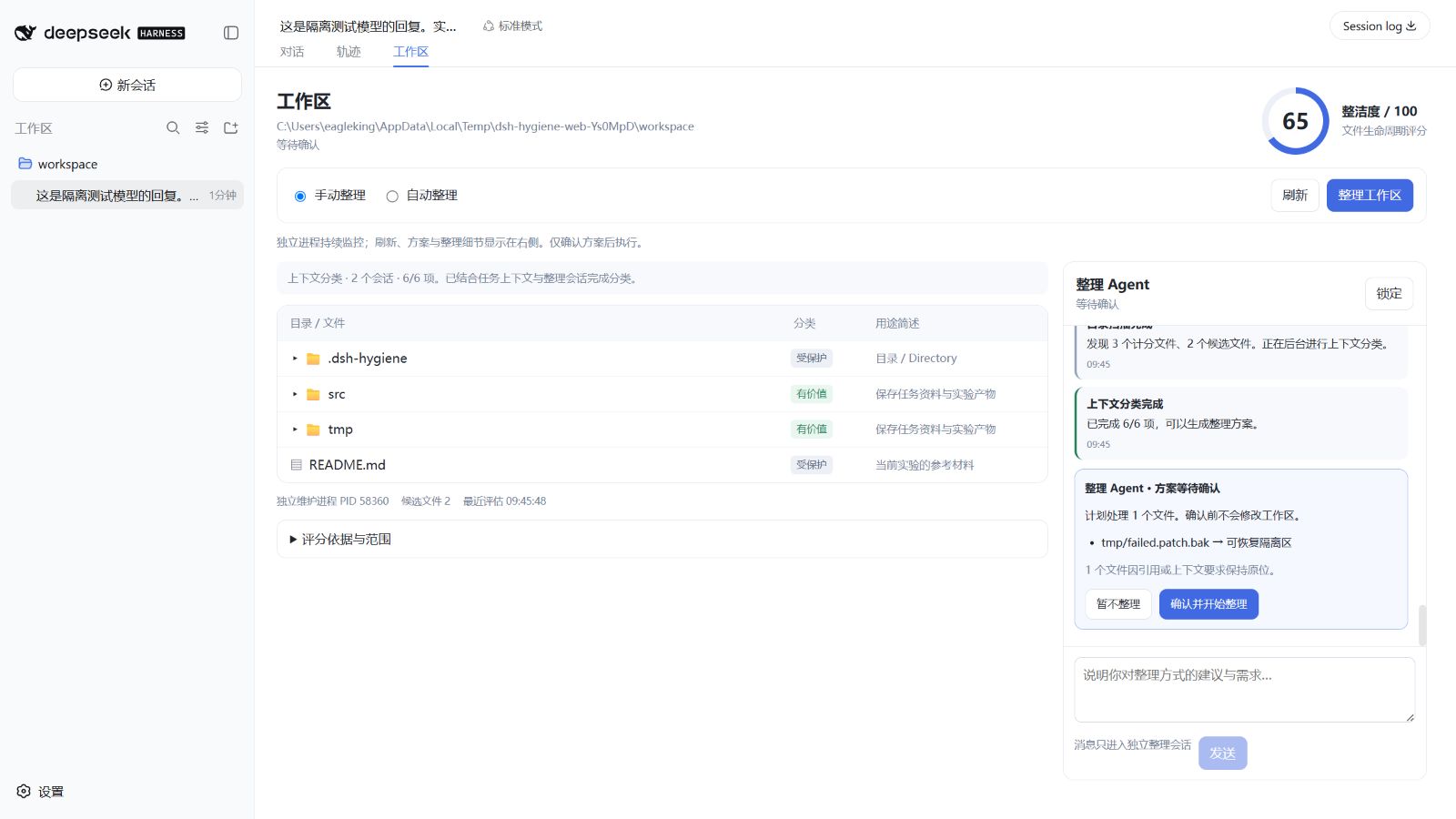
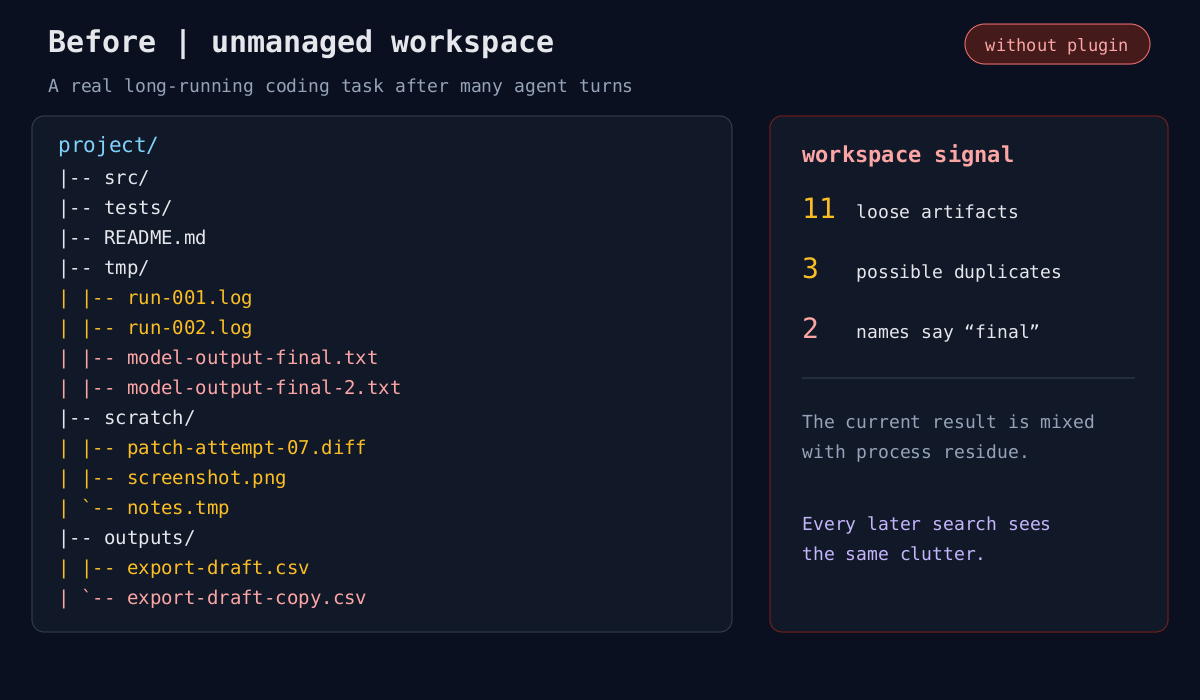
Use Cases
- Cleaning up accumulated logs, patches, and intermediates after long agent tasks
- Establishing consistent naming and directory conventions for multi-agent workspaces
- Reviewing cleanliness scores and executing reversible organization in dsh web
Best For
- Developers running long agent tasks in DeepSeek Harness
- AI engineers managing multi-agent workspace collaboration
- LLM application developers focused on token cost and reasoning quality
Related Plugins

A method pack that makes AI coding agents plan against your real baseline, prove completion with fresh evidence, and reduce reworks and unsafe changes.

Turns the DeepSeek Harness session into a captain that builds a durable sub-agent team, splits goals into dependency-aware tasks, and coordinates work via direct messages and a live Web UI.
Gives coding agents design judgment, letting Claude Code, Cursor, and 70+ agents generate and iterate high-quality UI, presentations, and graphics right from the terminal.
Run the Pi ecosystem's plugins on DeepSeek Harness, unmodified, via a compatibility layer that implements Pi's public extension ABI on DSH's native services.