dsh-Visual-Workflow
Run the following command in DeepSeek Harness:
dsh plugin install GZX2211/dsh-Visual-Workflow
Paste the following prompt into your AI chat to install this plugin:
Run dsh plugin install GZX2211/dsh-Visual-Workflow in your terminal to install the plugin; the source code is available at https://github.com/GZX2211/dsh-Visual-Workflow .
About this plugin
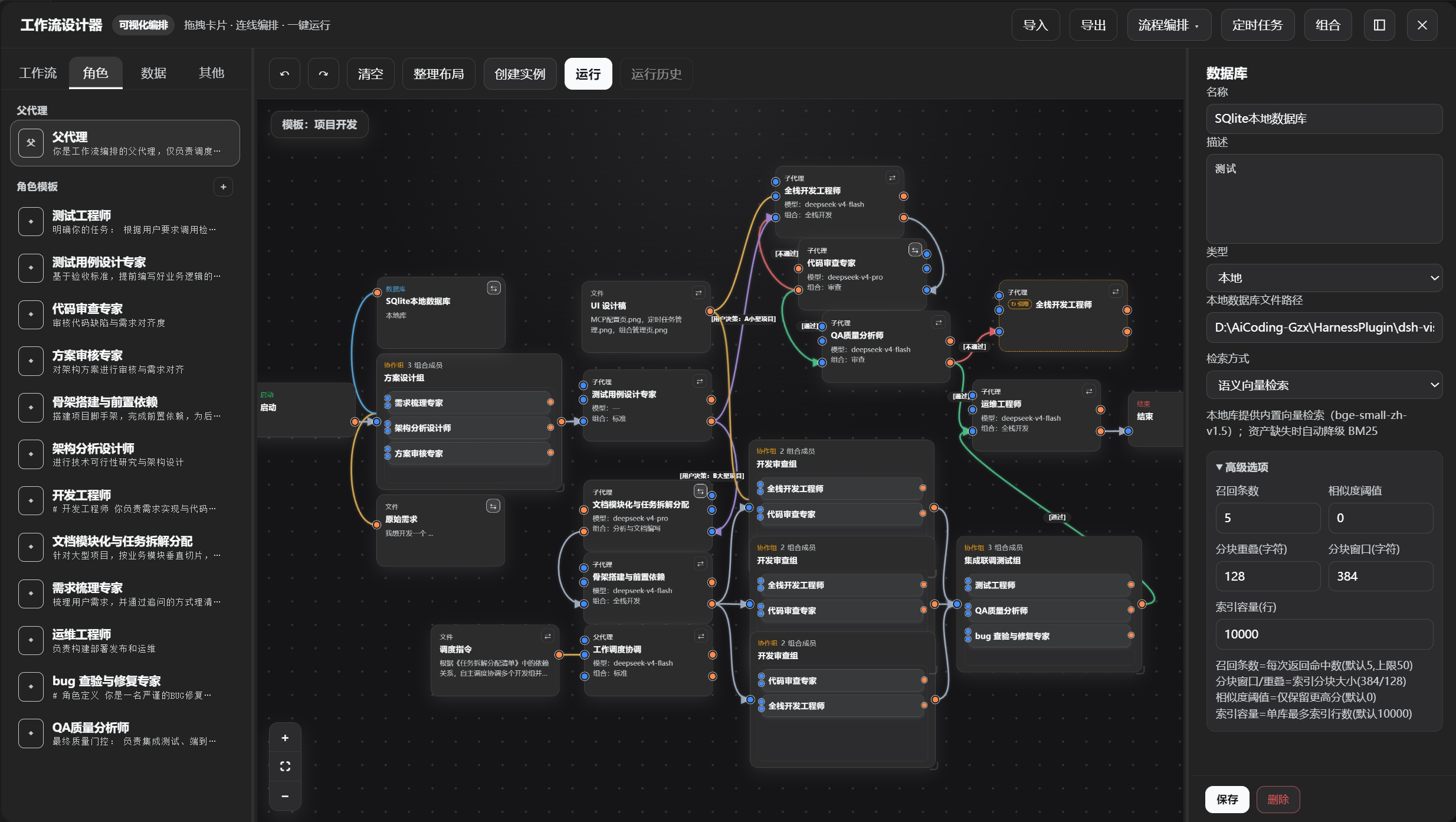
Building multi-agent workflows in DeepSeek Harness has traditionally meant hand-writing dispatch code, scattering configuration across files, and living with rigid tool and model inheritance from the parent agent. dsh-Visual-Workflow moves that entire process onto an infinite SVG canvas: drag nodes into place, draw connections with the cursor, and shape a complex pipeline visually without writing a single line of orchestration logic.
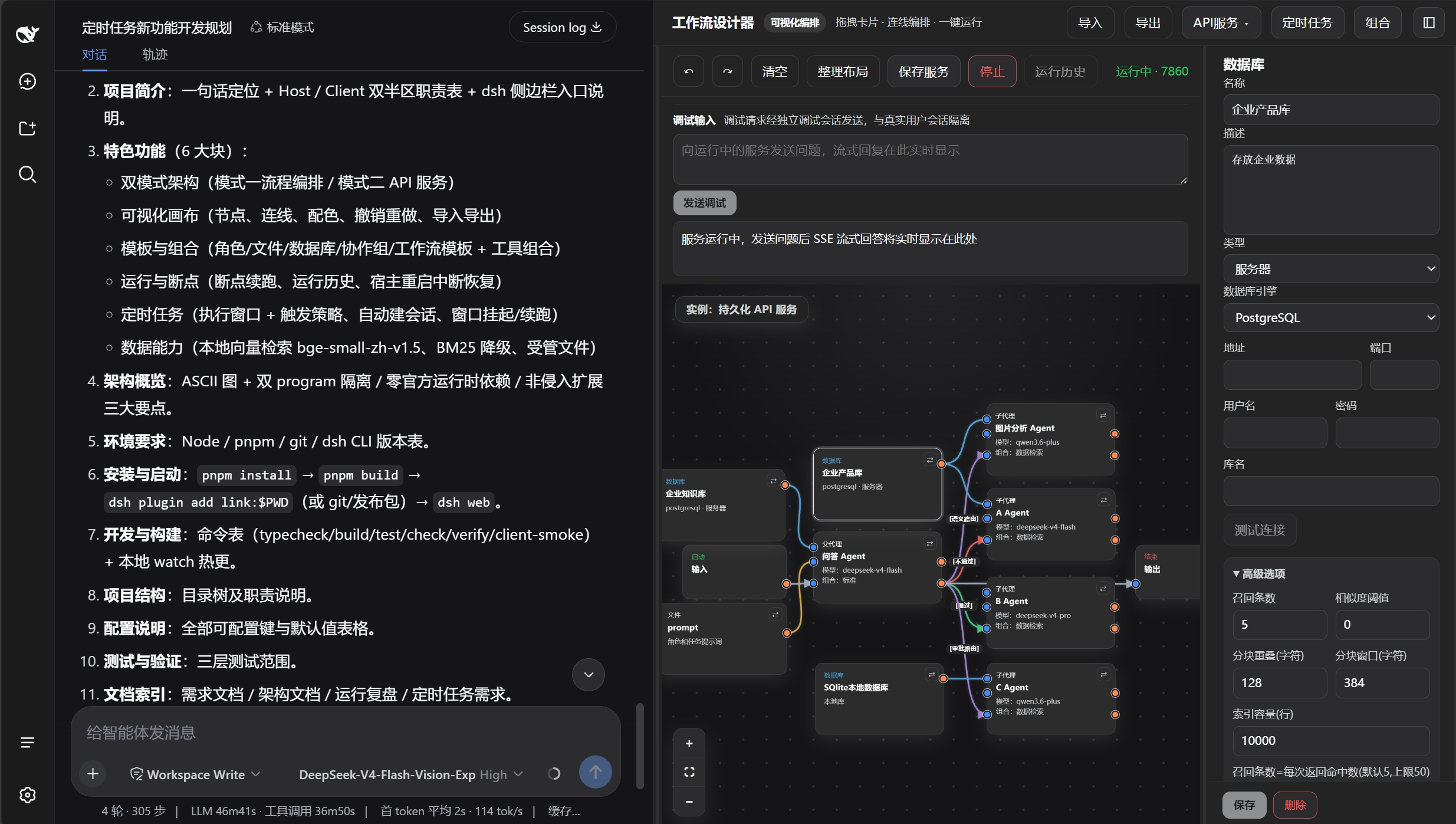
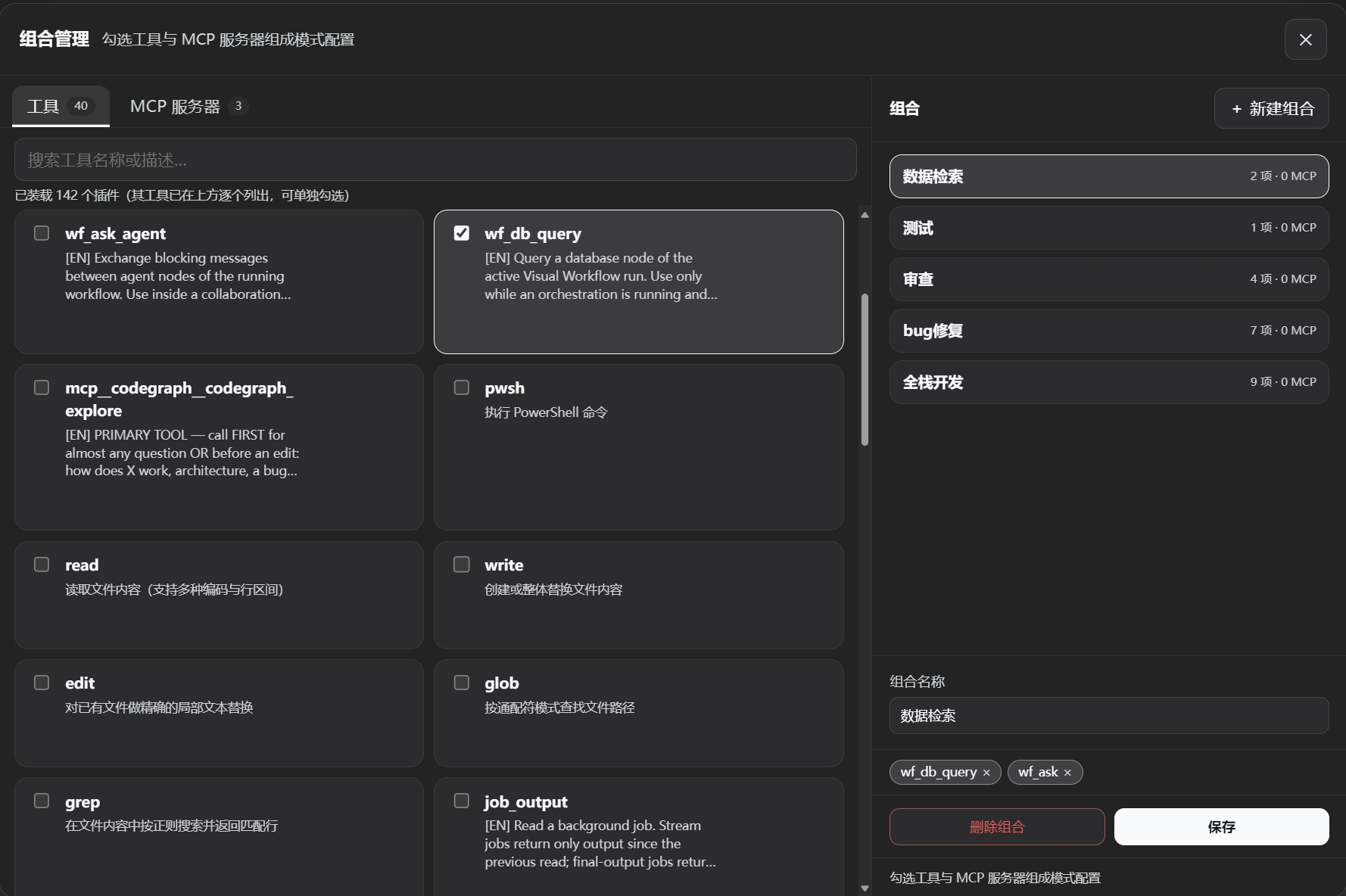
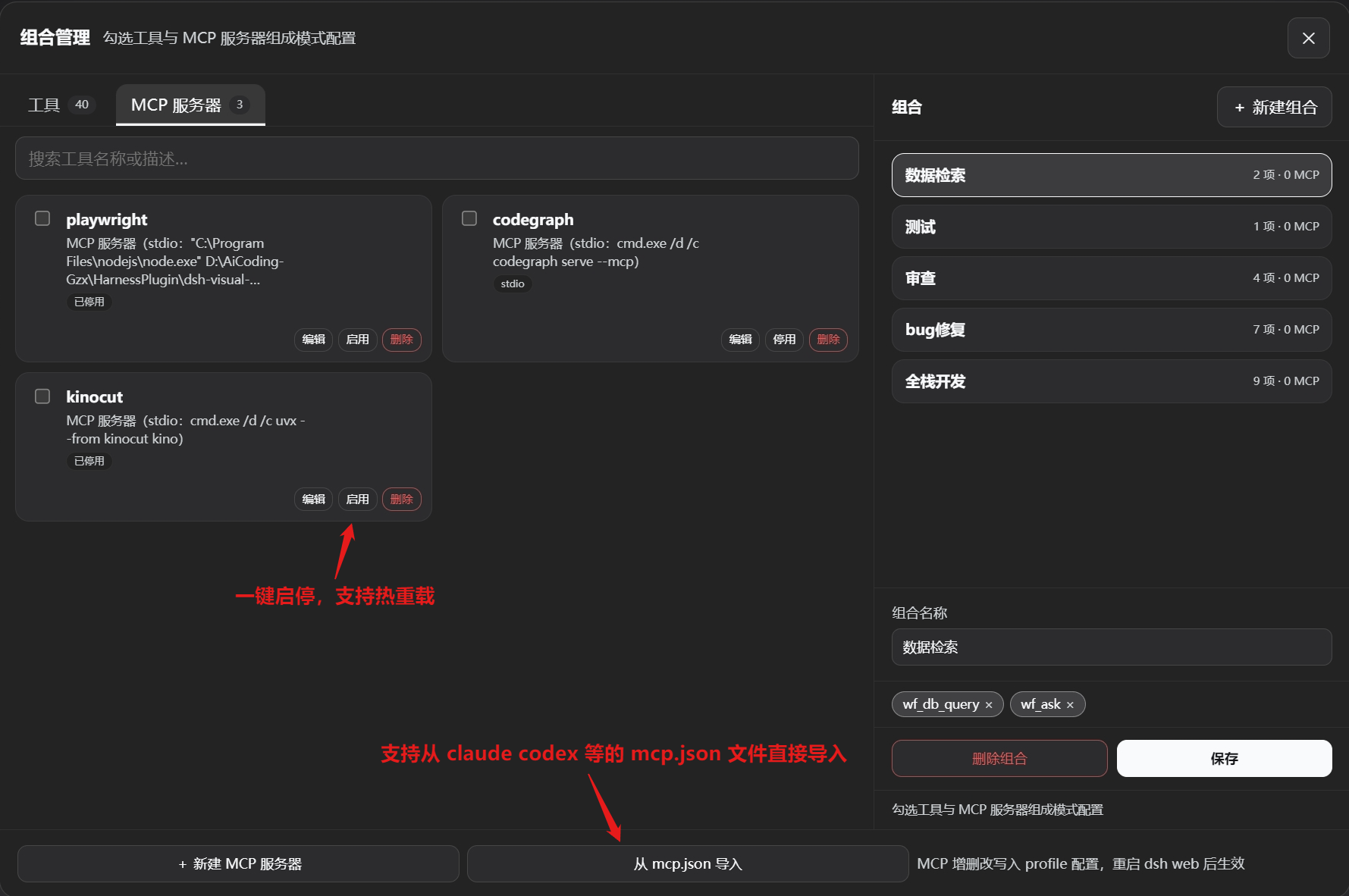
The canvas is not a static diagram but a real-time twin of the runtime orchestrator. As the workflow executes, node highlights and status badges update live. Edit the topology mid-run and save, and the next dispatch picks up the new structure immediately. When the process pauses or the host crashes, executed node states are persisted so the next run resumes from the breakpoint instead of replaying the entire chain. Collaboration groups let multiple role nodes start in parallel and communicate freely via wf_ask_agent, while virtual nodes serve as alias references to a master node sharing the same execution instance. Every child agent can be independently configured with its own system prompt, LLM model, reasoning depth, tool combination, ReAct iteration cap, and retry limit. MCP servers are registered with a single line and hot-reloaded on the fly, keeping context windows lean.
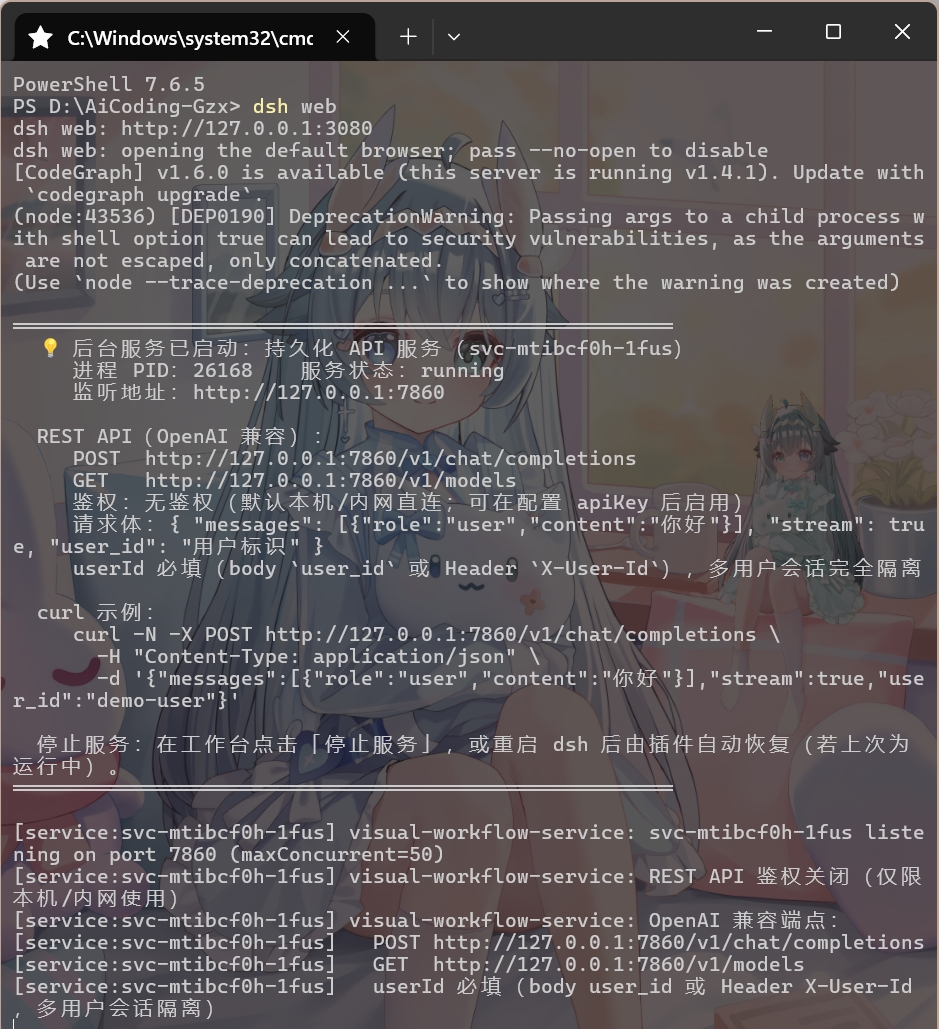
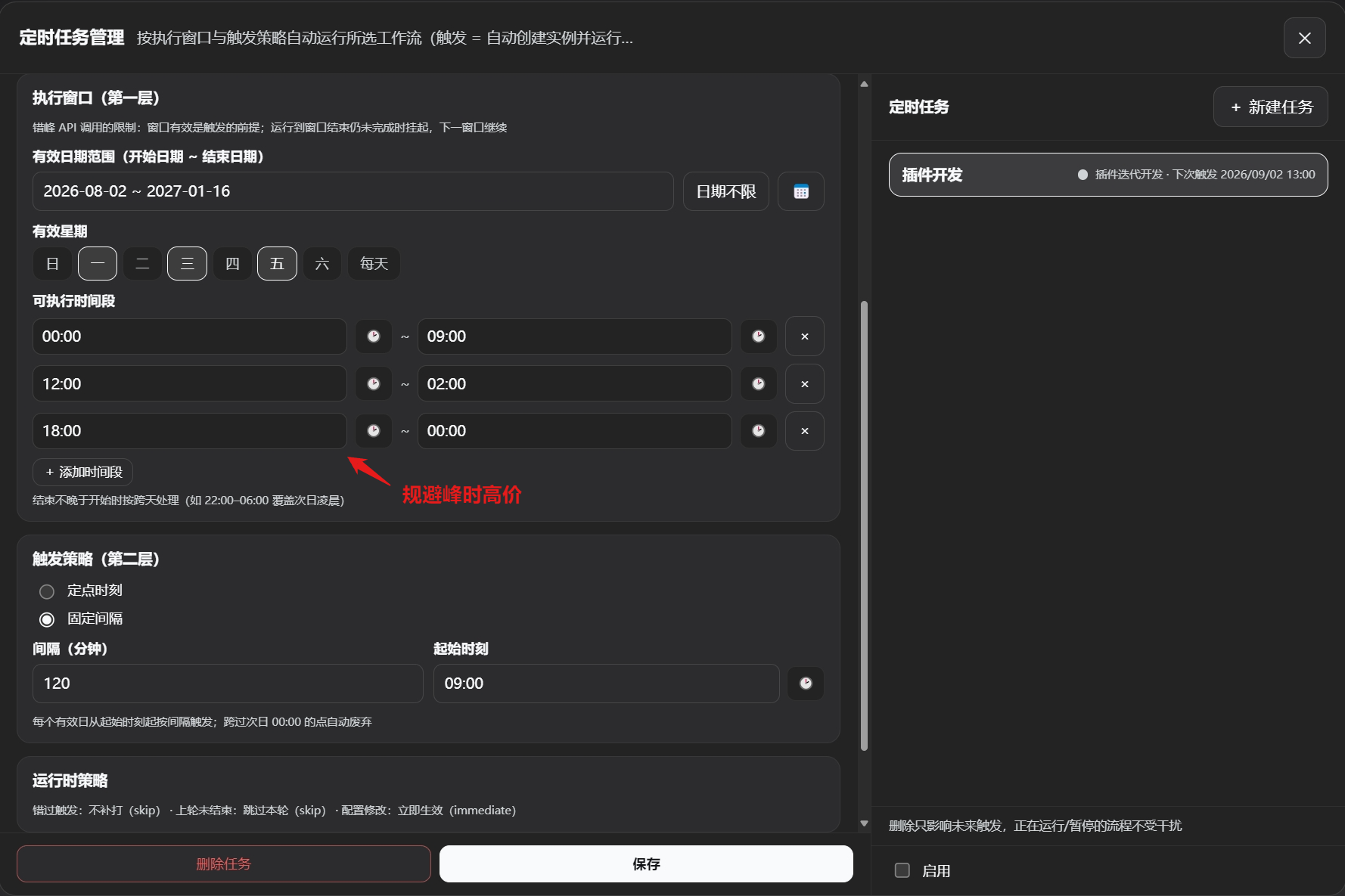
The plugin offers two run modes: workflow orchestration for long-running multi-agent scheduling with scheduled triggers, breakpoint resume, and live in-run editing; and API service mode, which publishes the workflow as a standalone OpenAI-compatible REST endpoint with multi-tenant session isolation and automatic port allocation. Workflows run as persistent headless backends connectable to external apps. With zero compile-time dependencies on official packages, all DSH ecosystem services are resolved at runtime via ctx.get(), keeping upgrades smooth. It suits developers and teams building complex agent pipelines in DeepSeek Harness, deploying persistent APIs, running scheduled automation, or needing precise per-agent control over tools and models.
Screenshots
Use Cases
- Orchestrate multi-agent pipelines via drag-and-drop canvas instead of hand-written dispatch code
- Publish a workflow as an OpenAI-compatible REST API to integrate external apps or custom frontends
- Set up scheduled triggers to stagger workflow execution across peak and off-peak hours
Best For
- Developers building complex multi-agent pipelines in DeepSeek Harness
- Teams deploying agent workflows as persistent backend services
- Engineers seeking visual, fine-grained control over per-agent tools and models
Related Plugins

A method pack that makes AI coding agents plan against your real baseline, prove completion with fresh evidence, and reduce reworks and unsafe changes.

Turns the DeepSeek Harness session into a captain that builds a durable sub-agent team, splits goals into dependency-aware tasks, and coordinates work via direct messages and a live Web UI.
Gives coding agents design judgment, letting Claude Code, Cursor, and 70+ agents generate and iterate high-quality UI, presentations, and graphics right from the terminal.
Run the Pi ecosystem's plugins on DeepSeek Harness, unmodified, via a compatibility layer that implements Pi's public extension ABI on DSH's native services.