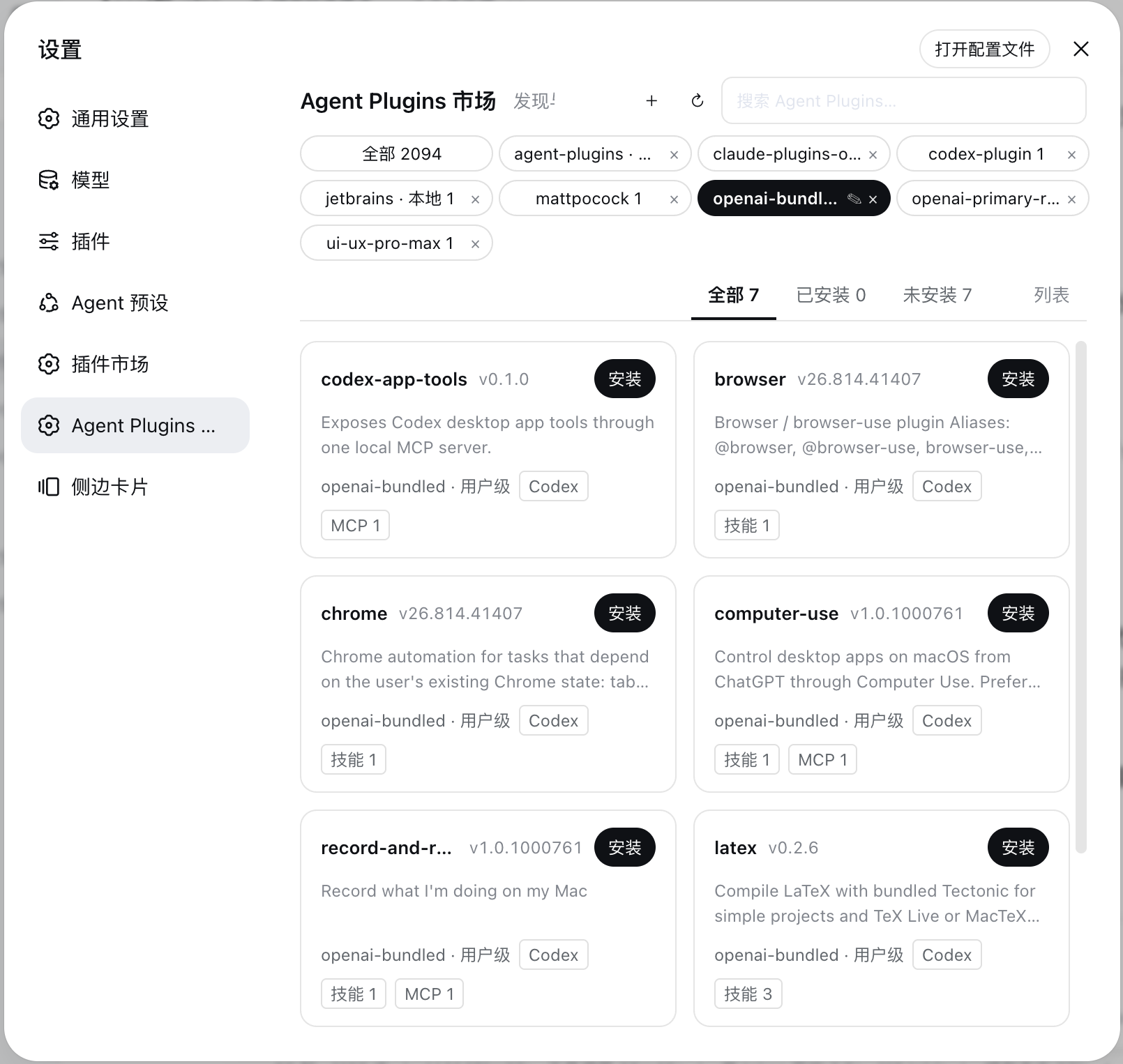
dsh-agent-plugins-market
Run the following command in DeepSeek Harness:
dsh plugin install Sivan757/dsh-agent-plugins-market
Paste the following prompt into your AI chat to install this plugin:
To install this plugin in DeepSeek Harness, run the command `dsh plugin install Sivan757/dsh-agent-plugins-market`. The full source address is: https://github.com/Sivan757/dsh-agent-plugins-market.
About this plugin
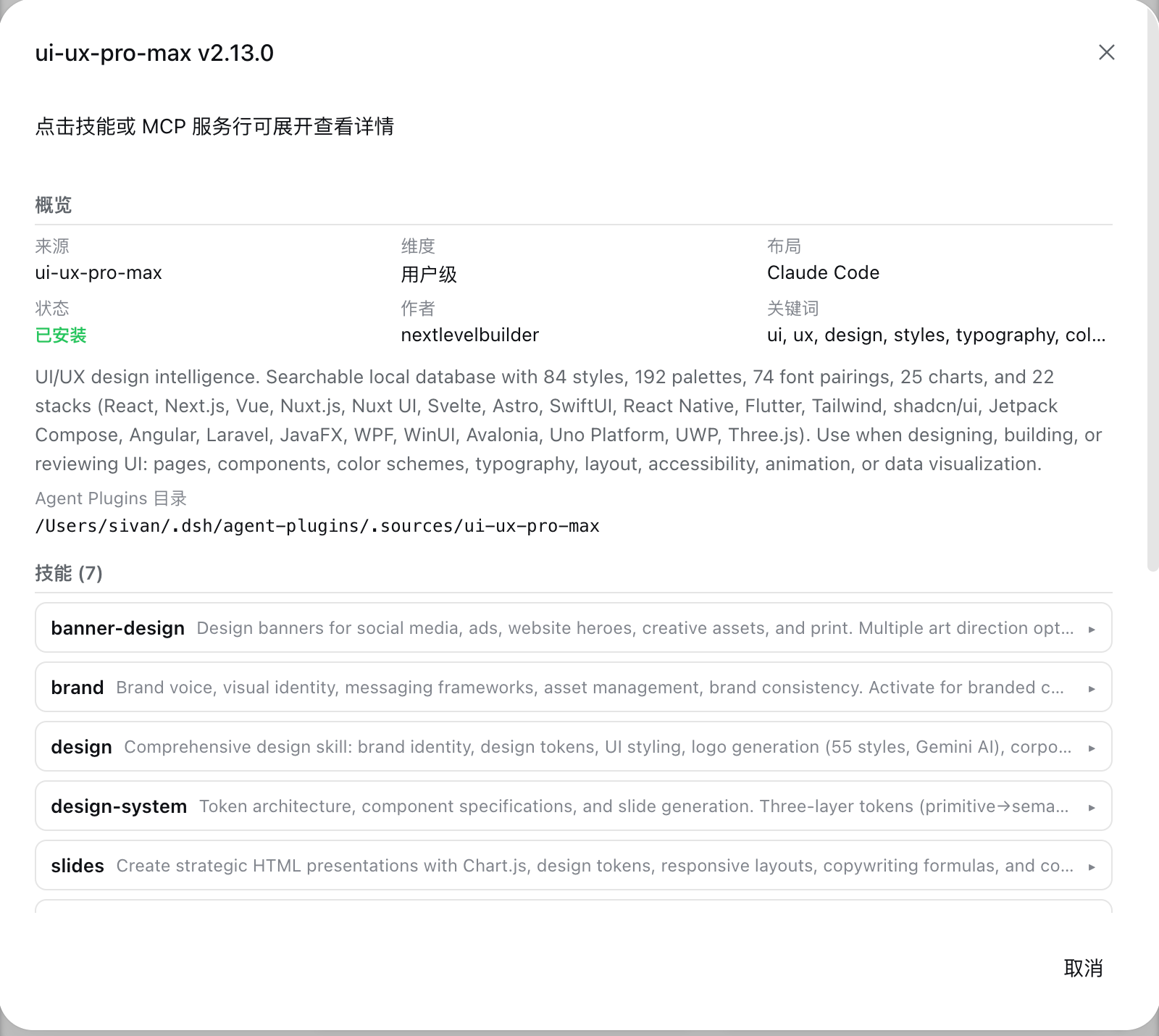
dsh-agent-plugins-market addresses the limitation of DeepSeek Harness's relatively modest plugin ecosystem. By bridging mature plugin marketplaces like Claude Code, Codex, and Cursor, it enables one-click installation of skills, MCP servers, hooks, and slash commands without manual conversion or file copying. This dramatically expands DSH's functional reach, granting access to hundreds of community-built plugin suites.
Its core strength lies in comprehensive runtime injection and an intuitive Web GUI marketplace. The plugin allows adding sources from any Git repository and automatically handles recognition and installation across multiple plugin layouts. Once installed, skills appear in the slash menu, MCP tools and hooks are mounted automatically, and everything becomes instantly available in sessions, delivering a true out-of-the-box experience.
This plugin is ideal for DeepSeek Harness users seeking to seamlessly integrate external plugin ecosystems. Whether you're a developer looking to import Claude Code skills quickly or a power user aiming to extend toolchains via MCP servers, dsh-agent-plugins-market offers a secure and convenient bridge, letting you focus on building more powerful AI agent workflows.
Screenshots
Use Cases
- Installing Claude Code skills from GitHub marketplaces into DeepSeek Harness.
- Automatically injecting MCP servers to extend toolchains.
- Managing multiple plugin sources and installing suites via the Web GUI.
Best For
- Developer users of DeepSeek Harness.
- AI engineers needing to integrate external plugin ecosystems.
- Technical teams seeking workflow automation.
Related Plugins

A method pack that makes AI coding agents plan against your real baseline, prove completion with fresh evidence, and reduce reworks and unsafe changes.

Turns the DeepSeek Harness session into a captain that builds a durable sub-agent team, splits goals into dependency-aware tasks, and coordinates work via direct messages and a live Web UI.
Gives coding agents design judgment, letting Claude Code, Cursor, and 70+ agents generate and iterate high-quality UI, presentations, and graphics right from the terminal.
Run the Pi ecosystem's plugins on DeepSeek Harness, unmodified, via a compatibility layer that implements Pi's public extension ABI on DSH's native services.