DSH-agent-bridge
Run the following command in DeepSeek Harness:
dsh plugin install zmh2000829/DSH-agent-bridge
Paste the following prompt into your AI chat to install this plugin:
To install the plugin in DeepSeek Harness, run: dsh plugin install zmh2000829/DSH-agent-bridge, source code: https://github.com/zmh2000829/DSH-agent-bridge.
About this plugin
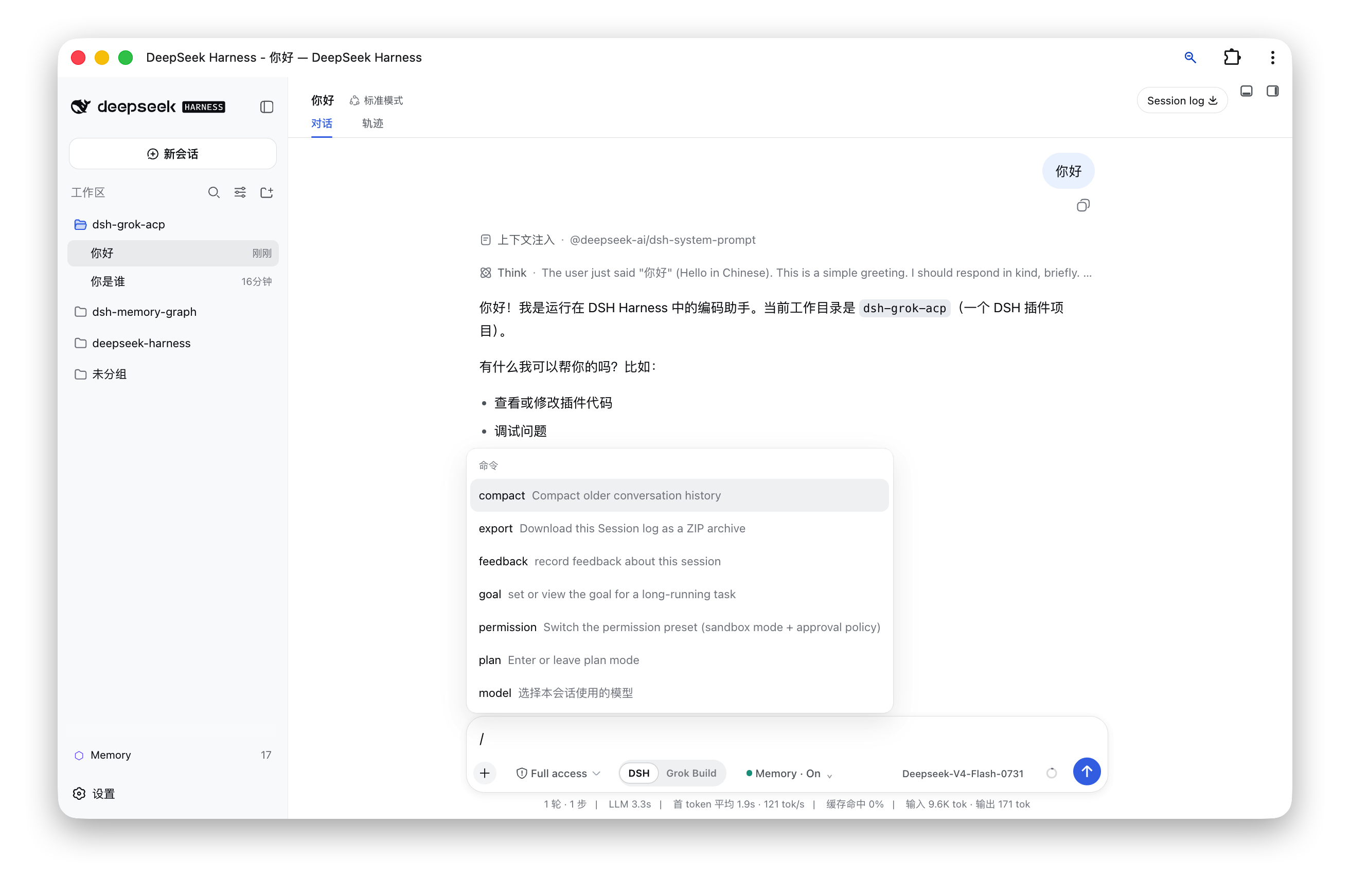
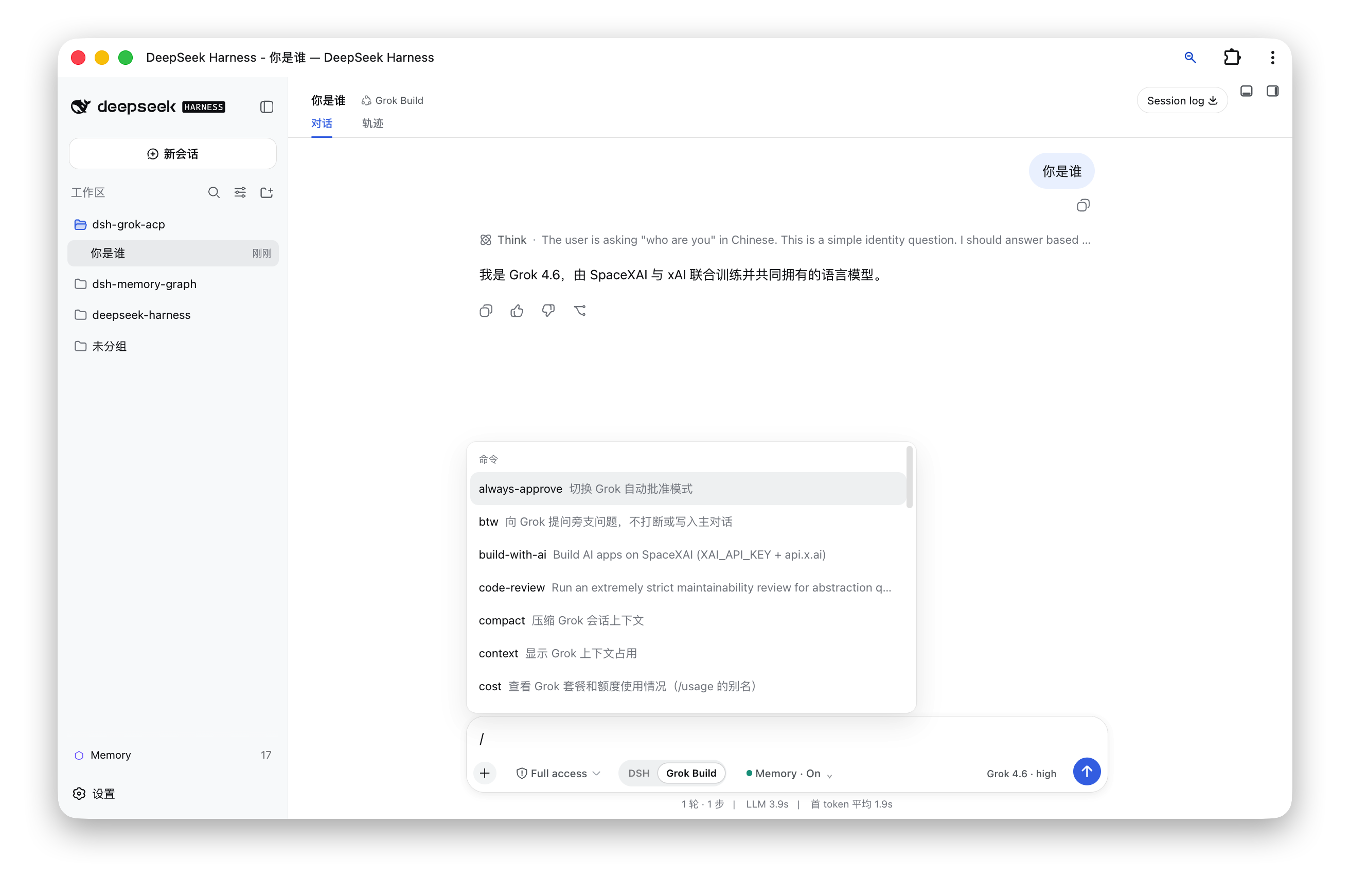
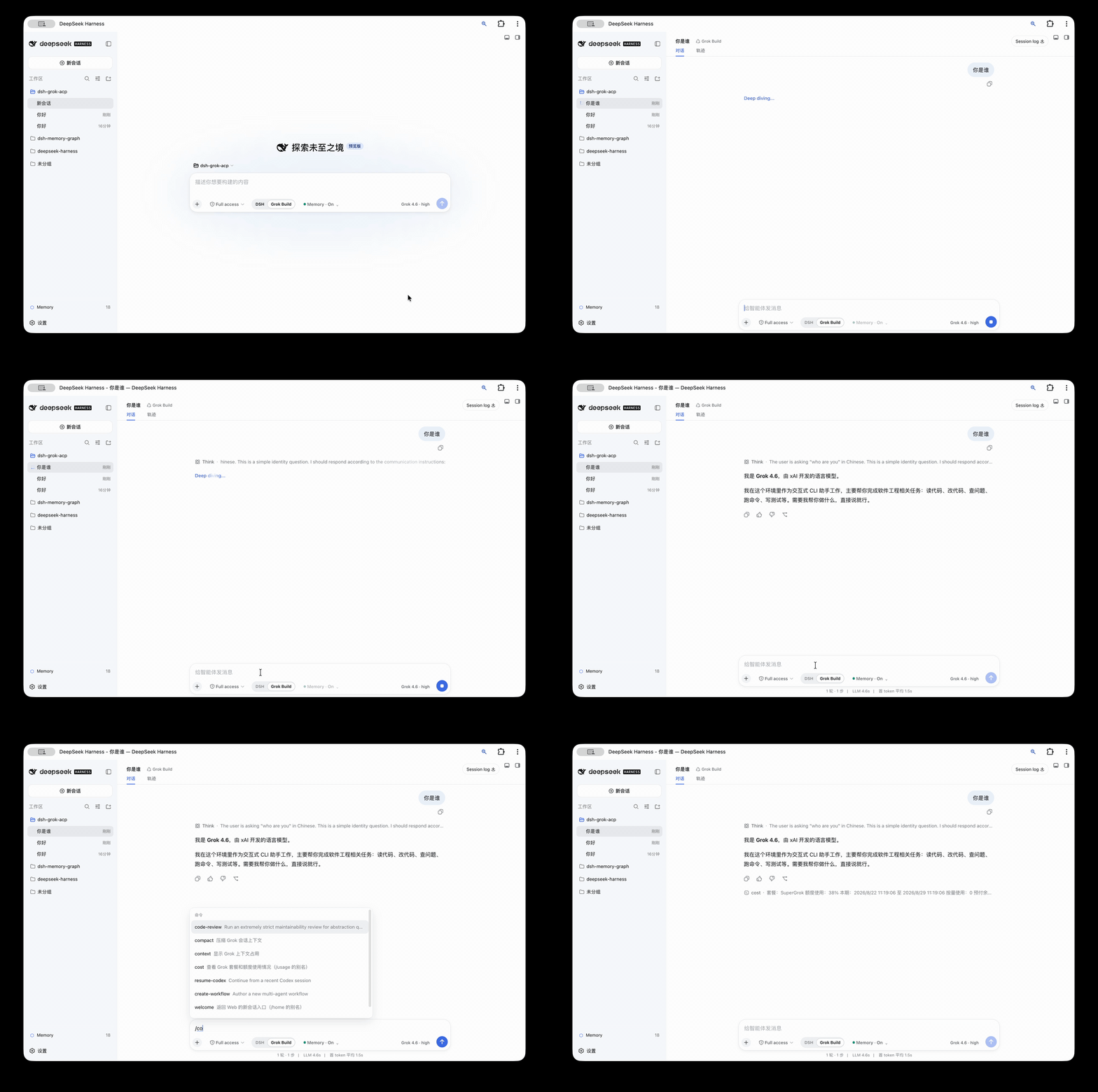
When working with AI agent tools, developers often face the friction of switching between different interfaces, such as jumping from DeepSeek Harness Web to the Grok Build terminal, which disrupts workflow continuity and reduces efficiency. The DSH-agent-bridge plugin addresses this pain point by seamlessly integrating Grok Build into the DeepSeek Harness Web interface via the Agent Client Protocol, allowing users to access all Grok Build functionality without leaving the web environment. Its core capability lies in unifying the DSH and Grok Build experiences: users can freely switch modes on a single page while retaining DSH's native features like session management, tool display, permission confirmation, and Markdown diffs. ACP streaming outputs are intelligently mapped to DSH interface elements, including responses, thought processes, and tool calls, with support for Grok commands such as /usage and /model for added flexibility and control. This integration streamlines development and testing into a more efficient, centralized process. DSH-agent-bridge is ideal for developers, teams, and AI enthusiasts who already use DeepSeek Harness Web extensively and want to expand their agent capabilities. It serves as a valuable addition to existing workflows, offering a unified, powerful interface to manage multiple AI agent tools, thereby boosting overall productivity and user experience.
Screenshots
Use Cases
- Seamlessly using Grok Build features within DeepSeek Harness Web.
- Avoiding switches between different terminal interfaces to maintain workflow continuity.
- Unified management of sessions, outputs, and permissions for multiple AI agents.
Best For
- Developers or teams already using DeepSeek Harness Web.
- AI project members needing to integrate Grok Build into existing workflows.
- Users seeking efficient, centralized management of AI tools.
Related Plugins

A method pack that makes AI coding agents plan against your real baseline, prove completion with fresh evidence, and reduce reworks and unsafe changes.

Turns the DeepSeek Harness session into a captain that builds a durable sub-agent team, splits goals into dependency-aware tasks, and coordinates work via direct messages and a live Web UI.
Gives coding agents design judgment, letting Claude Code, Cursor, and 70+ agents generate and iterate high-quality UI, presentations, and graphics right from the terminal.
Run the Pi ecosystem's plugins on DeepSeek Harness, unmodified, via a compatibility layer that implements Pi's public extension ABI on DSH's native services.