dsh-team
Run the following command in DeepSeek Harness:
dsh plugin install huxint/dsh-team
Paste the following prompt into your AI chat to install this plugin:
Install the plugin in DeepSeek Harness by running the command 'dsh plugin install huxint/dsh-team', with the full source address: https://github.com/huxint/dsh-team.
About this plugin
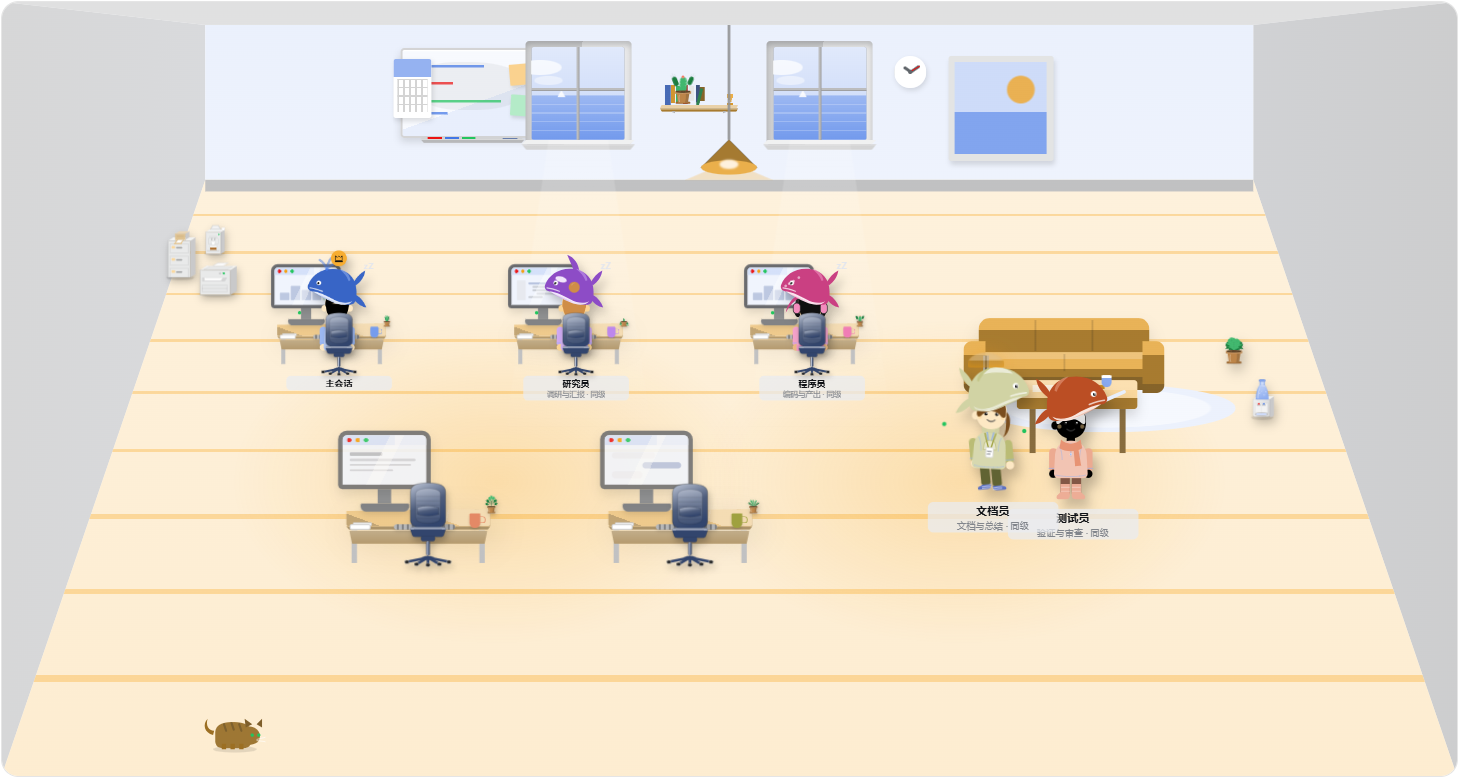
In AI development, a single agent sometimes struggles with complex tasks, and manually coordinating multiple agents is cumbersome and lacks a clear overview. The dsh-team plugin brings a visual agent team system to DeepSeek Harness, addressing this challenge. Its core capabilities include: easily组建 a team via simple commands, where each teammate has their own name, session, and memory. They can communicate directly, claim shared tasks, and record conclusions on a shared workspace (blackboard and private notes). Notably, a 2.5D office collaboration tab provides a real-time view of team activities, such as member work states and position movements. This plugin is ideal for AI developers, researchers, and anyone needing multi-agent collaboration for complex tasks, whether decomposing problems, parallel processing, or simulating team workflows, offering an efficient and intuitive tool.
Screenshots
Use Cases
- Break down complex problems and assign to multiple agents for parallel processing.
- Simulate team collaboration for research tasks.
- Monitor agent activities in a real-time visual interface.
Best For
- AI developers and researchers.
- Project managers needing multi-agent collaboration.
- Educational institutions for teaching demonstrations.
Related Plugins

A method pack that makes AI coding agents plan against your real baseline, prove completion with fresh evidence, and reduce reworks and unsafe changes.

Turns the DeepSeek Harness session into a captain that builds a durable sub-agent team, splits goals into dependency-aware tasks, and coordinates work via direct messages and a live Web UI.
Gives coding agents design judgment, letting Claude Code, Cursor, and 70+ agents generate and iterate high-quality UI, presentations, and graphics right from the terminal.
Run the Pi ecosystem's plugins on DeepSeek Harness, unmodified, via a compatibility layer that implements Pi's public extension ABI on DSH's native services.