dsh-chat-fold
Run the following command in DeepSeek Harness:
dsh plugin install 502399493zjw-lgtm/dsh-chat-fold
Paste the following prompt into your AI chat to install this plugin:
Run dsh plugin install 502399493zjw-lgtm/dsh-chat-fold in the DeepSeek Harness terminal (repository: https://github.com/502399493zjw-lgtm/dsh-chat-fold) to install the plugin, then restart the Web process and reload the browser.
About this plugin
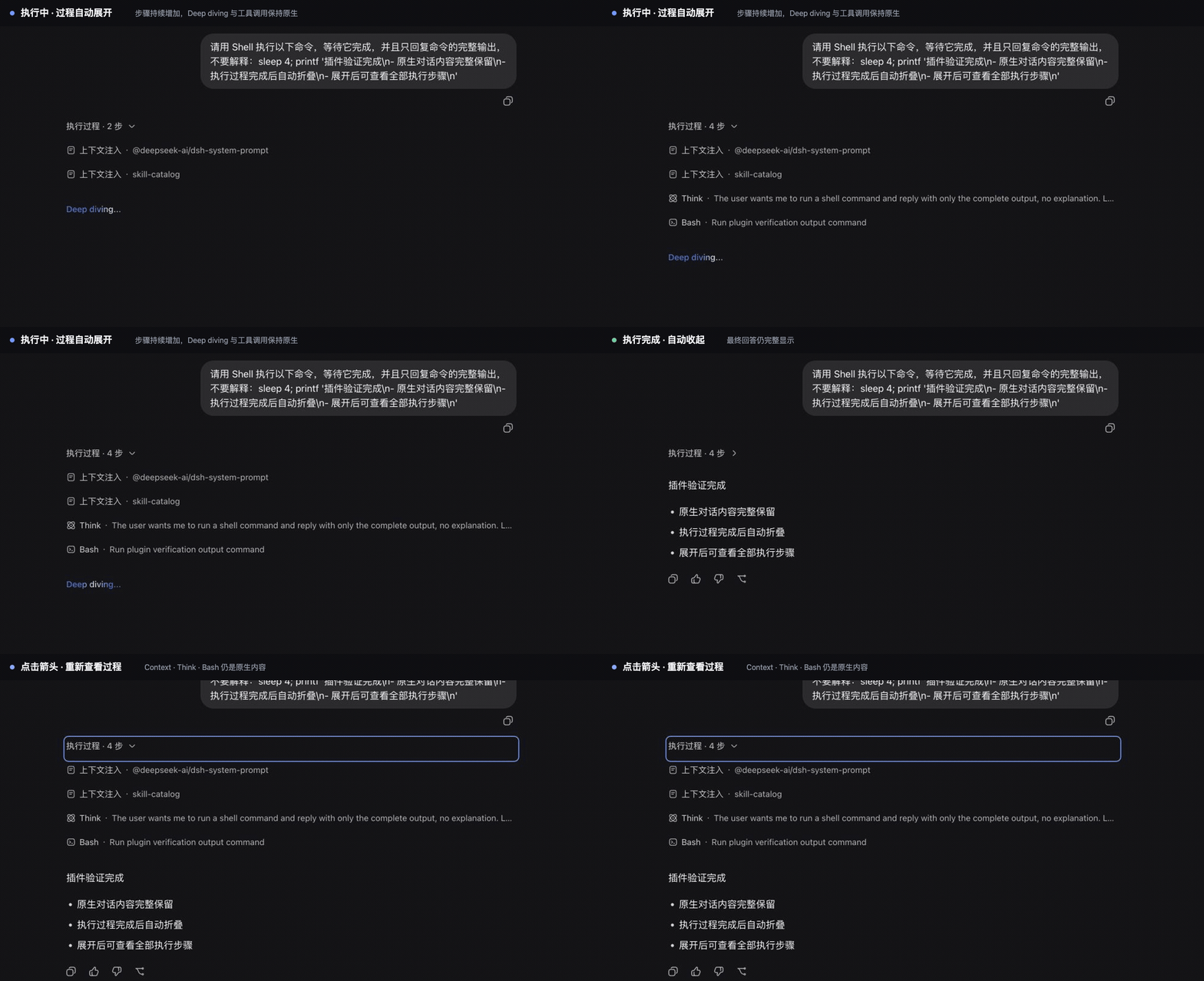
In the stock DSH Chat view, every turn spawns a flat list of execution steps — Context, Think, Tool calls, commands, Goal, and Workflow — laid out inline in the conversation flow. When the session is fast-paced and step-heavy, those intermediate artifacts quickly drown out user messages and the assistant final answer, making the log noisy and hard to scan.
It does not register a new tab; the plugin wraps the existing Chat entry in place. The execution rows for each turn are grouped behind a collapsible header that displays the step count. While the turn is running the group stays open so live progress remains visible; once the turn completes the group folds automatically. Expanding the group renders the native Context, Think, Tool, command, Goal, and Workflow surfaces with their usual inner disclosure defaults, while user messages, final answers, and the native turn tail always stay outside the group.
This is a deliberate short-term integration pinned to DSH 0.1.0-rc.8; if the wrapper itself fails it gracefully falls back to rendering the original stock Chat component. It suits users who find the flat execution log overwhelming and want a cleaner, scannable chat view without losing access to any of the underlying native surfaces.
Screenshots
Use Cases
- Locate the final answer quickly amid multi-step tool-call turns
- Track live step-by-step progress while a turn is running
- Reduce mid-conversation noise in long chat sessions
Best For
- DSH users overwhelmed by the flat execution log
- Users who want a cleaner chat view without losing access to native panels
- Developers on DSH 0.1.0-rc.8 who care about workflow scannability
Related Plugins

A method pack that makes AI coding agents plan against your real baseline, prove completion with fresh evidence, and reduce reworks and unsafe changes.

Turns the DeepSeek Harness session into a captain that builds a durable sub-agent team, splits goals into dependency-aware tasks, and coordinates work via direct messages and a live Web UI.
Gives coding agents design judgment, letting Claude Code, Cursor, and 70+ agents generate and iterate high-quality UI, presentations, and graphics right from the terminal.
Run the Pi ecosystem's plugins on DeepSeek Harness, unmodified, via a compatibility layer that implements Pi's public extension ABI on DSH's native services.