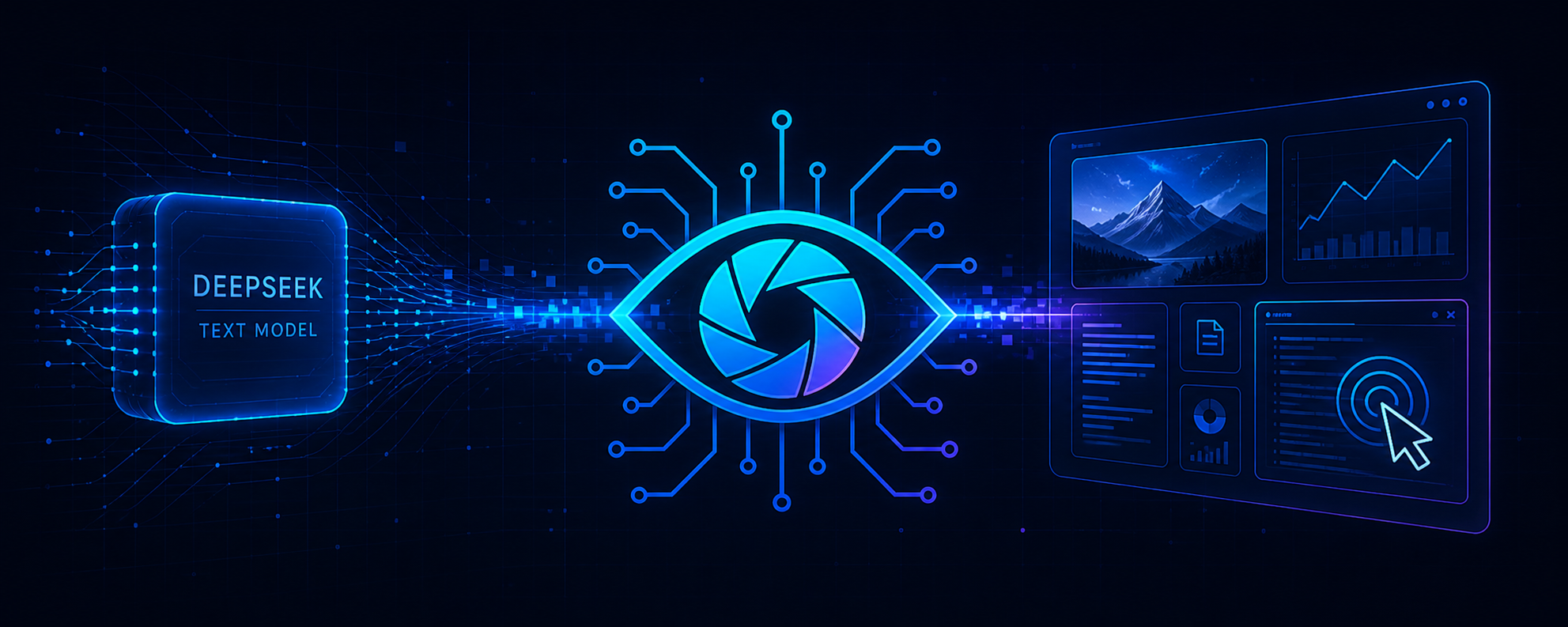
deepseekeyes
Run the following command in DeepSeek Harness:
dsh plugin install dttxorg/deepseekeyes
Paste the following prompt into your AI chat to install this plugin:
Install this plugin in DeepSeek Harness using the command dsh plugin install dttxorg/deepseekeyes or by visiting https://github.com/dttxorg/deepseekeyes.
About this plugin
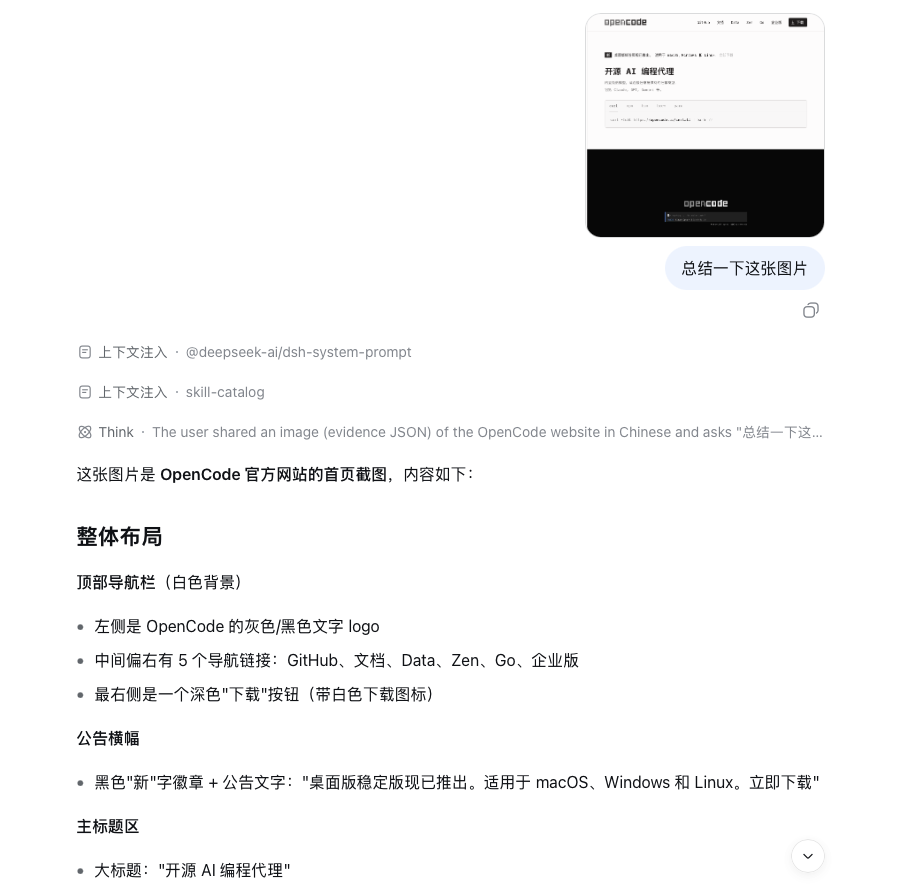
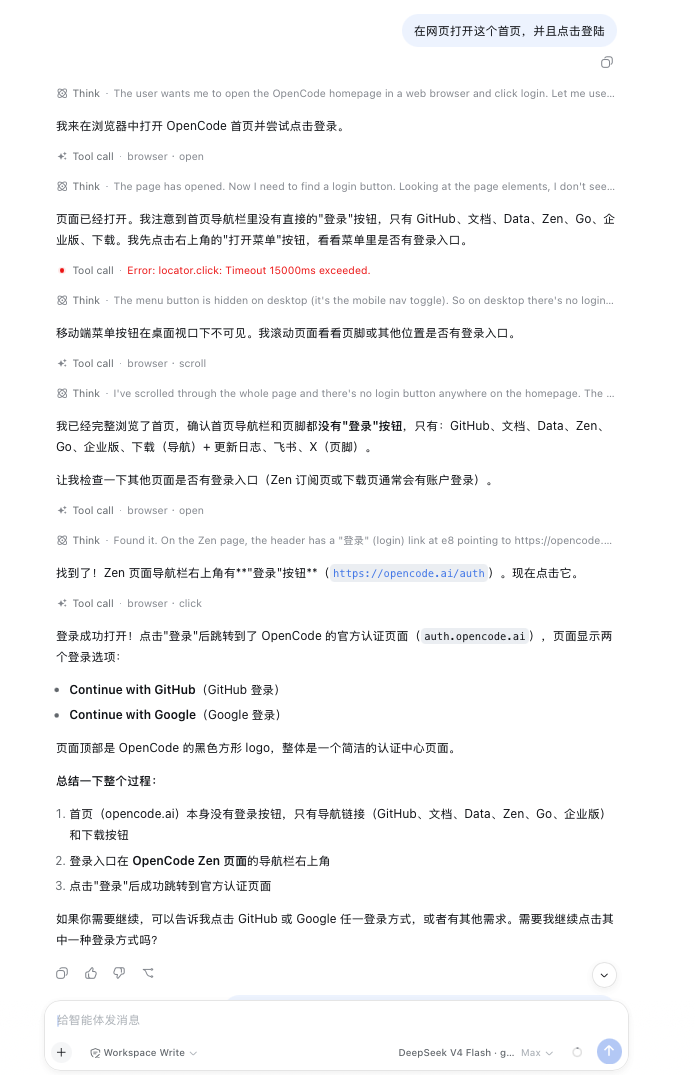
DeepSeek's text models are powerful for reasoning but lack the ability to directly 'see' images, creating a disconnect in workflows requiring visual context. DeepSeekEyes solves this by acting as a runtime that bridges image pixels to DeepSeek models in an auditable way, enabling seamless processing of screenshots, interfaces, or documents within the conversation. Its core capability lies in establishing a secure and transparent vision channel—it automatically selects and health-checks vision models, validates every evidence field, ensures original images remain unaltered, and even allows requests for specific regions or details within an image during the dialogue. It also integrates browser and desktop (Windows/macOS) Computer Use, along with structured MCP tool calls to external applications, with all operation results logged and verified. This allows DeepSeek to complete observe-act-verify loops in a single task flow without manual intervention.
For users, DeepSeekEyes delivers a native-like visual experience. When an image is pasted, it automatically handles vision understanding in the background, providing structured descriptions and evidence to DeepSeek for reasoning—all within the current dialogue, without extra tabs or window switches. If the model itself supports multimodal input, it can enable a 'native vision passthrough,' directly forwarding the original image block to avoid unnecessary intermediate conversions. All vision routing and failover processes are transparent and auditable, and usage (including exact token consumption) is clearly displayed.
This plugin is ideal for scenarios where deep integration of DeepSeek's reasoning with visual information or desktop/browser automation is required. For instance, developers analyzing error screenshots, operators controlling browsers for complex web tasks, or teams connecting DeepSeek to backend applications securely via MCP. It targets anyone seeking to add reliable vision and automation 'hands' to their DeepSeek Harness workflows, offering a full-chain solution from evidence generation to action execution.
Screenshots
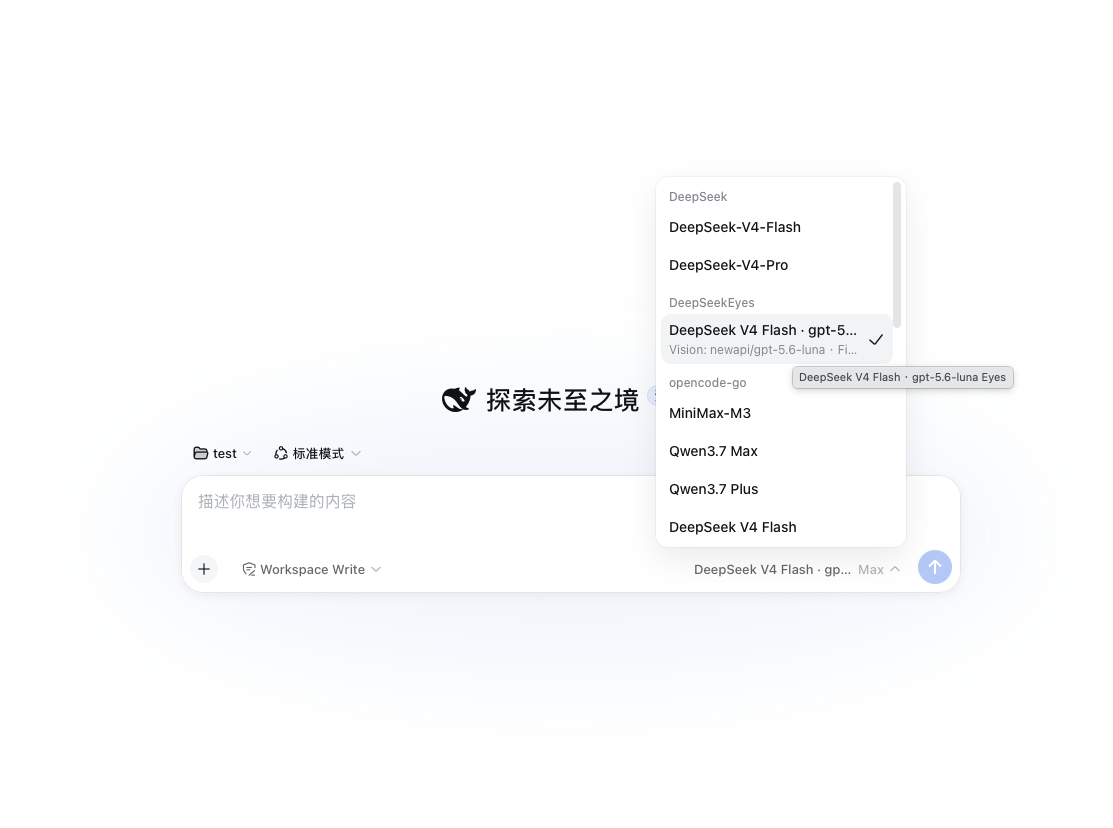
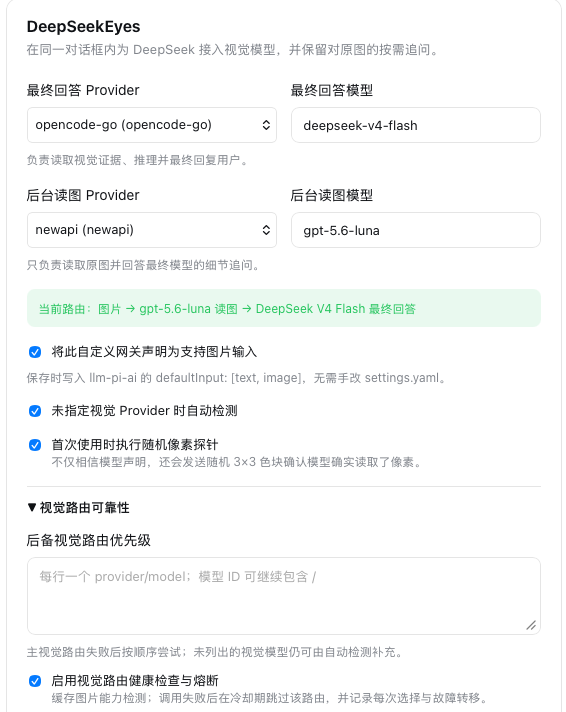
Use Cases
- Paste a screenshot for DeepSeek to analyze interface errors or layout issues
- Automate web navigation, clicking, and verification via browser control
- Invoke backend applications for structured data processing tasks through MCP
Best For
- Developers or data scientists requiring multimodal reasoning
- Operations personnel seeking to automate desktop and browser workflows
- Engineers building AI applications that integrate vision capabilities
Related Plugins

A method pack that makes AI coding agents plan against your real baseline, prove completion with fresh evidence, and reduce reworks and unsafe changes.

Turns the DeepSeek Harness session into a captain that builds a durable sub-agent team, splits goals into dependency-aware tasks, and coordinates work via direct messages and a live Web UI.
Gives coding agents design judgment, letting Claude Code, Cursor, and 70+ agents generate and iterate high-quality UI, presentations, and graphics right from the terminal.
Run the Pi ecosystem's plugins on DeepSeek Harness, unmodified, via a compatibility layer that implements Pi's public extension ABI on DSH's native services.