dsh-ui-auth
Run the following command in DeepSeek Harness:
dsh plugin install 0QwQ0/dsh-ui-auth
Paste the following prompt into your AI chat to install this plugin:
Run dsh plugin install 0QwQ0/dsh-ui-auth in DeepSeek Harness to install this plugin; the source repository is https://github.com/0QwQ0/dsh-ui-auth
About this plugin
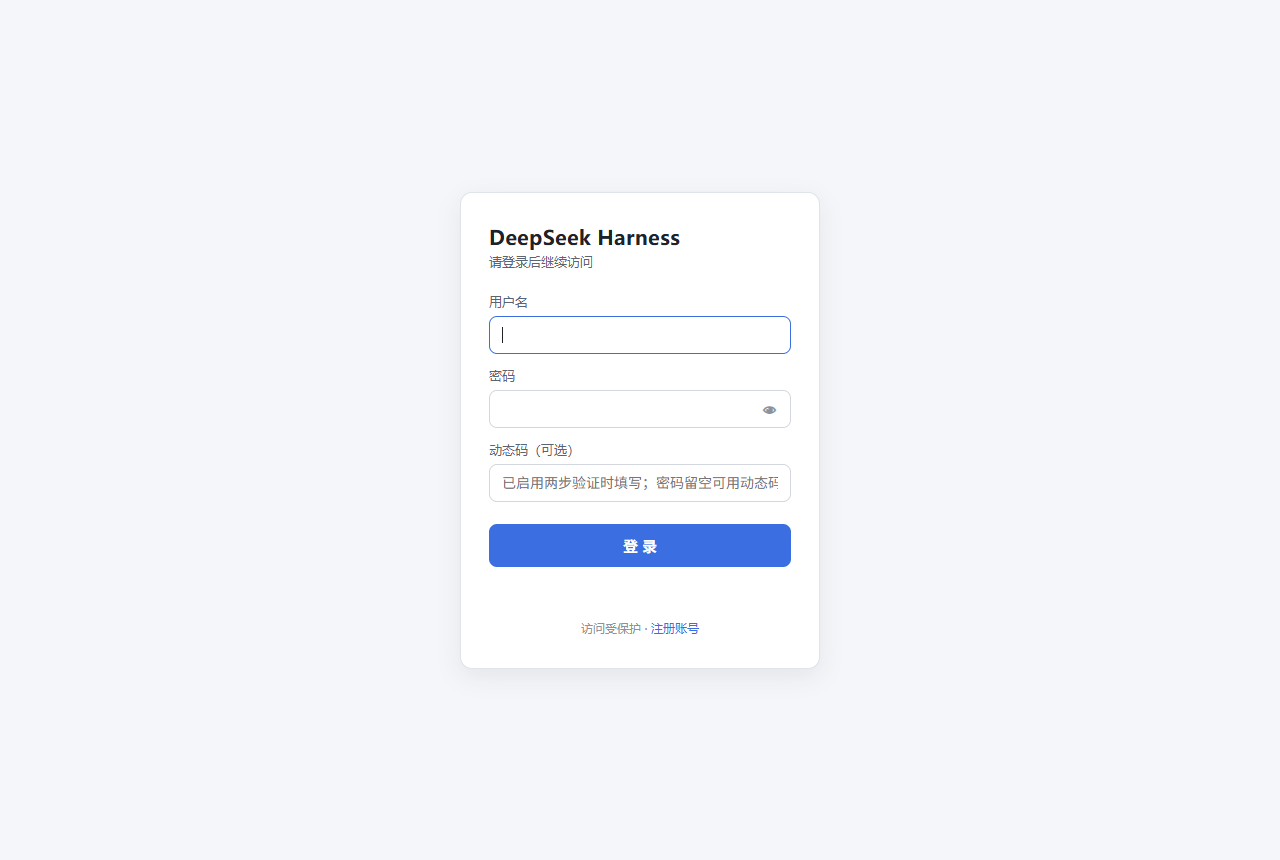
DSH Web UI is designed for local use and ships without an authentication layer. Once the panel is exposed to a shared network or the public internet, anyone can call its APIs, read model configurations, or even modify API keys. dsh-ui-auth wraps the underlying node:http server with a session check that fires before all route dispatch: every /api/ endpoint (RPC, SSE, downloads), /plugins/ front-end modules, HMR, SPA fallback, and both WebSocket upgrade channels are covered with no bypass. Unauthenticated page requests receive a 302 redirect to the login page, API and static assets return 401, and WebSocket upgrades are destroyed immediately. After a successful login the original request passes through untouched, so existing functionality is completely unaffected.
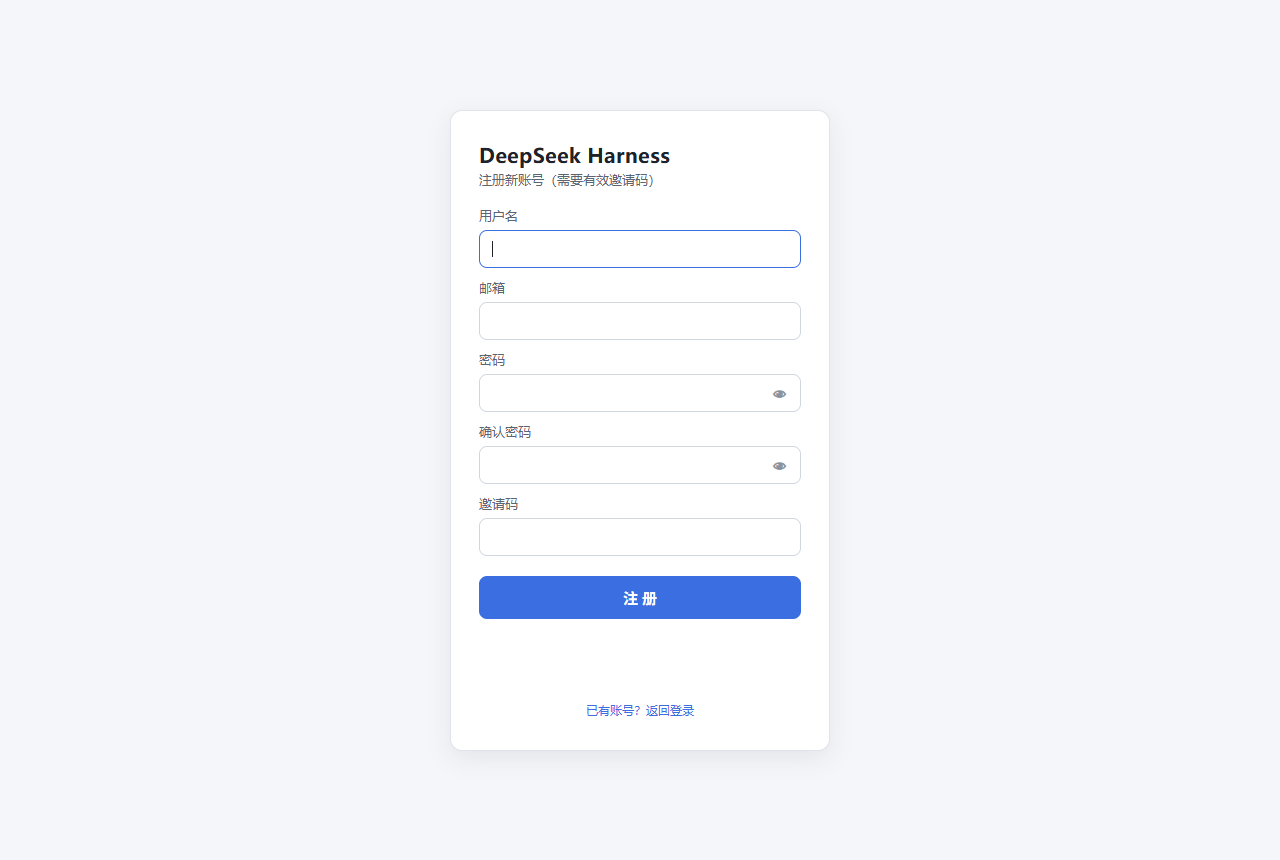
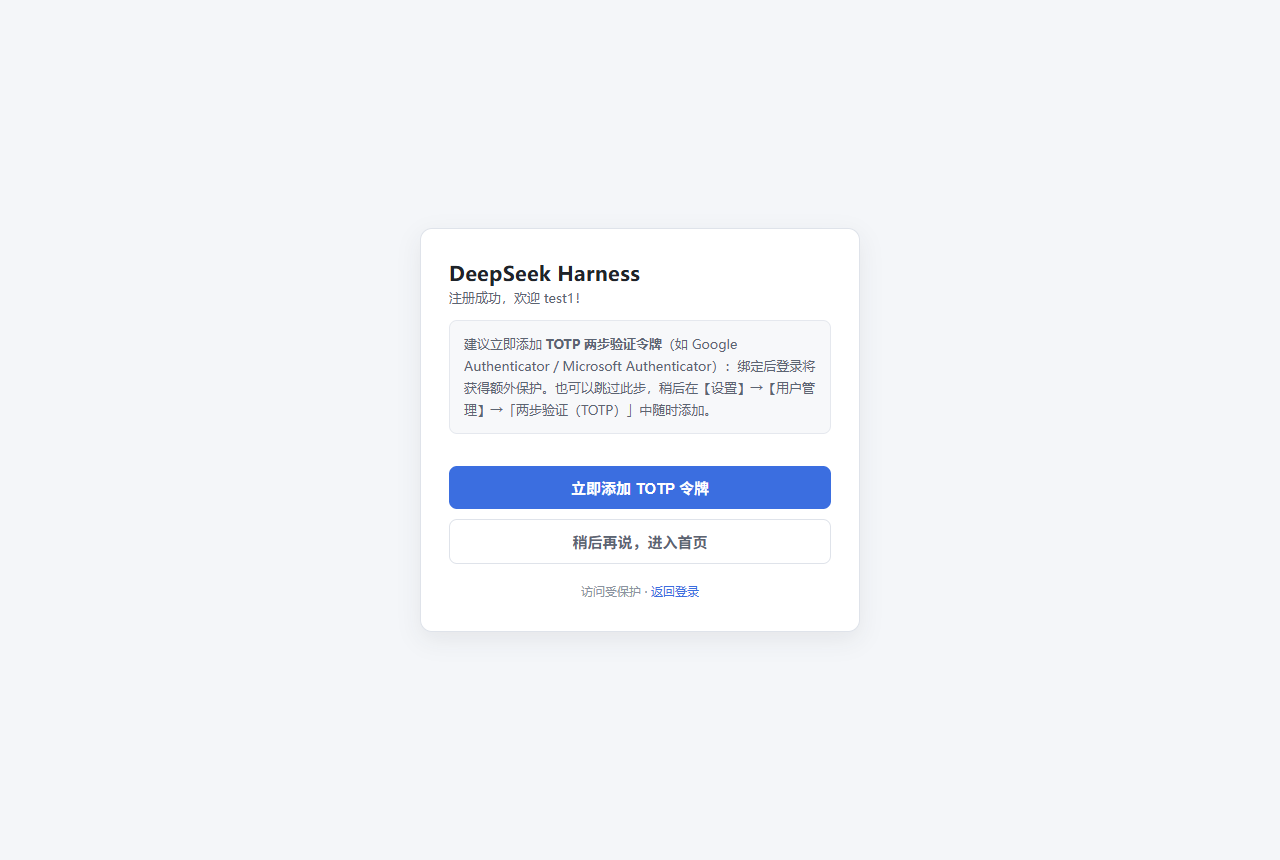
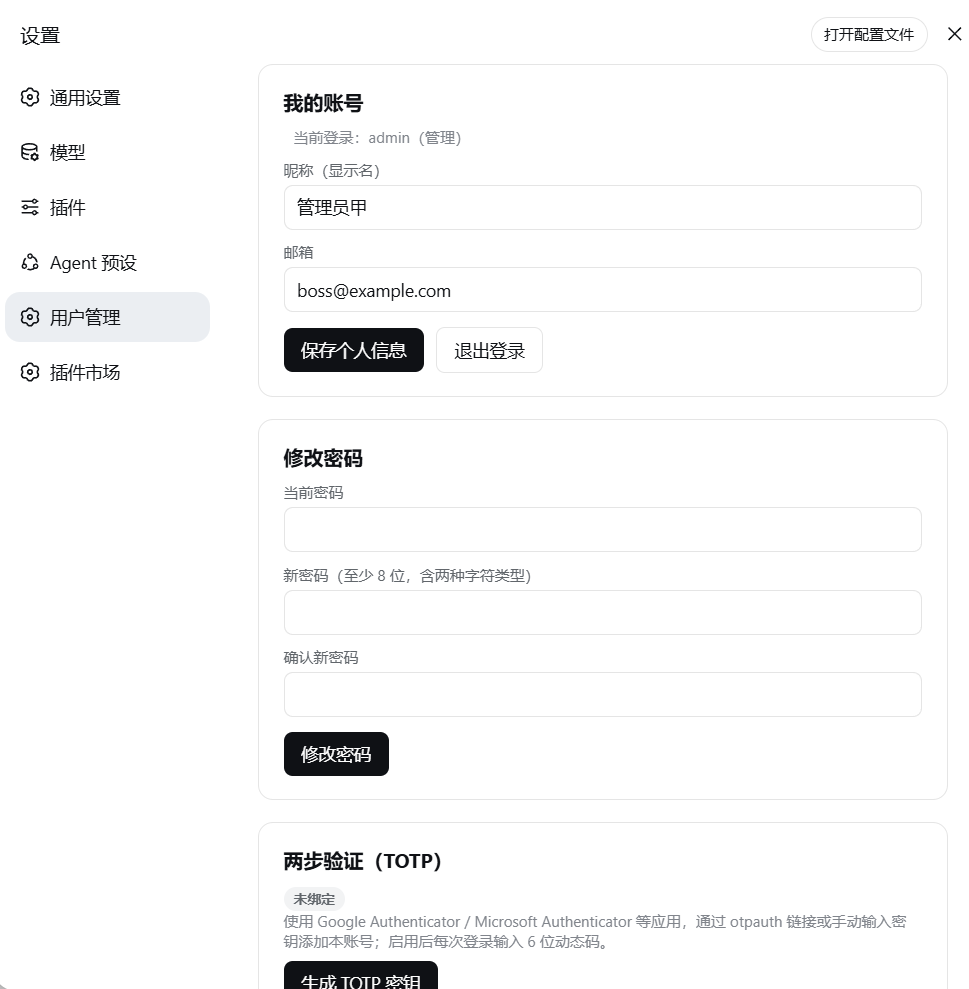
Authentication goes well beyond a password. The plugin ships a styled Chinese login page with HttpOnly + SameSite=Strict cookies and 12-hour sliding renewal. It supports TOTP two-factor authentication (RFC 6238, compatible with Google and Microsoft Authenticator, with QR-code and otpauth URI import, plus a password-free TOTP-only login mode). New users register with an email, username, password, and an admin-generated invite code, then land on the TOTP onboarding page. The user-management panel separates regular-user and admin permissions: admins can add or remove users, reset passwords, toggle roles, generate and revoke invite codes, and strip any user’s TOTP token, while built-in guards prevent accidental lockout (the last admin cannot be demoted, a user cannot delete themselves). Every sensitive action is written to a JSONL audit log, and sessions persist to disk so that a panel restart does not force re-login.
This plugin is a fit for teams or individuals running DSH behind a shared LAN, remote office, or public reverse proxy, as well as anyone who wants an extra safety net against accidental port exposure or DNS-rebinding attacks. It installs and uninstalls through the standard DSH bundle mechanism, requires only the pure-JS qrcode dependency at runtime, and makes zero modifications to DSH’s core code paths.
Screenshots
Use Cases
- Protecting an exposed DSH panel behind a shared LAN or public reverse proxy from unauthorized API and config access
- Multi-user DSH deployment requiring role-separated model config, credential management, and audit trails
- Hardening a local DSH instance with TOTP to mitigate accidental port exposure or DNS-rebinding risks
Best For
- Teams sharing a DSH panel over an office or internal network
- Developers accessing DSH remotely through an HTTPS reverse proxy
- Individuals who want an extra defense-in-depth layer to guard against credential leakage on local panels
Related Plugins

Adds an Auto approval mode on the official workspace-write sandbox, classifying semantic risks, asking when ambiguous, and denying destructive operations.

Undo/rollback system for DSH: config & plugin snapshots, one-click undo/redo/restore, message-level revert, secret masking, safe mode, and offline WebUI/GUI/CLI rescue tools for when DSH won't start.
Packages all 87 SKILL.md files from upstream reverse-skill as a DeepSeek Harness plugin that auto-registers them for authorized reverse engineering, penetration testing, and security research.
Dockyard DSH is a native DeepSeek Harness plugin that unifies official OAuth/client sessions for Codex, Antigravity, Grok, Claude, and Cursor, providing account pool, model catalog, and quota status.