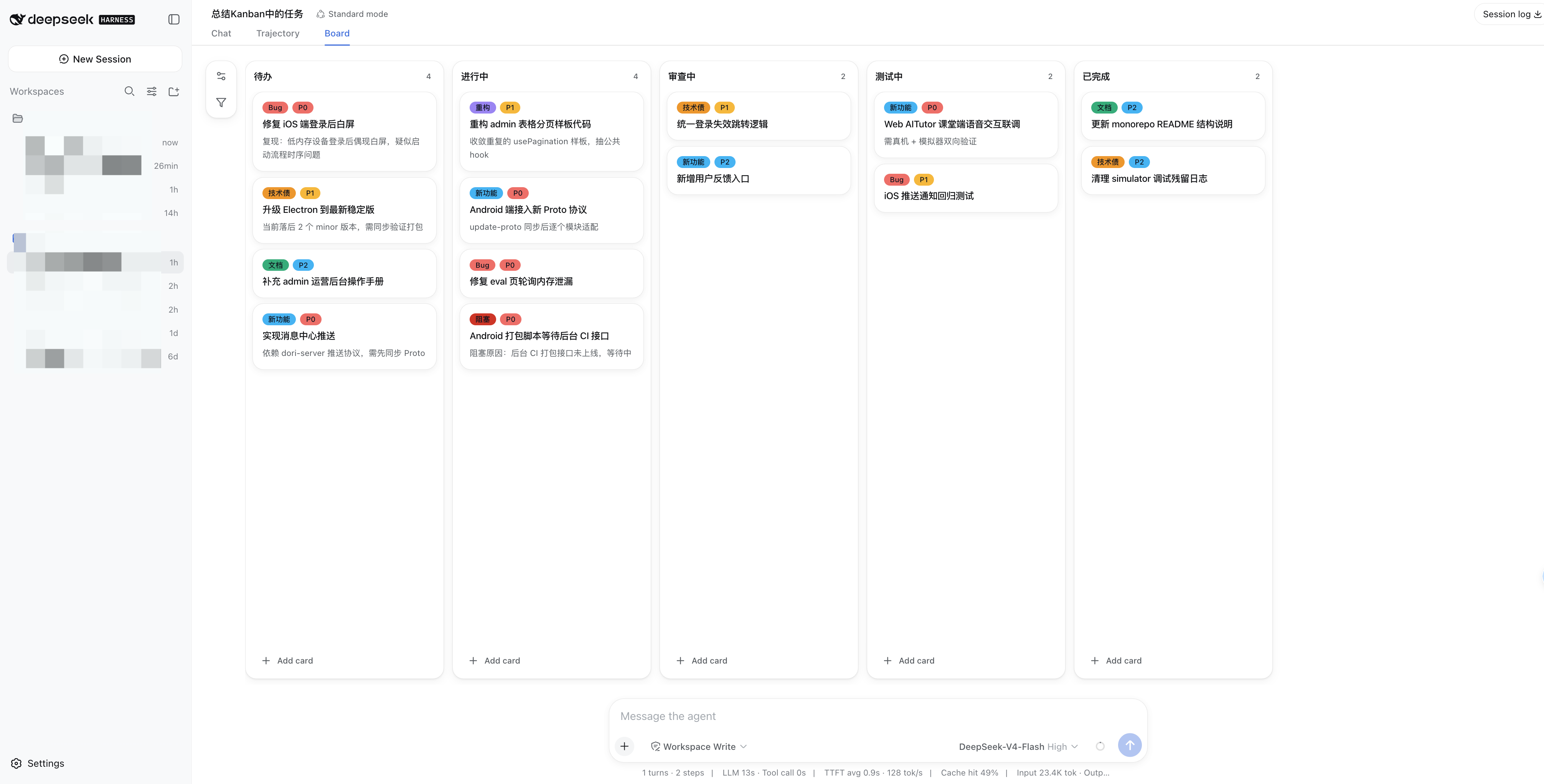
dsh-kanban
Run the following command in DeepSeek Harness:
dsh plugin install alpacachen/dsh-kanban
Paste the following prompt into your AI chat to install this plugin:
To install the dsh-kanban plugin in DeepSeek Harness, use the command: dsh plugin install alpacachen/dsh-kanban, with the source code available at https://github.com/alpacachen/dsh-kanban.
About this plugin
The workflow of AI-assisted work often suffers from a key inefficiency: plans generated in conversation must be manually copied to a separate project tracker, leading to context switching and synchronization issues. The dsh-kanban plugin brings a collaborative kanban board directly into DeepSeek Harness, allowing you and your AI agent to plan, organize, and advance work together in a single interface. Its core capability lies in turning conversations into action—simply tell the agent your goals, and it will automatically create cards, set priorities, add labels, and update the board in real-time. You can take over at any time by dragging cards, editing notes, or filtering tasks, and the agent will immediately reflect these changes. This ensures that everyone (or you alone) works from the same source of truth, eliminating information silos.
dsh-kanban is ideal for anyone looking to seamlessly blend AI planning with task execution. Whether you're a developer building features, a lawyer managing cases, or a project manager tracking progress, you can quickly set up a customized board through natural language interactions, without designing the workflow from scratch. The plugin adapts to DeepSeek Harness's theme and language settings, offers familiar dark mode, and allows you to invoke kanban tools directly in chat, keeping your work coherent and efficient.
Screenshots
Use Cases
- Collaborate with AI agent on planning software feature development
- Manage project task progress, such as creating cards and setting priorities
- Update board status directly within conversation
Best For
- Developers needing AI-assisted project management
- Project managers seeking to integrate planning with execution
- Professionals using DeepSeek Harness for daily task management
Related Plugins

A method pack that makes AI coding agents plan against your real baseline, prove completion with fresh evidence, and reduce reworks and unsafe changes.

Turns the DeepSeek Harness session into a captain that builds a durable sub-agent team, splits goals into dependency-aware tasks, and coordinates work via direct messages and a live Web UI.
Gives coding agents design judgment, letting Claude Code, Cursor, and 70+ agents generate and iterate high-quality UI, presentations, and graphics right from the terminal.
Run the Pi ecosystem's plugins on DeepSeek Harness, unmodified, via a compatibility layer that implements Pi's public extension ABI on DSH's native services.