dsh-ip-https
Run the following command in DeepSeek Harness:
dsh plugin install qiufengcrl/dsh-ip-https
Paste the following prompt into your AI chat to install this plugin:
Run dsh plugin install qiufengcrl/dsh-ip-https in DeepSeek Harness to install the plugin, source available at https://github.com/qiufengcrl/dsh-ip-https
About this plugin
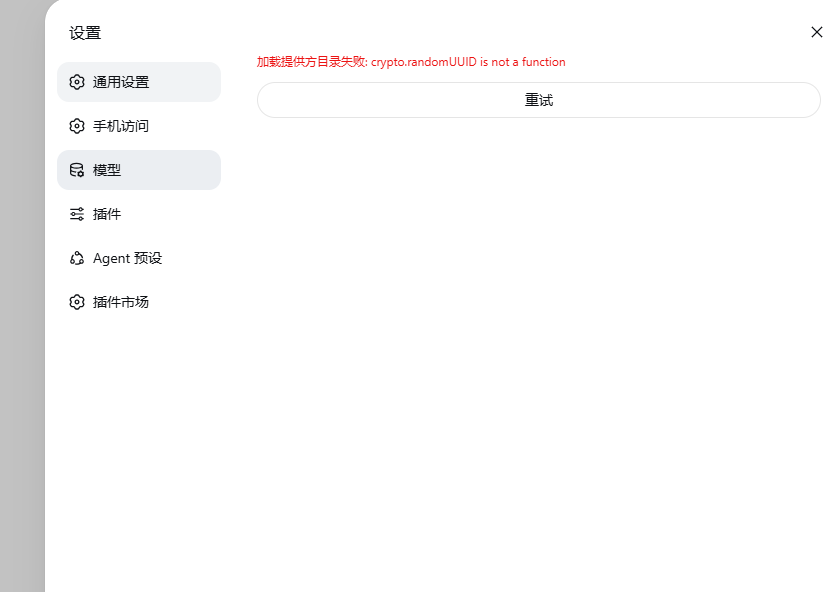
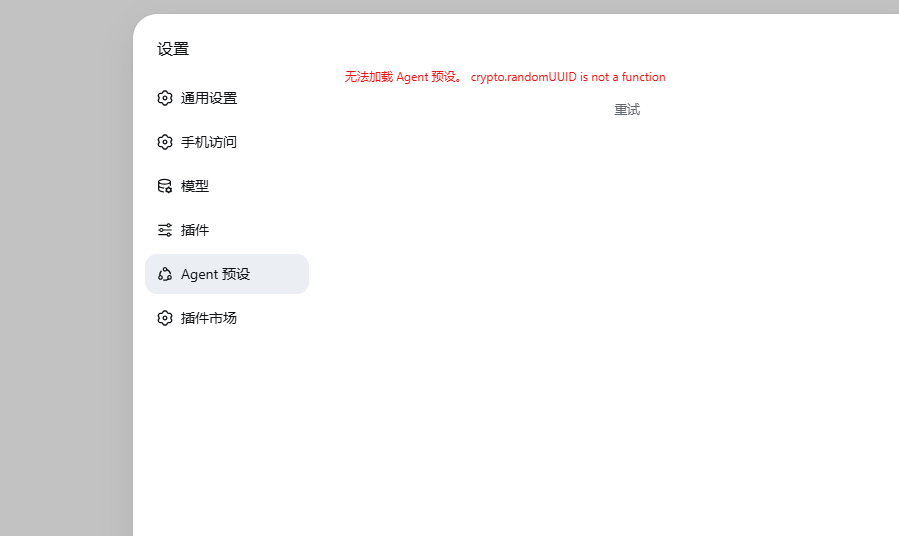
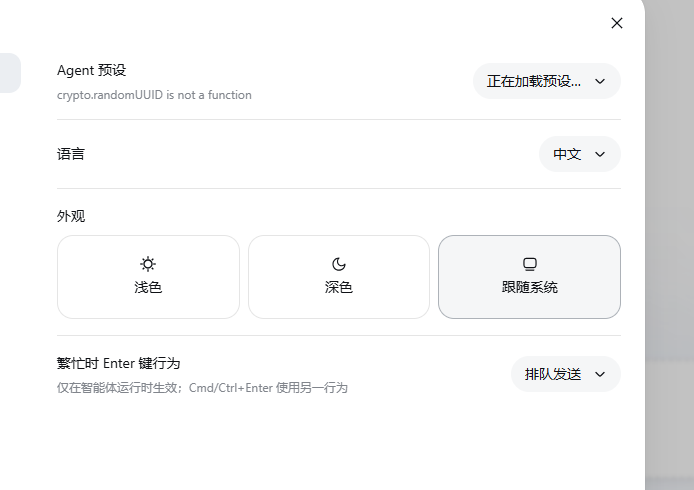
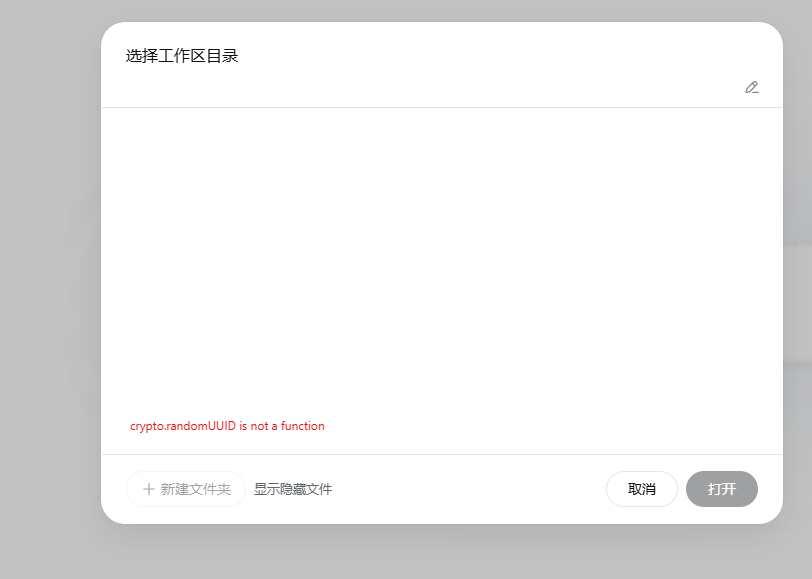
Opening the DeepSeek Harness web UI through a raw public IP exposes a nasty browser problem: without a secure context, crypto.randomUUID is unavailable, and the settings page, workspace, and model loading all fail outright. On top of that, privileged RPC calls and tunnel.start return 403 because the Host header does not match 127.0.0.1, and every restart forces you to fish the launch token out of the terminal log.
dsh-ip-https tackles all three issues in one pass. It injects a polyfill script into the page to restore crypto.randomUUID and enable the settings panel to write settings.yaml in local mode; it rewrites the Host and Origin headers so privileged requests bypass the 403; and it handles HTTPS end-to-end by detecting your public IP, requesting a short-lived Let's Encrypt IP certificate (roughly 6-day validity), redirecting port 80 to 443, and auto-renewing about 48 hours before expiry. No domain, no ICP filing, and not a single line of nginx to hand-write. The login flow is smoothed over as well: opening the root URL redirects to the current process token page, so a phone and a laptop only need one bookmark instead of digging through startup logs each time.
This plugin is built for developers who manage DeepSeek Harness over a bare public IP without a domain or a desire to go through ICP registration. If you already run an nginx reverse proxy, the settings page and privileged RPCs become functional the moment you install the plugin, while HTTPS stays under your existing proxy. One caveat: anyone who can reach that IP can change models and run commands, so lock down the source with a security group or VPN.
Screenshots
Use Cases
- Remote-browsing the Harness web UI over a raw public IP breaks the settings page, workspace, and model loading
- No domain available and no desire to go through ICP filing, yet the browser requires a secure context to function
- Already reverse-proxying an IP with nginx, want to unlock the settings page and privileged RPC without touching proxy config
Best For
- Developers managing DeepSeek Harness over a bare public IP
- Individuals or small teams without a domain or ICP filing appetite
- Users already running an nginx reverse proxy who need the settings page and privileged RPC unlocked
Related Plugins

Adds an Auto approval mode on the official workspace-write sandbox, classifying semantic risks, asking when ambiguous, and denying destructive operations.

Undo/rollback system for DSH: config & plugin snapshots, one-click undo/redo/restore, message-level revert, secret masking, safe mode, and offline WebUI/GUI/CLI rescue tools for when DSH won't start.
Packages all 87 SKILL.md files from upstream reverse-skill as a DeepSeek Harness plugin that auto-registers them for authorized reverse engineering, penetration testing, and security research.
Dockyard DSH is a native DeepSeek Harness plugin that unifies official OAuth/client sessions for Codex, Antigravity, Grok, Claude, and Cursor, providing account pool, model catalog, and quota status.