deepseek-harness-flow
Run the following command in DeepSeek Harness:
dsh plugin install alison-xx/deepseek-harness-flow
Paste the following prompt into your AI chat to install this plugin:
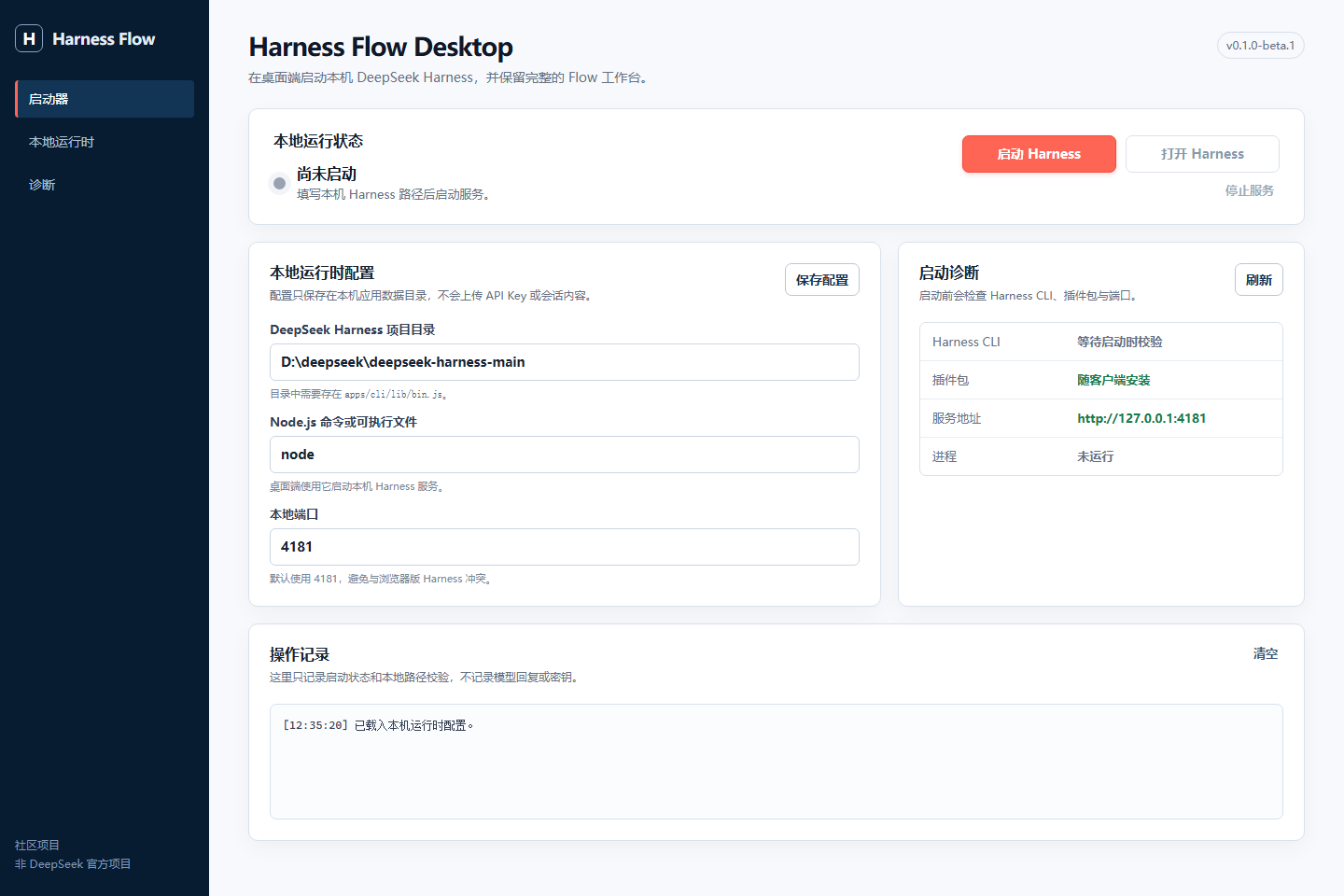
Run dsh plugin install alison-xx/deepseek-harness-flow in your terminal to install this plugin; the full source is available at https://github.com/alison-xx/deepseek-harness-flow . After installation, restart the web profile and select Harness Flow beside the original Chat view in any session.
About this plugin
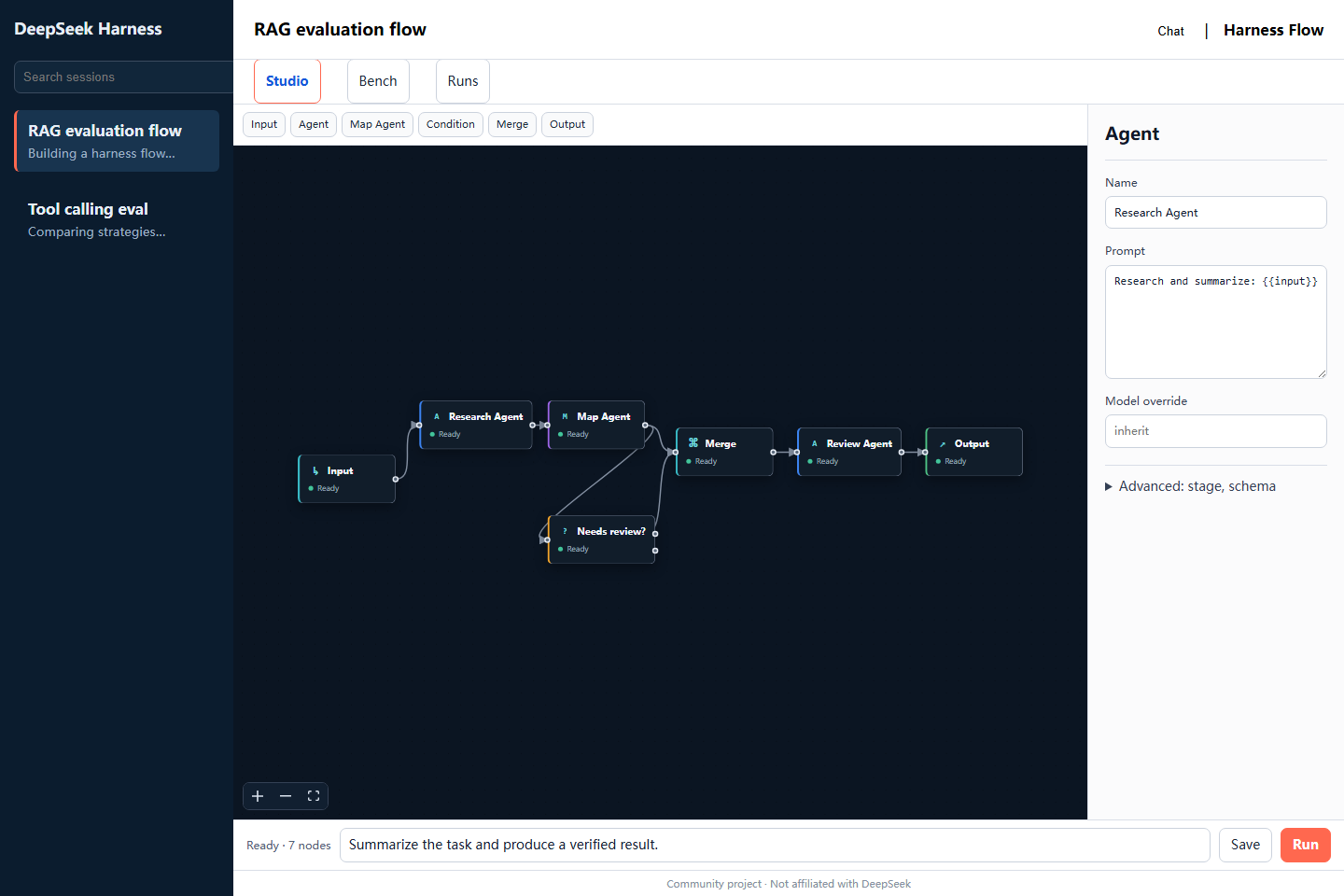
DeepSeek Harness is designed around conversations and sessions, but real deployments often demand chaining multiple agent nodes into a reusable pipeline and benchmarking DeepSeek, OpenAI, Anthropic, and other providers under a unified standard. deepseek-harness-flow addresses this gap by layering an independent Harness Flow view on top of the existing experience, turning visual workflow orchestration and multi-model evaluation into a natural extension of any regular session.
The Flow view is organized around three focused tabs: Studio offers drag-and-drop editing and instant execution of Input, Agent, Map Agent, Condition, Merge, and Output nodes; Bench runs built-in or imported evaluation suites across multiple provider routes in parallel, with an independent judge assigning a formal 100-point score weighted 50% objective, 30% judge, 10% safety, and 10% stability; and Runs persists every result, supporting redacted exports and formal ranking queries. API keys are passed only through credentials.set, never persisted by the plugin, and no telemetry is collected.
It is well suited for developers and AI engineering teams who want to elevate agent pipelines from ad-hoc scripts to visual, auditable workflows, need to quantify and compare model capabilities across providers under one benchmark, and require compliance-ready, reproducible evaluation records.
Screenshots
Use Cases
- Chain multiple Agent nodes into a reusable visual workflow
- Compare DeepSeek and other providers under one unified benchmark
- Audit every evaluation run with redacted export support
Best For
- Engineers who want to upgrade agent pipelines from scripts to visual workflows
- Technical decision-makers who need quantified, traceable reports across model providers
- Enterprise teams with strict requirements for evaluation compliance, audit trails, and credential security
Related Plugins

A method pack that makes AI coding agents plan against your real baseline, prove completion with fresh evidence, and reduce reworks and unsafe changes.

Turns the DeepSeek Harness session into a captain that builds a durable sub-agent team, splits goals into dependency-aware tasks, and coordinates work via direct messages and a live Web UI.
Gives coding agents design judgment, letting Claude Code, Cursor, and 70+ agents generate and iterate high-quality UI, presentations, and graphics right from the terminal.
Run the Pi ecosystem's plugins on DeepSeek Harness, unmodified, via a compatibility layer that implements Pi's public extension ABI on DSH's native services.