dsh-compat
Run the following command in DeepSeek Harness:
dsh plugin install rvaim/dsh-compat
Paste the following prompt into your AI chat to install this plugin:
To install this compatibility layer plugin in DeepSeek Harness, the source repository is https://github.com/rvaim/dsh-compat. Run dsh plugin install rvaim/dsh-compat to complete the installation.
About this plugin
As DeepSeek Harness matures into a next-generation agent workflow engine, many teams still carry a backlog of legacy Claude Code or Codex plugins—Skills, MCP servers, Hook scripts spread across repositories. Rewriting every one from scratch is costly and risks losing the original semantics. dsh-compat bridges that gap: it onboards a legacy plugin as a single lifecycle unit into DSH, preserving the original directory layout, configuration semantics, and operational behavior so nothing has to be redesigned on the DSH side.
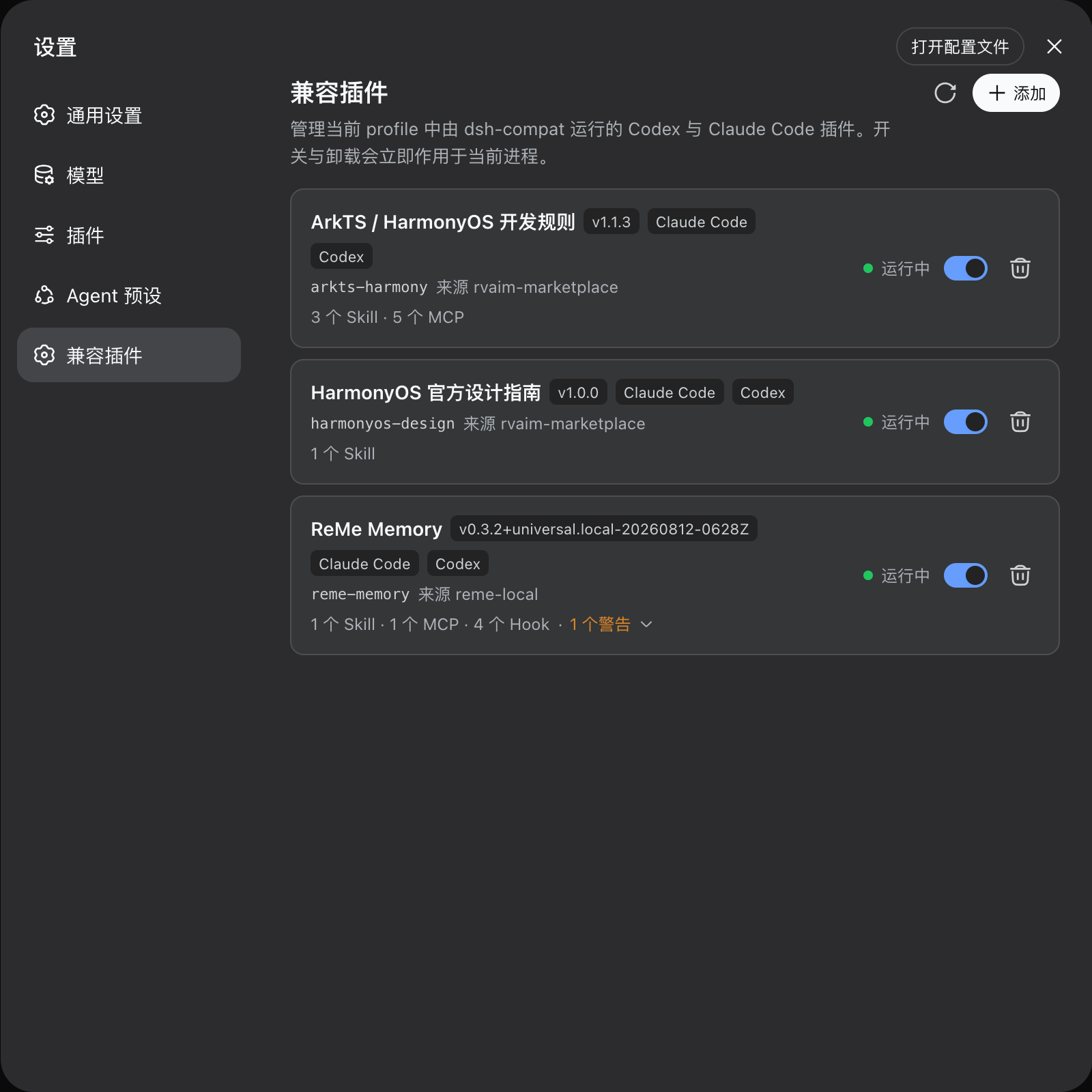
Architecturally, dsh-compat separates Source (origin) from Plugin (runtime instance) as two distinct management layers, accepting plugins from Git URLs, local directories, or archive files. A single atomic install covers Skill discovery with dynamic providers, MCP stdio and streamable-http wiring, and Hook parsing with event mapping. Install, enable, update, and rollback all operate as whole-transaction actions—if any target fails, nothing is committed. Administrators can manage everything through the DSH web settings page, or drive the lifecycle programmatically via the ctx.compat service API from other DSH plugins. A built-in diagnostic system surfaces findings at error, warning, and info levels so that compatibility gaps stay transparent rather than silently degrading.
It is well suited for DSH users who want to keep their existing Claude Code or Codex plugin assets productive, particularly when those plugins involve complex Hook orchestration, multiple MCP services, or dynamic Skill Providers. Teams rolling out DSH internally will also find it a useful bridge during the transition window, keeping legacy tooling alive while new-native plugins are being written.
Screenshots
Use Cases
- Onboard existing Claude Code or Codex plugins into DSH without rewriting
- Batch enable, update, uninstall legacy plugins via the web settings page and review diagnostics
- Drive legacy plugin lifecycle programmatically from other DSH plugins via the ctx.compat service API
Best For
- Developers with existing Claude Code or Codex plugin assets who want them running in DSH
- Workflow builders with complex Hook orchestration, multiple MCP services, or dynamic Skill Providers
- Engineering teams rolling out DSH internally and needing a transition bridge for legacy tooling
Related Plugins

A method pack that makes AI coding agents plan against your real baseline, prove completion with fresh evidence, and reduce reworks and unsafe changes.

Turns the DeepSeek Harness session into a captain that builds a durable sub-agent team, splits goals into dependency-aware tasks, and coordinates work via direct messages and a live Web UI.
Gives coding agents design judgment, letting Claude Code, Cursor, and 70+ agents generate and iterate high-quality UI, presentations, and graphics right from the terminal.
Run the Pi ecosystem's plugins on DeepSeek Harness, unmodified, via a compatibility layer that implements Pi's public extension ABI on DSH's native services.