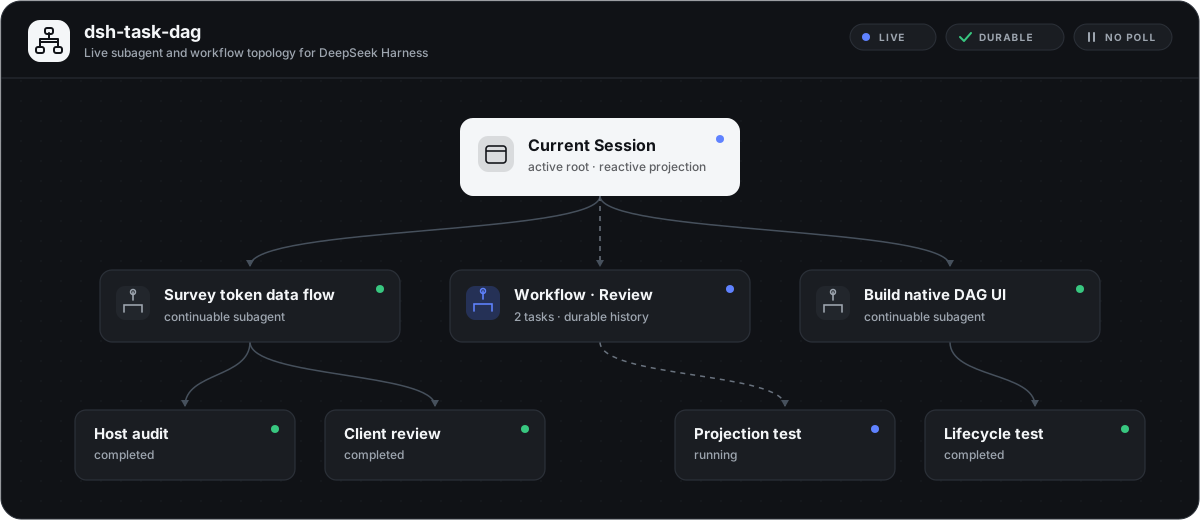
dsh-task-dag
Run the following command in DeepSeek Harness:
dsh plugin install LeemanCheung/dsh-task-dag
Paste the following prompt into your AI chat to install this plugin:
Execute the installation command dsh plugin install LeemanCheung/dsh-task-dag within your DeepSeek Harness environment after locating the official repository at https://github.com/LeemanCheung/dsh-task-dag, then refresh the application interface to load the plugin.
About this plugin
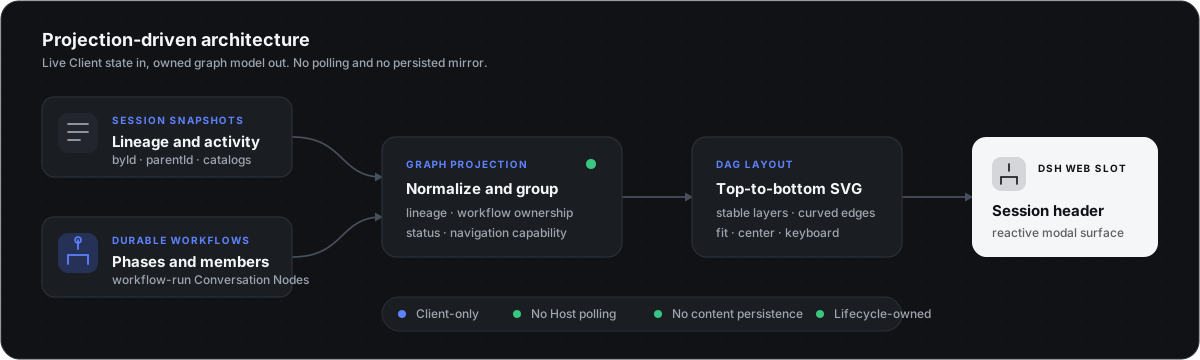
As multi-agent collaborations grow increasingly complex, the lineage of delegated sessions, internal task dependencies, and inter-agent communication in DeepSeek Harness Web often remain buried within verbose logs. dsh-task-dag addresses this black-box orchestration challenge by transforming existing client projections into intuitive, real-time topology graphs—eliminating the need for external databases or polling loops while keeping system performance lean.
The plugin introduces three focused perspectives: an Overview dashboard, an Agent Teams dependency mapper, and a Workflow execution tracker. Within the Team view, developers can trace real blockedBy task chains, monitor directed communication channels with quiet/wakeup states, and jump directly to active sessions. The Workflow view visualizes durable phase groupings and node outcomes, complete with a read-only inspector that reveals the underlying JavaScript orchestration script and declaration metadata. Users retain full control over the interactive canvas, enjoying smooth panning, node dragging with synchronized edges, and persistent per-view layouts across sessions.
Designed primarily for DSH developers debugging intricate agent hierarchies, AI researchers auditing dynamic task distributions, and power users exploring Harness internals, this tool acts as a precise visual debugger. By operating entirely as a secure, browser-side read-only layer that extracts only currently visible session data, it empowers your team to map, understand, and optimize complex orchestrations without compromising privacy or runtime stability.
Screenshots
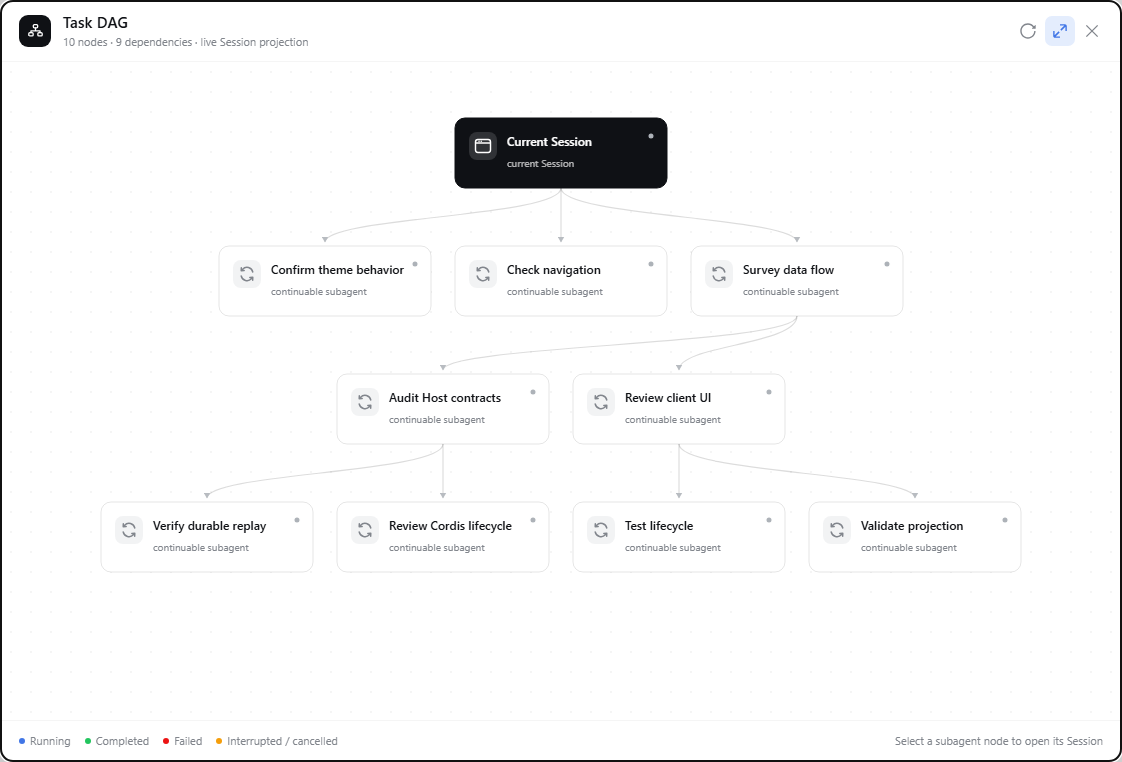
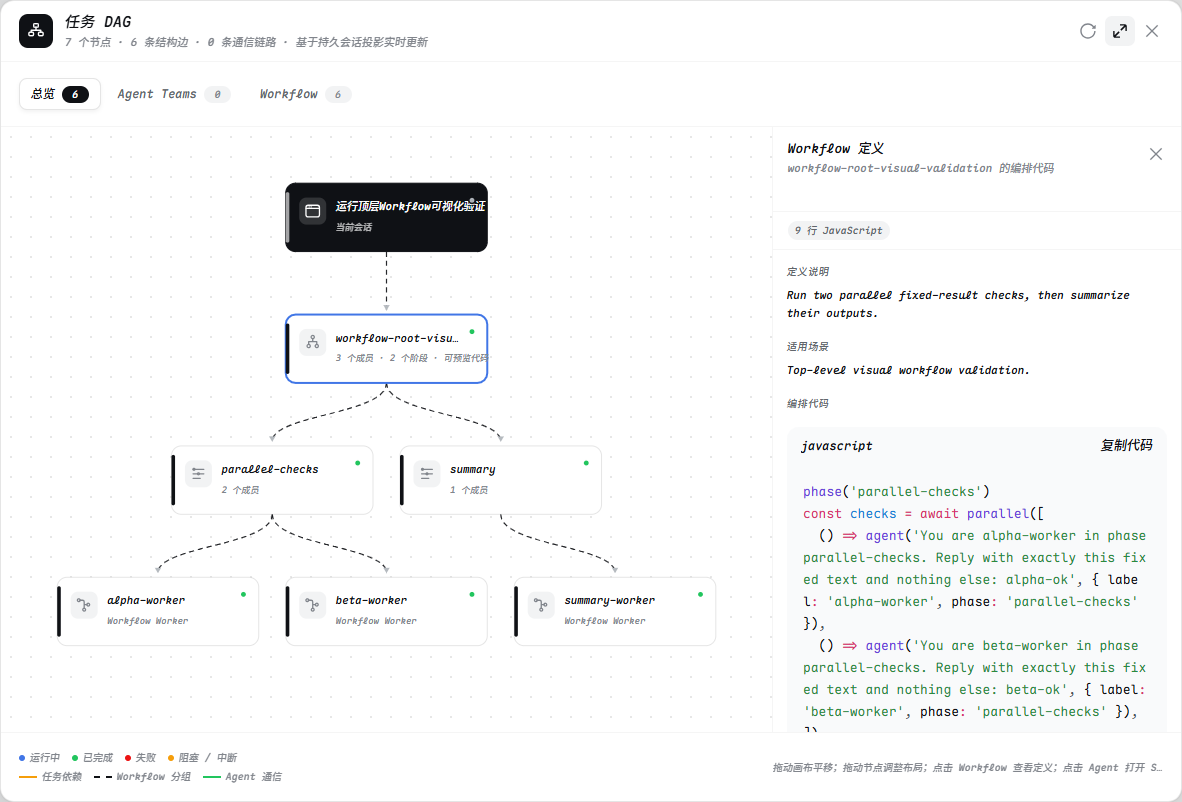
Use Cases
- Debug multi-agent teams by visually inspecting task assignments and blockedBy dependency chains.
- Track durable workflow runs by monitoring phase groupings and real-time node status updates.
- Diagnose communication bottlenecks by exploring directed message channels and queue states.
Best For
- DSH developers deeply debugging session lineage and inter-agent communication logic.
- Researchers or QA engineers focused on auditing dynamic task flows and execution paths.
- Power users who prefer interactive topology graphs for system architecture analysis and troubleshooting.
Related Plugins

A method pack that makes AI coding agents plan against your real baseline, prove completion with fresh evidence, and reduce reworks and unsafe changes.

Turns the DeepSeek Harness session into a captain that builds a durable sub-agent team, splits goals into dependency-aware tasks, and coordinates work via direct messages and a live Web UI.
Gives coding agents design judgment, letting Claude Code, Cursor, and 70+ agents generate and iterate high-quality UI, presentations, and graphics right from the terminal.
Run the Pi ecosystem's plugins on DeepSeek Harness, unmodified, via a compatibility layer that implements Pi's public extension ABI on DSH's native services.