dsh-slide
Run the following command in DeepSeek Harness:
dsh plugin install JeremyGuo/dsh-slide
Paste the following prompt into your AI chat to install this plugin:
Run dsh plugin install JeremyGuo/dsh-slide in the DeepSeek Harness terminal to install (source: https://github.com/JeremyGuo/dsh-slide).
About this plugin
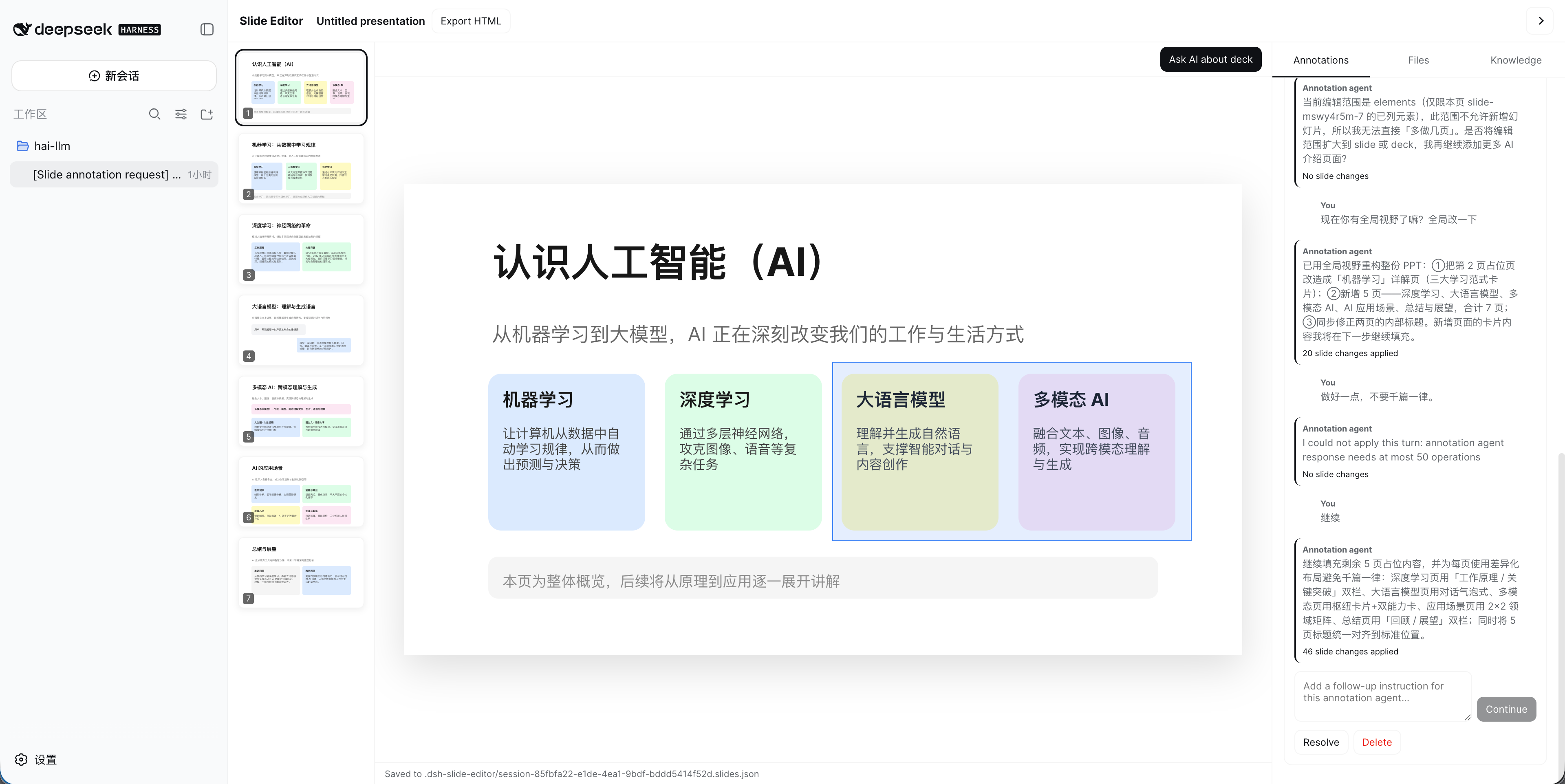
In the DeepSeek Harness Web UI, chat surfaces and visual editing tools have traditionally lived in separate windows. dsh-slide turns the currently open conversation into a 16:9 multi-slide slide canvas while keeping the same Session, AI input channel, and Workspace intact. Flip the switch and the chat panel becomes a presentation editor; flip it back and everything is exactly as before, with no impact on any other conversation.
All editing is driven by AI annotation agents. Select one or more objects, a page, or the entire deck, then type an instruction. The agent produces validated operations that are applied immediately to the canvas: adding images, drawing SVG polygons and Bézier curves, updating element properties, and inserting new pages. Each annotation maintains its own message thread and focus scope, so multiple annotations can progress in parallel without blocking one another. The right-hand panel streams visible assistant responses and tool lifecycle events in real time, and lets you collapse threads, review applied-operation counts, resolve, or delete annotations. The finished deck exports to a standalone browser presentation with keyboard navigation, fullscreen mode, and print-to-PDF, with Workspace images embedded as data URIs.
The plugin suits teams that prefer directing layout through natural language rather than manually dragging and resizing elements, as well as developers who iterate on slide decks inside a conversation and version-control them as *.slides.json files. The current protocol covers text, rectangles, images, SVG-path geometry, page updates, and page insertion; editable PPTX export, charts, tables, and rich-text runs are not yet supported.
Screenshots
Use Cases
- Iterating on slide layout through natural language inside a conversation
- Switching a chat window into a 16:9 slide canvas to draft a report
- Exporting a standalone browser presentation for offline sharing or print-to-PDF
Best For
- Design teams that prefer directing layout via natural language instead of manual dragging
- Developers who iterate on slide decks inside a conversation
- Engineering teams that want JSON-based versioning of presentations
Related Plugins

A method pack that makes AI coding agents plan against your real baseline, prove completion with fresh evidence, and reduce reworks and unsafe changes.

Turns the DeepSeek Harness session into a captain that builds a durable sub-agent team, splits goals into dependency-aware tasks, and coordinates work via direct messages and a live Web UI.
Gives coding agents design judgment, letting Claude Code, Cursor, and 70+ agents generate and iterate high-quality UI, presentations, and graphics right from the terminal.
Run the Pi ecosystem's plugins on DeepSeek Harness, unmodified, via a compatibility layer that implements Pi's public extension ABI on DSH's native services.