dsh-taskify
Run the following command in DeepSeek Harness:
dsh plugin install GearVoid/dsh-taskify
Paste the following prompt into your AI chat to install this plugin:
Run dsh plugin install GearVoid/dsh-taskify in your terminal to install the plugin; the full source code is hosted at https://github.com/GearVoid/dsh-taskify. Restart DSH Web after installing to pick up the new Host and Client bundles.
About this plugin
A smarter Coding Agent is often one that does more than you asked. In a multi-turn task, the constraints you wrote in the first prompt — "do not touch the backend", "no new dependencies" — quietly fade by the third turn.
Taskify pins those boundaries with two lightweight mechanisms: Focus answers "how far should I go this time" (one per session, user-authored or AI-suggested then user-confirmed); Persistent Anchors answer "what must not change" (extracted only from hard constraints explicitly stated in the current prompt, each backed by exact traceable evidence, with no preference upgraded into a rule and nothing invented). Neither rewrites your original prompt nor auto-sends anything; once active, both are injected into the system context every turn so you stop repeating yourself.
It is built for developers running multi-turn coding sessions in DeepSeek Harness who want a controllable, non-invasive way to keep the agent inside agreed-upon limits — persistent model guidance, not a sandbox or a policy engine.
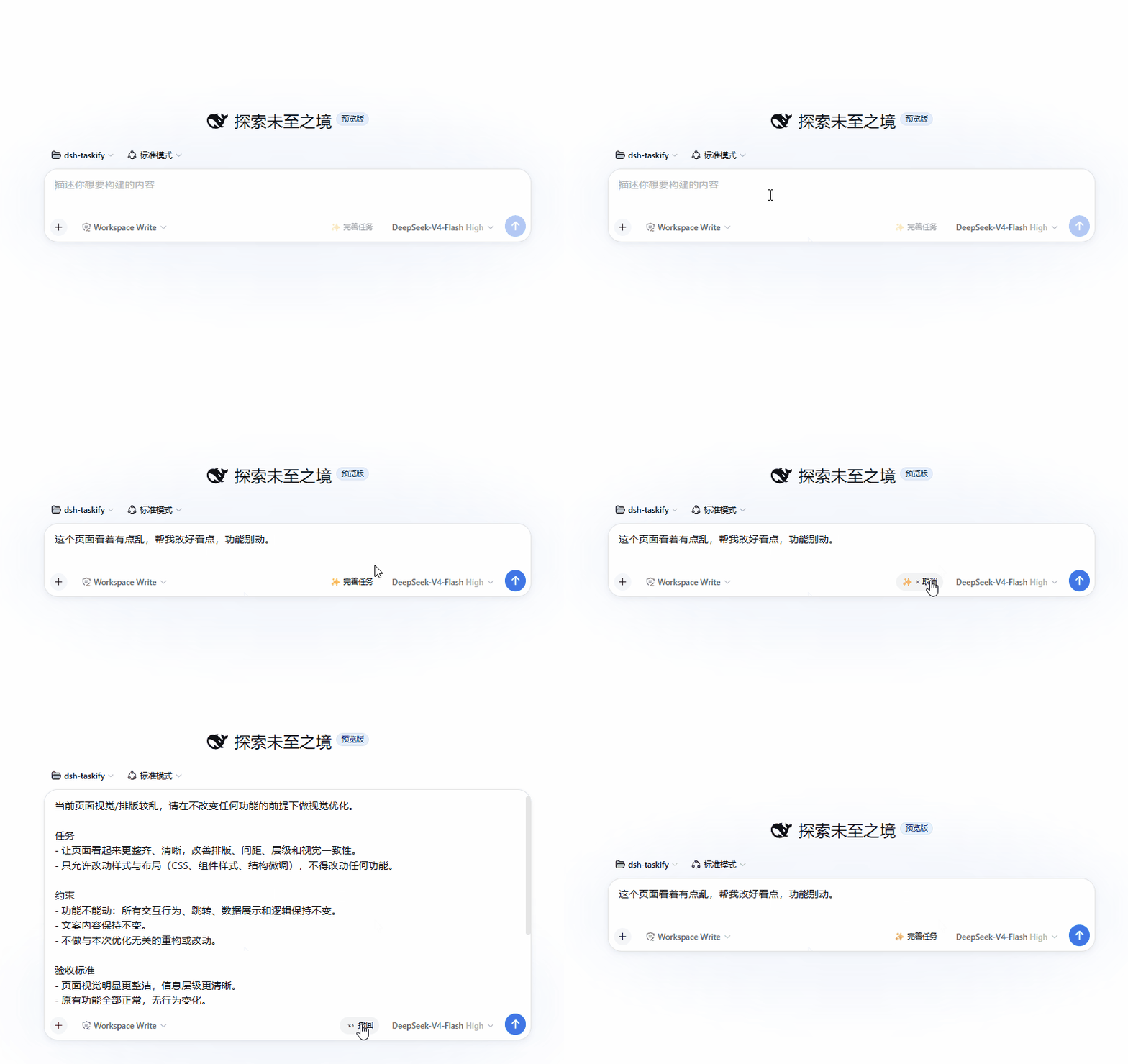
Screenshots
Use Cases
- Preventing scope creep in multi-turn coding sessions
- Keeping hard constraints like “no new deps” alive across many turns
- Lightweight boundary guidance without sandbox or policy engine
Best For
- Developers running multi-turn coding tasks in DeepSeek Harness
- Users who want agent boundary control without full sandboxing
- Engineers who prefer prompt-level guidance over mechanical interception
Related Plugins

Adds an Auto approval mode on the official workspace-write sandbox, classifying semantic risks, asking when ambiguous, and denying destructive operations.

Undo/rollback system for DSH: config & plugin snapshots, one-click undo/redo/restore, message-level revert, secret masking, safe mode, and offline WebUI/GUI/CLI rescue tools for when DSH won't start.
Packages all 87 SKILL.md files from upstream reverse-skill as a DeepSeek Harness plugin that auto-registers them for authorized reverse engineering, penetration testing, and security research.
Dockyard DSH is a native DeepSeek Harness plugin that unifies official OAuth/client sessions for Codex, Antigravity, Grok, Claude, and Cursor, providing account pool, model catalog, and quota status.