dsh-worktrees
Run the following command in DeepSeek Harness:
dsh plugin install lwklbb/dsh-worktrees
Paste the following prompt into your AI chat to install this plugin:
Run dsh plugin install lwklbb/dsh-worktrees in the DeepSeek Harness terminal to install this plugin; the full source code is available at https://github.com/lwklbb/dsh-worktrees, and after restarting or refreshing DSH the Worktrees option will appear in the settings panel.
About this plugin
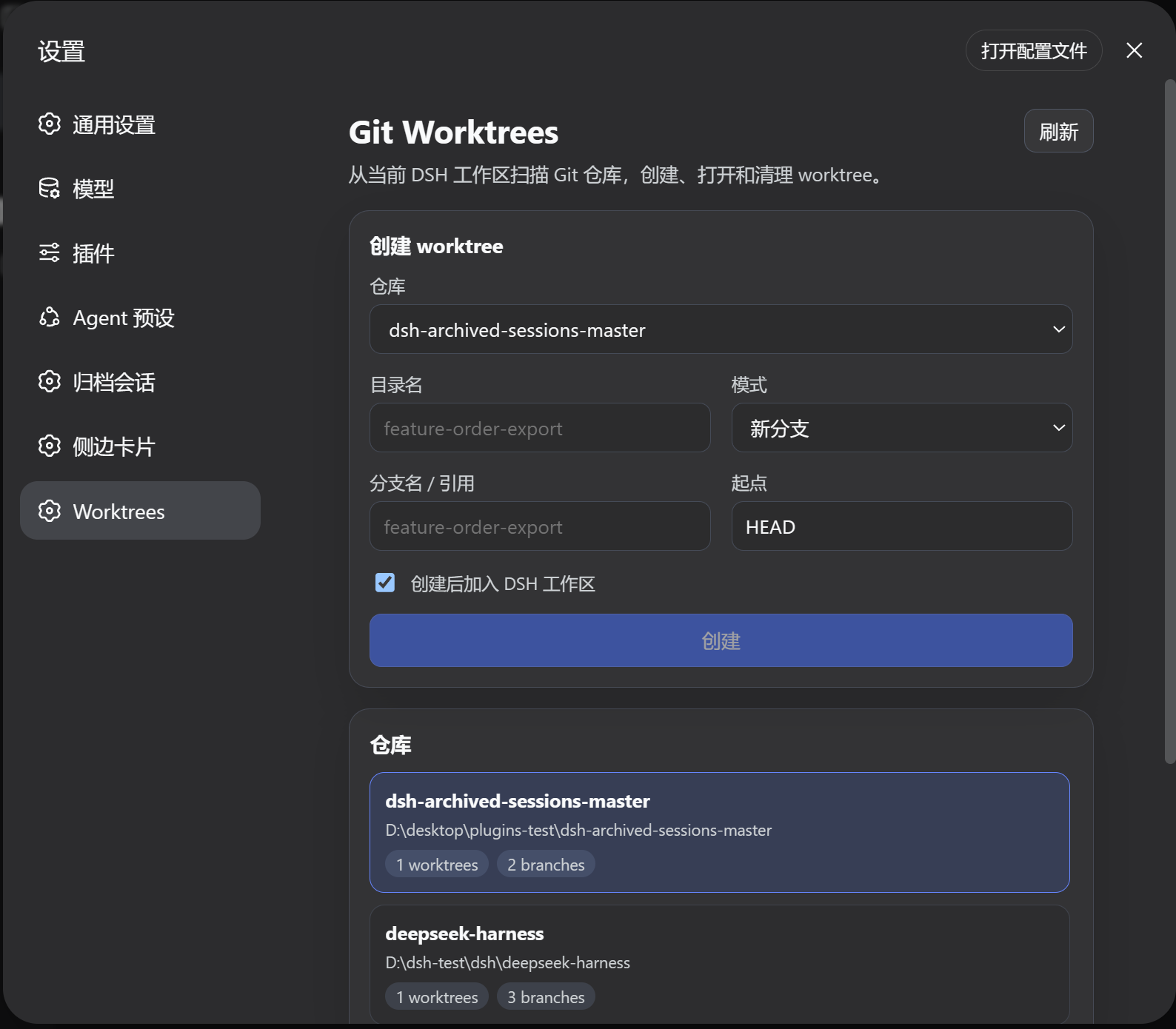
Working on several branches of the same repository in parallel usually means endless stash-restore cycles, constant git checkout hops, or a wall of terminal commands. dsh-worktrees folds all of that into a single settings-panel page. Open the Worktrees tab and the plugin scans the current DSH workspaces for recognizable Git repositories, giving you one visual dashboard instead of a terminal session.
The plugin covers the full worktree lifecycle. Creation supports three modes: branch off the current HEAD for new feature work, attach an existing local branch or remote reference to its own directory, or check out a commit, tag, or remote ref in detached mode without creating a local branch. After creation, a default-checked option registers the new worktree in the DSH workspace so it appears in the sidebar ready to open. The list view surfaces branch name, clean versus changed status, ahead-and-behind counts, detached state, and the main-worktree flag at a glance. Removal delegates to the official git worktree remove command so Git itself decides whether the deletion is safe, and a Prune button cleans up stale records. Scanning is scoped to the current DSH workspace paths only; the plugin never traverses the whole disk.
It is built for engineers who drive multiple branches of the same repo side by side inside DSH: keep main on the mainline, give a feature branch and a hotfix branch each their own worktree, and push forward without blocking one another or shuttling between terminal and editor.
Screenshots
Use Cases
- Keep main on the mainline while developing a feature and a hotfix in parallel worktrees
- Inspect a specific commit or tag in detached mode for review without switching branches
- Remove stale worktree records to keep the DSH workspace tidy
Best For
- Engineers driving multiple branches of the same repo in parallel inside DSH
- Git users who prefer a visual panel over repeated terminal commands
- Small teams that need isolated directories for feature and hotfix work
Related Plugins

A method pack that makes AI coding agents plan against your real baseline, prove completion with fresh evidence, and reduce reworks and unsafe changes.

Turns the DeepSeek Harness session into a captain that builds a durable sub-agent team, splits goals into dependency-aware tasks, and coordinates work via direct messages and a live Web UI.
Gives coding agents design judgment, letting Claude Code, Cursor, and 70+ agents generate and iterate high-quality UI, presentations, and graphics right from the terminal.
Run the Pi ecosystem's plugins on DeepSeek Harness, unmodified, via a compatibility layer that implements Pi's public extension ABI on DSH's native services.