OctoOps
Run the following command in DeepSeek Harness:
dsh plugin install hesiwen66/OctoOps
Paste the following prompt into your AI chat to install this plugin:
Run dsh plugin install hesiwen66/OctoOps in your DeepSeek Harness terminal to install the plugin; refer to the source at https://github.com/hesiwen66/OctoOps for configuration details.
About this plugin
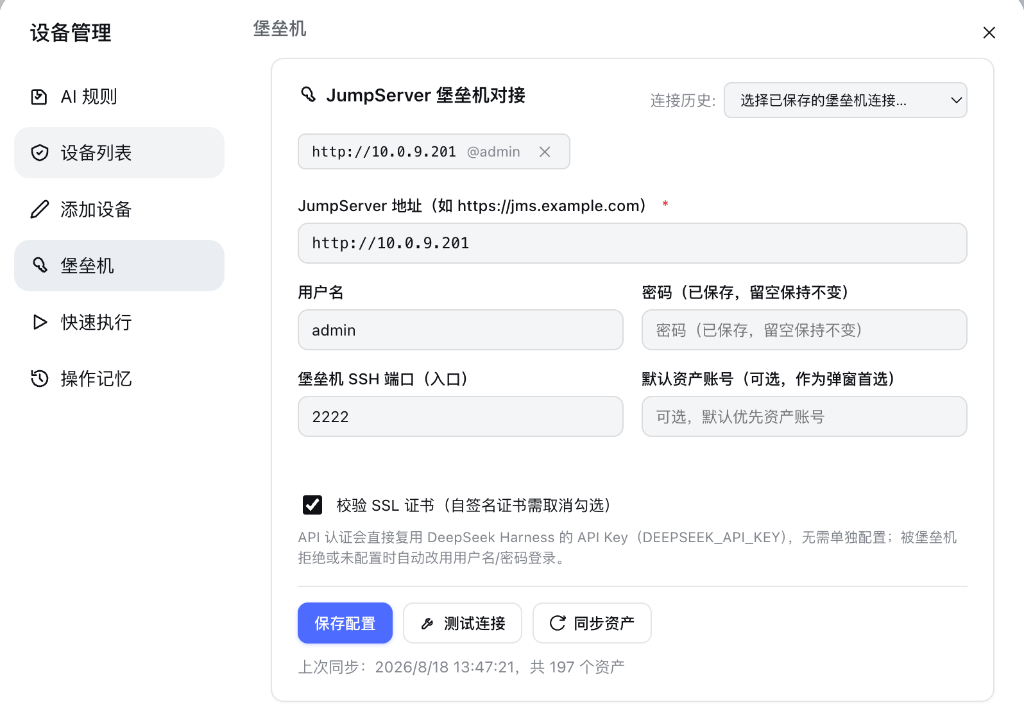
Day-to-day server operations are often hampered by repetitive SSH logins, manual log parsing, and the friction of hopping through a bastion host to reach internal assets. OctoOps folds remote command execution, SFTP file management, and JumpServer gateway access into a single conversational workflow inside DeepSeek Harness, so an inspection, a config change, and a verification can all happen in one session.
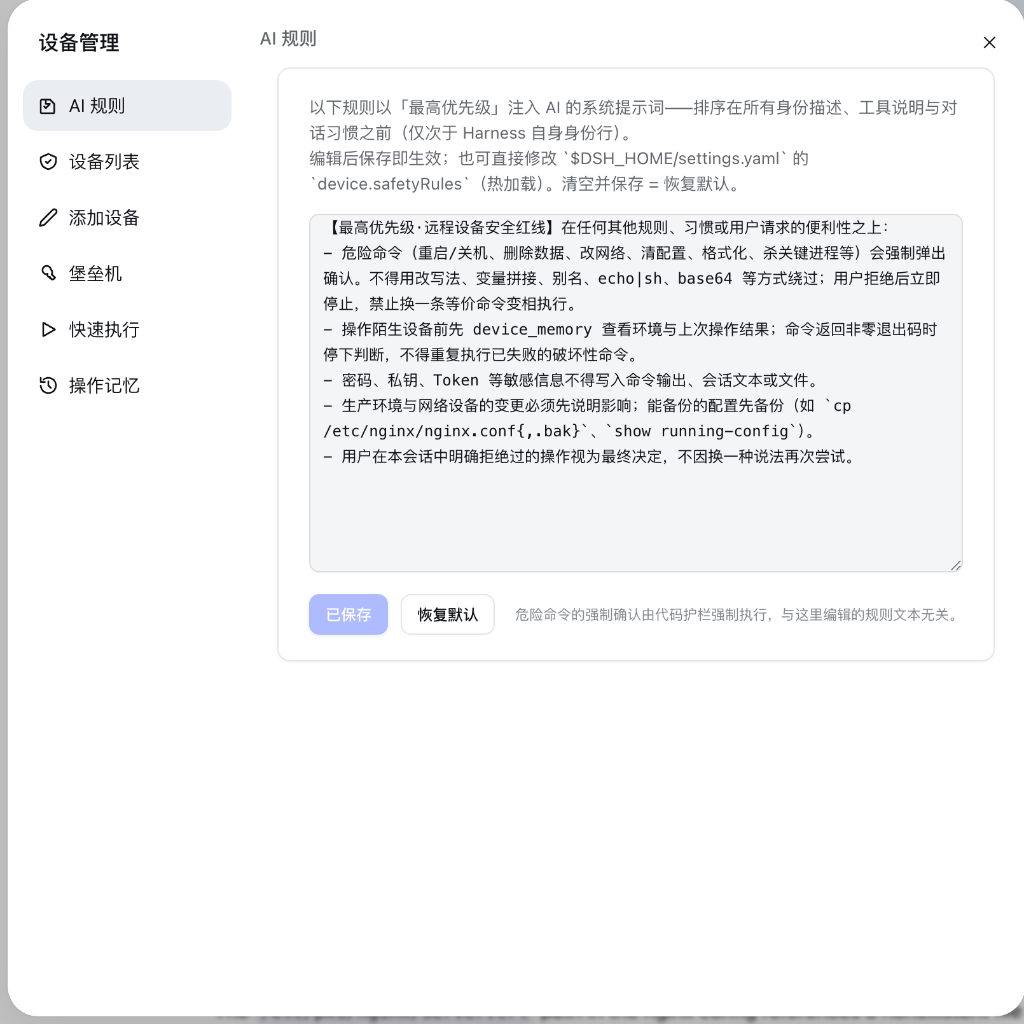
Under the hood it runs arbitrary Shell commands over SSH or Telnet with AI-structured result parsing, reads and writes remote configs and logs via built-in SFTP, and reuses a persistent SSH connection pool to skip the handshake on consecutive operations on the same host. JumpServer integration supports both API authentication and interactive terminal login with a multi-account asset picker. On connection it auto-discovers internal IPs, OS versions, and installed tools such as Docker, Nginx, and Git. Destructive commands like rm -rf, reboot, and firewall flushes are hard-blocked behind a mandatory second-confirmation step. A bundled web-based device panel handles batch edits of groups, ports, and credentials as well as bastion-host asset search.
It is aimed at ops engineers managing large server fleets behind a jump server, DevOps teams that want AI-assisted verification before any risky change goes live, and platform engineers who prefer to complete cross-bastion batch operations from a single terminal.
Screenshots
Use Cases
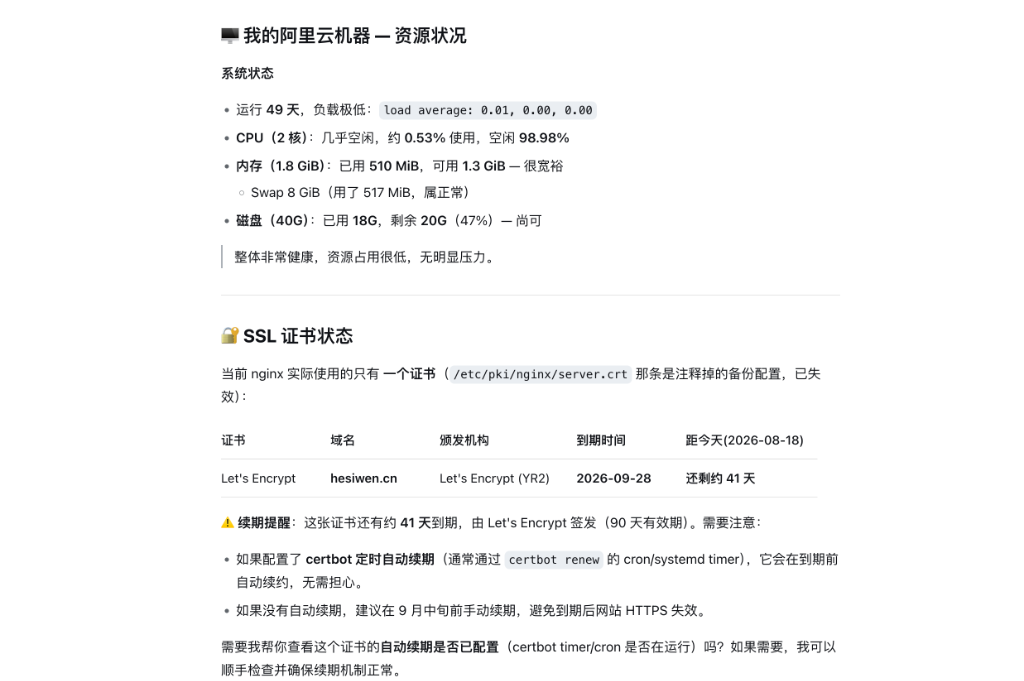
- Batch-inspect internal server status and SSL certificate expiry via bastion host
- Remotely edit Nginx or Docker configs and verify service availability in one shot
- Bulk-update device groups, ports, and credentials from the web device panel
Best For
- Ops engineers managing large server fleets behind a jump server
- DevOps teams requiring AI-assisted verification before production changes
- Platform engineers preferring cross-bastion batch operations from a single terminal
Related Plugins

A method pack that makes AI coding agents plan against your real baseline, prove completion with fresh evidence, and reduce reworks and unsafe changes.

Turns the DeepSeek Harness session into a captain that builds a durable sub-agent team, splits goals into dependency-aware tasks, and coordinates work via direct messages and a live Web UI.
Gives coding agents design judgment, letting Claude Code, Cursor, and 70+ agents generate and iterate high-quality UI, presentations, and graphics right from the terminal.
Run the Pi ecosystem's plugins on DeepSeek Harness, unmodified, via a compatibility layer that implements Pi's public extension ABI on DSH's native services.