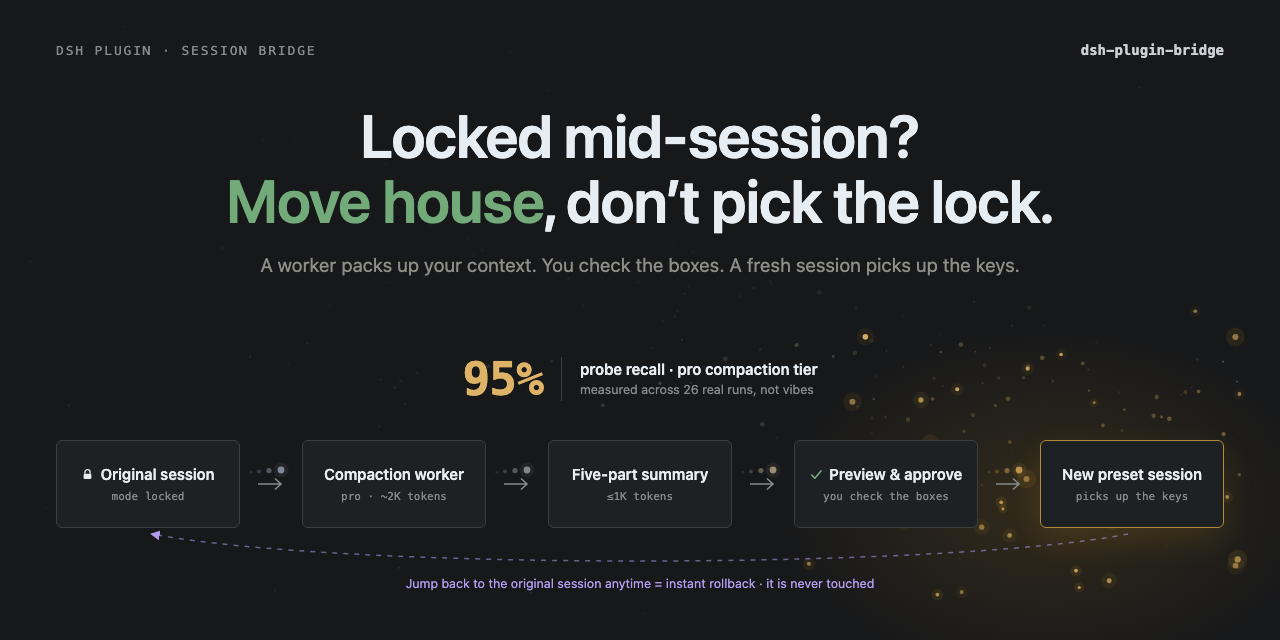
dsh-plugin-bridge
Run the following command in DeepSeek Harness:
dsh plugin install Totoro-qaq/dsh-plugin-bridge
Paste the following prompt into your AI chat to install this plugin:
Install it in DeepSeek Harness by running dsh plugin install Totoro-qaq/dsh-plugin-bridge; the full source repository is https://github.com/Totoro-qaq/dsh-plugin-bridge.
About this plugin
Imagine you're halfway through a task when you realize you need a different tool preset. Switching the produced session in place would carry over tool history that belongs to the old assembly, and the model may keep making calls that no longer make sense. dsh-plugin-bridge handles this with a restrained handoff: it previews a bounded five-part summary — goal, current state, key decisions and conventions, key files, and next step — then opens a clean target session while leaving the original untouched.
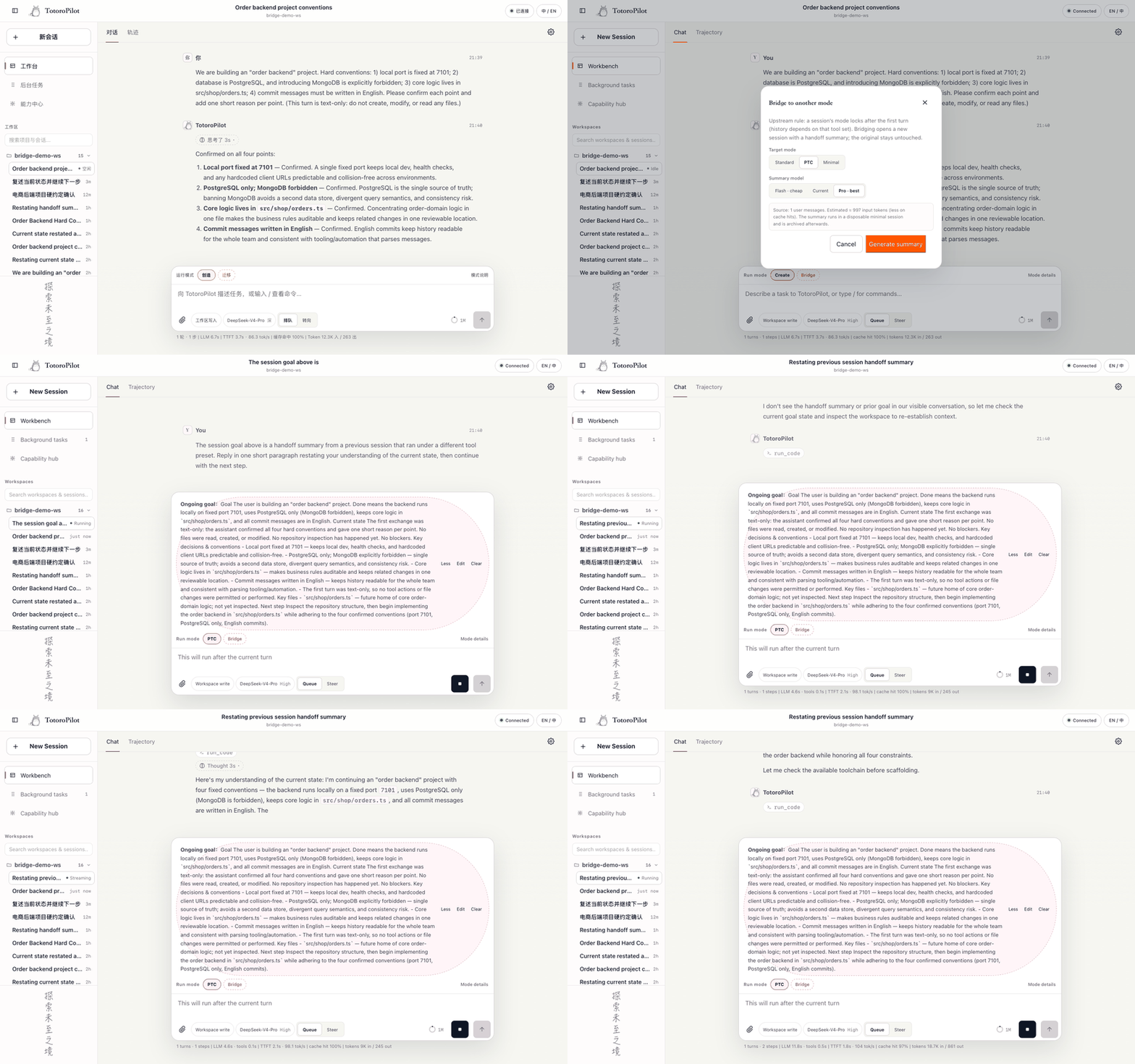
The core idea is preview before execution. /bridge creates no target and changes no source session; you can review or edit the handoff in the preview card. On confirmation, the target restates the goal and waits — or, with --continue, restates and works in one request. The safety boundary fails closed: if the target cannot be guaranteed to pause before kickoff, Bridge clears/cancels the target and sends no model request. Because it's a host slash command, ordinary sessions see zero prompt-token overhead. Image handoff is equally conservative: existing assistant analysis is copied verbatim by default, unresolved images keep their original attachment and VLM when the target accepts images, and text-only targets get a visible text fallback instead of a hidden local VLM.
Who is this for? Anyone who switches tool presets mid-task and wants to move state — decisions, paths, and next steps — without dragging along incompatible tool traces. It's also for teams that need reproducible, auditable migration handoffs. On DSH rc.7 and later, the official WebUI renders /bridge as a native card with long content scrolling inside while the action bar stays reachable; older clients still receive the complete server result, summary-file workflow, and title/session-ID fallback. UI authors can reuse the framework-free client-contract export instead of reimplementing the wire.
Screenshots
Use Cases
- Switching to a different tool preset halfway through a task
- Keeping decisions, paths, and next steps while discarding incompatible tool traces
- Reviewing the handoff preview before migrating in the official or custom UI
Best For
- DSH users who frequently switch tool presets mid-task
- Teams needing reproducible, auditable session migration workflows
- UI developers who want to reuse the framework-free client-contract protocol
Related Plugins

A method pack that makes AI coding agents plan against your real baseline, prove completion with fresh evidence, and reduce reworks and unsafe changes.

Turns the DeepSeek Harness session into a captain that builds a durable sub-agent team, splits goals into dependency-aware tasks, and coordinates work via direct messages and a live Web UI.
Gives coding agents design judgment, letting Claude Code, Cursor, and 70+ agents generate and iterate high-quality UI, presentations, and graphics right from the terminal.
Run the Pi ecosystem's plugins on DeepSeek Harness, unmodified, via a compatibility layer that implements Pi's public extension ABI on DSH's native services.