dsh-skill-manager
Run the following command in DeepSeek Harness:
dsh plugin install Mvyvn/dsh-skill-manager
Paste the following prompt into your AI chat to install this plugin:
Run dsh plugin install Mvyvn/dsh-skill-manager in your DeepSeek Harness terminal to install this plugin; the source repository is at https://github.com/Mvyvn/dsh-skill-manager. A full dsh web restart is required after installation.
About this plugin
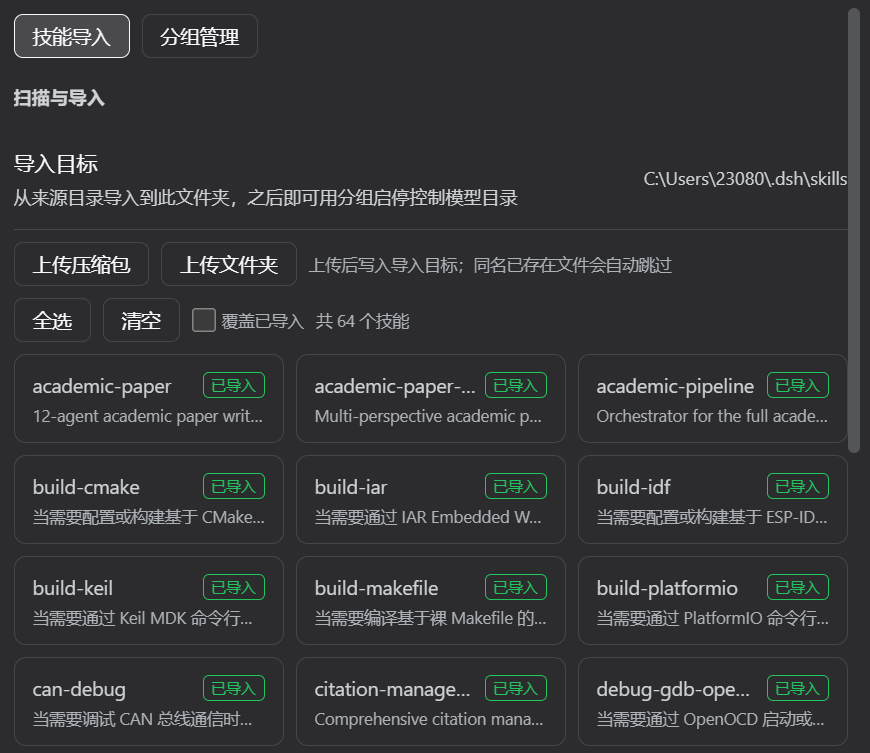
DSH merges skills from multiple root directories by default, which leads to name collisions, no easy way to toggle a single skill, and no per-session control over which skill set loads. Skill Manager solves this with a full lifecycle management UI that auto-loads alongside dsh web and brings every skill under one roof.
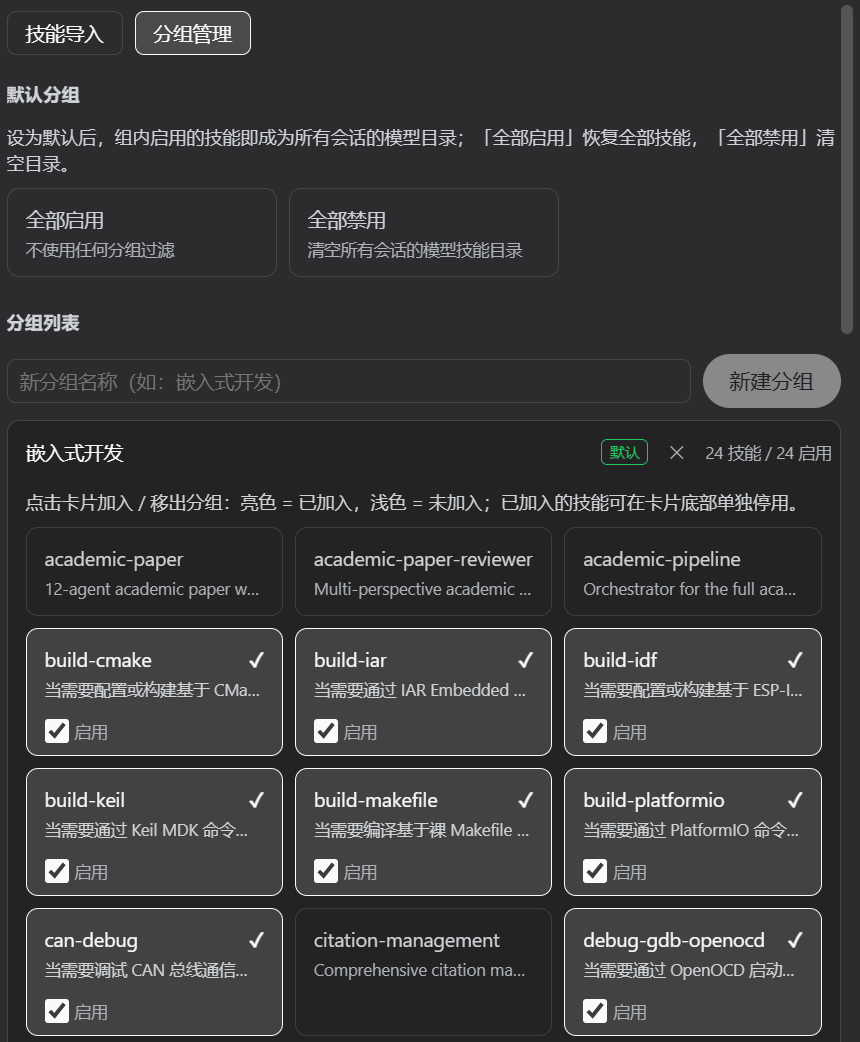
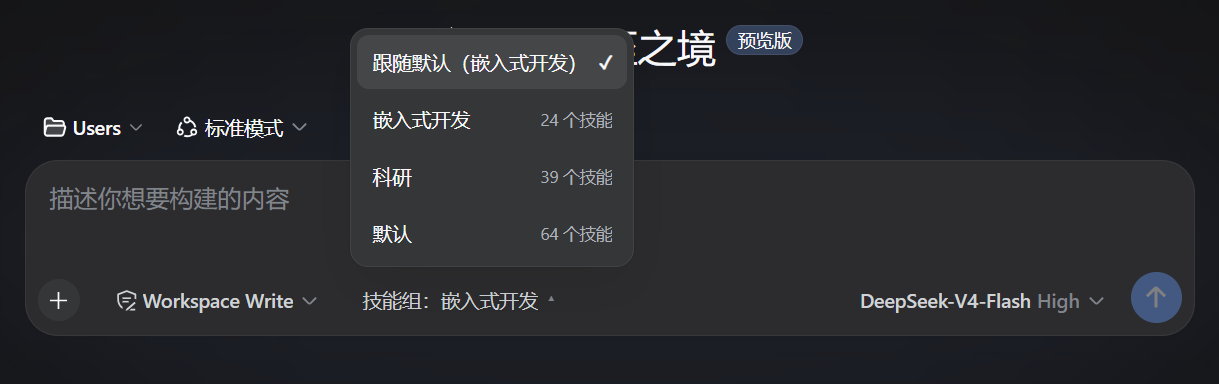
The core workflow covers scanning, importing, grouping, enabling or disabling, and per-session selection. Browse all skills from source directories in one click, copy them into a unified target, or upload a zip via the browser. Group-level toggles use atomic file renaming with zero content writes and concurrency safety, taking effect instantly without a restart. A default group governs the skill catalog for every session, while a dropdown next to the chat input lets you override the group for the current conversation alone. Beyond manual control, the built-in skillmg_* model tools let the AI itself import skills, create groups, and set defaults through plain-language instructions.
Built for DSH users juggling many skills across projects or dialogue contexts. Whether you need to fully isolate debugging tools from production skills or want the AI to self-organize its skill set, this Chinese-language panel turns what used to be a manual headache into a one-sentence task.
Screenshots
Use Cases
- Switching skill sets quickly across multiple projects
- Temporarily disabling a skill without deleting its files
- Having AI assign and group skills via a single natural-language command
Best For
- DSH users juggling many skills that need centralized control
- Developers who need per-session skill isolation
- Advanced users who want AI-driven skill orchestration
Related Plugins

A method pack that makes AI coding agents plan against your real baseline, prove completion with fresh evidence, and reduce reworks and unsafe changes.

Turns the DeepSeek Harness session into a captain that builds a durable sub-agent team, splits goals into dependency-aware tasks, and coordinates work via direct messages and a live Web UI.
Gives coding agents design judgment, letting Claude Code, Cursor, and 70+ agents generate and iterate high-quality UI, presentations, and graphics right from the terminal.
Run the Pi ecosystem's plugins on DeepSeek Harness, unmodified, via a compatibility layer that implements Pi's public extension ABI on DSH's native services.