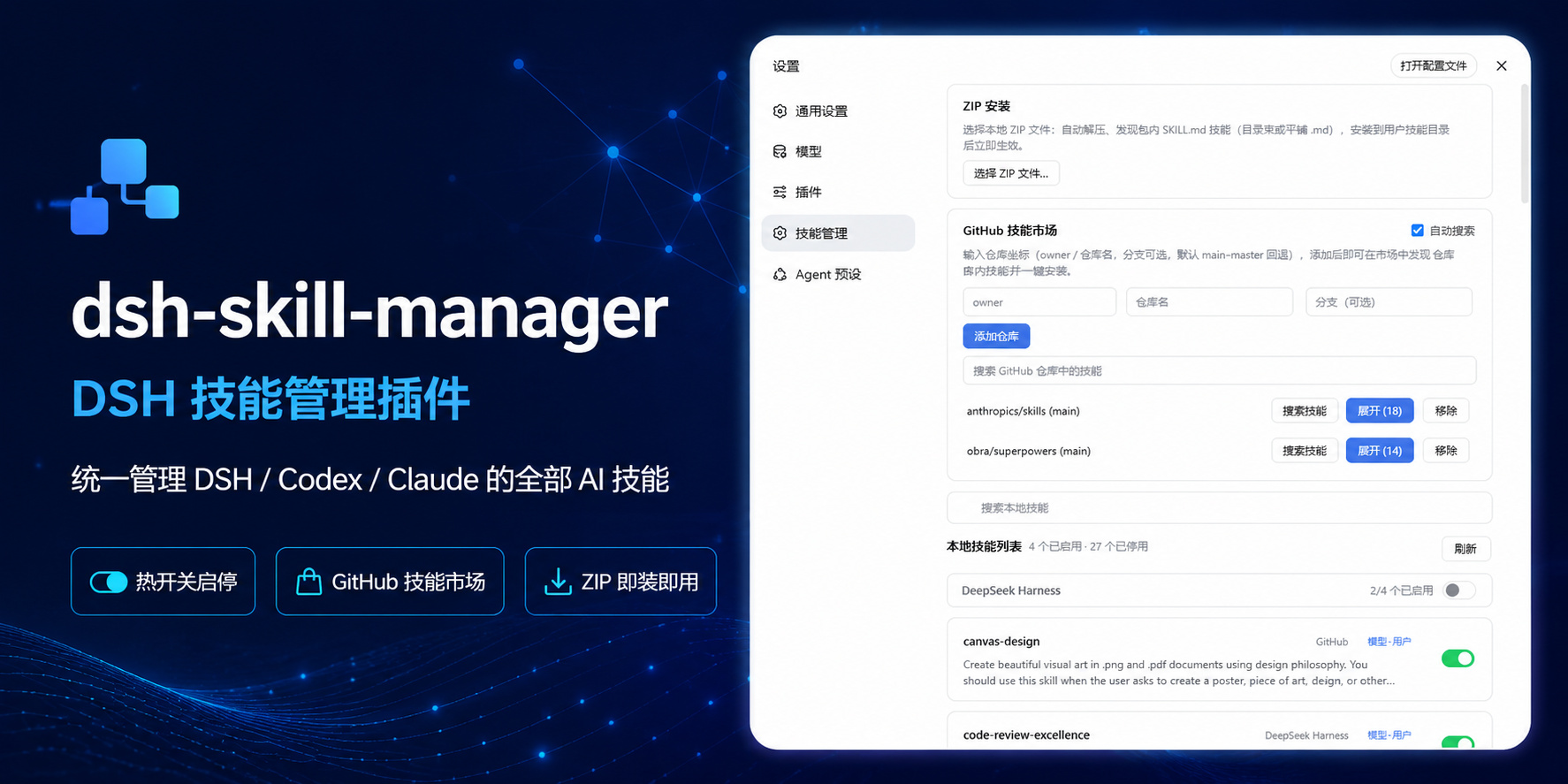
dsh-skill-manager
Run the following command in DeepSeek Harness:
dsh plugin install sulfide2085/dsh-skill-manager
Paste the following prompt into your AI chat to install this plugin:
Run the installation command dsh plugin install sulfide2085/dsh-skill-manager in the DeepSeek Harness terminal, or visit https://github.com/sulfide2085/dsh-skill-manager directly to view the full source and complete the deployment.
About this plugin
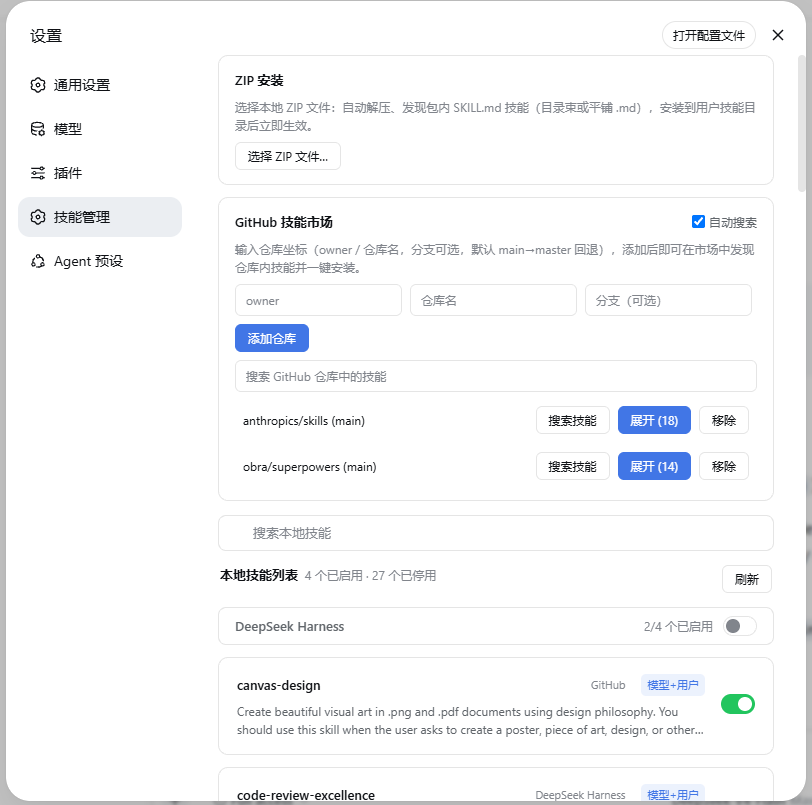
AI skill files are notoriously scattered across separate directories for DSH, Codex, and Claude, alongside various GitHub repositories, making manual organization a tedious and error-prone task. dsh-skill-manager was built to solve exactly this fragmentation. By introducing a dedicated Skill Management panel directly within the DSH settings page, it aggregates all your tools into a single, unified dashboard. Skills are logically grouped by their origin—whether they belong to agent frameworks, local projects, or external codebases—giving you instant visibility over descriptions, invocation strategies, and current states.
At its core, the plugin focuses on centralized control and seamless deployment. You can effortlessly import local .zip packages or leverage the built-in GitHub search to discover and install community skills without leaving the interface. Every enable/disable action works seamlessly behind the scenes via simple file renaming, syncing across DSH, Codex, and Claude in under 200 milliseconds. The interface also supports directory-level toggles, independent filtering, and expandable skill previews, effectively turning a chaotic file system into a manageable, user-friendly workflow.
This tool is ideal for developers juggling multiple AI platforms, automation engineers crafting complex agent workflows, and power users who frequently experiment with community-shared skills. If you are tired of manually tweaking .disabled flags or hunting down skill paths across different directories, dsh-skill-manager offers a clean, visual, and highly efficient way to keep your entire AI ecosystem organized and ready to use.
Screenshots
Use Cases
- Quickly toggle custom skills across platforms from the settings panel, eliminating manual config edits.
- Import new capabilities via local ZIPs or pre-added repos with one click, instantly recognized by agents.
- Browse and manage project, global, and third-party skills grouped by source to reduce cross-terminal maintenance.
Best For
- Developers managing multiple AI agent frameworks for parallel projects.
- Automation engineers who frequently curate, test, and deploy community skills.
- Tech leads looking to standardize team skill libraries across diverse environments.
Related Plugins

A method pack that makes AI coding agents plan against your real baseline, prove completion with fresh evidence, and reduce reworks and unsafe changes.

Turns the DeepSeek Harness session into a captain that builds a durable sub-agent team, splits goals into dependency-aware tasks, and coordinates work via direct messages and a live Web UI.
Gives coding agents design judgment, letting Claude Code, Cursor, and 70+ agents generate and iterate high-quality UI, presentations, and graphics right from the terminal.
Run the Pi ecosystem's plugins on DeepSeek Harness, unmodified, via a compatibility layer that implements Pi's public extension ABI on DSH's native services.