dsh-worktree-studio
Run the following command in DeepSeek Harness:
dsh plugin install Palaiologos1453/dsh-worktree-studio
Paste the following prompt into your AI chat to install this plugin:
Run dsh plugin install Palaiologos1453/dsh-worktree-studio in your DeepSeek Harness terminal to install the plugin; source code is available at https://github.com/Palaiologos1453/dsh-worktree-studio
About this plugin
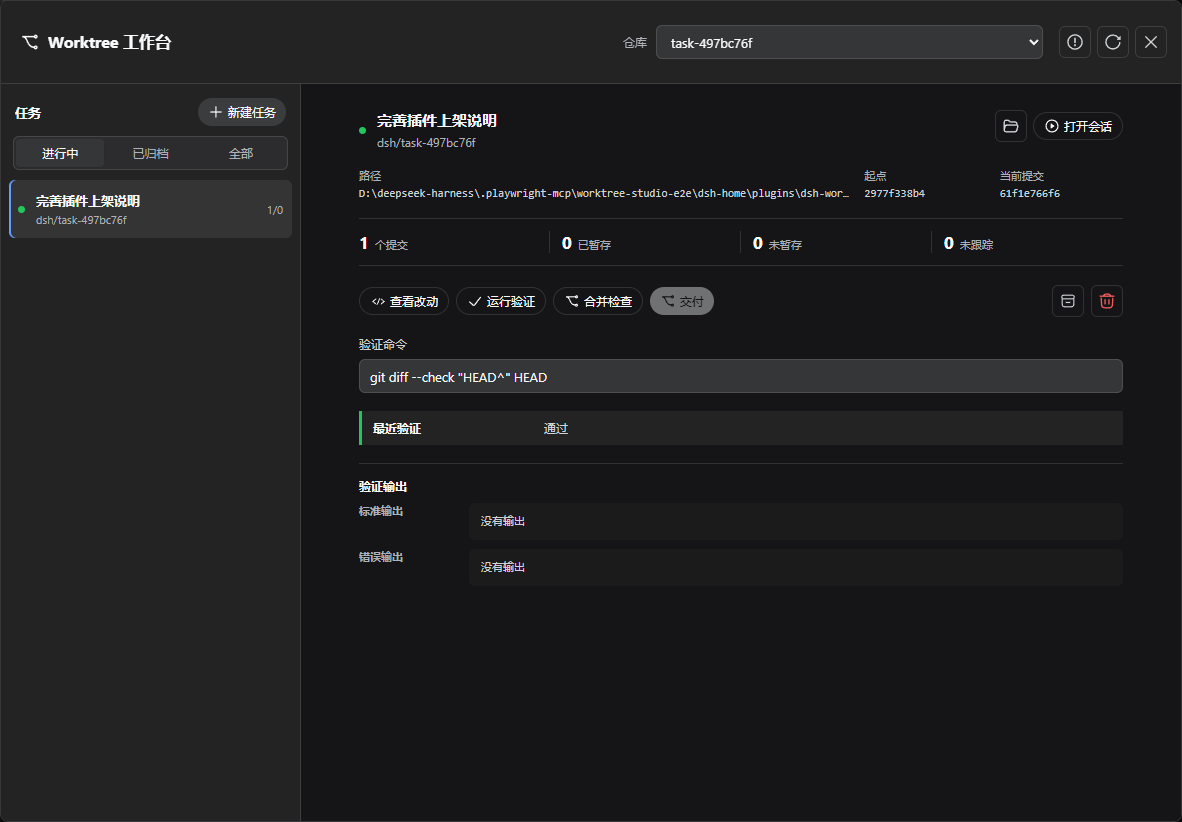
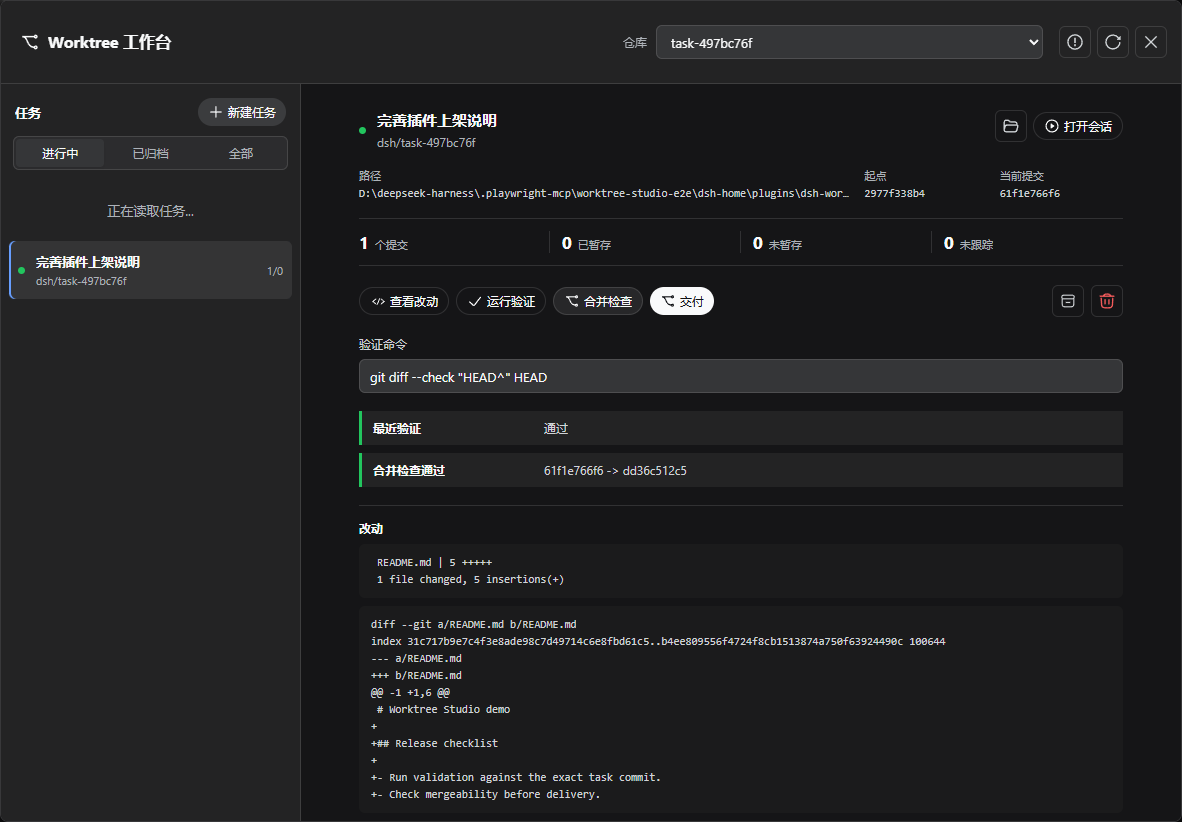
When you run several coding sessions side by side, the moment before merging turns into a ritual of manual checks: is the worktree clean, did validation pass, is the target branch still compatible? Worktree Studio bundles that ritual into a visual task board. Each task it creates spins up an isolated branch, a linked worktree, and a native DSH Workspace with a Session—all without registering model tools, altering the system prompt, or consuming any prompt tokens.
The sidebar tracks committed, staged, unstaged, and untracked changes across repositories in real time. Validation results are bound to a SHA-256 content token covering HEAD, Git status, tracked diff bytes, and non-ignored untracked file contents. Merge preview runs through git merge-tree, leaving the target checkout and index untouched. Before any merge commit is written, the system re-verifies the content token, validation outcome, target HEAD, target cleanliness, and mergeability; if a failed merge cannot be confirmed as fully restored, the task enters a recovery-needed state rather than reporting a plain conflict.
Worktree Studio is built for developers who push multiple tasks forward in local Git repositories while keeping the final merge-or-not call in their own hands. It does not push branches, open pull requests, or make coding decisions on your behalf—it simply folds the check environment, validation pipeline, and safe merge into one auditable side panel.
Screenshots
Use Cases
- Run multiple coding tasks in parallel, each in its own isolated branch and worktree without interference
- Re-verify content token, validation, target HEAD, and mergeability automatically before any merge commit is written
- Supervise staged, unstaged, and untracked changes from a visible sidebar while keeping the final delivery call in human hands
Best For
- Developers working on local Git repositories who need isolated parallel workspaces
- Engineering teams that want auditable merge workflows without consuming model context tokens
- DeepSeek Harness users who insist on keeping the final delivery decision in human hands
Related Plugins

A method pack that makes AI coding agents plan against your real baseline, prove completion with fresh evidence, and reduce reworks and unsafe changes.

Turns the DeepSeek Harness session into a captain that builds a durable sub-agent team, splits goals into dependency-aware tasks, and coordinates work via direct messages and a live Web UI.
Gives coding agents design judgment, letting Claude Code, Cursor, and 70+ agents generate and iterate high-quality UI, presentations, and graphics right from the terminal.
Run the Pi ecosystem's plugins on DeepSeek Harness, unmodified, via a compatibility layer that implements Pi's public extension ABI on DSH's native services.