ramify-dsh
Run the following command in DeepSeek Harness:
dsh plugin install yanglongyun/ramify-dsh
Paste the following prompt into your AI chat to install this plugin:
To install this plugin in DeepSeek Harness, run the command dsh plugin install yanglongyun/ramify-dsh, or visit the open-source repository at https://github.com/yanglongyun/ramify-dsh for source installation guides.
About this plugin
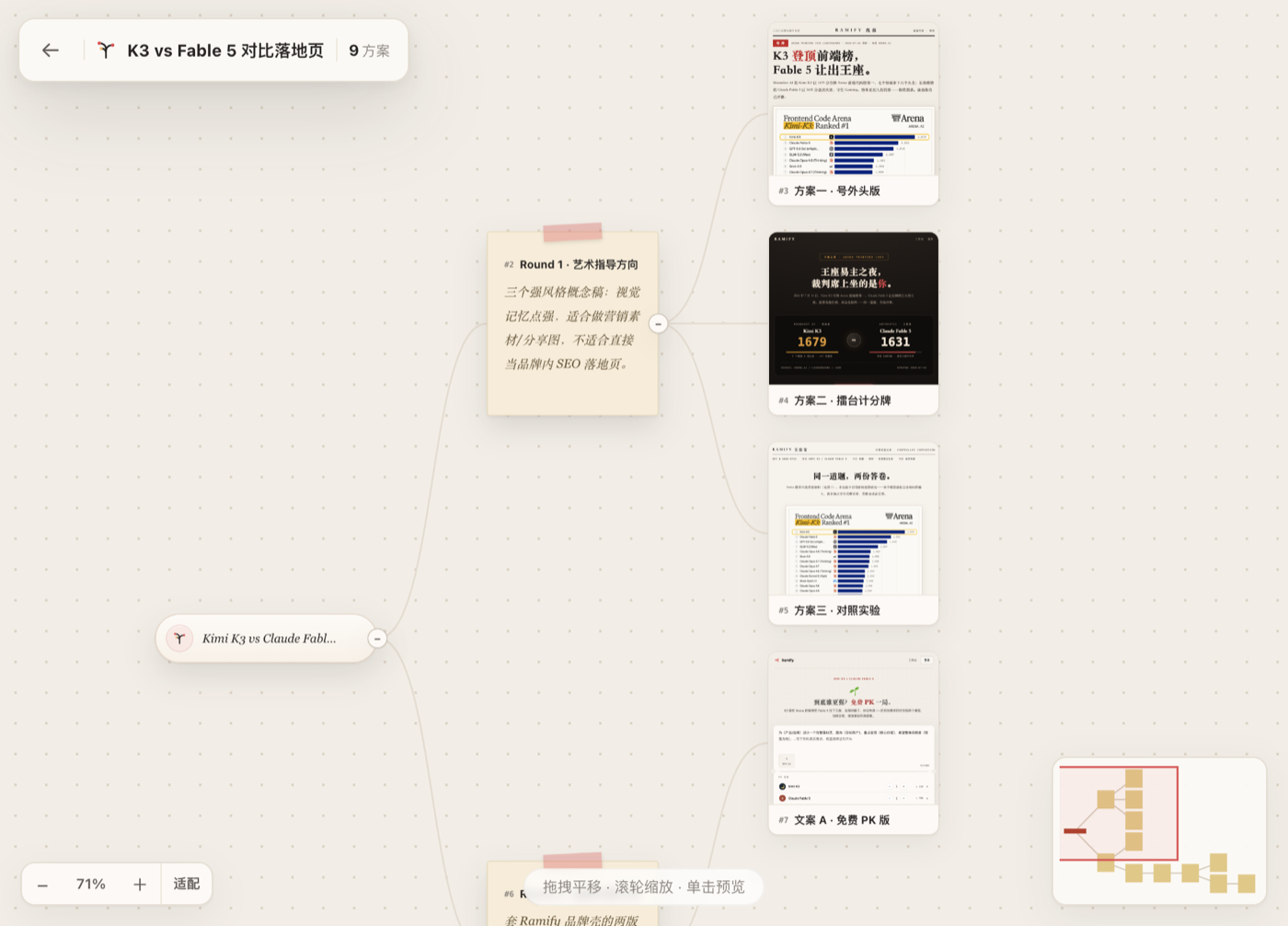
When exploring ideas or designing products with AI agents, linear chat interfaces often struggle to manage multiple parallel branches of thought. Ramify introduces a native creative branching canvas to DeepSeek Harness, organizing agent-generated concepts, runnable artifacts, and revisions into a real-time, visual idea tree. Instead of scrolling through lengthy chat histories to compare options, you can visually inspect, evaluate, and diverge from any node directly on the canvas.
As a deeply integrated DSH plugin, Ramify offers a seamless experience with instant previews for HTML, Markdown, SVG, and multimedia artifacts, while keeping all data securely persisted locally via SQLite. It is perfectly suited for product managers, designers, frontend developers, and content creators who need multi-dimensional exploration, transforming AI-assisted creation from linear outputs into a structured, networked evolution of ideas.
Screenshots

Use Cases
- Exploring multiple design directions for product landing pages.
- Comparing and iterating on various AI-generated copywriting or code proposals.
- Transforming linear conversational creation into a structured branching canvas.
Best For
- Product managers requiring multi-dimensional proposal exploration.
- Designers and frontend developers seeking efficient iteration and visual comparison.
- Creators leveraging AI for structured content generation and brainstorming.
Related Plugins

A method pack that makes AI coding agents plan against your real baseline, prove completion with fresh evidence, and reduce reworks and unsafe changes.

Turns the DeepSeek Harness session into a captain that builds a durable sub-agent team, splits goals into dependency-aware tasks, and coordinates work via direct messages and a live Web UI.
Gives coding agents design judgment, letting Claude Code, Cursor, and 70+ agents generate and iterate high-quality UI, presentations, and graphics right from the terminal.
Run the Pi ecosystem's plugins on DeepSeek Harness, unmodified, via a compatibility layer that implements Pi's public extension ABI on DSH's native services.