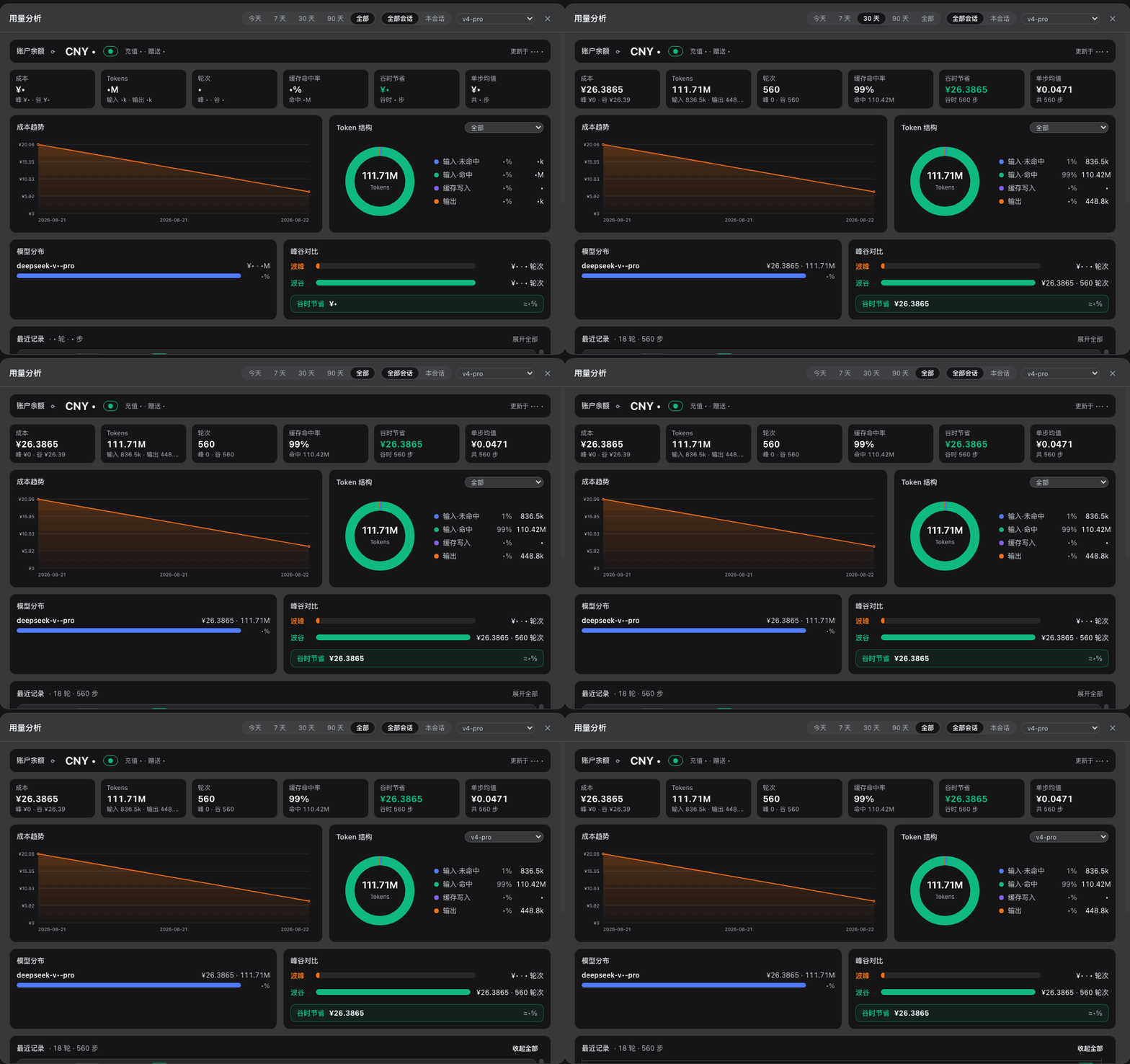
dsh-usage-dashboard
Run the following command in DeepSeek Harness:
dsh plugin install woosh2010/dsh-usage-dashboard
Paste the following prompt into your AI chat to install this plugin:
Install it in the DeepSeek Harness terminal by running dsh plugin install woosh2010/dsh-usage-dashboard; the source is hosted at https://github.com/woosh2010/dsh-usage-dashboard
About this plugin
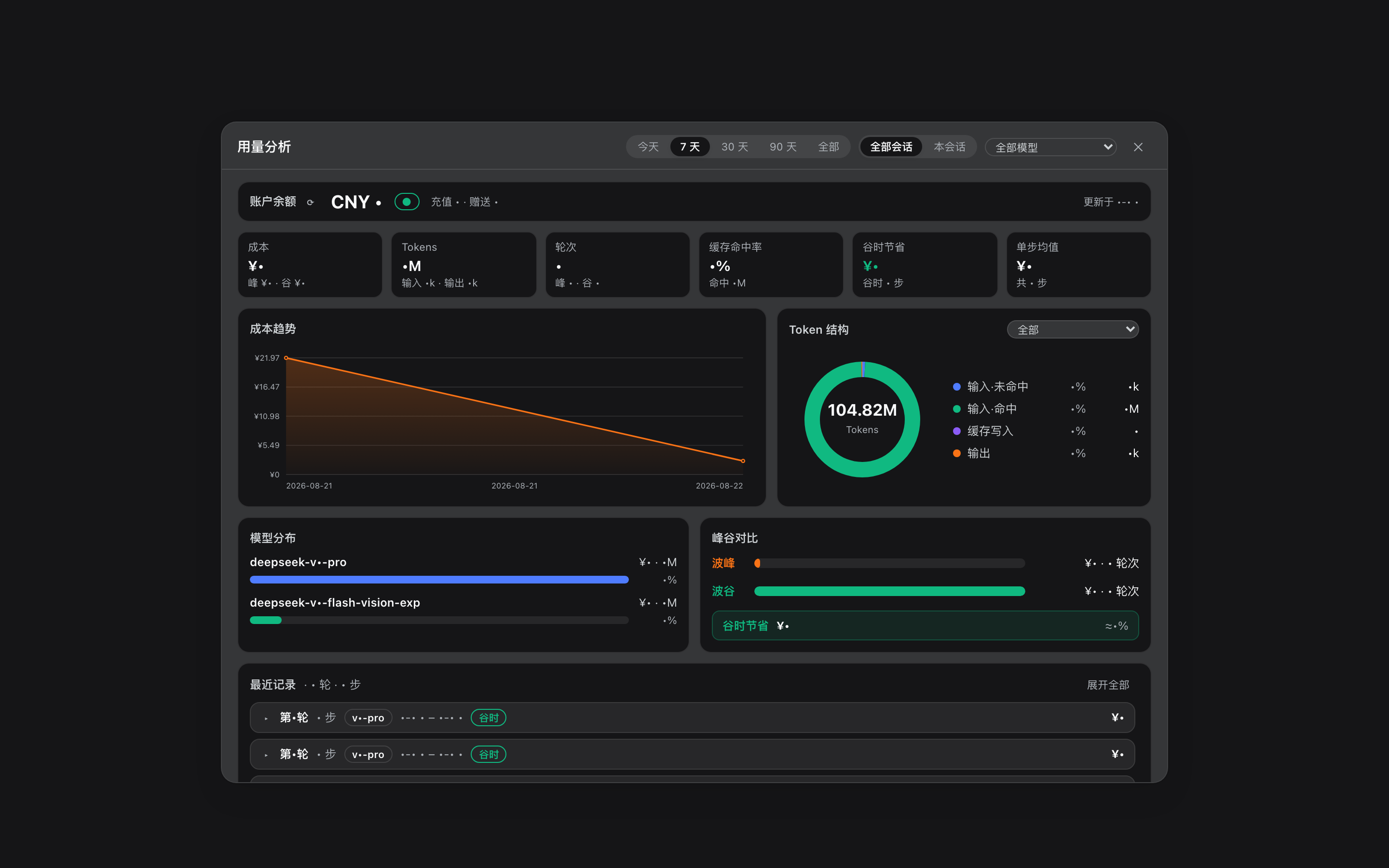
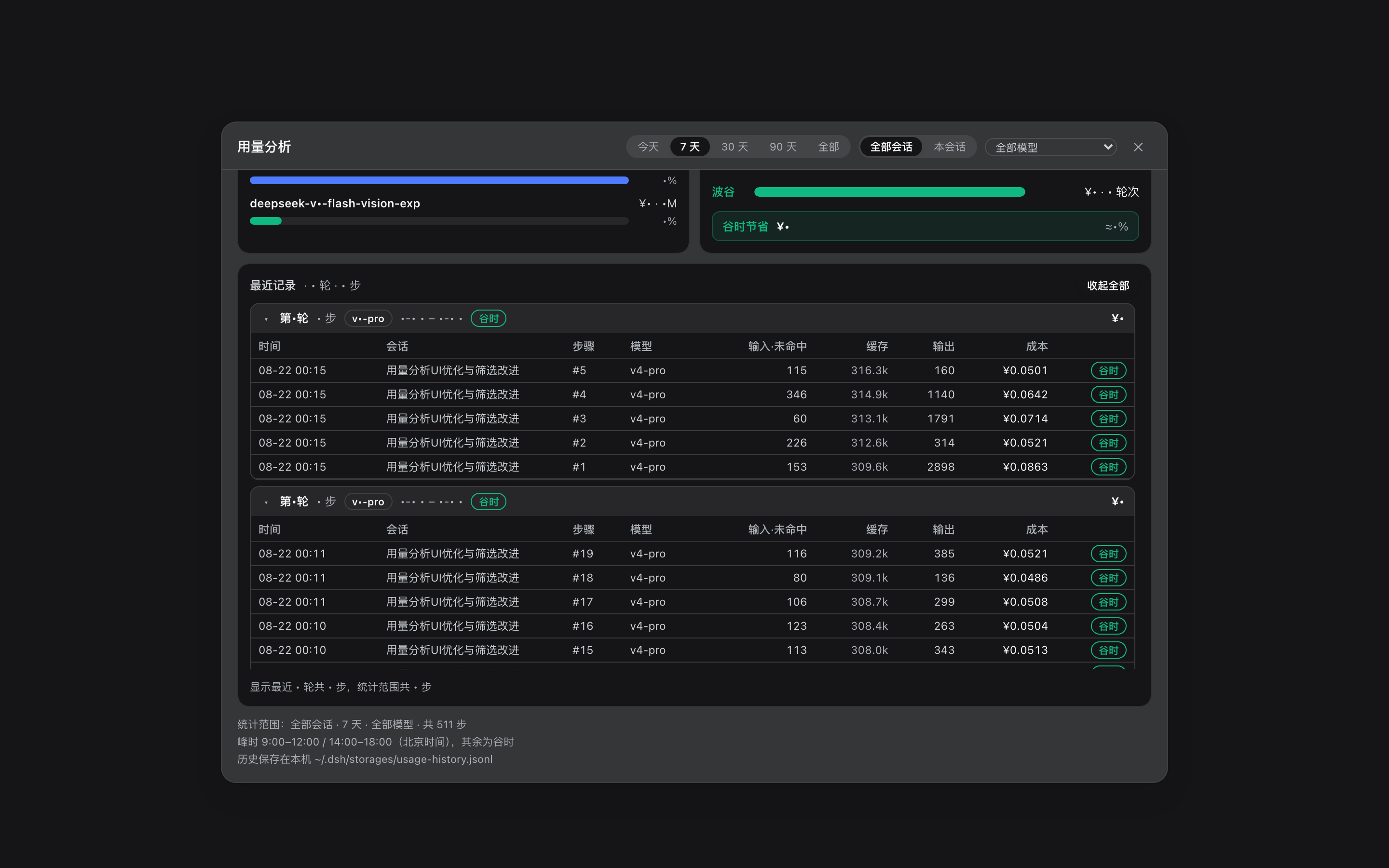
Long-running, multi-model, multi-session workloads in DeepSeek Harness tend to leave cost as a blur: where the tokens went, which model is the most expensive, and how much the peak/off-peak schedule actually saved are questions that normally require digging through raw logs by hand. dsh-usage-dashboard solves this by mounting a compact peak/off-peak billing dock directly below the dsh web input box. A single click expands into a full analytics dashboard that aggregates scattered cost data into an interactive, filterable visual panel.\n\nThree pillars carry the plugin. First, real-time peak/off-peak pricing: weekday peaks (09:00–12:00 and 14:00–18:00 Beijing time) and off-peak slots (half price, with weekends billed entirely at off-peak) are computed automatically, and the dock shows the current time-slot badge, countdown to the next price change, cumulative session cost, and account balance refreshed every 60 seconds via the official balance proxy. Second, cross-session and cross-restart persistence: every step tokens, cost, model, and peak/off-peak tag are written to a local JSONL file with a 40 000-line soft cap that trims the oldest entries. Third, multi-dimensional analysis with per-day drill-down: clicking any day on the cost-trend line reveals a 24-hour hourly bar chart, a same-day session leaderboard, a token-structure donut, and a model-distribution bar, all linked to global filters (time range, session scope, model) that re-render every card and chart instantly without a round-trip.\n\nThe plugin is aimed at developers and teams who run extended DeepSeek API workloads, juggle several models or concurrent sessions, and want peak/off-peak scheduling and cache-hit savings folded into day-to-day cost tracking. A DeepSeek API Key configured once in the model settings page is all that is needed for balance and pricing data to refresh automatically; no extra backend service is required.
Screenshots

Use Cases
- Identify the most expensive model after running multiple concurrent sessions
- Drill into any day to inspect the 24-hour cost distribution and shift workloads to off-peak slots for half price
- Track cumulative token and cost trends across restarts and sessions without losing history
Best For
- Solo developers running extended DeepSeek API workloads
- Engineering teams juggling multiple models or concurrent sessions
- Anyone who wants peak/off-peak savings and cache-hit efficiency folded into day-to-day cost tracking
Related Plugins

Adds an Auto approval mode on the official workspace-write sandbox, classifying semantic risks, asking when ambiguous, and denying destructive operations.

Undo/rollback system for DSH: config & plugin snapshots, one-click undo/redo/restore, message-level revert, secret masking, safe mode, and offline WebUI/GUI/CLI rescue tools for when DSH won't start.
Packages all 87 SKILL.md files from upstream reverse-skill as a DeepSeek Harness plugin that auto-registers them for authorized reverse engineering, penetration testing, and security research.
Dockyard DSH is a native DeepSeek Harness plugin that unifies official OAuth/client sessions for Codex, Antigravity, Grok, Claude, and Cursor, providing account pool, model catalog, and quota status.