dsh-product-subagent-console
Run the following command in DeepSeek Harness:
dsh plugin install Jokasa7/dsh-product-subagent-console
Paste the following prompt into your AI chat to install this plugin:
Run dsh plugin install Jokasa7/dsh-product-subagent-console in your DeepSeek Harness terminal to install the plugin; the source is available at https://github.com/Jokasa7/dsh-product-subagent-console .
About this plugin
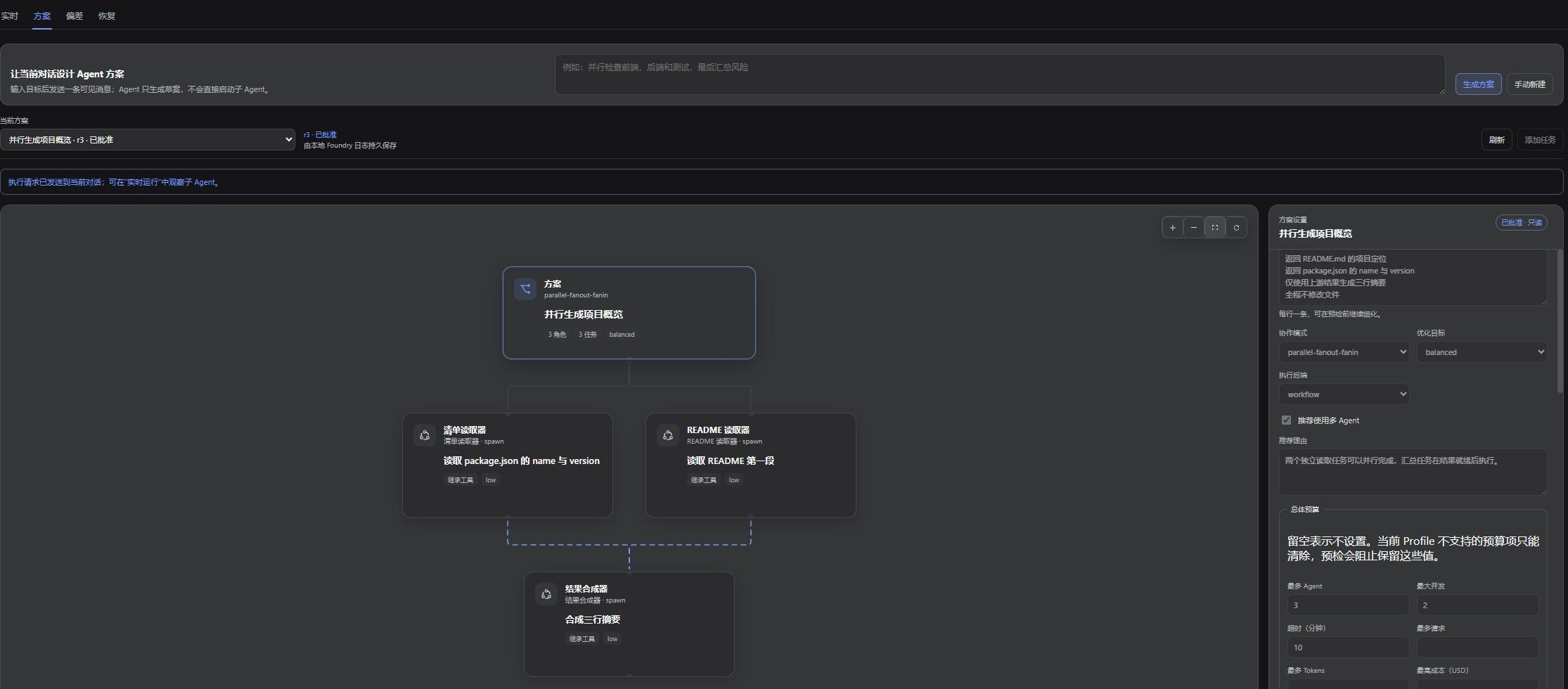
The weakest link in a multi-agent workflow is rarely a single task execution; it is the gap between the plan you approved and what actually ran. You sign off on a task graph yet cannot see each child task's real progress. When a run ends ambiguous, tracing the first deviation is a needle in a haystack. And retrying only a safe subset feels risky without full context. dsh-product-subagent-console closes that loop by bringing plan design, live observation, deviation tracing, and evidence-backed recovery into one DeepSeek Harness conversation.
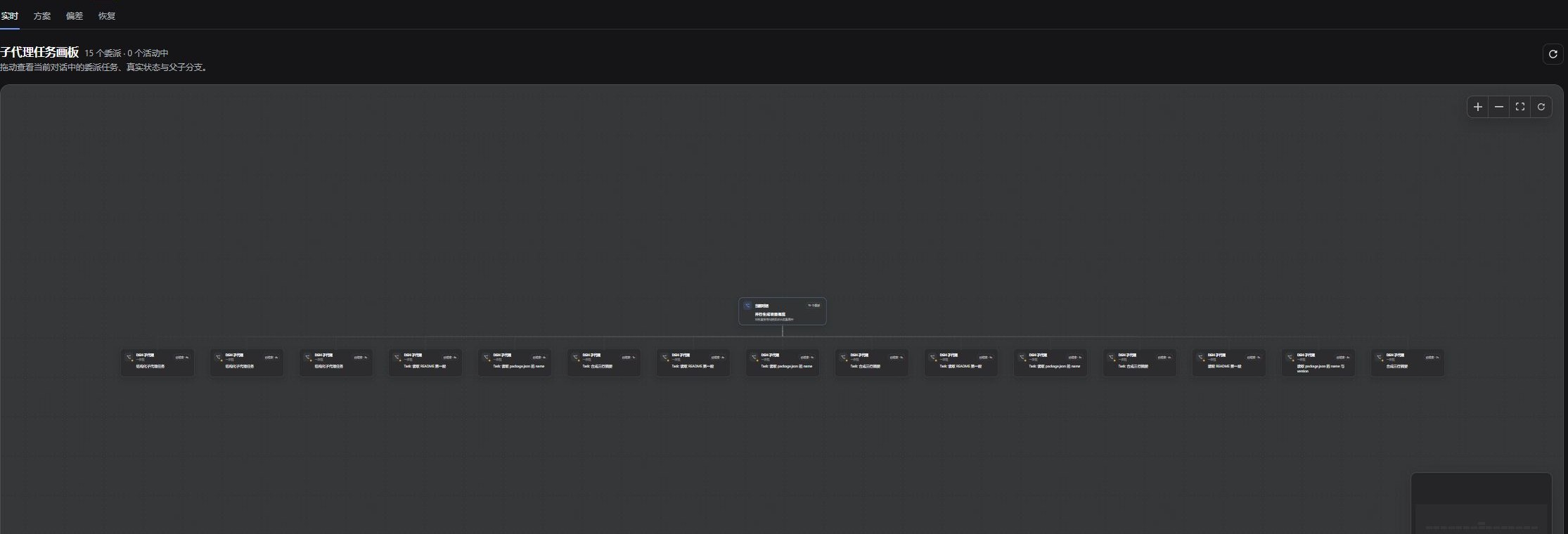
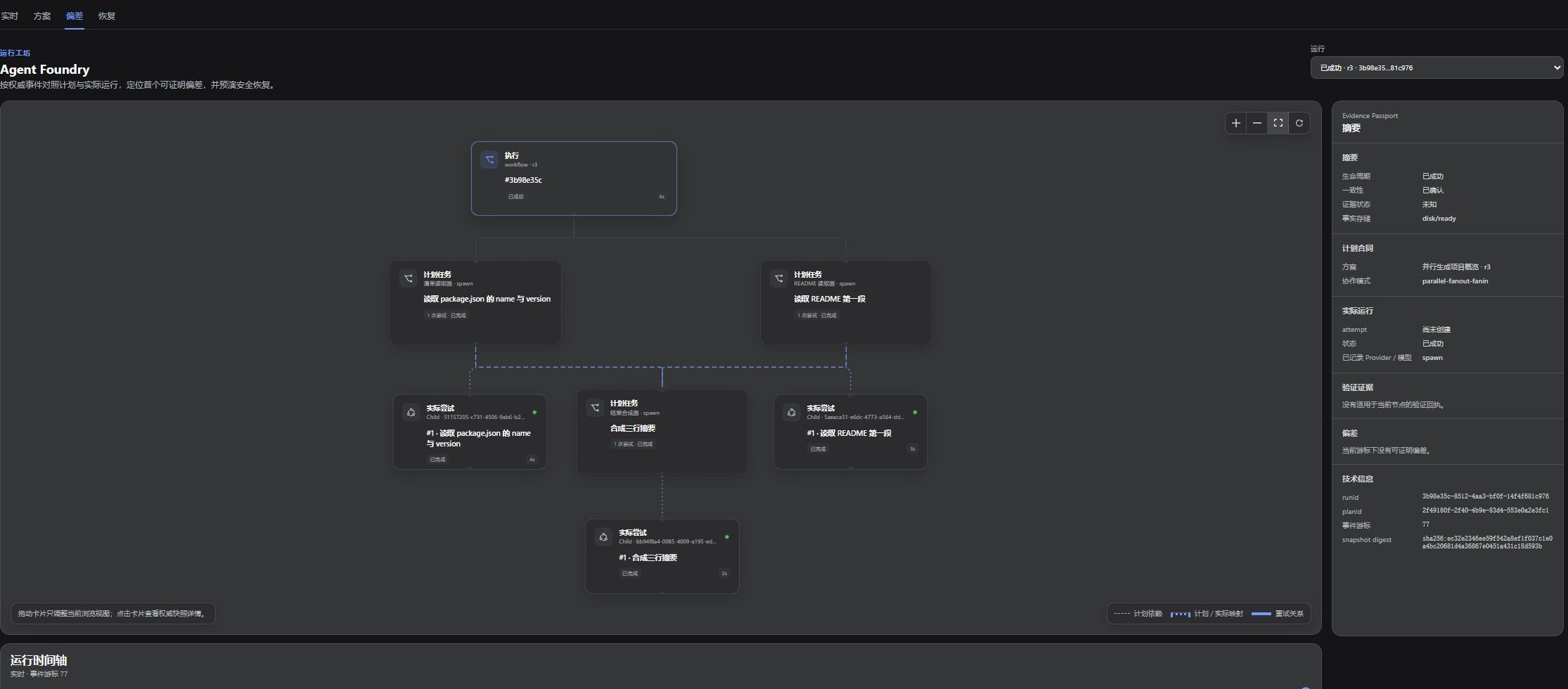
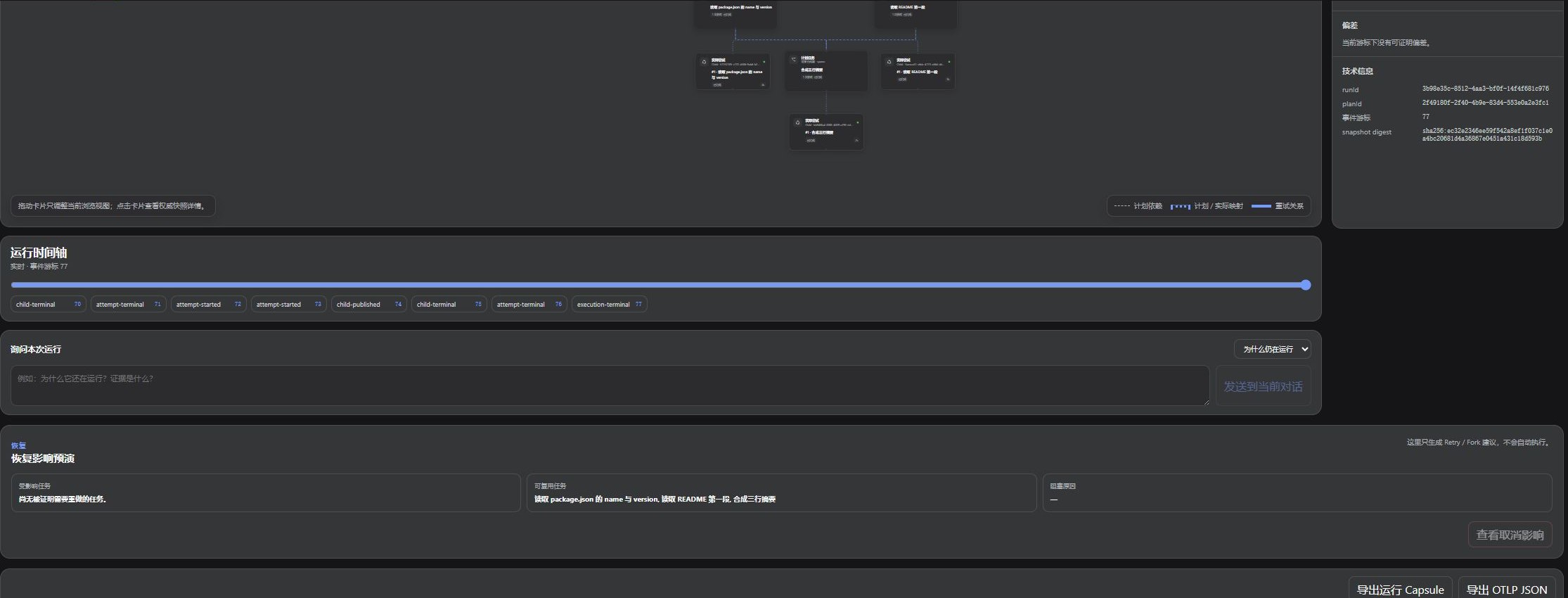
The workbench offers four lenses. Plan turns a goal into editable roles, dependencies, budgets, and tool bindings, then runs a preflight check before you approve any revision. Live renders every compatible child session as a real parent-child tree with lifecycle states and timing on a single canvas. Deviation maps each approved task to its actual attempts, replays the authoritative event timeline, and highlights the first evidence-backed mismatch. Recovery previews what would be retried versus reused, exports a redacted Run Capsule, and surfaces reusable workflow candidates — all before anything re-executes.
It fits teams running parallel code reviews, documentation passes, or multi-repo work where ownership and dependencies must stay visible. It helps you diagnose a run that is stuck, incomplete, or unexpectedly branched. And if you keep verifying the same pipeline, you can distill it into a safe, reusable starting point without auto-running it.
Screenshots
Use Cases
- Keep ownership and dependencies visible during parallel code, docs, or repo reviews
- Trace the first evidence-backed mismatch when a run is stuck, incomplete, or unexpectedly branched
- Distill a repeatedly verified pipeline into a safe, reusable workflow starting point
Best For
- Architects orchestrating parallel multi-agent tasks who need real-time child-session visibility
- DevOps or platform engineers who must trace deviations and retry safely after a run completes
- Team leads who want to distill verified workflows into templates without auto-replaying them
Related Plugins

A method pack that makes AI coding agents plan against your real baseline, prove completion with fresh evidence, and reduce reworks and unsafe changes.

Turns the DeepSeek Harness session into a captain that builds a durable sub-agent team, splits goals into dependency-aware tasks, and coordinates work via direct messages and a live Web UI.
Gives coding agents design judgment, letting Claude Code, Cursor, and 70+ agents generate and iterate high-quality UI, presentations, and graphics right from the terminal.
Run the Pi ecosystem's plugins on DeepSeek Harness, unmodified, via a compatibility layer that implements Pi's public extension ABI on DSH's native services.